
Free tools Windows power users keep installed
One-click scans. No signup required.
iTechGuides is reader-supported. When you buy through links on our site, we may earn an affiliate commission. As an Amazon Associate I earn from qualifying purchases. Learn more
A URL-to-PDF service built on Playwright’s page.pdf() returns a print-rendered PDF, and that file is not fillable by default. Making it fillable is a second step: you add AcroForm fields with a PDF library such as PDF-LIB, either on top of the rendered page or inside a template. Rendering settings decide how the page looks on paper. The form step decides whether anyone can type into it.
The behavior described here follows Playwright’s Page API reference and PDF-LIB’s documentation as they stood in October 2026. Pin the versions you deploy and test against them.
The pipeline in five steps
- Launch headless Chromium and open the target URL. Playwright documents
page.pdf()as Chromium-only, so the rest of this design assumes that engine. - Wait until the page is ready. Web fonts and client-rendered content must finish before the PDF is generated; see render readiness below.
- Call
page.pdf()with your paper, margin, background, and header options. - Load the returned bytes with PDF-LIB, add AcroForm fields, and update their appearances with an embedded font.
- Save the document and return the bytes, or store them and return a reference.
Rendering edge cases that change the output
Each control below changes the printed result. The table lists what each one controls; the notes that follow cover the failures teams usually meet.
| Setting | Controlling option | Default | Set it explicitly when |
|---|---|---|---|
| Media type | page.emulateMedia({ media: 'screen' }) before page.pdf() |
Print CSS media | The page is laid out for the browser window and should print that way |
| Paper size | format (named), or width and height |
Not stated in Playwright’s Page API reference; set explicitly | Output must match a fixed paper size |
| CSS page size | preferCSSPageSize |
Off; CSS @page size is scaled to the chosen paper |
Designers control page size in CSS |
| Margins | margin (with units) |
Not stated in Playwright’s Page API reference; set explicitly | Always, so layout and field coordinates stay predictable |
| Scale | scale |
1 | Content must fit a narrower or wider layout (this changes field coordinates) |
| Background graphics | printBackground |
Off | Colored blocks or background images must appear |
| Headers and footers | displayHeaderFooter with headerTemplate and footerTemplate |
Off | Page numbers, titles, or dates are required |
| Tagged structure | tagged |
Off | Output needs tagged structure; this is not an accessibility guarantee |
| Page selection | pageRanges |
All pages | Only part of the page set should be returned (this shifts page indexes) |
Print media is the default, so screen-only CSS disappears
Because page.pdf() generates the PDF with print CSS media, rules inside @media screen do not apply, and @media print rules do. A page written for a browser window can therefore print with a different layout: navigation hidden by print rules, sidebars reflowing, or fixed-width containers clipped at the page edge. Call page.emulateMedia({ media: 'screen' }) only when the page is meant to be printed exactly as its screen layout. Otherwise, design and test the print layout directly.
#1 Best Overall

- 『Better Than Finger』- A stylus has a better touch point than the tip of your finger giving better accuracy to little touch focuses like keys on the console. No more big finger troubles.
- 『Anti-Scratch Tip』- The stylus pen tip was made of soft, and scratch resistant rubber,which can protect your screen from scratching and keep no fingerprints.
- 『Easy To Carry』- Slim body and lightweight. Clip design is great for clipping in your pocket, diary, etc. Great stylus for kids.
- 『Perfect For Sharing』- Get 10 of tablet stylus with an unbeatable price. You can share this tablet pen to your friends or family.
- 『Universal Capacitive Stylus』- 100% compatible with all capacitive touch screen devices,such as iPad,iPhone,tablets,samsung galaxy and so on.
CSS page size and explicit paper size can disagree
With preferCSSPageSize left off, the CSS @page size is scaled to fit the paper you selected with format, or with width and height. A stylesheet that declares A5 pages, rendered on A4, produces smaller text and page breaks that no longer match the layout the designer intended. Turning preferCSSPageSize on reverses the precedence: the CSS size wins, and the format you pass no longer sets the page size.
Choose one source of truth per endpoint. An API that accepts a paper size from callers should set format explicitly and leave preferCSSPageSize off. A template service where designers own the page size should declare @page in CSS and turn the preference on. Mismatches appear when both are used without a test for each page size.
Units, margins, and scale
Dimensions and margins accept units, and unitless numbers are treated as pixels. So margin: { top: 40 } means 40 px, about 10.6 mm, not 40 mm. Write explicit units such as '12mm' on every margin so the value reads the same in code review as on paper.
Rank #2

- Package includes: you will get 4 pieces of colored stylus drawing pens, come with 4 pieces of anti-lost elastic ropes, sufficient quantity and nice combination can meet your various demands, suitable for LCD writing boards
- Reliable material: the replacement stylus adopts ABS material, which is stable and reliable, not easy to break or deform, wearproof and safe to use, bring you nice using experience
- Proper size: each toddler drawing tablet pen measures 4.5 x 0.4 inch, appropriate size fits most LCD tablet memory slots, portable and practical
- Anti-lose design: each stylus pen has a perforated design at the top; You can use the matched anti-lose rope, so you don't have to worry about your child dropping the pen
- Note: these stylus drawing pens are not compatible with smartphone, tablet PC and other devices, they are suitable for all brands LCD writing boards
scale changes the size of all content, which also changes every coordinate you later use to place form fields. pageRanges removes pages from the output. A field defined on page 3 of the full render lands on index 0 if pages 1 and 2 are dropped, so record page indexes against the output document, not the original render.
Background graphics and color
Background graphics are not printed unless printBackground is on. A colored header bar or a background image in the stylesheet disappears, and the page looks unbranded even though it looked right on screen. Print output also alters colors by default. To hold exact colors on the elements that need them, add -webkit-print-color-adjust: exact in CSS. The option decides whether backgrounds are drawn; the CSS property decides whether colors print as specified.
Headers and footers are constrained templates
Headers and footers are opt-in. Set displayHeaderFooter: true and supply headerTemplate, footerTemplate, or both. Playwright provides injection classes for the date, title, URL, page number, and total page count, so a page number is written as <span class='pageNumber'></span>. Two constraints shape the design. Script tags inside the templates are not evaluated, and page stylesheets are not visible inside them, so every style a template needs must be inline and self-contained. The header and footer also sit within the top and bottom margins, so set those margins large enough to hold them, then check the first and last pages of a long document.
Rank #3
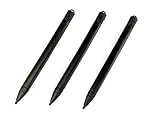
- Enhanced Replacement Set: Elevate your tablet experience with the 3-Pack Replacement Stylus Pen Set (4.7" long each) designed specifically for LCD Writing Tablets (does NOT come with a drawing pad).
- These do NOT work on iPads, tablets, or regular electronic drawing pads. These only work for the cheaper LCD drawing pads--see description below to find out if it will work for yours
- Seamless Writing and Drawing: Enjoy smooth, precise input for both writing and drawing, making note-taking and creative endeavors effortless.
- Premium Build Quality: Crafted with high-quality materials, these stylus pens provide durability and a comfortable grip for extended usage sessions.
- Will not fit into the storage slots on all digital drawing pads, but will fit into some--depends on the drawing pad brand
Tagged output is a setting, not an accessibility guarantee
The tagged option is off by default and adds tagged structure to the output when enabled. Turning it on does not, by itself, make a document accessible. Check the result with an accessibility checker and a screen reader before describing the output as accessible.
The Tool Desk
Outbyte Driver Updater FREEFix the driver behind crashes, sound loss and screen glitchesFind Drivers →Outbyte PC Repair FREERepair Windows errors before they cause bigger problemsFix Now →Render readiness
page.pdf() captures the page as it is at the moment of the call. Web fonts that are still loading, or content a script inserts after the load event, can be missing from the PDF. Wait for document.fonts.ready through page.evaluate(), and for any application-specific ready signal your page exposes. The PDF API has no way to know when your page has finished.
Making the PDF fillable
An interactive form in a PDF is stored as an AcroForm: a set of field definitions with widgets positioned on pages. PDF-LIB’s PDFForm represents that structure. It provides create methods for text fields, checkboxes, dropdowns, option lists, radio groups, and buttons, and it can retrieve existing fields from a loaded document. Those methods are the route to fillable output; page rendering alone is not.
Rank #4

- Multiple Colors: you will receive 7 pieces of LCD writing tablet stylus in different colors, and 7 pieces of black elastic lanyards are also provided, sufficient quantity can meet your daily use and replacement, please note that the color is only the appearance of the design, when writing will not change the color of the text
- Reliable Material: the writing pen for tablet is made of quality ABS material, sturdy and solid, not easy to break, deform or fade, lightweight and serviceable, convenient for taking around, and easy to store and won't take up too much space
- Portable Size: the stylus pen with lanyard is measured about 4.7 x 0.4 inches, proper size suitable for most LCD tablet memory slots, and the length is comfortable to grip, which will bring you a pleasant using experience
- Anti Loss Design: the top of each board stylus with a perforated design, you can use it with the elastic lanyard, won't worry about losing the pen, providing you with a long service time
- Wide Applications: the doodle board stylus is suitable for home, kindergarten, class, park, summer camp, painting class use, which is a practical tool for yourself or your kids during learning, drawing, calculating, and writing
| Output | Fillable fields | How it is produced | Main risk |
|---|---|---|---|
Static page from page.pdf() alone |
None; blank form controls are drawn as page content | Playwright only | Users cannot enter data into the PDF |
| Rendered page with added AcroForm fields | Fields you create at coordinates you choose | Playwright, then PDF-LIB createTextField and addToPage |
Field placement drifts from the HTML layout, and page breaks move fields |
| Template with AcroForm fields already defined | Fields defined in the template | Template built in a PDF editor, then filled with PDF-LIB | The template must be designed for the form, and XFA-based templates are not supported |
Option A: add fields over the rendered page
This route works for any URL, but you place each field yourself, so the coordinates must come from the HTML layout and be verified for each page.
- Measure each target element in the same media and layout you print. If you emulate screen media, measure under screen media. Use
page.evaluate()to callgetBoundingClientRect()on the element. - Convert pixels to points. At 96 CSS pixels per inch and 72 points per inch, one CSS pixel is 0.75 points at scale 1. Multiply by your
scalevalue if you set one. - Flip the vertical axis. PDF coordinates start at the bottom-left corner of the page, so the field’s y value equals the page height minus the top offset minus the field height.
- Handle page breaks. A field on a later page needs that page’s index and its own offset. Where the layout allows, add
break-inside: avoidto fields’ containers so they do not split across pages. - Verify each mapping against the rendered PDF. Browser measurements do not automatically equal printed positions, because printing reflows the page to the paper width and margins.
Worked example: on an A4 page (841.89 points tall), an element whose printed top edge sits 180 points below the top of the page and is 18 points tall has a PDF y value of 841.89 − 180 − 18 = 643.89.
Quick wins for a faster PC:
Clear out junk files and repair common Windows errorsFree Scan →Fix the driver behind crashes, sound loss and screen glitchesFind Drivers →Repair Windows errors before they cause bigger problemsFix Now →import { chromium } from 'playwright';nimport { PDFDocument, StandardFonts } from 'pdf-lib';nnconst browser = await chromium.launch();nconst webPage = await browser.newPage();nawait webPage.goto(targetUrl, { waitUntil: 'load' });nawait webPage.evaluate(() => document.fonts.ready);nnconst pdfBytes = await webPage.pdf({n format: 'A4',n printBackground: true,n margin: { top: '12mm', right: '12mm', bottom: '12mm', left: '12mm' },n});nawait browser.close();nnconst pdfDoc = await PDFDocument.load(pdfBytes);nconst form = pdfDoc.getForm();nconst font = await pdfDoc.embedFont(StandardFonts.Helvetica);nn// x and y come from the coordinate mapping described abovenconst nameField = form.createTextField('customer_name');nnameField.addToPage(pdfDoc.getPage(0), { x: 72, y: 600, width: 300, height: 18 });nnform.updateFieldAppearances(font);nconst filledPdf = await pdfDoc.save();Option B: start from a template with fields already defined
If the form layout is fixed, skip coordinate mapping. Build the form in a PDF editor with named fields, load it with PDF-LIB, fill fields by name with form.getTextField('name').setText(...), and save. The rendered web content can serve as a background: PDF-LIB can embed one PDF page and draw it onto another. How the two pages are composed is an implementation choice, so check the combined output in your target readers before relying on it.
Best Value

- Rich Package: you will be provided with 14 pieces of writing stylus pens in 7 colors, 2 pieces for each color, also there are 14 pieces of elastic ropes, adequate quantity can fully meet your daily needs, also you can share with intimate mates and family members
- Pocket Size: these back to school doodle pad pen measures about 4.7 x 0.4 inches, proper size for most LCD tablet memory slots, and the length is ideal and comfortable to grip, which will bring you a pleasant using experience
- Reliable and Serviceable: made of quality ABS material, writing pen for tablet is sturdy and solid, not easy to break, deform or fade, light and serviceable, suitable for taking around, and easy to store without taking up too much space; It could be ideal back to school gifts
- Anti Loss Design: designed with a perforated on the top, drawing tablet pen can be combined with elastic lanyard, thus you will not need to worry about losing the pen, offering you a long service time as the back to school pen gifts
- Warm Notice: please notice that our kids stylus only works for LCD drawing board, please not work for phone, tablet PC, touching screen devices, also suitable for home, kindergarten, class, school,park, summer camp, painting class use
Compatibility limits: XFA and font encoding
- XFA is not supported. PDF-LIB does not create, modify, or read XFA fields. Check a template for XFA before choosing it, because an XFA-based form will not work through this route.
- Standard Helvetica uses WinAnsi encoding. Characters outside that set can make the appearance update fail. Register fontkit with
pdfDoc.registerFontkit(fontkit)(from the @pdf-lib/fontkit package), embed a font that contains every character you need, and pass that font toform.updateFieldAppearances(font). - Viewers differ. Field appearance and behavior can vary between PDF readers. Test with the readers your users actually open, including browsers and desktop applications.
Security and exposure
A URL-to-PDF endpoint makes the server load content chosen by its callers. Nothing in the rendering or form settings above addresses that exposure, and the Playwright and PDF-LIB references cover only rendering and form fields. Before the endpoint accepts URLs from untrusted callers, review these areas with a dedicated security reference:
- Server-side request forgery, where the renderer reaches internal addresses or metadata services
- Redirect chains that change destination after the initial URL is checked
- DNS rebinding, where a hostname resolves to a different address at fetch time
- Private network access from the browser process
- Browser process isolation between requests and tenants
- Timeouts and resource limits for slow, large, or script-heavy pages
- Authentication boundaries: who may submit URLs and who may retrieve the output
Until that review is complete, limit the endpoint to trusted callers.
Quick Recap
Product prices and availability are accurate as of the date/time indicated and are subject to change. Any price and availability information displayed on Amazon at the time of purchase will apply.
Do these 3 things before closing this tab:
1Scan for outdated or missing drivers - takes under a minute2Repair Windows errors before they cause bigger problems3Fix the driver behind crashes, sound loss and screen glitches
