
iTechGuides is reader-supported. When you buy through links on our site, we may earn an affiliate commission. As an Amazon Associate I earn from qualifying purchases. Learn more
BOOX positions the Mira Pro (Color Version) as an eye-friendly alternative for people who spend long hours at a screen, but there is no clinical evidence in the sources reviewed showing that this monitor reduces eye fatigue. Its 25.3-inch color E Ink display may suit document-heavy work, but slow refresh, ghosting, and a launch-era price of about US$1,900 make it a specialized, expensive choice rather than an all-purpose monitor.
What is the BOOX Mira Pro Color?
The BOOX Mira Pro (Color Version) is a 25.3-inch desktop monitor built around an E Ink Kaleido 3 glass screen. BOOX lists a resolution of 3200 × 1800, a pixel density of 145 ppi, 16 grayscale levels, and 4096 colors on its official product page.
The display is designed for reading and working with largely static content, not for the fast, fluid motion expected from a conventional high-refresh monitor. BOOX includes warm and cool frontlighting, adjustable refresh modes, dual speakers, and an adjustable stand. Listed connections are HDMI, Mini HDMI, USB Type-C, DisplayPort, and DC power. The stand can tilt, adjust in height, and pivot; the monitor also has a 75 × 75 mm VESA interface.
PC Slower Than It Used to Be?
A free scan shows the junk files, broken settings and background clutter dragging Windows down - then fixes them in one click.Free scan · Windows 10 & 11Crashes, No Sound, or Screen Glitches?
Random freezes, missing sound and display glitches usually trace back to one bad driver. Find and replace yours safely.Free scan · under a minuteBOOX lists a stand, USB-C cables, an HDMI-to-Mini-HDMI cable, a power adapter, a quick-start guide, and a warranty sheet among the included items. Check the current product listing for the package in your region. A VESA arm is an optional alternative to the stand; confirm that a specific arm supports the monitor’s weight and mounting pattern.
#1 Best Overall

- With its expansive 25.3-inch color E-ink screen and customizable front light, Bigme B251 monitor brings the authentic feel of color printing paper to your workspace, all while prioritizing your eye comfort.
- Bid farewell to frustrating ghosting and lag, thanks to our cutting-edge xRapid refresh technology. Experience fluid and uninterrupted transitions as you seamlessly navigate through your work or leisure activities.
- Bigme's four refresh modes empowers you to do just that. Additionally, you have the flexibility to fine-tune the refresh rate, enhance dark tones, and filter light to suit your preferences.
- With its intelligent voice control system, B251 redefines your workflow by enabling hands-free operation. Interact with your device using simple voice commands such as Power On, Power Off, Volume Up, Volume Down, Brighter, where you don't need to lift a finger to get things done.
- B251 is equipped with multiple interfaces, including HDMI, DP, Type-C, USB-A and more, providing seamless compatibility with a wide range of devices. Expand your productivity with HDMI ports that allow you to seamlessly extend your display. Maximize your multitasking capabilities with B251
Does an E Ink monitor reduce eye strain?
BOOX markets the Mira Pro Color as eye-friendly and says it is intended to reduce strain associated with conventional screens. Its April 24, 2025 launch announcement similarly presents E Ink as an alternative for people who spend long hours in front of screens. Those are manufacturer claims, not proof of a medical benefit.
The sources available for this model do not establish through a controlled clinical study that it reduces eye fatigue, nor that any particular person will feel less tired using it. Treat “eye-friendly” as BOOX’s positioning, not a treatment claim or a guaranteed outcome. Comfort can vary between users and depends on the work environment and individual needs.
Rank #2

- 【13.3 Inch E-Ink Display】This color monitor screen for laptop screen extender comes with a 13.3 inch color E Ink screen, FHD 3200x2400 Display and 150PPI in color mode, which reduces eye strain while maintaining color reproduction
- 【Wide Compatibility】 Bigme color E-Ink monitor screen works seamlessly compatible with PC ( Windows/macOS), Tablet (iOS/Android) and Smartphone (iOS/andriod) devices system, as an Laptop extended display screen works with color E Ink technology and No medical diagnosis or monitoring function
- 【Plug-and-Play】 The Bigme B13 color epaper laptop screen extender supports plug and play features, it allows for hassle-free secondary screen extension to your primary device, also this digital epaper screen display built-in mini HDMI and Type C port options for connect your computer, laptop, smartphone & tablet easily
- 【Ultra-fast Refresh】This 13" laptop screen extender equipped with ultra-fast proprietary refresh technology and supports smoother video & animation playback with crystal clarity, which is ideal for studying, reading, document editing, and extended viewing sessions with the eye-friendly ePaper display
- 【Remote Control Switch Supported】 the touch screen color monitor extender designed with slim & lightweight body, it perfect for on-the-go use with a protective case especially outside meeting, and supports remote control to switch display concent
What are the real-world tradeoffs?
Refresh speed and ghosting
E Ink refresh is slower than conventional monitor refresh. BOOX cautions that increasing refresh speed leads to more ghosting—the faint remnants of earlier content that can remain visible after the screen changes. Its product page lists multiple refresh modes, but the mode labels differ between BOOX materials; the practical point is that refresh behavior is adjustable, with responsiveness and ghosting in tension.
Free tools Windows power users keep installed
One-click scans. No signup required.
That makes the Mira Pro Color a more natural fit for reading or editing documents, coding, browsing web pages, reviewing data, and viewing color-coded dashboards than for rapidly changing content. PCWorld describes it as a poor gaming display. It notes that video may be possible with a dedicated mode, but that does not make the monitor a good choice for games or other motion-heavy work.
Rank #3
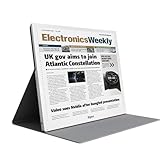
- E-PAPER DISPLAY: Features a 13.3-inch Kaleido 3 color e-paper screen with a sharp 3200x2400 resolution at 300PPI, delivering an eye-friendly viewing experience.
- MULTIPLE DISPLAY MODES: Supports Extended, Mirror, Presentation, Portrait, and Single Display modes, offering versatile setup options for work and productivity.
- REMOTE CONTROL SUPPORT: Includes a dedicated remote with power, front light switch, display mode switch, input source switch, volume, and full refresh controls for easy operation.
- HIGH REFRESH RATE: Runs at 30FPS, providing smooth and responsive performance for an e-paper monitor, making it suitable for browsing, reading, and multitasking.
- PORTABLE DESIGN: Compact and lightweight build makes the B13 easy to carry and set up alongside your laptop, expanding your screen real estate wherever you go.
Color and image character
The screen supports 4096 colors, but that specification does not make it equivalent to a vivid conventional display. If your work depends on saturated color or precise photo evaluation, the Mira Pro Color’s E Ink character is a material compromise. It is better considered for color differentiation in documents and dashboards than for color-critical creative work.
Independent reader supportYour contribution helps us test, update, and keep practical guides available for everyone.How much does the BOOX Mira Pro Color cost?
Independent coverage reported launch-era prices of US$1,899 (PCWorld), US$1,899.99 and AU$2,499 (TechRadar, May 11, 2025), and about US$1,900 (Tom’s Hardware, May 1, 2025). These are historical launch reports, not verified current prices. PCWorld also raised the possibility of tariffs affecting cost. Actual regional totals can vary with availability, shipping, taxes, and tariffs, so check the seller’s current price before buying.
Rank #4
- EYE-CARE DISPLAY: Bigme B13 Color Paper Monitor features a large 13.3" E-Ink display that allows you to enjoy reading with paper-like natural text and minimal eye strain.
- CONNECTION OPTIONS: The laptop screen extender features Wi-Fi technology and multiple connection ports(mini HDMI and Type C port) for a variety of device compatibility with Windows and iOS systems
- SLIM & PORTABLE DESIGN: With 13.3 inch ultra-thin and lightweight body, this color external display monitor provides easy access to your PC, tablet, or cell phone, leaving enough space for meetings
- COLOR EPAPER WORLD: The Color ePaper screen delivers more color visual experience while reading magazine and newspaper.
- REMOTE CONTROL: Four modes to switch and you can remote control the screen while meeting.
The price is difficult to justify if you want one monitor for gaming, smooth video, vivid imagery, and everyday computing. Its case is more plausible if most of your work involves text or mostly static information and you specifically value a large E Ink display. TechRadar’s launch-era article questioned the value for many buyers and stated that its author had not tested either Mira model; it should be read as price context and opinion, not a hands-on review.
Do these 3 things before closing this tab:
1Fix the driver behind crashes, sound loss and screen glitches2Clear out junk files and repair common Windows errors3Scan for outdated or missing drivers - takes under a minuteQuick Recap
Best Value
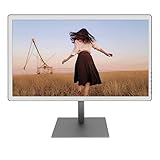
- With its expansive 25.3-inch color E-ink screen and customizable front light, Bigme B251 epaper color display monitor brings the authentic feel of color printing paper to your workspace, all while prioritizing your eye comfort.
- Bid farewell to frustrating ghosting and lag, thanks to our cutting-edge xRapid refresh technology. Experience fluid and uninterrupted transitions as you seamlessly navigate through your work or leisure activities.
- Bigme's four refresh modes empowers you to do just that. Additionally, you have the flexibility to fine-tune the refresh rate, enhance dark tones, and filter light to suit your preferences. E-ink electronic displays are different from other displays. When viewing different content, you need to switch to the corresponding mode to achieve the best display effect.
- With its intelligent voice control system, B251 redefines your workflow by enabling hands-free operation. Interact with your device using simple voice commands such as Power On, Power Off, Volume Up, Volume Down, Brighter, where you don't need to lift a finger to get things done.
- B251 is equipped with multiple interfaces, including HDMI, DP, Type-C, USB-A and more, providing seamless compatibility with a wide range of devices. Expand your productivity with HDMI ports that allow you to seamlessly extend your display. Maximize your multitasking capabilities with B251
Who should consider it—and who should skip it?
- Consider it if you spend much of your computer time reading or editing text, coding, checking web pages, or working with mostly static, color-coded information—and are comfortable with E Ink refresh behavior and the cost.
- Look elsewhere if gaming, fast motion, vivid color, photo work, or a general-purpose high-refresh experience is central to your setup.
- Decide on the comfort claim separately. BOOX’s eye-comfort language is not clinical evidence that the Mira Pro Color will relieve your fatigue.
What should you check before buying?
- Confirm the current landed price. Check regional stock, shipping, taxes, and any applicable tariffs rather than relying on launch-era figures.
- Match the display to your workload. Decide whether your typical day is mostly static text and documents or involves games, video, fast scrolling, or color-critical work.
- Plan the setup. Review the listed ports and included cables against your computer. If you plan to use a VESA arm, verify its 75 × 75 mm fit and load rating.
- Assess refresh expectations. If possible, evaluate the display with the kinds of content you use. Faster refresh settings can increase ghosting, according to BOOX.
Product prices and availability are accurate as of the date/time indicated and are subject to change. Any price and availability information displayed on Amazon at the time of purchase will apply.

