
Recommended Free Tools
iTechGuides is reader-supported. When you buy through links on our site, we may earn an affiliate commission. As an Amazon Associate I earn from qualifying purchases. Learn more
The Intel Core i7-4790K is a strong performance-oriented choice for a compatible LGA 1150 motherboard, but it is not a universal best buy. Check the exact motherboard model and revision, its CPU support list and required BIOS, then compare tested local prices against the cost of replacing the platform. The Core i7-4790 and Xeon E3 v3 processors are alternatives when their features and price better fit your system.
What is the best CPU for an FCLGA1150 socket?
For a performance-focused upgrade, start by checking whether your motherboard supports the Intel Core i7-4790K. It is an LGA 1150 processor, but the socket name alone does not guarantee that a particular board can run it. Intel advises checking with the board manufacturer to confirm support for the specific processor: Intel desktop processor support guidance.
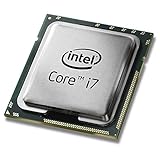
There is no evidence-based universal winner among these aging parts. Your best choice depends on board and BIOS compatibility, the applications you use, processor condition, and the going price where you live. Compare recent sold listings for tested CPUs rather than relying on a fixed price: available market estimates are limited and do not establish a reliable 2026 price across regions.
What’s actually slowing this PC down?
Pick the symptom - the matching free tool is one click away.
Which LGA 1150 CPUs are worth comparing?
| Processor | Why consider it | What to verify |
|---|---|---|
| Intel Core i7-4790K | Performance-oriented Core i7 option; Intel lists its socket as FCLGA1150. | Exact board support, BIOS prerequisites, cooling and power suitability. The unlocked K designation does not mean every board supports overclocking. |
| Intel Core i7-4790 | Non-K Core i7 alternative. ASRock Industrial lists it alongside the 4790K for its IMB-385 board. | Support for your exact motherboard and revision; do not infer compatibility from another board’s list. |
| Intel Xeon E3-1231 v3 | Server-branded LGA1150 alternative with an 8 MB cache and listed 3.40 GHz frequency in Intel’s specification. | Motherboard support, memory and ECC implementation, and graphics needs. A discrete graphics card may be necessary; confirm the processor’s graphics features and your system requirements. |
The Xeon E3-1231 v3 supports DDR3/DDR3L 1333/1600 memory at 1.5 V, with Intel listing up to 32 GB and 25.6 GB/s maximum memory bandwidth. Those are processor specifications, not a promise that your motherboard supports the same memory capacity or configuration. Intel lists the processor as introduced in Q2 2014 and discontinued. See the Intel Xeon E3-1231 v3 specifications.
#1 Best Overall

- Intel Rapid Storage Technology
- Processor with Unlocked Clock Multiplier
- Quick Sync Video enabling faster video conversion
- Socket Type FCLGA1150
Will an i7-4790K or Xeon work with your motherboard?
Use the CPU support page for the precise motherboard model and hardware revision. A socket match is necessary, but it is not sufficient: firmware, board power design and vendor-specific support determine whether a processor is supported. For example, ASRock Industrial’s IMB-385 CPU support list names the i7-4790K, i7-4790 and several Xeon E3 v3 processors, with BIOS P1.50 shown for listed examples. That list applies to the IMB-385 only.
- Find the motherboard’s exact model and revision, printed on the board or shown in system information.
- Open the manufacturer’s CPU support list and search for the full processor model, not just “Core i7” or “Xeon.”
- Check the minimum BIOS version for that CPU and read the vendor’s BIOS update instructions. If an update is required, confirm the current CPU can boot the board before replacing it.
- Check the board manual for supported memory, power and cooling requirements, plus any restrictions relevant to your system.
If the exact CPU is absent from the support list, do not assume it will work because another LGA 1150 board accepts it. Intel’s socket guidance also notes that LGA1150, LGA1151, LGA1155 and LGA1156 fan heatsinks can be compatible when processor thermal and power requirements are the same; matching mounting points alone does not prove a cooler is adequate.
Rank #2

- Compatible with z97 boards only
- Not compatible with Z87 or Intel Motherboards
- Intel Rapid Storage Technology
- Processor with Unlocked Clock Multiplier
- Quick Sync Video enabling faster video conversion Supports LGA 1150 socket
Is the Xeon E3-1231 v3 a good i7 alternative?
It can be, if your board explicitly supports it and its features fit the build. Intel lists ECC capability for the E3-1231 v3, but that does not establish that a consumer motherboard supports ECC memory; verify ECC support for the board, CPU and memory together. Also confirm the processor’s graphics capabilities before planning to connect a display without a graphics card.
ASRock Industrial’s IMB-385 list also includes E3-1286 v3, E3-1276 v3, E3-1271 v3, E3-1246 v3 and E3-1241 v3. These are examples for that one board, not a general LGA1150 compatibility list. Benchmark comparisons can help screen candidates, but synthetic results are only a secondary signal and do not predict every application’s performance.
Rank #3

- Compatible with Z87 and Z97 motherboards. Z87 motherboard users may need to apply a BIOS update for compatibility. Not compatible with Intel Motherboards.
- LGA 1150
- Intel Rapid Storage Technology
- Quick Sync Video enabling faster video conversion
- Intel Device Protection with Boot Guard Intel IPT with PKI Intel Turbo boost technology
Should you buy a used LGA 1150 CPU or replace the platform?
Compare the total cost of a compatible, tested CPU with a newer motherboard, processor and memory—not just the CPU’s asking price. An old-socket upgrade makes the most sense when your board already supports the part, the rest of the system meets your needs, and the local price is low enough to justify extending its life.
- Compare recent sold listings in your region, prioritizing tested parts and clear return terms.
- Confirm whether a cooler is included; used processors may be sold without one.
- Account for any required cooler or graphics card and check their compatibility separately.
- Set a maximum spend before shopping and compare it with the cost of replacing the platform.
Do not treat an older i7-4790K estimate based on 2024 sale comparisons as a current universal price. Local availability and condition can change the calculation substantially.
Quick Recap
Best Value

- Intel Turbo Boost 2.0 Technology
- Intel vPro Technology
- Intel Virtualization Technology (VT-x)
- Intel 64 Architecture
- Enhanced Intel SpeedStep Technology
Rank #4
Product prices and availability are accurate as of the date/time indicated and are subject to change. Any price and availability information displayed on Amazon at the time of purchase will apply.
Free tools Windows power users keep installed
One-click scans. No signup required.

