
iTechGuides is reader-supported. When you buy through links on our site, we may earn an affiliate commission. As an Amazon Associate I earn from qualifying purchases. Learn more
Avaya does not produce one call detail record (CDR) feed. Communication Manager (CM), Session Manager (SM), and the Avaya Session Border Controller (SBCE, also called Avaya SBC) each generate their own records, deliver them through different mechanisms, and keep them for different lengths of time. Reliable collection therefore means configuring and validating each source on its own terms, then reconciling the results. The Avaya documentation behind this guide establishes no Equinox-specific CDR export path, so this guide does not attribute a record feed to Equinox. Calls that pass through CM, SM, or SBCE are recorded by those components under their own rules.
This is a sourced implementation guide built from Avaya’s published administration documentation. It does not report measured reliability, a production deployment, or lab test results. The validation steps later in the guide are recommended checks, not observed outcomes.
| # | Preview | Product | Price | |
|---|---|---|---|---|
| 1 |

|
Avaya J179 SIP IP Desk Phone POE (Power Supply Not Included) | $145.00 | Buy on Amazon |
| 2 |
|
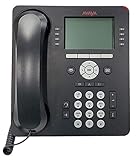
Avaya 9508 Digital Phone - 700504842 | $98.00 | Buy on Amazon |
| 3 |

|
Avaya Partner 18D Telephone Black | $99.00 | Buy on Amazon |
| 4 |

|
Avaya 1408 Digital Telephone | $102.00 | Buy on Amazon |
| 5 |

|
Avaya Partner 18D Euro Set – Black, , Six Month Warranty (Renewed) | $59.95 | Buy on Amazon |
Which component writes which record
| Source | How CDR is enabled | Where records go | Scope and duration notes | Local retention or recovery |
|---|---|---|---|---|
| Communication Manager | CDR Reports set to y on each trunk group, plus system-parameters cdr | Primary output endpoint: EIA port, extension-linked data module, TCP/IP (CDR1/CDR2), or DISK | Incoming, outgoing, and tandem trunk calls; station-to-station calls; optional splitting on transfer or conference | 1 to 20 days, applicable only when the endpoint is DISK; capacity scanning can remove older files |
| Session Manager | System-level Enable CDR | Local directory when enabled; an external processing adjunct connects with a CDR user and password and transfers files | Connected calls only; final forwarded or picked-up destination may not appear | Not stated in the reviewed SM overview or administration field descriptions |
| SBCE (Avaya SBC) | CDR adjunct or RADIUS profile selected in the application rule | RADIUS event messages to a third-party server, periodic SFTP push to a CDR adjunct, or local storage | Duration starts at Setup (INVITE) or Connect (ACK); media statistics optional | Archive-use alarm at 70%; purge threshold at 80% (R10.2 documentation, last updated 2026-09-01) |
| Equinox | Not established in the reviewed Avaya CDR documentation | Not stated | Not stated | Not stated |
Communication Manager: enabling and shaping the stream
Enable CDR on each trunk group and at system level
Avaya’s CM setup example (last updated 2021) follows this sequence:
- At the CM administration terminal, run
change trunk-group nfor each trunk group whose calls must be recorded, and set CDR Reports toy. - Run
change system-parameters cdr. Select a date format, a primary output format, and a primary output endpoint. - If the endpoint is DISK, set the retention period. The documented range is 1 to 20 days.
- Confirm the selected format against the receiving call accounting system before cutover.
Choose the primary output endpoint
Avaya documents four endpoint choices for CM records:
#1 Best Overall
- EIA port: serial output to a directly attached device.
- Extension-linked data module: output tied to a data module associated with an extension.
- TCP/IP (CDR1/CDR2): network delivery to a collector.
- DISK: local files on the server. The screen reference states that DISK is required for the retention-days policy.
Local retention is a recovery window, not an archive. Because capacity scanning may remove older files, records that matter for billing or audit need a downstream copy made before the window closes.
Choose a record format as a compatibility contract
The CM screen reference lists standard formats and warns that the choice must be compatible with the receiving call accounting software. The CM feature guide describes legacy layouts and post-CM-4.0 layouts. Field lengths differ between formats such as unformatted, expanded, printer, LSU, and Teleseer. Enhanced and ISDN layout options cannot be used at the same time.
A customized record must contain at least three fields, with line-feed and return as the final two fields. Record the deployed release, the chosen format, the enhanced, ISDN, or legacy selection, and the parser version together. Do not reuse a parser assumption from another CM installation, even one that appears identical.
Recommended Free Tools
Rank #2
- A Sleek, High-End Phone Designed for Small Business Executives and Managers The Avaya 9500 Series Digital Deskphones allow small and medium sized businesses to deliver highly reliable,
Set recording scope and split behavior
CM can record incoming, outgoing, and tandem trunk calls, along with station-to-station calls. It can also split records when a call is transferred or conferenced. Whether a transferred call appears as one record or several changes how you count calls, so confirm it with test calls rather than assuming it.
Collect records from several servers
Avaya describes CM sending records to an output device or a collection device. For multiple servers, a collection device can store their records together. The sources do not prescribe a collector product. Confirm transport, framing, encoding, parser behavior, duplicate handling, and durable storage against the collector you actually deploy.
Session Manager: a separate stream with its own fields
When CDR is enabled, SM saves records to a special local directory. Each record carries the call time, duration, dialed number, calling party, terminating and originating SIP entities, and a bandwidth indicator.
Rank #3
- Branded Lucent or Avaya - same phone
What SM records, and what it cannot show
- Records are created for connected calls.
- In route-through cases, the originating SM generates the record if it is administered that way.
- A sequenced application generates one record per call.
- Survivable Remote Session Manager does not support CDR.
- SM may not show the final forwarded or picked-up destination. Avaya directs readers to CM CDR for fuller call-flow detail, including the participating extensions.
The SM overview was last updated in 2015. Confirm these behaviors against the release you run.
The Tool Desk
Outbyte Driver Updater FREEScan for outdated or missing drivers - takes under a minuteDriver Scan →Outbyte PC Repair FREEClear out junk files and repair common Windows errorsFree Scan →SM administration settings
The R10.2.x administration field descriptions identify a system-level Enable CDR setting; a CDR user and password that an external processing adjunct uses to connect and transfer generated files; selectable data file formats; and options for user-to-user and incomplete calls. Check that these fields appear in your release before planning around them.
The role of System Manager
System Manager is where SM’s CDR fields are administered, and its Log Viewer can search and filter logs generated by System Manager and by applications. It is the place to configure and investigate. The sources do not establish it as a separate CDR source.
Rank #4
- The 1400 Series Digital Deskphones is a new, value-priced family of deskphones designed to meet
SBCE: enable per application rule, then choose delivery
Enable CDR in each application rule
Avaya’s administration guide states: “You must enable CDR in an application rule by selecting CDR adjunct or the Radius profile.” Without one of these, that application’s CDR is not collected. Check every application rule that carries traffic you need to record.
- Open the application rule for each application whose calls must be recorded.
- Select CDR adjunct or a RADIUS profile.
- Choose the duration measurement point. Setup measures from INVITE processing, so the figure includes time before answer. Connect measures from receipt of ACK, so it starts once the call is established. Record which point you chose, because it changes what the duration means.
- Enable media statistics only where you need them. They are a separate record dimension.
Choose RADIUS or CDR adjunct delivery
SBCE makes records available at call end. The delivery options are:
- RADIUS event messages to a third-party server. Third-party servers need Avaya’s dictionary file to parse vendor-specific attributes.
- Periodic SFTP push to a configured CDR adjunct, which suits a receiver that accepts files rather than live messages.
- Local storage, which the guide documents under several configurations. The local save-on-failure behavior is tied to the RADIUS path: records are saved locally when the RADIUS interface is missing or nonfunctional.
Choose the path according to what your receiver can parse. A RADIUS receiver must handle Avaya’s vendor-specific attributes through the dictionary file. A CDR adjunct receives files on a schedule, so records wait on the SBC until the push occurs.
Best Value
- 2 Line X 24 character display
- Provides feature buttons for 16 outside line, or programmable features such as Do Not Disturb and Auto Dial numbers
- Feature Button to simplify programming and access features Hold, Drop, Conference, Transfer, and two Intercom buttons
- Built-in speakerphone and microphone for totally hands-free calling
- Refurbished, Six Month Warranty
Archive thresholds
The SBC guide sets a 70% archive-use alarm and an 80% purge threshold, and it states the condition under which old files are purged. These values come from the R10.2 documentation last updated 2026-09-01. Confirm them against your installed software. Alert at the 70% level, and set collection so that files are pulled well before the purge threshold removes old ones.
Independent reader supportYour contribution helps us test, update, and keep practical guides available for everyone.Equinox: what the evidence does and does not establish
The Avaya documentation establishes record paths for CM, SM, and SBCE. It does not establish an Equinox-specific CDR record producer or a collection or export procedure for Equinox. Equinox may be a client in your architecture, but the CM, SM, and SBCE manuals cannot tell you how Equinox behaves.
Before describing any record as coming from Equinox, check the documentation for your Equinox product and version, or confirm the behavior in your own configuration. Until then, treat Equinox traffic as visible only through the CM, SM, or SBCE records that carry it. Name the Equinox product and version in your own schema map so the scope of the project is clear.
Do these 3 things before closing this tab:
1Repair Windows errors before they cause bigger problems2Scan for outdated or missing drivers - takes under a minute3Clear out junk files and repair common Windows errorsReconciling records across the three streams
A complete call may look different in each source. CM can show the full call flow with participating extensions. SM can show SIP entities and bandwidth. SBCE adds media statistics and a duration measured from a chosen point. Reconcile them with these rules:
- Keep a per-source schema map covering the release, the CM format and its enhanced, ISDN, or legacy selection, the SM file format, and the SBCE delivery mode and duration point.
- Join records only on stable call identifiers and timestamps that are present in the formats you actually enabled. Do not assume that either CM or SM alone is complete.
- Use CM records for call-flow detail that SM cannot show, such as forwarded or picked-up destinations.
- Keep SBCE media statistics as a separate dimension, and never compare its duration with CM or SM durations without first checking the measurement point.
- Document the time zone each source uses and convert all timestamps to one reference before joining.
Validation before go-live
The Avaya sources do not report results of the tests below. Treat them as recommended practice and run them against your own configuration. Include at least these call types:
- Answered calls
- Unanswered calls
- Transferred calls
- Forwarded calls
- Route-through calls
- Failed calls
For each call type, check the following at both the source and the collector:
Quick Recap
- The expected record exists in every stream that should carry it.
- The parser accepts the record layout as configured.
- Timestamps and time zones match the call.
- Duplicates behave as expected.
- The archive keeps the records durably.
- Collection recovers after an interrupted collector connection, with no records lost during the gap.
Monitoring and failure signals
- Missing arrivals: compare call counts at each source with counts received by the collector, interval by interval.
- Collector backlog: alert when the queue of undelivered records grows instead of draining.
- SBCE archive use: act on the 70% alarm and the 80% purge threshold described above.
- CM DISK capacity: capacity-driven cleanup can remove older files inside the retention window, so monitor disk usage alongside the retention setting.
- SM delivery: the reviewed sources state no SM retention period or SM-specific alarm. Monitor the file transfer path to the external processing adjunct directly.
Product prices and availability are accurate as of the date/time indicated and are subject to change. Any price and availability information displayed on Amazon at the time of purchase will apply.

