
Free tools Windows power users keep installed
One-click scans. No signup required.
iTechGuides is reader-supported. When you buy through links on our site, we may earn an affiliate commission. As an Amazon Associate I earn from qualifying purchases. Learn more
The AT&T amiGO Jr. Tab 2 is an 8.7-inch Android 15 tablet designed for children, with an anti-glare matte display, a supplied stylus and bumper case, and cellular connectivity in addition to Wi-Fi. It costs $239.99 at AT&T’s listed retail price; the advertised $4.99-per-month offer requires a qualifying new line, bill credits, and a 36-month installment agreement. In Tom’s Guide’s hands-on review, the matte screen, stylus, and parental controls impressed, while the case edges loosened and the stylus was easy to misplace. Those observations are useful, but they are not standardized tests of speed, battery life, or durability.
What stands out about the amiGO Jr. Tab 2?
The tablet’s clearest differentiators are its matte 8.7-inch display, crayon-like stylus, included bumper, and AT&T 5G/LTE support. It runs Android 15 and provides parent-managed controls through AT&T’s amiGO app. The cellular capability is an option alongside Wi-Fi, not evidence that a service plan is included in the device price.
Tom’s Guide reviewer Amanda Caswell used the tablet with her five-year-old. She found the matte surface reduced reflections and made fingerprints less noticeable, and said it gave the stylus more drag than slick glass. In her experience, the stylus worked for drawing, coloring, tracing, and writing practice. These are a reviewer’s hands-on impressions rather than controlled screen or usability tests. Tom’s Guide review
Do these 3 things before closing this tab:
1Scan for outdated or missing drivers - takes under a minute2Repair Windows errors before they cause bigger problems3Fix the driver behind crashes, sound loss and screen glitchesWhat are the specifications?
The specifications below are from AT&T’s product listing; they are manufacturer specifications, not independent benchmark results. AT&T product page
#1 Best Overall

- ❥【Compatibility】: Fit for New Samsung Galaxy Tab A11 Plus 2026/A9 Plus 2023 (Model: SM-X230/SM-X235/SM-X236/SM-X238) (SM-X210/X216/X218 2023)
- ❥【Durable & Kids Friendly Material】: New Samsung Tab A11+/A9+ 2023 kids case,which is entirely made of EVA foam rubber material,is friendly for even baby, durable in daily in use,and convenient to clean.
- ❥【Lightweight & Super Protective】: Super light weight, comfortable for kids to catch in hand and carry around. Prevent your New Samsung TAB A9+ from accidental drops, screen scratches, bumps, and collisions, give your tablet higher protection around side and corner.
- ❥【Gifts for Child】: We offer seven colors of New Samsung Galaxy Tab A11+ 11 Inch Kids Case with strap cases for you to choose from. Give you more choices.Try to make most kids with different personalities and different preferences receive a gift they are satisfied with.
- ❥【Shoulder Strap】: The strap design of Samsung Galaxy Tab A9+/A9 Plus Case makes it easy for your kids to not only carry it out, but also be able to hang it on the back of the car seat to add a little color to their journey.
| Feature | AT&T-listed specification |
|---|---|
| Display | 8.7 inches, 1340 × 800 resolution |
| Processor | MediaTek MT8755 octa-core: two cores at 2.4 GHz and six at 2.0 GHz |
| Memory and storage | 4 GB RAM; 64 GB storage; microSD expansion up to 2 TB |
| Software | Android 15 |
| Battery | 6,000 mAh, non-removable |
| Cameras | 8 MP autofocus rear camera; 5 MP fixed-focus front camera |
| Wireless | Wi-Fi 5 on 2.4 GHz and 5 GHz; Bluetooth 5.3; listed AT&T 5G and LTE band support |
| Dimensions and weight | 8.34 × 4.94 × 0.33 inches; 12.87 ounces |
The box contents AT&T lists are an 18 W charger, USB Type-C cable, quick-start guide, nano-SIM, and SIM tray tool. AT&T also says the bumper case and stylus are included. The 6,000 mAh capacity does not establish how long the tablet lasts on a charge; no measured battery-runtime result is available here.
What can parents control, and what setup is required?
Parents manage the controls through AT&T’s amiGO app, which supports settings for screen time, apps, websites, communication, and location features. AT&T’s setup instructions describe choosing a child age range, enabling web protection and app control, granting permissions, and pairing the parent app with the tablet using a QR scan or manual code. The setup guide recommends creating a separate Gmail account instead of using a parent’s personal account, to reduce the chance that personal content appears on the child’s tablet. AT&T amiGO Jr. Tab 2 setup guide
Rank #2

- Compatible with URAO X109 Tablet 10.1 Inch,Not Fit Other Tablet
- PREMIUM QUALITY:Product merges soft silicone's comfortable, non-slip grip with a sturdy PC bracket structure. Its wave-textured design enhances aesthetics and functionality, offering a stylish solution for both adults and children
- Prehensive Protection:Tablet protective case features thickened corners to effectively mitigate damage from accidental drops while maintaining overall lightness. The edge-wrapping design ensures comprehensive protection without compromising portability.
- STAND COVER:Constructed from durable PC material, it features a detachable design with three card slots. The stand supports multi-angle viewing adjustment and can be easily folded along the indicated arrows for compact storage
- Data Accuracy:Crafted from real-device molds for precise port alignment, this accessory ensures full functionality and is available in multiple colors. For any inquiries, please contact us.
- Install the amiGO app on a compatible iOS or Android smartphone and create or sign in to an account.
- On the tablet, follow the initial setup prompts, select the child’s age range, and enable the amiGO web protection and app control options.
- Grant the requested permissions so the app’s selected controls can work.
- Pair the parent’s app with the tablet by scanning the displayed QR code or entering the manual code.
- Set the child’s screen-time, app, website, communication, and location preferences in the parent app.
Location features should not be treated as guaranteed continuous or precise tracking: AT&T’s disclosures do not guarantee location availability, accuracy, or timeliness. Caswell said her setup was easy and the controls felt straightforward, and described managing permitted apps and screen-time limits. That is her experience; AT&T’s documentation is the source for the available control categories.
The Tool Desk
Outbyte Driver Updater FREEFix the driver behind crashes, sound loss and screen glitchesFind Drivers →Outbyte PC Repair FREEClear out junk files and repair common Windows errorsFree Scan →How much does it cost, and does it require an AT&T plan?
AT&T’s product page lists a $239.99 retail price. It also displays $4.99 per month after credits over 36 months, but that offer requires a qualifying new line and qualifying wireless plan, bill credits, and an installment agreement. AT&T says the remaining device balance is due if service is canceled. The monthly figure is therefore a conditional financing offer, not the tablet’s unconditional price. Offers can change, so check the terms at purchase. AT&T’s August 5, 2026 launch announcement
Rank #3
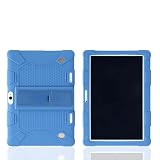
- Perfect Fit for 10.1" Android Tablets - Designed specifically for 10.1-inch tablets (24x17cm), including BBK R30/R10/H9/K10plus. Snug-fit edges prevent dust entry and ensure shock absorption
- 2-in-1 Flip Stand for Hands-Free Viewing - Easily flip the back panel to transform your case into a stable horizontal stand – perfect for movies, video calls, or kids’ learning. No extra parts, just instant multi-angle viewing
- Flexible Armor: Silicone + 4-in-1 Defense - Flexible yet durable silicone resists drops, scratches, and daily wear. Advanced coating repels dirt, fingerprints, and yellowing – stays clean & new for longer
- Precision-Cut & Full Accessibility - All ports, buttons, speakers, and cameras remain fully accessible thanks to exact cut-outs. Charge, adjust volume, or use headphones without removing the case
- Shock-Absorbing & Kid-Proof Protection - 360° silicone bumper absorbs impacts from drops. Non-slip grip + easy-to-clean surface makes it ideal for kids, travel, and daily chaos
The amiGO app setup requires a compatible iOS or Android smartphone and an account. The tablet supports AT&T cellular networks, but the advertised discounted price depends on qualifying service; confirm current line and plan requirements with AT&T before ordering.
Independent reader supportYour contribution helps us test, update, and keep practical guides available for everyone.What are the main drawbacks?
The bumper may not stay snug
Caswell reported that the bumper’s edges could come away from the tablet. She also described the tablet surviving a fall from a porch to a driveway, but that single incident is not a drop test and does not establish that the device is drop-proof.
Rank #4

- Compatible with URAO X109 Tablet 10.1 Inch,Not Fit Other Tablet
- PREMIUM QUALITY:Product merges soft silicone's comfortable, non-slip grip with a sturdy PC bracket structure. Its wave-textured design enhances aesthetics and functionality, offering a stylish solution for both adults and children
- Prehensive Protection:Tablet protective case features thickened corners to effectively mitigate damage from accidental drops while maintaining overall lightness. The edge-wrapping design ensures comprehensive protection without compromising portability.
- STAND COVER:Constructed from durable PC material, it features a detachable design with three card slots. The stand supports multi-angle viewing adjustment and can be easily folded along the indicated arrows for compact storage
- Data Accuracy:Crafted from real-device molds for precise port alignment, this accessory ensures full functionality and is available in multiple colors. For any inquiries, please contact us.
The stylus is easy to lose
The reviewer said the included stylus was lost within days. She later used a third-party crayon-like stylus bought on Amazon, but did not identify a listing or establish compatibility for other buyers. Check the replacement’s fit and compatibility rather than assuming any stylus will work.
Outdated Drivers Are Slowing You Down
One free scan finds every outdated or missing driver and matches the right update for your exact hardware.Free scan · exact hardware matchWindows Errors? Fix Them Before They Spread
Repair common Windows errors and clear accumulated junk for a smoother, more stable PC - no reinstall needed.Free scan · no reinstallPerformance and endurance are not independently established
The cited sources provide no standardized speed benchmarks, controlled battery testing, or long-term reliability results. The listed processor and battery capacity describe hardware, not real-world performance or runtime.
Is the amiGO Jr. Tab 2 worth it?
It is most compelling for a family that specifically wants a children’s tablet with a matte screen, a drawing-friendly included stylus, app-based parental controls, and the option of AT&T cellular connectivity. Before buying, weigh the full $239.99 listed retail price against the conditional 36-month offer, consider whether you are comfortable managing controls through a separate parent app, and account for the reviewer’s reported loose case edges and easily misplaced stylus. The available evidence supports those practical trade-offs, not a claim that it is faster, longer-lasting, or more durable than competing tablets.
Quick Recap
Product prices and availability are accurate as of the date/time indicated and are subject to change. Any price and availability information displayed on Amazon at the time of purchase will apply.

