
iTechGuides is reader-supported. When you buy through links on our site, we may earn an affiliate commission. As an Amazon Associate I earn from qualifying purchases. Learn more
Connect the power supply’s 8-pin CPU/EPS cable to the motherboard socket labelled ATX_12V_1. Connect the separate 24-pin ATX motherboard cable to ATX_PWR. The neighboring 4-pin ATX_12V_2 socket is an additional CPU-power connection: ASUS says to connect the 8-pin, or connect both the 8-pin and 4-pin. The manual does not say that the 4-pin alone can replace the 8-pin.
Which CPU power connector goes where?
| Motherboard label | Socket | Correct PSU connection | Purpose |
|---|---|---|---|
| ATX_12V_1 | 8-pin | CPU/EPS cable marked CPU or EPS | Primary CPU power |
| ATX_12V_2 | 4-pin | Additional CPU/EPS cable, when used | Extra CPU power connection |
| ATX_PWR | 24-pin | 24-pin ATX motherboard cable | Main motherboard power |
The connector labels and pin counts come from the ASUS ROG STRIX B650E-F GAMING WIFI manual’s power-connector diagram. ASUS’s instruction is: “Ensure to connect the 8-pin power plug, or connect both the 8-pin and 4-pin power plugs.”
Do you need both the 8-pin and 4-pin CPU plugs?
For the normal connection, install the 8-pin ATX_12V_1 plug. The manual permits either the 8-pin by itself or both the 8-pin and 4-pin plugs. Therefore, the 4-pin is supplementary; do not treat it as a substitute for the 8-pin.
If your power supply provides a suitable additional CPU/EPS lead and you choose to populate the second socket, connect it to ATX_12V_2 after the 8-pin is installed. The board specification lists one 8-pin and one 4-pin +12V connector.
#1 Best Overall

- CPU Power Extension: This 8 pin EPS extension cable provides additional length to connect the motherboard CPU power connector without stretching or stressing the PSU cables, ideal for larger PC cases or custom builds.
- Enhanced Durability: Encased in a tough braided sleeve, this 8pin CPU cable not only safeguards against physical wear but also aids in maintaining optimal airflow, reducing heat build-up inside the case.
- Secure Connection Assurance: Fitted with heat-shrink tubing at both ends, this ATX 8 pin cable ensures a firm, reliable connection that prevents accidental disconnections that could lead to system failures.
- Versatile Compatibility: Perfect for powering motherboards that require an 8-pin EPS or ATX power connection, this cable is a critical component for assembling high-performance computing systems.
- Streamlined Cable Management: Measuring 10 inches, this EPS extension cable is long enough to facilitate flexible cable routing and management, helping to maintain a neat and organized PC build environment.
CPU/EPS versus PCIe: do not swap these cables
Use a cable labelled CPU or EPS for the motherboard’s CPU-power sockets. A cable labelled PCIe is intended for a graphics card. Corsair explains that CPU/EPS and PCIe cables are wired differently and warns that interchanging them can damage components.
For a modular power supply, use only cables supplied for, or explicitly documented as compatible with, that exact PSU model. The fact that a plug appears to fit does not establish pinout compatibility between different PSU brands or models.
Rank #2

- 『Compatibility』 Only compatible with RMi, RMX, RM, RMe,SF, AX,AXI,HX,TX-M,CX-M,AX760I/AX860I/AX1200I/AX1500I/AX760/AX850/AX860/HX1200I/HX1000I/HX850I/HX750I/RM1000I/RM850I/RM750I/RM650I/RM1000X/RM850X/RM750X/RM650X/RM550X/RM1200e/RM1000e/RM850e/RM750e/RM650e/RM1000/RM850/RM750/RM650/RM550/RM450/SF750/SF600/SF450/HX750/HX1200/TX850M/TX750M/TX650M/CX750M/CX650M/CX550M; (NOTE: Do not work with AX1200 and other PSUs.)
- 『CPU Cable for Corsair PSU』(Do not work with GPU(graphics card)). CPU 8 pin male end to plug into the power connector of power supply; CPU 8 pin (4+4) male end to plug into the Motherboard.(NOTE: the 8 pin end and 4+4 pin male ends cannot be used interchangeably);
- 『Note』Please note that it doesn’t work with GPU(graphics card). This cable does not work with Other PSUs. It was only designed for some types of Corsair PSUs as listed.
- 『Parameter』Length(including connectors): 27inch+17inch (69cm+19cm), Gauge: 1007-18AWG(standard tin-coating copper wire), Quantity: 1pcs, Self-adhesive tape*1pcs, (NOTE: Do not work with GPU.);
- 『Compatibility』Compatible with Thermaltake Modular PSUs: RGB GOLD/ RGB PLATINUM/ ARGB GOLD/ Toughpower GF1 PF1 TF1 GF3 SFX. ARESGAME Modular PSUs: AGK750/ AGK850/ AGT1000/ AGS750/ AGS850.Compatible with Pystar PSU: ES850/ ES1000.
How to connect the power cables
- Turn off the PSU, unplug its AC cable, and place the PSU switch in the off position.
- Locate the motherboard’s 8-pin socket labelled ATX_12V_1, near the CPU socket. Locate the optional 4-pin ATX_12V_2 beside it and the 24-pin ATX_PWR socket on the board edge.
- From the PSU, select the lead marked CPU or EPS. Do not select a PCIe graphics-card lead.
- Align the keyed shapes on the 8-pin plug and ATX_12V_1 socket. The plug is designed to fit in one orientation; do not force it.
- Push the 8-pin plug firmly until its retention clip engages and the connector is fully seated.
- If you are using the additional CPU connection, attach the appropriate CPU/EPS plug to ATX_12V_2 in the same way.
- Connect the separate 24-pin ATX cable to ATX_PWR, again aligning the keyed shapes and pressing until fully seated.
- Reconnect AC power, switch on the PSU, and test the system.
If the computer will not boot
Check the connector type first
- Confirm that the cable in ATX_12V_1 is labelled CPU or EPS, not PCIe.
- Confirm that the 8-pin plug is fully latched and that the 24-pin ATX_PWR connector is also seated.
- Do not rely on a cable merely fitting; modular-cable pinouts must match the exact PSU model.
Consider the whole system’s power demand
Correctly connected cables do not prove that the PSU is adequate. ASUS warns that insufficient PSU output can cause instability or prevent booting and advises considering a higher-output PSU when the build contains more power-consuming devices. A responsible wattage recommendation requires the CPU, graphics card, storage and other devices, plus the PSU’s make and model; those details are not specified here.
Recommended Free Tools
Information needed for a personalized diagnosis
For help beyond connector identification, provide the exact CPU and GPU, PSU make and model, labels on every available cable, and the symptom (for example, no standby light, no fans, shutdown, or a failed POST). That information distinguishes a wiring error from a capacity, compatibility or unrelated startup problem.
Rank #3
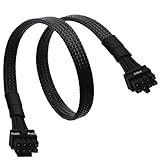
- CPU Cable for EVGA PSUs: CPU 8 pin male end to plug into the power connector of power supply (NOTE: 8 pin male connector is CPU 8 pin, not PCIe 8 pin.), CPU 8 pin (4+4) male end to plug into the Motherboard.(NOTE: the 8 pin end and 4+4 pin male ends cannot be used interchangeably);
- Only designed for motherboards, it doesn't work with graphics vedio cards: Compatible with motherboard with ATX 4 pin or 8 pin port(Detachable CPU 8 pin(4+4) end could be used as EPS ATX 8 pin or P4 ATX 4 pin by sliding on/off the 4 pin.);
- Compatibility: It only works with EVGA modular power supply such as: EVGA 650GS/750B2/1000G1/850G1/750G1/650G1/1600T2/1000T2/850T2/750T2/1600G2/1300G2/1000G2/850G2/750G2/650G2/550G2/1600P2/1200P2/1000P2/850P2/750P2/650P2/1000G3/850G3/750G3/650G3/550G3 650GQ V1/750GQ V1/850GQ V1/1000GQ V1; 650BQ/750BQ/850BQ;(NOTE: Do not work with 1000PS/850GS/1050GS and Corsair PSUs.)
- Parameter: Length(including connectors): 33-inch (84cm), Gauge: 1007-18AWG(standard tin-coating copper wire), Quantity: 1pcs, Hook loop strip*1pcs, (NOTE: Do not work with GPU.);
- Attention Please: This cable does not work with Corsair PSUs. It was only designed for some types of EVGA PSUs as listed. If you use other incompatible brand PSUs or types, it will definitely burn or damage the motherboard. Please carefully check the compatible types or contact us if you are not sure if it supports your power supply;
What ASUS’s manual establishes
The English ASUS ROG STRIX B650E-F GAMING WIFI manual, listed on ASUS’s support page as 2024-06-20, identifies the 8-pin ATX_12V_1, 4-pin ATX_12V_2 and 24-pin ATX_PWR connectors, specifies one-or-both CPU-power connection options as quoted above, and instructs builders to align the plugs and press them firmly into place.
Quick Recap
Best Value

- Extend the reach of your EPS power supply cable by 8in
- Features one female and one male 8-pin ATX 12V connector
- 8-inch cable provides the flexibility to custom build your PC without having to stretch or strain the cable
- Guaranteed reliability with a StarTech.com lifetime warranty
- EPS Extension Cable/ATX 8 Pin Extension Cable/8 Pin ATX 12v/8 Pin Power Extension Cable/Internal Power Extension Cable
Rank #4

- 【𝐂𝐏𝐔 𝟖 𝐏𝐢𝐧 𝐄𝐱𝐭𝐞𝐧𝐬𝐢𝐨𝐧 𝐂𝐚𝐛𝐥𝐞】Convenient solution for extending connections from power supply to motherboard. (Please note that it does not apply to PCI-E or GPU power connections)
- 【𝐂𝐏𝐔 𝟖𝐏(𝟒+𝟒) 𝐌-𝐅𝐌】Connector A: ATX 12V 8 pin (4+4) male (Detachable CPU 8 pin(4+4) end could be used as EPS ATX 8 pin or P4 ATX 4 pin by sliding on/off the 4 pin.), connector B: ATX 12V 8 pin female ( NOTE: it is CPU 8 pin, not pci-e 8 pin)
- 【𝐌𝐚𝐭𝐞𝐫𝐢𝐚𝐥】The 8 pin cpu power connector is made of tinned copper, and the sheath is made of flexible PVC, ensuring a reliable connection. The female connector features a locking design to prevent accidental disconnection
- 【𝐏𝐚𝐫𝐚𝐦𝐞𝐭𝐞𝐫𝐬】Length (including connectors): 9 inches (23 cm), Gauge: 1007-18AWG (standard tin-coating copper wire). Max power rating: 800W
- 【𝐂𝐨𝐦𝐩𝐚𝐭𝐢𝐛𝐢𝐥𝐢𝐭𝐲】The cpu power extension cable with power supplies featuring an ATX 8-pin male port output and motherboards with ATX 4-pin or ATX 8-pin ports (This cable is a standard power extension cable, not an adapter cable. It supports all power supplies with an 8-pin CPU male port output)
Product prices and availability are accurate as of the date/time indicated and are subject to change. Any price and availability information displayed on Amazon at the time of purchase will apply.

