
iTechGuides is reader-supported. When you buy through links on our site, we may earn an affiliate commission. As an Amazon Associate I earn from qualifying purchases. Learn more
Amazon Inspector vs. Nessus Vulnerability Assessment Software is not a simple winner-takes-all comparison: Amazon Inspector is usually better for continuous, AWS-native coverage of EC2, ECR, Lambda, and repositories, while Nessus is better for active assessments across hybrid infrastructure, network devices, databases, and compliance targets. Many organizations need both.
Amazon Inspector and standalone Nessus overlap in vulnerability detection, but they operate at different layers. Inspector is a managed AWS service that discovers supported cloud workloads and continually reassesses them. Nessus is a portable scanner that security teams deploy, configure, schedule, and aim at reachable systems.
The right choice depends less on the number of CVEs advertised and more on the assets, assessment perspective, integrations, operating model, and evidence your organization needs.
Key takeaways
- Amazon Inspector is the stronger fit for AWS-heavy estates containing EC2 instances, ECR images, Lambda functions, repositories, and multiple AWS accounts.
- Nessus Professional is the stronger fit for active scanning of on-premises servers, network appliances, databases, hypervisors, web servers, and mixed infrastructure.
- Nessus Expert adds IaC scanning, external attack-surface scanning, and limited DAST web-application scanning; those capabilities are not part of Nessus Professional.
- Inspector uses consumption-based pricing, while the displayed Nessus Professional price was $4,790 for one year, $9,330.95 for two years, or $13,637.54 for three years on August 18, 2026.
- Agentless Inspector EC2 scanning uses eligible EBS snapshots for inventory and is not equivalent to a network-based Nessus scan.
- Using Inspector for AWS workloads and Nessus for non-AWS, network, compliance, or independent perimeter assessments is often the most complete deployment.
What is the difference between Amazon Inspector and Nessus?
Amazon Inspector is a managed, AWS-centered vulnerability-management service, whereas Nessus Professional and Nessus Expert are portable vulnerability-assessment products that actively scan targets selected by an operator. Inspector emphasizes cloud inventory, continual reassessment, and AWS workflow integration; Nessus emphasizes controlled network and host assessments across many infrastructure types.
#1 Best Overall

- Convenient Deployment: Your wired device can connect to a WiFi network with this wireless bridge. Eliminates the need for long cable runs in your home to get Internet access.
- Universal Compatibility: With RJ45 port, this WiFi bridge works with any Lan-only devices like smart TV, printer, Blu-ray player, game console, camera, Ethernet switch, desktop, laptop PC, Raspberry Pi, etc.
- Stable Connection: 2 powerful external antennas receives stronger WiFi from router than internal ones. The WiFi to Ethernet adapter brings a reliable connection for a non-WiFi device
- Fast Speed: Working with your 5Ghz WiFi network, the Ethernet bridge delivers a 3 times faster transmission compared with the one which only supports 2.4Ghz WiFi band
- Installation is a Breeze: Pair the Ethernet WiFi adapter with your router via WPS in seconds. WEB UI method allows you to pick other existing Wi-Fi signals and do more settings. Driver setup is not needed
AWS describes Amazon Inspector as an automated and continual scanning service for supported resources. Tenable’s Nessus documentation describes a scanner that can assess operating systems, network devices, hypervisors, databases, web servers, and other targets.
That difference matters even when both products report a vulnerability on the same EC2 server. Inspector may identify a vulnerable package from cloud workload inventory and add AWS-specific context. Nessus may identify the host through a network scan, an authenticated local assessment, or an AWS integration. The findings can overlap without being identical in scope, severity, evidence, or timing.
Quick verdict: which product fits your environment?
| Situation | Best fit | Why |
|---|---|---|
| Most assets are EC2, ECR, Lambda, or AWS repositories | Amazon Inspector | It discovers supported AWS workloads and continually assesses them with AWS-native integrations. |
| On-premises servers, switches, routers, firewalls, databases, or hypervisors | Nessus Professional | Nessus can actively scan broad network and host targets from a suitably placed scanner. |
| AWS workloads plus traditional or hybrid infrastructure | Amazon Inspector plus Nessus | Each product covers important asset classes and assessment perspectives the other does not fully replace. |
| IaC scanning within the Nessus product line | Nessus Expert | IaC scanning is listed for Expert, not Professional, in the Nessus 10.12 feature matrix. |
| External attack-surface scanning or limited DAST | Nessus Expert | Those capabilities are listed for Expert and have separate capacity limits. |
| Centralized management for many Nessus scanners and agents | Tenable Vulnerability Management or Tenable One | Standalone Nessus alone is not the same as a centralized vulnerability-management platform. |
What does Amazon Inspector scan?
Amazon Inspector scans supported AWS workloads, including EC2 instances, ECR container images, Lambda functions, and code repositories. Current AWS pricing documentation also identifies selected Azure VM, Azure Container Registry, and Azure Function App scanning, although the service remains primarily AWS-centered.
Recommended Free Tools
For EC2, Inspector can assess software vulnerabilities and network reachability or exposure findings. For ECR, Inspector assesses container images. For Lambda, coverage includes package vulnerabilities and Lambda code vulnerabilities. AWS documentation also describes code-repository scan types covering static application security testing, software composition analysis, and infrastructure as code.
Inspector is particularly useful in AWS Organizations environments. AWS supports delegated administration and organization-wide enablement, including policy-based automatic enablement for new accounts. Inspector also integrates with AWS Security Hub, EventBridge, ECR, Organizations, and AWS APIs, as described in the Amazon Inspector FAQ.
Inspector continually reassesses supported resources as workloads change or new vulnerability intelligence becomes available. “Continuous” does not mean that every resource is probed every second. Scan timing depends on the resource and scan method. AWS documents EC2 network-reachability scans at a 12-hour interval, while package inventory behavior varies between agent-based, agentless, and hybrid scanning.
How does Amazon Inspector scan EC2 instances?
Amazon Inspector uses agent-based, agentless, or hybrid EC2 scanning. Agent-based scanning obtains information through AWS Systems Manager; agentless scanning uses EBS snapshots to obtain software inventory from eligible instances; hybrid scanning combines the approaches where appropriate.
| EC2 method | How it works | Important condition |
|---|---|---|
| Agent-based | Uses the Systems Manager-managed instance and the SSM Agent to collect information. | The instance must be managed by Systems Manager, with the agent running and suitable permissions configured. |
| Agentless | Uses EBS snapshots to obtain software inventory without installing a host agent. | The instance must meet AWS eligibility requirements, including supported operating system, EBS-backed storage, and supported file-system conditions. |
| Hybrid | Combines agent-based and agentless approaches to improve coverage across eligible resources. | Coverage still depends on resource support, configuration, permissions, and network prerequisites. |
AWS lists supported operating systems, languages, and other coverage limitations. Inspector coverage can be limited when an instance is unmanaged by Systems Manager and ineligible for agentless scanning, uses unsupported storage or file systems, has packages installed outside examined paths or package managers, or is excluded with an Inspector exclusion tag.
Private EC2 deployments may also need required VPC endpoints for enhanced scanning. Discontinued operating systems can produce findings intended for informational use rather than full support. These conditions should be checked before treating an Inspector dashboard as a complete inventory of every package on every EC2 instance.
What is Nessus Professional?
Nessus Professional is a standalone vulnerability-assessment scanner for active assessments of systems and services that the scanner can reach. Operators define target addresses or ranges, choose policies and plugins, configure credentials, schedule scans, and select report formats.
Nessus can assess Windows, Linux, and Unix-like systems; switches, routers, firewalls, and other network appliances; databases; hypervisors; web servers; physical systems; virtual systems; and infrastructure outside AWS. A scanner placed in a segmented network can assess targets in that segment, provided routing, firewall rules, credentials, and target behavior allow the assessment.
Do these 3 things before closing this tab:
1Clear out junk files and repair common Windows errors2Fix the driver behind crashes, sound loss and screen glitches3Repair Windows errors before they cause bigger problemsCredentialed scanning is generally more informative for installed software, local configuration, and patch state. Unauthenticated scanning is more representative of an external attacker’s perspective, but it can produce a less complete inventory of installed software and configuration. Neither perspective alone proves that an asset is secure.
Nessus Manager is not a new-customer purchase option according to Tenable’s current getting-started documentation; existing customers may continue receiving service for the duration of their contracts. Organizations seeking centralized management of multiple scanners should evaluate Tenable Vulnerability Management or Tenable One rather than assuming standalone Nessus provides the same management layer.
Rank #2

- 【About Product】This 9pin to 6pin Diagnostic Cable is used for connecting your heavy duty truck scanner with J1708 6Pin and J1939 9Pin socket.
- 【Wide Application】 This eld 6pin/9 pin adapter cable j1708-j1939 is ok for most heavy duty truck,bus,trailer...etc.Work with obdii scanner diagnostic tool.
- 【High Compatibility】 The truck 6in 9pin cable is compatible for Mack, for Freightliner, for Kenworth, for Cummins, for WestStar, for Cat and so on.
- 【Cost-effective】Our obdii 6pin 9pin j1708 j1939 cable for truck are an affordable alternative to expensive diagnostic tools, making them a cost-effective solution for truck owners and mechanics alike.
- 【Using Tips】Please make sure your device or scanner must have 16 pin MALE plug and MUST be able to read J1708 or for CAN J1939, so as to ensure normal function.
Which Nessus edition should you compare with Inspector?
Nessus Professional is the normal standalone comparison, but Nessus Essentials, Essentials Plus, and Nessus Expert have materially different limits and features.
| Edition or platform | Best use | Relevant distinction |
|---|---|---|
| Nessus Essentials | Learning and small-scale scanning | Free scanning for up to five IP addresses, with a 30-day delayed plugin feed. |
| Nessus Essentials Plus | Small teams needing more capacity | Supports up to 20 IP addresses, real-time plugin updates, PDF reporting, and concurrent scans. |
| Nessus Professional | Standalone professional vulnerability and compliance assessment | Broad network, host, device, and compliance scanning. |
| Nessus Expert | Traditional scanning plus modern attack-surface functions | Adds IaC scanning, external attack-surface scanning, and limited DAST web-application scanning. |
| Tenable Vulnerability Management or Tenable One | Distributed vulnerability management | Provides a broader management layer for scanners, policies, schedules, agents, and findings. |
The Nessus 10.12 User Guide feature matrix lists vulnerability and compliance scanning for Professional and Expert, while DAST web-application scanning, external attack-surface scanning, and IaC scanning are listed for Expert.
Outdated Drivers Are Slowing You Down
One free scan finds every outdated or missing driver and matches the right update for your exact hardware.Free scan · exact hardware matchWindows Errors? Fix Them Before They Spread
Repair common Windows errors and clear accumulated junk for a smoother, more stable PC - no reinstall needed.Free scan · no reinstallHow do Inspector and Nessus compare by asset?
Amazon Inspector is strongest when the asset already exists as a supported cloud workload. Nessus is strongest when the requirement is to reach and assess a broad range of networked systems, regardless of whether those systems are hosted in a data center, another cloud, or AWS.
| Asset or target | Amazon Inspector | Nessus | Practical interpretation |
|---|---|---|---|
| EC2 instance | Strong package, reachability, and exposure coverage when supported and configured. | Can scan over the network and perform authenticated assessments when reachable. | Use Inspector for AWS-native continuous context; use Nessus for independent network or credentialed validation. |
| ECR container image | Native image vulnerability scanning and CI/CD image assessments. | Not equivalent to Inspector’s ECR workflow in standalone Nessus. | Inspector is the natural fit for AWS container-image coverage. |
| Lambda function | Package and code vulnerability coverage. | Not equivalent to Inspector’s native Lambda inventory and workflow. | Inspector is the stronger choice for AWS serverless vulnerability coverage. |
| Code repository | Repository SAST, SCA, and IaC scan types are available in the Inspector service. | IaC scanning is a Nessus Expert feature, not a Professional feature. | Compare the exact code and pipeline workflow, not just the product name. |
| Kubernetes node or host | May cover the underlying supported EC2 workload, but not every Kubernetes or application concern. | Can assess a reachable node or host through network and credentialed scanning. | Neither host scanning product equals complete runtime container protection. |
| Firewall, switch, router, or appliance | Generally outside Inspector’s supported workload model. | Designed for network-device and appliance assessments. | Nessus is the more appropriate tool. |
| Database | Not a general database-configuration scanner. | Supports database and configuration assessment scenarios. | Nessus is usually the better fit when database configuration is in scope. |
| On-premises VMware or physical server | Not an AWS-native Inspector target. | Can assess reachable physical and virtual infrastructure. | Nessus is the natural choice. |
| Public IP or external perimeter | Provides AWS workload and reachability context, not a general external scanner model. | Can provide an active network-observer perspective; Nessus Expert adds external attack-surface capability with limits. | Use the tool that matches the required perspective and authorization. |
Is agentless Inspector scanning the same as agentless Nessus scanning?
No. Agentless Inspector EC2 scanning uses eligible EBS snapshots to obtain software inventory, while agentless Nessus scanning sends network probes from a scanner to reachable targets. Both avoid installing a host agent, but they observe different evidence and have different blind spots.
Inspector’s agentless method can be limited by operating-system support, EBS-backed storage, file systems, permissions, and other eligibility conditions. Nessus’s network method can be limited by routing, firewalls, exposed services, rate limiting, scan policy, and missing credentials.
An agentless cloud inventory scan can identify a package that is not exposed on the network. A network scan can identify an exposed service or response that does not appear in a cloud package inventory. Calling both methods “agentless” does not make their results interchangeable.
How do Inspector and Nessus compare for containers, Lambda, code, and IaC?
Inspector has the more direct AWS-native workflow for ECR images, Lambda packages, Lambda code, and AWS-connected code repositories. Nessus Expert is broader than Nessus Professional for modern application and infrastructure-development checks, but the capabilities should not be treated as identical.
| Capability | Amazon Inspector | Nessus Professional | Nessus Expert |
|---|---|---|---|
| ECR image scanning | Native coverage | Not equivalent to the native Inspector ECR workflow | Not equivalent to the native Inspector ECR workflow |
| Lambda package scanning | Native coverage | Not equivalent to Inspector’s Lambda workflow | Not equivalent to Inspector’s Lambda workflow |
| Lambda code scanning | Available as a distinct Inspector scan type | Not equivalent to Inspector’s Lambda code scan | Not equivalent to Inspector’s Lambda code scan |
| Repository SAST/SCA | Supported repository scan types include SAST and SCA | Not the same repository workflow | Do not assume Expert’s IaC feature includes Inspector’s full repository scan model |
| IaC scanning | Available in Inspector code-repository scan types | Not listed as a Professional capability in the Nessus 10.12 matrix | Listed capability |
| DAST web-application scanning | Not the same as a general-purpose DAST scanner | Not listed for Professional | Listed capability, limited to five applications per rolling 90-day period by default |
| External attack-surface scanning | Provides AWS exposure context, not the same product function | Not listed for Professional | Listed capability, limited to five domains per rolling 90-day period by default |
The distinction between SCA, SAST, DAST, IaC scanning, deployed-host scanning, and runtime protection is important. A container-image scan does not provide complete runtime container protection, a Lambda dependency scan is not a full serverless application test, and an IaC scan does not prove that the deployed infrastructure matches the intended configuration.
Which tool is better for compliance and configuration assessment?
Nessus is generally the more natural fit when the primary requirement is broad infrastructure compliance assessment. Nessus Professional and Expert support compliance scanning, including templates for CIS benchmarks and other best practices.
Inspector supports CIS Benchmark assessments for operating systems on EC2, but Inspector’s scope is narrower than the infrastructure and device-level policy universe available through Nessus. AWS prices CIS Benchmark assessments separately per assessment per EC2 instance.
Quick wins for a faster PC:
Scan for outdated or missing drivers - takes under a minuteDriver Scan →Repair Windows errors before they cause bigger problemsFix Now →A scanner’s CIS or configuration report is technical evidence, not automatically a complete audit, PCI attestation, formal certification, or proof that compensating controls were evaluated correctly. Teams should map scanner output to the actual control requirements and retain evidence of scope, credentials, exclusions, remediation, and review.
How do the vulnerability intelligence and prioritization models differ?
Amazon Inspector obtains CVE information from more than 50 data feeds, including vendor advisories, threat-intelligence feeds, NVD, and MITRE. AWS says Inspector vulnerability data is updated from source feeds at least daily and can include contextual scoring, exploitability information, EPSS, remediation guidance, and other prioritization signals.
Nessus uses Tenable’s plugin and research ecosystem. Tenable’s Nessus Professional page highlights CVE coverage, EPSS, CVSS, Tenable VPR, configuration checks, and more than 450 preconfigured templates. These are Tenable’s product claims and should not be interpreted as an independent benchmark proving that Nessus detects more vulnerabilities.
Rank #3

- 【WiFi to Wired or Wired to WiFi convert】 2.4GHz Mini WiFi Bridge/Wireless Ethernet Repeater/RJ45 to WiFi Adapter/AP Hotspot; can achieve WiFi to Ethernet or Ethernet to WiFi function; Support WiFi 802.11b/g/n; WiFi rate:300Mbps(theoretical value) ;
- 【Suitable for WiFi/Wired network devices】 Good partner for DVR, Network Printer, PS3, IP Camera, Video transmission, Industrial PLC, IoT Devices, Medical Devices, Electronic Scales and more network devices and applications with RJ45 network port or WiFi function.
- 【Support Bridge/Repeater and AP Mode】 Support three kinds of application methods: WiFi Bridge (WiFi to Wired or Wired to WiFi function, IP layer or MAC layer transparent transmission); WiFi Repeater (WiFi signal repeater), can extend WiFi transmission distance; WiFi access point (AP hotspot);
- 【Connect Wired Device to Wi-Fi】 Suitable for RJ45 Ethernet network devices to access the Internet through wireless/WiFi connection. Good Partner for monitoring, electronic scales, DVR, IP camera, medical devices, IoT devices, video transmission, Industrial PLC, AGV, PS3, Network Printer, Robot and more Network devices or WiFi applications;
- 【DC or USB optional powered mode】 one 30cm power cable with 1 DC port and 1 USB cable, one female DC port of parallel connection. one 10/100Mbps adaptive Ethernet port ; Support wide voltage DC5V-15V (Typical/independent 5V/2A, ripple less than 100mV)
The useful comparison is not simply the number of CVEs in a database. Evaluate detection quality, false-positive handling, authenticated and unauthenticated coverage, vendor-backport recognition, prioritization context, remediation guidance, asset inventory accuracy, application and dependency coverage, workflow integrations, and how quickly findings are updated after a change.
What’s actually slowing this PC down?
Pick the symptom - the matching free tool is one click away.
CVSS alone should not determine remediation priority. Exposure, exploitability, asset importance, compensating controls, active exploitation intelligence, and the reliability of the evidence also matter. Inspector and Nessus can assign different severities to related findings because their scoring context and evidence differ.
How do AWS integrations and multi-account management compare?
Inspector has a major advantage when an organization operates many AWS accounts. AWS supports delegated administration and organization-wide enablement, including automatic enablement for newly created accounts through policy-based configuration.
Inspector findings can flow into AWS Security Hub and EventBridge, and the service can use AWS Organizations, ECR, and AWS APIs. That design reduces the need to deploy and maintain a separate scanner for every AWS network location.
Nessus can integrate with AWS, but the integration is configured rather than automatically inherited from AWS account structure. Tenable’s AWS integration guide describes an AWS connector that queries the AWS API to provide visibility and inventory of EC2 assets. The connector requires a Tenable Vulnerability Management account, an AWS account, and connector configuration.
| Management requirement | Inspector | Standalone Nessus |
|---|---|---|
| Discover supported AWS workloads automatically | Core service behavior | Requires scanning, integration, or other configuration |
| Enable coverage across AWS Organizations | Supported through delegated administration and organization-wide enablement | Not the same native organization workflow |
| Send findings into AWS security workflows | Security Hub, EventBridge, and AWS APIs | Requires relevant Tenable or AWS integration setup |
| Scan an isolated network segment | Depends on Inspector’s supported AWS model and prerequisites | Place a scanner where routes, permissions, and firewall rules permit access |
| Manage many distributed scanners centrally | AWS-native service management | Evaluate Tenable Vulnerability Management or Tenable One rather than standalone Nessus alone |
How much do Amazon Inspector and Nessus cost?
Amazon Inspector uses consumption-based pricing by scan type and Region, while Nessus Professional uses a product-license model. The two prices cannot be compared honestly without defining the assets, scan frequency, account count, and operational effort.
AWS states that Amazon Inspector has no minimum fees or upfront commitments. The pricing examples currently documented for US East (N. Virginia) include the following figures:
| Inspector scan type | AWS example price | Billing qualification |
|---|---|---|
| EC2 agent-based scanning | $1.258 per instance | Example for US East (N. Virginia); actual pricing varies by Region and usage. |
| EC2 agentless scanning | $1.75 per instance | Example pricing; coverage and rescans affect consumption. |
| ECR initial image scan | $0.09 per image | Initial scans and rescans can have different usage implications. |
| Lambda standard scanning | $0.30 per function | Separate Lambda code-scanning options have different charges. |
| Lambda standard plus code scanning | $0.90 per function | Published example, not a universal regional price. |
| CI/CD on-demand image assessment | $0.03 per image | Applies to on-demand image assessments under the documented pricing model. |
A new AWS account receives a 15-day free trial for eligible scan types. AWS also states that the trial includes one-time free usage for 25 on-demand container-image assessments per account; CIS Benchmark assessments are excluded from the free trial.
Tenable displayed the following Nessus Professional prices on August 18, 2026: $4,790 for one year, $9,330.95 for two years, and $13,637.54 for three years. The same product page listed optional Advanced Support at $400 and on-demand training at $275. Tenable’s official product page should be checked for the current quote, because geography, tax, currency, promotions, reseller arrangements, license type, and contract terms can change the displayed amount.
Free tools Windows power users keep installed
One-click scans. No signup required.
| Cost category | Amazon Inspector | Nessus |
|---|---|---|
| Primary billing model | Consumption by workload or scan type and Region | Product license, with edition and contract considerations |
| Infrastructure to operate | Managed AWS service, although AWS prerequisites and findings operations remain yours | Scanner host or appliance, network placement, maintenance, credentials, and scheduling |
| Scaling concern | Resource volume, image volume, functions, repositories, rescans, and CIS assessments | License scope, scanner count, agents, management platform, and staff capacity |
| Likely economical case | Modest or fluctuating AWS estates that value continual coverage | Many repeated assessments across broad targets under a predictable license |
| Potential cost problem | High-volume ECR, repository, Lambda, or rescan activity can make usage less predictable | Small AWS-only environments may not justify fixed licensing and scanner operations |
Inspector’s AWS bill should be evaluated with resource volume, EBS snapshot and related data-transfer considerations where applicable, image rescans, Lambda and repository scan volume, multi-account administration, and triage effort. Nessus total cost should include the license, scanner infrastructure, deployment, credentials, firewall changes, scheduling, report management, central management, possible agent or platform licensing, and staff time.
What are the advantages and disadvantages of Amazon Inspector?
Advantages
- AWS-native discovery: Inspector can automatically identify supported EC2, ECR, Lambda, and repository resources instead of requiring an operator to maintain a separate target list.
- Continual reassessment: Inspector is designed to reassess supported workloads as resources and vulnerability intelligence change.
- Low scanner administration: The service avoids deploying a traditional scanner in every AWS network location.
- Multi-account support: Delegated administration and organization-wide enablement are valuable for AWS Organizations.
- Developer workflow coverage: ECR, Lambda, code-repository, and CI/CD image assessment capabilities align with AWS development workflows.
- AWS security integrations: Security Hub, EventBridge, Organizations, ECR, and APIs help connect findings to existing AWS operations.
Disadvantages
- Supported-resource boundaries: Inspector does not become a general scanner for every appliance, database, host, or service simply because the asset is hosted in AWS.
- Prerequisites affect coverage: Systems Manager, SSM Agent, permissions, VPC endpoints, operating-system support, storage, file systems, and exclusions can affect results.
- Consumption billing: Cost depends on workload and scan volume rather than a simple fixed scanner license.
- Limited external perspective: Cloud inventory and reachability context are not the same as an authorized external network assessment.
- Compliance scope is narrower: EC2 CIS assessments do not replace broad device and infrastructure compliance policies.
What are the advantages and disadvantages of Nessus?
Advantages
- Broad target model: Nessus can assess reachable Windows, Linux, Unix-like, network, database, hypervisor, web-server, physical, and virtual targets.
- Assessment control: Operators control targets, credentials, plugins, policies, schedules, scanner placement, and reports.
- Network perspective: Nessus can show what responds to probes from a selected network location, including exposure and service behavior.
- Credentialed assessment: Authenticated scans can provide deeper installed-software and configuration evidence than unauthenticated scans.
- Compliance workflows: Professional and Expert support compliance scanning and preconfigured templates.
- Portability: Consultants and distributed security teams can use scanners in different authorized network locations.
Disadvantages
- Operational ownership: The customer must manage scanner placement, routing, credentials, firewall rules, policies, schedules, and maintenance.
- Less automatic AWS inventory: Nessus does not automatically inherit Inspector’s AWS Organizations discovery and enablement model.
- Network blind spots: Unreachable, blocked, rate-limited, transient, or unauthenticated targets may produce incomplete results.
- Edition boundaries: IaC, external attack-surface, and DAST capabilities require Expert rather than Professional.
- Standalone is not centralized management: Many scanners, agents, and long-term findings may require Tenable Vulnerability Management or Tenable One.
Can Amazon Inspector replace Nessus?
Amazon Inspector can replace Nessus for a narrowly defined AWS-only requirement when all important assets are supported AWS workloads and the team mainly needs continual cloud vulnerability visibility. Amazon Inspector does not replace Nessus for broad network, host, appliance, database, hypervisor, external, or cross-platform compliance assessment.
Inspector is a reasonable Nessus substitute when the environment consists primarily of EC2, ECR, Lambda, and AWS repositories; automatic discovery matters; AWS Organizations is central; AWS Security Hub and EventBridge integrations are useful; and the team does not need a portable scanner for arbitrary network targets.
Inspector is not a reasonable replacement when the scope includes Active Directory or other traditional servers, firewalls and switches, databases, VMware infrastructure, other clouds or data centers, externally reachable services, or compliance policies that require broad device and configuration checks.
The Tool Desk
Outbyte Driver Updater FREEScan for outdated or missing drivers - takes under a minuteDriver Scan →Outbyte PC Repair FREEClear out junk files and repair common Windows errorsFree Scan →Rank #4
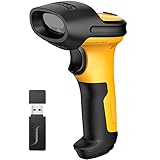
- Excellent Decoding Ability: With the Intelligent Machine Learning Algorithm invented by Inateck, the P6 barcode scanner has excellent decoding abilities. Blurring, incomplete and even barcodes with up to 128 digits can be decoded and uploaded to a computer at superfast speeds. It not only scans common barcodes such as EAN, UPC, and Code128, but also less commonly used ones such as USPS, FedEX,Code 32 and VIN
- 60m Valid Transmission: Thanks to PA wireless technology the transmission range reaches 60m, 5 times longer than similar scanners. As a result, the total transmission area is up to 1800㎡ wide
- Huge 2600mAh Capacity Battery: The huge capacity of 2600mAh built-in battery, plus the most advanced CPU low-energy consuming technology means continuous scanning up to 180,000 times on a full charge. After a full charge the scanner can be used for one month at least, even in warehouses and at checkout counters where scanners are frequently used. In hospitals and libraries it can be used even longer
- Professional Anti-shock Protection: The main part of Inateck P6 is covered by 3.5-6.5mm thick TPU material, which can resist shocks and drops. Interior parts such as the beam head and amplitude module are securely fixed by a buckle, customized screws and high strength industrial adhesives. The scanner will stay work normally even if falls down from 1.8m off the ground
- More Customized: More customizations are available on the P6 such as automatic sensing, hiding barcode character, add prefix and suffix and volume adjustment, etc
Can Nessus replace Amazon Inspector?
Nessus can assess AWS systems from the network or through configured integrations, but Nessus does not automatically provide the same AWS-native continuous discovery, ECR workflow, Lambda coverage, repository scanning, or Inspector-specific cloud context.
A Nessus scan of an EC2 IP address is not automatically a scan of every AWS asset. A Tenable AWS connector can provide EC2 inventory visibility, but the connector requires configuration and a Tenable Vulnerability Management account. Nessus also depends on scanner placement, routes, credentials, firewall rules, target availability, and selected policies.
Nessus may therefore supplement Inspector for AWS exposure validation, especially when the organization wants an independent network-based view. Nessus should not be described as a drop-in replacement for Inspector’s managed AWS workload model.
When should you use Amazon Inspector and Nessus together?
Use both products when AWS workloads and traditional infrastructure matter, or when cloud inventory and network-observer perspectives must be compared. Inspector can provide continual AWS-native coverage while Nessus assesses assets Inspector does not support and validates exposure from selected network locations.
- Enable Inspector across AWS accounts: Use delegated administration and organization-wide policies where appropriate, then verify that expected EC2, ECR, Lambda, and repository resources are included.
- Check Inspector prerequisites: Confirm Systems Manager and SSM Agent status, IAM permissions, supported operating systems, storage and file-system eligibility, VPC endpoints for private deployments, and exclusion tags.
- Deploy Nessus at meaningful network locations: Place scanners where they can reach the internal segments, cloud subnets, management networks, or authorized perimeter targets in scope.
- Configure credentialed and unauthenticated assessments: Use authenticated scans for deeper host and configuration evidence, and unauthenticated scans when an external-observer perspective is required.
- Include non-AWS assets: Scan network appliances, databases, hypervisors, physical systems, and other cloud or data-center resources that Inspector does not cover.
- Deduplicate and prioritize findings: Compare asset identity, package or service evidence, timestamps, exposure, exploitability, business importance, and remediation status rather than merging findings solely by CVE number.
- Keep compliance evidence scoped: Record which benchmark, target, credentials, exclusions, and assessment date produced each report. Do not treat a scanner report as certification by itself.
The combined model is especially valuable when an EC2 package finding from Inspector needs to be considered alongside a Nessus result showing whether a service is reachable from a particular segment. The two results answer related but different questions.
What failure modes should teams test before choosing?
| Failure mode | Likely effect | What to check |
|---|---|---|
| Unsupported EC2 operating system | Incomplete or unavailable Inspector coverage | Review AWS supported operating systems and the support status of the workload. |
| EC2 instance not managed by Systems Manager | Agent-based scanning cannot operate | Confirm SSM Agent, managed-instance status, permissions, and agentless eligibility. |
| Unsupported EBS or file-system condition | Agentless Inspector inventory may not be available | Check AWS agentless eligibility requirements. |
| Private subnet lacks required endpoints | Enhanced Inspector scanning may be limited | Verify VPC endpoints, routing, IAM, and service connectivity. |
| Packages installed outside examined paths or managers | Inspector may not inventory every application package | Compare the supported package and deep-inspection behavior with the installation method. |
| Inspector exclusion tag | Expected resource is intentionally omitted | Review exclusion tags and account or organization configuration. |
| Nessus scanner cannot route to target | No result or incomplete assessment | Test routing, DNS, firewall rules, security groups, and network placement. |
| Missing or insufficient credentials | Shallow or unauthenticated results | Use least-privilege credentials appropriate to the operating system, device, or database. |
| Overly conservative scan policy | Services or vulnerabilities may be missed | Review plugin selection, performance settings, exclusions, and safe-check assumptions. |
| Transient or ephemeral endpoint | Target disappears before assessment | Use cloud inventory, agents, CI/CD checks, or scan timing that matches the asset lifecycle. |
| Single scanner for multiple segments | Some network perspectives are absent | Deploy scanners or assessment points in each authorized network location that matters. |
AWS’s EC2 scanning documentation should be used to validate Inspector prerequisites and cadence. Nessus testing should validate routing, authentication, policy behavior, and target response rather than assuming that a completed scan means complete coverage.
How should a buyer make the final decision?
Choose Amazon Inspector if the question is, “Which supported AWS workloads currently have package, image, Lambda, code, or reachability findings, and how can those findings enter AWS workflows automatically?” Choose Nessus if the question is, “What can a scanner reach and assess across my network, hosts, devices, databases, and compliance targets under a controlled policy?”
| Decision question | If the answer is yes | Recommended direction |
|---|---|---|
| Are nearly all important assets AWS EC2, ECR, Lambda, or repositories? | Cloud workload inventory is the central requirement. | Start with Amazon Inspector. |
| Do network devices, databases, hypervisors, or on-premises systems matter? | Arbitrary reachable infrastructure is in scope. | Choose Nessus Professional or Expert. |
| Must newly created AWS accounts and workloads be covered automatically? | AWS Organizations and automatic enablement are important. | Favor Inspector. |
| Are detailed credentialed assessments and recurring network scans required? | Authenticated host and device evidence is central. | Favor Nessus. |
| Are IaC, external attack surface, or limited DAST required in Nessus? | Modern attack-surface features are needed. | Choose Nessus Expert, not Professional. |
| Is broad centralized management across many scanners required? | Standalone scanning is not enough. | Evaluate Tenable Vulnerability Management or Tenable One. |
| Do AWS and non-AWS assets both need coverage? | No single product fully matches the scope. | Use Inspector plus Nessus. |
The practical recommendation is therefore conditional: Amazon Inspector is better for AWS-native continuous vulnerability monitoring, Nessus is better for broad active infrastructure assessment, and the combined deployment is better when both coverage models are required.
Recommended Free Tools
Frequently Asked Questions
Is Amazon Inspector better than Nessus for AWS?
Amazon Inspector is usually better for AWS-native coverage of supported EC2, ECR, Lambda, repository, and multi-account workloads because Inspector automatically discovers supported resources and integrates with AWS security services. Nessus remains useful for network-based validation, unsupported AWS asset types, and broader hybrid infrastructure.
Does Amazon Inspector scan on-premises servers and network devices?
Amazon Inspector is not a general-purpose scanner for on-premises servers, switches, routers, firewalls, databases, or hypervisors. Nessus is the better fit for those targets when a scanner can reach them and the assessment is properly configured.
Is Nessus Professional the same as Nessus Expert?
No. Nessus Professional provides vulnerability and compliance scanning, while Nessus Expert additionally lists IaC scanning, external attack-surface scanning, and limited DAST web-application scanning. The Nessus 10.12 documentation lists five applications and five domains per rolling 90-day period by default for the corresponding Expert capabilities.
Does agentless scanning mean that no configuration is required?
No. Agentless Inspector EC2 scanning requires eligible operating systems, storage and file-system conditions, permissions, and other AWS prerequisites. Agentless Nessus scanning still requires network reachability, suitable policies, routing, firewall access, and target responses.
The Tool Desk
Outbyte Driver Updater FREEFix the driver behind crashes, sound loss and screen glitchesFind Drivers →Outbyte PC Repair FREERepair Windows errors before they cause bigger problemsFix Now →Can a CIS scan prove compliance or certification?
No. A CIS or configuration scan provides technical assessment evidence for the selected target and policy. A scan report alone does not constitute a complete audit, PCI attestation, formal certification, or proof that compensating controls were evaluated.
The Bottom Line
Bottom line: Amazon Inspector is the better default for AWS-native, continually changing workloads; Nessus is the better default for broad network, host, device, database, and compliance assessment. If the environment spans both worlds, deploy Inspector for AWS coverage and Nessus for the infrastructure and assessment perspectives that Inspector does not provide.
Quick Recap
Product prices and availability are accurate as of the date/time indicated and are subject to change. Any price and availability information displayed on Amazon at the time of purchase will apply.

