
iTechGuides is reader-supported. When you buy through links on our site, we may earn an affiliate commission. As an Amazon Associate I earn from qualifying purchases. Learn more
Validate every social post before it is scheduled, drafted, or sent, and check four things for each destination network: the exact content, the destination account, the permissions behind the connection, and that network’s current platform rules. A passing preflight check removes many avoidable failures. It does not guarantee that a platform will accept, process, or display the post later, so treat validation as a gate that lowers risk, not a promise of publication.
How can I safely validate social media publishing automation?
Safe validation means moving checks earlier in the pipeline. A workflow that sends a post straight to a publish call and reads the error afterward discovers problems only after the audience-facing action has been attempted. A safer workflow asks the platform, or its integration layer, to evaluate the post first, shows a person exactly what will go out where, and keeps a reviewable artifact until the release decision is made.



Four kinds of risk belong in that check:
- Content risk: text over a network’s character limit, media in an unsupported format, or missing required metadata.
- Destination risk: posting to the wrong account, a personal profile instead of a brand page, or a channel that belongs to another organization.
- Authorization risk: an expired token, a connection missing the permission the action needs, or an automated action the account owner never agreed to.
- Platform-rule risk: a rate limit, a creator-level posting cap, a restriction on unaudited API clients, or a method the platform’s terms prohibit.
What a preflight check can and cannot catch
Zoho Social’s Post Validation documentation (accessed 2026-10-07) describes an endpoint that “validates a post before scheduling or publishing” and returns network-specific errors for each included channel. The errors it names are character-limit violations, unsupported media formats, expired tokens, and permission issues. Those are exactly the failures a team can catch without touching a live audience.
Recommended Free Tools
Preflight validation has limits that matter for planning:
- It reflects the state of the post, the connection, and the platform rules at the moment of the check. A token that is valid at 09:00 can expire before a 17:00 scheduled post runs.
- It cannot predict later platform decisions, such as content review, account restrictions imposed after validation, or delivery problems on the platform’s side.
- A successful response does not show that content is visible to the audience. It shows that the platform, at that moment, found nothing to reject.
How do I validate a post before scheduling or publishing?
The following sequence works across networks. Run it for each destination separately, even when one post is going to several channels.
- Resolve the destination first. Display a human-readable identity for each channel: the account name, page name, or creator nickname, not an internal ID alone. Confirm that the channel belongs to the intended organization or brand. TikTok’s guidelines (accessed 2026-10-07) require the upload flow to display the creator’s nickname and to retrieve current creator information before posting, so the destination check should reflect what the platform reports at that time.
- Check authorization and consent separately. Confirm that the connection holds the permissions required for the requested action, such as a publish-scoped token. Describe in plain language what will be automated, obtain the express consent the platform requires, and provide a working way to revoke or opt out. Connecting an account is not the same as agreeing to every automated action; the section on consent below explains why.
- Validate the channel-specific payload. Check text length, media type and format, required fields, account eligibility, and any channel-specific options. Validate each destination on its own. One network accepting a post establishes nothing about another network’s rules.
- Preview and allow correction. Show the exact text and attached media for each destination after any automatic changes, including shortened links, added hashtags, disclosures, and visibility settings. Let the reviewer edit before anything is stored as ready to go.
- Stage before scheduling or publishing. Save a draft or another reviewable artifact. Run validation again whenever the content, account, media, permissions, or schedule changes. Zoho Social’s documented sequence is to validate before creating a draft, and its drafts can later be converted into scheduled posts.
- Protect credentials and respect platform limits. Keep client secrets out of public code, shared logs, and third-party disclosures. Request only the permissions the workflow needs. Stop or defer when a rate limit or creator cap is reached, and use the platform’s official API rather than automating a website where the platform’s rules prohibit it.
- Record and observe the outcome. Log the platform response for each destination separately. Surface failures per channel so one broken connection does not hide the others. Where the platform offers a status mechanism, poll it. A request accepted for processing is not the same as content being live.
Authorization is not consent to automate
Many teams assume that an OAuth connection grants the right to post on a user’s behalf whenever the workflow runs. The platforms do not treat it that way. X’s automation rules (updated April 2026) require an app to clearly describe its automated actions, obtain express consent, and promptly honor opt-outs when it acts through another user’s account. The same page states: “A user authorizing your app or service to access their X account through OAuth does not by itself constitute sufficient consent to take automated actions through that user’s account.”
TikTok’s Content Sharing Guidelines (accessed 2026-10-07) set a similar standard for uploads. API clients “must only start sending content materials to TikTok after the user has expressly consent to the upload.” They also require the client to show the posting account and a preview, give the user control over the content, and communicate publishing status. A validation step that only checks the token has therefore missed the consent requirement.
The Tool Desk
Outbyte Driver Updater FREEScan for outdated or missing drivers - takes under a minuteDriver Scan →Outbyte PC Repair FREEClear out junk files and repair common Windows errorsFree Scan →Platform rules to check for each network
Operational limits differ by platform and change over time. The table below lists only what the reviewed official sources state. Where a source gives no number, the cell says so rather than suggesting one.
| Platform | Rule or limit | Scope and qualification | Source |
|---|---|---|---|
| X | Circumventing API rate limits is prohibited; scripting non-API website actions for automation is prohibited. | Applies to automation generally. Numeric rate-limit values not stated in the source. | X automation rules, updated April 2026 |
| TikTok, unaudited API clients | Up to five users posting in a 24-hour window. | A limit for unaudited clients only. Posting accounts must be private at the time of posting, and content can be published only with the SELF_ONLY visibility setting. | TikTok Content Sharing Guidelines, accessed 2026-10-07 |
| TikTok, creator posting cap | Typically around 15 posts per day per creator account. | TikTok describes this as a typical figure whose upper limit varies by creator. It is not a universal cap for other networks and may change. | TikTok Content Sharing Guidelines, accessed 2026-10-07 |
| TikTok, client secrets | Confidentiality controls are required for client secrets. | A requirement, not a numeric limit. | TikTok Content Sharing Guidelines, accessed 2026-10-07 |
Two practical consequences follow. First, a TikTok integration that works in a test setup may fail at production volume, because the unaudited-client limit is a different constraint from the creator cap. Second, a validation routine should query creator information at runtime instead of hard-coding any of these figures, since they are documented as volatile.
Using drafts as a release gate
Zoho Social’s drafts endpoint, POST /social/v2/posts/drafts, is the stage where validation and human review meet. Zoho’s documentation (accessed 2026-10-07) directs clients to validate first, then create the draft, and later convert the draft into a scheduled post. The documented channels include Facebook Pages, X/Twitter, Instagram, LinkedIn Pages and profiles, YouTube, Pinterest, Mastodon, Threads, Bluesky, and TikTok.
Rank #4

- Your Business, Beautifully Planned - Map out your online success with this all-in-one business notebook planner built exclusively for digital entrepreneurs. Whether you're a blogger, service provider, or product seller, this 160+ page planner transforms chaos into clarity.
- Quarterly Planning Process Built for Consistency, Designed for Growth - With structured quarterly updates, monthly breakdowns, and weekly action steps, this planner keeps you focused and aligned with your long-term vision.
- 🎧 Includes Audio Training for Instant Momentum - Not sure where to begin? The included audio walkthrough by Victoria teaches you the step-by-step Pink Pop Planning System, helping you confidently tackle the year ahead. It's your personal business coach in planner form!
- Content Calendar & Social Media Planning Made Simple - Whether you're managing a blog planner, a content calendar planner, or a social media content strategy, this planner guides your creative process with weekly space for campaigns, launches, and posts.
- Made for Women In Every Stage of Business - From aspiring influencers to seasoned entrepreneurs, this goal planner is crafted for female founders building legacy brands online.
A draft gate works only if the draft is re-validated when it changes. Editing text, swapping media, changing the destination, or moving the schedule should send the item back through the validation step. Otherwise the reviewer approved one post and a different one goes out. Documentation for one API also does not mean that every platform’s own requirements are identical, so each channel still needs its own checks.
Do these 3 things before closing this tab:
1Fix the driver behind crashes, sound loss and screen glitches2Clear out junk files and repair common Windows errors3Scan for outdated or missing drivers - takes under a minuteZoho Social validation as a worked example
Zoho’s validation endpoint is POST /social/v2/posts/validate. Its documented required scope is ZohoSocial.Publish.CREATE or ZohoSocial.Publish.ALL. A valid post returns an empty object. An invalid request returns errors grouped by network. Use a token issued for your own account and environment; never copy sample credentials from documentation into a live system.
Best Value
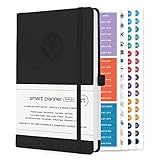
- ✅ LUXURIOUS QUALITY: We know you appreciate quality so we chose a bleed proof paper to make sure the ink won’t bleed onto the pages. The inner pages contain monthly calendars, daily schedules, goal setting, weekly scoring, to-do lists, notes sections, habit tracking and gratitude affirmations.
- ✅ HARD COVER: Our beautifully crafted personal organizer features a silky-smooth sleek animal-friendly leatherette hard cover. Our pages have been stitched using the highest quality book binding on the market which allows the day planner to lay flat without the risk of all the pages falling out.
- ✅ 13 MONTHLY PLANNER (4.0): Includes all 52 weeks and 13 month undated layouts, 21/22/23/24 Reference Calendars. Our team crafted this notebook with an expandable inner back pocket, elastic strap closure and 3 bookmarks.
- ✅ ACCOMPLISH EVERYTHING YOU SET OUT TO DO: Smart Planner Pro team carefully crafted this personal daily planner taking a scientific approach to productivity and success so that YOU can reach your highest potential.
- ✅ LIVE OUT YOUR GOALS LIKE NEVER BEFORE: Procrastination is just one of the main factors prevent people from getting things done. The Smart Planner Pro agenda is designed specifically to make sure you keep yourself on track toward achieving your goals all year long while still managing day-to-day tasks.
Comparing validation approaches
Teams usually choose among a few patterns. The table compares them on the criteria that matter for safety: whether the check happens before the post is scheduled or published, whether it runs per destination, what artifact is tested, how consent and revocation are handled, and whether the outcome can be observed.
| Approach | Checks before scheduling or publishing | Per destination | Artifact tested | Consent and revocation | Outcome observable |
|---|---|---|---|---|---|
| Publish and read the error | No. The attempt is the check. | Depends on the integration. | A live post. | Not addressed by the attempt itself. | Only as a failure after the fact. |
| Validation call only | Yes, for the conditions the platform checks. | Yes, for Zoho Social’s network-grouped errors. | The payload, not a stored artifact. | Not covered by validation; needs a separate process. | Response is available at check time, not after publishing. |
| Draft, validate, then schedule | Yes, with re-validation after edits. | Yes, when validation runs per channel. | A reviewable draft. | Handled by the reviewer and the connection process. | Yes, if each channel’s status is logged. |
| Private or restricted-visibility posting | Depends on the platform’s rules. | Depends on the platform. | A live post with limited visibility. | Not stated in the reviewed sources. | Yes, but visibility is limited by design. |
The draft-based pattern gives the most control, because it combines a platform check with a human review of the exact artifact. The restricted-visibility row needs care: TikTok’s unaudited-client rule, for example, forces SELF_ONLY visibility, which is a platform constraint rather than a test environment, and it should not be mistaken for a safe sandbox for other networks.
When validation passes but publishing still fails
A passing check followed by a failure is not a contradiction. It usually means one of the following has changed or was never covered:
- A token expired or was revoked after validation. Re-run validation after any reconnection and check token state before the scheduled time.
- A platform limit was reached. Stop or defer the post. Do not retry in a loop, and never use a rate-limit workaround. For X, the rules prohibit circumventing API limits.
- The account lost eligibility or changed type. A personal profile may be used where a brand page was intended, or a creator’s posting configuration may have changed. Re-resolve the destination.
- The consent record is missing or stale. If the person who approved the automation has withdrawn consent or disconnected the connection, the post should not go out, even if the token still works.
- Acceptance was mistaken for visibility. The status log should separate “accepted for processing,” “published,” and “visible,” and should not treat the first as the last.
Each failure should be logged per destination with the platform response, the time, and the stage where it occurred. That record lets a team tell a configuration error from a platform decision and fix the right layer.
Quick Recap
Product prices and availability are accurate as of the date/time indicated and are subject to change. Any price and availability information displayed on Amazon at the time of purchase will apply.

