
iTechGuides is reader-supported. When you buy through links on our site, we may earn an affiliate commission. As an Amazon Associate I earn from qualifying purchases. Learn more
A basic PC burn-in takes about 30 minutes per component as a practical starting point. A quick screening test may take only five minutes, while validating an overclock for sustained use can require several hours. RAM tests are measured in passes, so their total time depends on the amount and speed of memory and the settings used. There is no single duration that proves every PC fault-free; choose the test and run time for the component and problem you want to check.
How long should you set aside?
| Goal | Time to plan for | What the test can tell you |
|---|---|---|
| Quick screen | About 5 minutes for Intel XTU’s quick stability test | Can expose obvious instability, but is not evidence of sustained stability. Intel describes longer checks in its XTU overclocking guide. |
| Basic component check | About 30 minutes per component | A reasonable baseline for checking a component under load and observing behavior such as CPU temperatures. OCCT calls this a reasonable minimum for basic hardware validation; Intel also describes 30 minutes as a solid stability check. OCCT’s stability-testing FAQ |
| Overclock stability | At least 1 hour per OCCT test; Intel suggests 3–5 hours or longer for a 24/7-stable overclock | Provides a longer sustained test of a tuned system. These are vendor recommendations, not a guarantee of long-term reliability. OCCT FAQ · Intel XTU guide |
| Intel Processor Diagnostic Tool burn-in preset | 120 minutes | The duration of a named preset in Intel’s CPU diagnostic utility; it is not a universal PC burn-in standard. The tool supports looping. Intel Processor Diagnostic Tool overview, last reviewed February 5, 2025. |
| RAM testing with MemTest86 | Pass-based; examples are 15 minutes for one pass and 120 minutes for four passes | Actual run time varies with memory capacity, CPU and memory speed, and test settings; larger systems or additional passes can take much longer. PassMark’s execution-time documentation |
| Builder or industrial QA sequence | Multi-hour or overnight runs are common, according to OCCT | Such workflows may combine tests to meet a builder’s quality-assurance needs; they are not required for every user’s basic check. OCCT FAQ |
“Burn-in” is used loosely. It can mean a short stability screen, a component-specific stress test, repeated memory passes, or a longer quality-assurance sequence. The appropriate duration follows the purpose, not the label.
Choose tests for the component and symptom
A CPU-only run does not check every part of a PC. OCCT offers separate CPU+RAM, CPU, Linpack, memory, 3D Adaptive, VRAM, storage, and power tests. Its CPU test is designed to generate substantial heat, while its combined power test loads the CPU and GPU together. See OCCT’s list of personal features and test types.
Free tools Windows power users keep installed
One-click scans. No signup required.
- CPU temperatures or CPU instability: Use a CPU-focused test and observe temperatures and system behavior during the run.
- Memory errors or suspected RAM instability: Use a memory test such as MemTest86 and allow for the number of passes you intend to complete.
- Graphics instability: Choose a GPU or VRAM test rather than assuming a CPU test covers graphics.
- Crashes under combined load: A combined CPU-and-GPU power test may be more relevant than testing either component alone.
- Drive checks: Avoid running intense storage tests frequently; OCCT warns that repeated use can affect SSD or HDD lifespan.
Synthetic stress tests apply heavy loads and can reveal problems that ordinary use does not. If stability during a particular application or game matters, also validate the PC with that real workload after the relevant component tests.
#1 Best Overall

- Premium Construction: Made of upgraded 0.8mm thick SPCC steel plate with folded edge reinforcement and triangular reinforcing plates, greatly improving overall structural stability. Finished with scratch-resistant black sand grain paint for long service life.
- Broad Mainboard Compatibility: Supports ATX, Micro ATX and ITX motherboards within 305*245mm. Extended 440mm width design fits server cabinet installation. Extended baseboard option available for E-ATX dual server motherboards.
- Flexible Graphics Card Installation: No restriction on the length and width of graphics cards according to your motherboard layout, ideal for multi-GPU testing and hardware overclock setup.
- Standard ATX Power Supply Support: Compatible with regular ATX power supplies (reference dimension: 150mm86mm(140-250)mm). Reserved cable routing holes support rear cable management for tidy wiring.
- Wide Application Scenarios: Open-air frame design delivers outstanding heat dissipation. Perfect for DIY hardware testing, overclocking verification, gaming setup and computer maintenance work.
How to run a burn-in safely
- Decide what you are checking. Identify the suspect component or condition, then choose a matching test. Do not treat one component’s result as a whole-system check.
- Check the setup before loading the PC. Confirm cooling is adequate and components are operating within manufacturer and motherboard guidance. For memory troubleshooting, check DIMM placement against the motherboard manual; testing one module at a time can help isolate a fault.
- Start with a measured run. Use about 30 minutes per component for basic validation, or the longer duration appropriate to overclock validation or memory passes.
- Monitor the system throughout. Watch temperatures and look for errors, crashes, shutdowns, unusual behavior, or signs that cooling is insufficient. Stop the test if behavior is abnormal.
- Investigate failures rather than repeatedly stressing the PC. For stability troubleshooting, AMD advises checking memory configuration and GPU power connections and PSU suitability. See AMD’s system stability troubleshooting tips.
- Retest after a change. If you adjust a setting or hardware configuration, test the affected component again and, where relevant, check the workload that previously caused trouble.
Stress testing pushes hardware harder than idle operation. OCCT cautions that inadequate cooling, failing components, or extreme overclocks can cause instability and, rarely, accelerate failure in already defective hardware. Changing CPU frequency or voltage may reduce stability or performance, affect component life, or affect warranty coverage; Intel recommends checking the component makers’ terms.
Independent reader supportYour contribution helps us test, update, and keep practical guides available for everyone.What a successful run does—and does not—prove
A pass means the tested configuration completed that particular test for that duration without the tool reporting a failure. It does not establish that untested components are sound, that every real-world workload will be stable, or that the PC will never fail. For a tuned system, test the relevant components and then check the actual workload that needs to run reliably. The cited durations are vendor recommendations and examples, not a universal reliability standard.
Quick Recap
Best Value

- Material: This product is made of aerospace magnesium aluminum alloy, with an actual thickness of 8mm; The surface of the product is treated with metal to reduce the occurrence of corrosion and improve the service life of the product.
- Compatibility: Supports standard MATX motherboards, supports installation of 4 hard drives (any solid-state mechanical drive); Supports standard ATX power supply, suitable for long-term high-intensity disassembly; Supporting integrated water-cooled installation (120 140 240 280 360 water-cooled drainage)
- Design: Design metal support rods and add anti slip pads on the bottom bracket
- Product Size: 11.1x11.1x5.12 inches(MATX)
- Attention: This product is not a finished product at the time of shipment, and the seller needs to install it according to the instructions
Rank #4

- Wide compatibility: Motherboard Support EATX ATX,Micro ATX,ITX , support motherboards Max 305*330mm (12*12.99inch), and The length and width of the graphics card are not limited.
- Power Supply and Hard DriveSupport: Support Standard ATX Power Supply 150 x 86 x (140~250)MM / (5.9x3.39x5.5~9.8 inch), Supports 2pcs HDD and 2pcs SSD.
- The dimensions of the product after assembly: 440x345x128mm (17.32x13.58x5.0 inch), Dimensions after the power supply is installed: 440x345x160mm (17.32x13.58x6.3inch)
- High Quality: The Open Air PC Case is made of high-quality 0.8mm SPCC and coated with black sandblasted paint
- Package Include: 1PCS EATX Open Air PC Case and Accessories
Rank #3

- Material: This product is made of aerospace magnesium aluminum alloy, with an actual thickness of 8mm; The surface of the product is frosted texture, which reduces the glossiness of the surface, avoids light pollution, and is also relatively easy to maintain
- Compatibility: Supports standard ATX motherboards, supports installation of 4 hard drives (any solid-state mechanical drive); Supports standard ATX power supply, suitable for long-term high-intensity disassembly; Supporting integrated water-cooled installation (120 140 240 280 360 water-cooled drainage)
- Design: Design metal support rods and add anti slip pads on the bottom bracket
- Product Size: 14.37x11.1x5.12 inches(ATX)
- Attention: This product is not a finished product at the time of shipment, and the seller needs to install it according to the instructions
Rank #2
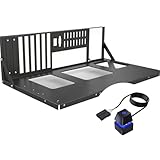
- COMPATIBILITY: Supports multiple motherboard form factors including ATX, MATX, and ITX, perfect for X79 and X99 builds
- OPEN FRAME DESIGN: Test bench style configuration allows easy access to components and superior airflow for better cooling
- VERSATILITY: Functions as both a test bench for hardware testing and a permanent open-air display case solution
- ACCESSIBILITY: Tool-free design enables quick component installation, maintenance, and modifications
- MOUNTING OPTIONS: Features dedicated mounting brackets for motherboard, power supply, and storage devices
Product prices and availability are accurate as of the date/time indicated and are subject to change. Any price and availability information displayed on Amazon at the time of purchase will apply.

