
Build it as a C# Silverlight for Windows Phone application, then add feed parsing, local storage, and a phone-friendly interface. The Microsoft RSS Reader sample documents a simple implementation compatible with Windows Phone 7 and 8; its key files are FeedPivot.xaml.cs and RSSService.cs. This is a legacy development stack, so the historical SDK and emulator workflow may depend on whether your development environment can still run it.
Choose a Windows Phone 7 project and toolchain
Start with a Silverlight application
Create a C# Windows Phone Silverlight application rather than a modern Windows app project. Microsoft’s archived RSS Reader sample is a useful starting point: it has separate Windows Phone 7 and Windows Phone 8 implementations, uses Silverlight, and identifies FeedPivot.xaml.cs as the feed-display class and RSSService.cs as the component that parses feeds and creates HTML-formatted feed pages.
Prepare the historical development environment
The documented workflow uses the Windows Phone SDK 7.1 and the Windows Phone Toolkit. Install a compatible historical Windows Phone/Silverlight toolchain, open the sample solution, choose an emulator target such as WVGA, and press F5. Because this SDK is obsolete, whether its installer, dependencies, emulator, and device deployment chain work on a particular present-day computer is environment-dependent.
Separate feed data, networking, and the interface
Keep feed retrieval and data handling distinct from the pages that display them. Microsoft’s 2012 FeedCast example used three C# projects: FeedCast for the foreground interface, FeedCastAgent for a periodic scheduled task, and FeedCastLibrary for shared networking and data code. That division is a useful model for a reader that may eventually refresh in the background; a first version can keep the work in the foreground.
Recommended Free Tools
#1 Best Overall
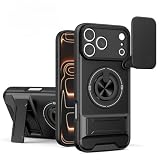
- Cool Mecha Push Window Design – Unique sliding window with a mechanical armor style, adding a futuristic and rugged look.
- Built-in Magnetic Ring – Works perfectly with magnetic car mounts, wallets, and other accessories for hands-free convenience.
- Shockproof Protection – Reinforced corners and durable materials absorb drops and impacts, keeping your phone safe.
- Precise Compatibility – Fits iPhone 17/16/15 Pro Max and S26 Ultra / S26 Plus / S26.
- Customer Service – Contact us anytime if you have any questions
For RSS and Atom parsing, the FeedCast guidance uses System.ServiceModel.Syndication.dll from the Silverlight 4 SDK. It notes that this assembly was not included in the Windows Phone SDK. Add or reference it deliberately, and verify that it builds in the exact legacy toolchain you have installed rather than assuming it is available by default.
Model feeds and save them locally
Represent the information the reader needs
Start with data for a feed URL and title, plus article title, description, publication date, and link. Those fields are enough to identify subscriptions and present a useful article list. Add categories and favorites if the interface needs them.
Rank #2

- DISPLAY WINDOW AT A GLANCE: The S-View Wallet Case lets you access the interactive display of your Galaxy S23 Ultra without opening the cover; The case combines protection, style and convenience
- JUST SIMPLE TAPS WILL DO: You can tap the display window to perform basic functions like answering the phone or pausing the music even with the cover closed
- KEEP YOUR CARD HANDY: With the Galaxy S23 Ultra S-View Wallet Case, you can keep an ID or credit card close and never worry about forgetting your wallet at home
- DEVICE COMPATIBILITY: The Samsung Galaxy S23 Ultra S-View Wallet Case is compatible for use with the Samsung Galaxy S23 Ultra smartphone
Persist subscriptions and cached articles
FeedCast stores categories, feeds, articles, and favorites in the phone’s local isolated-storage database using LINQ to SQL and DataContext. Its documented schema has Category, Feed, and Article tables, with a Category_Feed table for the many-to-many relationship between categories and feeds. This lets a feed appear in more than one category without duplicating the feed record.
DataContext is not thread-safe. If both the foreground app and a background agent can write to the database, synchronize those writes; otherwise, start with foreground-only refresh and add background work after that path is reliable.
Do these 3 things before closing this tab:
1Scan for outdated or missing drivers - takes under a minute2Repair Windows errors before they cause bigger problems3Fix the driver behind crashes, sound loss and screen glitchesRank #3

- 【Compatible】- Only available for Samsung Galaxy S26 Ultra . Please check your phone model before purchasing.
- 【Unique Design】- This case is made of quality PU leather and PC shell, Traditional Handmade Crafts which is comfortable and durable to touch. Protect your phone from accidental moisture, bumps and scratches.
- 【Smart Clear View Window】- The case is magnetic function,Without opening the front flip, you can directly see the date , time and other information on the translucency window screen.
- 【Precise cutouts】- All the buttons and ports are precisely cut out to protect your phone better. The perfect gift for Christmas, birthdays and other holidays.
- 【All-Round Protection】- This case provides 360 degree full body heavy duty defence protection. Protect your phone from scratches, bumps and other everyday damage.
Fetch and parse feeds before adding background refresh
- Reference the parser. Add the Silverlight 4 Syndication assembly to the project and confirm the legacy build resolves it.
- Retrieve a feed asynchronously. Keep network work from blocking the interface, and handle refresh results in the foreground first.
- Parse and map entries. Convert feed entries into the article fields your UI and local database use, including the title, description, publication date, and article link.
- Save the results. Update the local subscription and cached-article data through the storage layer.
- Add a periodic agent only when needed. Once foreground refresh works, introduce a scheduled task and shared library if background updating is part of the app’s requirements.
Design navigation around the content
Choose Pivot or Panorama for the main feed view
A Pivot is a natural fit for switching between closely related views such as feed categories. A Panorama can provide a wider landing page. FeedCast’s 2012 main page used four Panorama panels named “what’s new,” “featured,” “all,” and “settings,” then linked into category, feed, and article pages. Its application bar supported actions such as favorites, sharing, opening an article in Internet Explorer, and optional Wi-Fi-only downloads.
The archived RSS Reader sample reports a specific Panorama issue: creating Panorama items dynamically through ItemsSource can cause the selected index and return-navigation behavior to reset. Its workaround is to declare the four PanoramaItem elements explicitly in the page rather than create them dynamically.
Rank #4

- Materials: The Waterproof case is made of durable PC and transparent PVC materials. Super thin 0.3mm material makes touch sensitive, not any delay. IP68 Certified 30 meter underwater. It is easy to touch, Response, Type, Take Photos and Videos sensitive, Not any delay. No Bad Effect Upon Your Skin.
- Screen Touch Friendly: The waterproof case dry bag fits all smart phones up to 8.3" diagonal size.Clear PVC window allowing you to take photos conveniently even underwater. Capture the underwater world as you see it.
- Application: The waterproof pouch case is vacation Essentials for Aquatic Sports.it perfect for swimming,beach trip, underwater snorkeling, surfing, boating, skiing,fishing,kayaking,rafting.
- Capacity: It can hold not only cell phones but also ID, credit cards, cash, and keys.Length x Width: 8.6"x 4.3", Compatible for phone up to 8.3 inches; ideal phone water protector pouch for Apple iPhone,Samsung,and up to 8.3"; Sturdy lanyard on the top for easy carrying, Free your hand and have fun!
- Test Before Use : First Fill with paper towel in the waterproof phone bag, squeeze air before Sealed; Then Submerge underwater for about 15 minutes. Last Downside the top mount to take out the object, avoid water going into the case. High quality product from Brand "Famoby"!
Keep the visual hierarchy direct
Microsoft’s 2010 Windows Phone UI guidance describes Metro as typography echoing airport and metro signage, and recommends clear, direct access to content with standard Silverlight and system interaction controls. For an RSS reader, that means making feeds and articles the main focus and putting secondary actions in familiar controls rather than letting settings or decoration compete with the reading flow.
Quick Recap
Best Value

- SMART WINDOW FOR YOUR IPHONE 17 PRO – Add a unique circular smart display to the back of your iPhone 17 Pro for a more interactive everyday experience.
- REAR CAMERA PREVIEW – See the rear camera view through the smart window while taking photos, making selfies and group shots easier with the main camera.
- PERSONALIZED DYNAMIC DISPLAY – Customize wallpapers and clock styles to create a display that matches your mood, style or occasion.
- NOTIFICATION & MUSIC ACCESS – View supported message notifications and conveniently control music through the rear smart window.
- RECHARGEABLE SMART DESIGN – Built-in rechargeable smart module combines display, personalization and everyday convenience in one distinctive phone case.
Build and test in the emulator
- Install a compatible historical Windows Phone SDK and Silverlight toolchain, including the Windows Phone Toolkit required by the sample.
- Open the Windows Phone Silverlight solution and select the WVGA emulator profile or another available emulator target.
- Press F5 to build, deploy, and run the app in the emulator.
- Check the core path: load a feed, open an article, return to the feed list, and verify that the selected view and cached data behave as expected.
- If the old deployment chain remains available, validate on a Windows Phone device as well; emulator success alone does not establish that a device can still be provisioned with the legacy toolchain.
Minimal reader or fuller FeedCast-style design?
| Choice | Offline caching | Background refresh | Navigation | Feed management | Legacy SDK fit |
|---|---|---|---|---|---|
| Minimal reader | Save subscriptions and cached articles locally; depth depends on what the app stores. | None initially; refresh in the foreground. | Use a Pivot or a simple feed-to-article flow. | Start with feed URLs and titles; add categories or favorites only if needed. | Uses the Windows Phone Silverlight project and deliberately referenced Syndication assembly. |
| FeedCast-style design | Uses isolated-storage database entities for categories, feeds, articles, and favorites. | Can add a periodic scheduled-task project alongside the foreground app. | Four-panel Panorama leading to category, feed, and article pages. | Includes categories, favorites, sharing, browser launch, and optional Wi-Fi-only downloads. | Based on the historical Windows Phone/Silverlight stack; exact availability depends on the build environment. |
Product prices and availability are accurate as of the date/time indicated and are subject to change. Any price and availability information displayed on Amazon at the time of purchase will apply.

