
For stock, CPU-based video encoding, the Xeon E3-1245 is the better choice: its four cores and eight threads provide twice the logical-thread capacity of the i5-2500K’s four cores and four threads. The i5-2500K becomes competitive when you have an unlocked-multiplier motherboard, strong cooling and a stable overclock. If you plan to use Intel Quick Sync, motherboard outputs, firmware, drivers and application support are just as important as the processor model.
Core specifications that affect encoding
| Feature | Intel Core i5-2500K | Intel Xeon E3-1245 |
|---|---|---|
| Platform | Sandy Bridge desktop, LGA1155 | Workstation/server processor, LGA1155 |
| Physical cores / threads | 4 / 4 | 4 / 8 with Hyper-Threading |
| Base clock | 3.3 GHz | 3.3 GHz |
| Maximum turbo | 3.7 GHz listed by PassMark | Not stated in the cited Intel specification |
| Cache | 6 MB | 8 MB |
| TDP | 95 W | 95 W |
| AVX | Not stated in the cited PassMark entry | Supported |
| Quick Sync Video | Supported when the platform and software expose it | Supported when the platform and software expose it |
| Multiplier | Unlocked | Not an enthusiast-overclocking model |
Intel’s specification identifies the E3-1245 as an LGA1155 chip with Hyper-Threading, AVX, Quick Sync Video and a 95 W TDP. PassMark lists the i5-2500K as a 3.3 GHz, four-core/four-thread, 6 MB-cache, 95 W LGA1155 desktop processor and records a 3.7 GHz maximum turbo frequency.



Which processor is faster for x264 and other CPU encoders?
Stock settings favor the Xeon
x264 and similar software encoders can divide work across many threads. At factory settings, the E3-1245 can keep eight logical threads busy, while the i5-2500K has only four. That generally gives the Xeon higher throughput on long encodes, especially at presets and resolutions that scale well with parallel work. Its 8 MB cache also exceeds the i5’s 6 MB, although thread count is the more important distinction here.
There is no controlled, same-settings benchmark in the available material for these exact processors. Encode time varies with codec, preset, resolution, source complexity, thermals and encoder version, so a precise percentage advantage would be misleading.
Do these 3 things before closing this tab:
1Scan for outdated or missing drivers - takes under a minute2Repair Windows errors before they cause bigger problems3Fix the driver behind crashes, sound loss and screen glitches#1 Best Overall
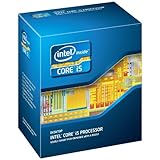
- One decent computer desktop work perfectly: including intel i5 2500K CPU, Asus P8P67-M pro motherboard 8G(2*4G) Corsair Ram +Maxtor 300G hard driver and a corsair CX600 80plus PSU and an ATX case EVGA 550TI graphics card
- Workly perfectly.
Overclocking can change the result
The i5-2500K’s unlocked multiplier lets an enthusiast raise clock speed on a compatible board. A well-cooled, stable overclock can narrow or occasionally reverse the stock gap in workloads that do not scale efficiently beyond four threads. It also increases heat, power use and stability risk, and requires a motherboard with suitable BIOS controls and power delivery. The Xeon is the safer choice when predictable, stock operation matters more than tuning.
Quick Sync: when the GPU engine matters more than CPU threads
Both exact models are associated with Intel Quick Sync Video, but having the feature in the silicon does not guarantee that an encoder can use it. The motherboard must expose the integrated GPU, firmware and drivers must initialize it, and the application must support the relevant Sandy Bridge Quick Sync path. On some boards, a discrete graphics card can coexist with the iGPU only through a board-level configuration or software layer.
An Intel representative wrote on October 25, 2012: “The Intel® Core™ i5-2500K, Intel Core i5-3570K, Intel Xeon® E3-1245, and the Intel Xeon E3-1245v2 all have Intel Quick Sync which when teamed up with the Lucid Virtu or MVP on the board can work to give you improved performance for digital encoding.” Treat that historical statement as platform guidance rather than a guarantee for a modern application. Check the encoder’s current hardware-acceleration documentation and confirm that the integrated graphics is visible in the operating system.
Motherboard, memory and purchase checks
Confirm socket and BIOS support
- Use an LGA1155 motherboard and verify that its CPU-support list includes the exact model.
- Check the minimum BIOS revision; a board may accept the socket but fail to boot until updated.
- For Quick Sync, make sure the board has usable video outputs connected to the processor’s integrated graphics path.
Check memory and ECC expectations
The Xeon is a workstation/server part, but ECC support depends on the chipset and motherboard, not the CPU label alone. Confirm whether the board supports unbuffered ECC and whether the firmware enables it. Consumer LGA1155 boards commonly support only non-ECC memory.
Free tools Windows power users keep installed
One-click scans. No signup required.
Check cooling and mounting
Both processors are rated at 95 W. A functional LGA1155 cooler is required, and an overclocked i5-2500K needs more thermal headroom than its stock rating suggests. Verify cooler mounting hardware when buying used parts.
Compare the complete used platform
Do not compare processor prices in isolation. Include the motherboard, memory, cooler, graphics solution needed to expose Quick Sync, shipping and the risk of an unknown BIOS or worn board. Live prices and inventory are not established here, so inspect the actual listing and return policy before buying. For marketplace searches, “Intel Core i5-2500K processor” is the direct keyword for the i5 option.
Rank #4

- This Certified Refurbished product is tested and certified to look and work like new. The refurbishing process includes functionality testing, basic cleaning, inspection, and repackaging. The product ships with all relevant accessories, a minimum 90-day warranty, and may arrive in a generic box. Only select sellers who maintain a high performance bar may offer Certified Refurbished products on Amazon.com
- All Core i5 processors have Intel Turbo Boost Technology
- 6 MB Intel Smart Cache is dynamically shared to each processor core, based on workload
- Quad-core processor delivers four-way multicore processing via parallelism resulting in more efficient use of processor
- Specs: Quad-core 3.3 GHz, 6M Cache, Intel HD Graphics 2000, 95 watt TDP, Dual-channel DDR3 memory support, socket LGA1155
Which one should you choose?
- Choose the Xeon E3-1245 for the best stock CPU-encoding throughput, background multitasking during encodes and a workstation-oriented build.
- Choose the i5-2500K when you already own a suitable LGA1155 board, want to overclock and can provide the cooling and stability testing that requires.
- Choose based on the platform when Quick Sync is central: the board’s display outputs, BIOS, drivers and encoder support determine whether either chip’s integrated video engine is usable.
Practical decision checklist
- Identify the codec and application. CPU encoders such as x264 benefit more directly from the Xeon’s extra threads; Quick Sync workflows depend on hardware-encoder support.
- Verify the exact motherboard model, BIOS revision and LGA1155 CPU-support list.
- Confirm integrated-graphics outputs and driver support if Quick Sync is required.
- Check memory type, ECC behavior and cooler compatibility.
- For an i5 overclock, verify multiplier controls, power delivery, cooling capacity and stability-testing plans.
- Compare total platform cost and condition rather than the CPU listing alone.
The Bottom Line
The Xeon E3-1245 is the stronger stock processor for CPU-based video encoding because its four cores expose eight threads. The unlocked i5-2500K is worthwhile mainly for an existing enthusiast platform or a carefully managed overclock; Quick Sync can make either choice viable only when the motherboard and software fully support it.
Quick Recap
Product prices and availability are accurate as of the date/time indicated and are subject to change. Any price and availability information displayed on Amazon at the time of purchase will apply.

