
The Tool Desk
Outbyte Driver Updater FREEFix the driver behind crashes, sound loss and screen glitchesFind Drivers →Outbyte PC Repair FREERepair Windows errors before they cause bigger problemsFix Now →Load the font before drawing, add it to document.fonts, and set the Canvas context’s font property using CSS font shorthand. For axes such as weight or width, use a supported standard font property where possible; do not assume Canvas exposes a cross-browser property for setting any arbitrary variable-font axis.
Load the variable font before drawing
A variable font contains one or more adjustable design axes in a single font file. Common registered axes include weight (wght), width (wdth), italic (ital), slant (slnt), and optical sizing (opsz). A particular font may have only some of these, may use different ranges, or may include custom axes. Check the font’s documentation or metadata rather than assuming an axis exists.
For Canvas, load the file with the CSS Font Loading API, wait for it to finish, add the resulting face to the document’s font set, and then draw. This runnable example assumes the WOFF2 file is served from /fonts/example-variable.woff2 on the same site as the page:
async function drawVariableFont() {
  const face = new FontFace(
    "Example Variable",
    'url("/fonts/example-variable.woff2")'
  );

  await face.load();
  document.fonts.add(face);

  const canvas = document.querySelector("canvas");
  const ctx = canvas.getContext("2d");
  ctx.font = '600 32px "Example Variable", sans-serif';
  ctx.fillText("Variable font", 20, 60);
}

drawVariableFont().catch((error) => {
  console.error("Could not load or draw the variable font:", error);
});
The font shorthand includes a weight of 600, a size of 32px, the requested family, and a sans-serif fallback. Canvas’ default font is 10px sans-serif; set ctx.font explicitly before measuring or drawing text. The call to face.load() resolves when the face is ready, and document.fonts.add(face) makes it available to the document’s font set. Waiting for both steps avoids drawing with a fallback simply because the custom font has not finished loading.
Free tools Windows power users keep installed
One-click scans. No signup required.
#1 Best Overall
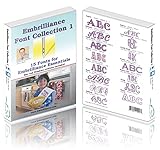
- 15 beautiful fonts to use with Embrilliance Essentials.
- Some fonts scale down to as small as 8mm (1/3") in height.
- Some fonts scale up to as large as 200mm (8") in height.
- Includes August, Brittany, Chalk Board, Circus, Dallas, Diana, Fancy Script, Giddyup, Isadora, Circle Monogram, Pacific Stick, Penny, Roman Tall, Script, and Sierra.
Make the file available to the page
Put the font at the URL used in the example or change that URL to match your deployment. A relative URL is resolved against the page’s location. If the font is hosted on a different origin, the server must permit the page to fetch it; a failed font request will reject face.load(). Serve font files over HTTPS on HTTPS pages.
Give each separately loaded face a family name that you then use consistently in ctx.font. The name in new FontFace("Example Variable", ...) is the family name Canvas should use; it does not have to be the font’s commercial product name.
Choose how to set the axis you need
The font file determines which axes are available and their valid values. Prefer higher-level font properties for registered axes when those properties express the design you need. Use CSS font-variation-settings for custom axes or when a suitable higher-level property is not available—but that CSS property controls CSS text, and does not establish arbitrary-axis control on a Canvas context.
Rank #2
![CorelDRAW Graphics Suite 2026 | Education Edition | Graphic Design Software for Professionals | Vector Illustration, Layout, and Image Editing [PC/Mac Download]](https://m.media-amazon.com/images/I/41SFHdVMXcL._SL160_.jpg)
- New in 2026: Create faster with AI vector and image generation, AI image remixing, improved PowerTRACE, AI background removal and masking tools, a refresh UI, stability and performance improvements
- Academic eligibility: Accredited schools, faculties, full or part-time students, non-profit charitable and religious organizations; not for commercial use
- Professional graphics suite: Software includes graphics applications for vector illustration, layout, photo editing, font management, and more—specifically designed for your platform of choice
- Design complex works of art: Add creative effects, and lay out brochures, multi-page documents, and more, with an expansive toolbox
- Works on Windows and Mac: Offering native support for latest Windows and macOS versions, delivers a flexible creative workflow on your preferred platform
| Design adjustment | Preferred property to investigate | Important limit |
|---|---|---|
| Weight | font-weight, represented as the weight in the CSS shorthand assigned to ctx.font |
The font must contain a weight axis or appropriate weight instance; the font’s range is font-specific. |
| Width | font-stretch where supported by the Canvas context |
The documented Canvas fontStretch control uses stretch keywords; its reference does not support percentage values. Do not treat it as arbitrary numeric wdth control. |
| Italic or oblique style | font-style, represented in the CSS font shorthand |
The available style or axis depends on the font. |
| Custom axis or axis without a suitable high-level property | CSS font-variation-settings for DOM text |
The reviewed Canvas references do not establish a general, interoperable context property for arbitrary four-character axis tags. |
For example, this uses a standard weight value in Canvas’ font shorthand:
Do these 3 things before closing this tab:
1Scan for outdated or missing drivers - takes under a minute2Repair Windows errors before they cause bigger problems3Fix the driver behind crashes, sound loss and screen glitchesctx.font = '750 32px "Example Variable", sans-serif';Use a value only if it makes sense for the font’s supported range. The example does not prove that every variable font supports weight 750 or that every browser will render every requested value identically.
Use CSS axis settings for surrounding DOM text
If your page includes HTML text as well as Canvas text, CSS can explicitly set a variable-font axis on that HTML text. This example asks for a width-axis value of 115, but only for browsers that report support for the declaration:
Rank #3
![Font Collection: Elegant Script MAC [Download]](https://m.media-amazon.com/images/I/51W7iZU6DEL._SL160_.jpg)
- 100% Royalty-Free
- Commercial-Use License Included
- OpenType Fonts
.variable-label {
  font-family: "Example Variable", sans-serif;
}

@supports (font-variation-settings: "wdth" 115) {
  .variable-label {
    font-variation-settings: "wdth" 115;
  }
}
This feature query is for CSS text. It does not test or guarantee that a Canvas context can set the same arbitrary axis. Axis tags are four ASCII characters and are case-sensitive; registered tags are conventionally lowercase, while custom tags are conventionally uppercase. Follow the specific font’s documentation for its axes and valid values.
What Canvas can and cannot be assumed to control
CanvasRenderingContext2D.font accepts CSS font shorthand and is the main Canvas text-style entry point. The Canvas context also documents controls such as fontStretch, which corresponds to stretch keywords rather than percentage values. The available references do not settle cross-browser support for directly assigning any arbitrary four-character variable-font axis to a Canvas context.
Accordingly, do not build a production feature around an undocumented property such as ctx.fontVariationSettings unless you have independently verified that it exists and behaves as needed in every browser you support. For arbitrary custom-axis control, either render the text in the DOM using CSS and capture or composite it as part of your design, or test your intended Canvas approach in the actual browser-and-font combinations your application targets.
Rank #4
![MixPad Free Multitrack Recording Studio and Music Mixing Software [Download]](https://m.media-amazon.com/images/I/71ltIxIuz1L._SL160_.jpg)
- Create a mix using audio, music and voice tracks and recordings.
- Customize your tracks with amazing effects and helpful editing tools.
- Use tools like the Beat Maker and Midi Creator.
- Work efficiently by using Bookmarks and tools like Effect Chain, which allow you to apply multiple effects at a time
- Use one of the many other NCH multimedia applications that are integrated with MixPad.
Verify the result in your target browsers
Font support has several moving parts: the font must load, the requested axis must exist, the chosen value must be valid, and the browser must apply the relevant Canvas or CSS feature. Test the rendered output rather than relying only on a feature query or on one browser’s appearance.
- Confirm the file loads. Inspect the browser’s network panel for a successful request to the font URL. Check the URL, server response, and cross-origin permissions if the request fails.
- Wait before measuring or drawing. Await
face.load()and add the face todocument.fontsbefore using it. If your application draws earlier, it may have already rendered text with its fallback font. - Check the family and shorthand. Ensure the family name in
ctx.fontmatches the name passed toFontFace, and specify the intended size and style in the shorthand. - Check the font’s axis list and range. Confirm that the font includes the axis you want and that its values are valid. An axis name that is common in other fonts may be absent from this one.
- Compare supported properties in each browser. Test the exact standard property or CSS axis setting you intend to use. Do not infer arbitrary Canvas-axis support from CSS support.
- Inspect visible output and measurements. Compare the glyph shapes and, where layout depends on them, measure text after the correct font is active. Account for the fact that changing font weight or width can change text dimensions and placement.
Troubleshooting common failures
- The canvas shows a fallback font. The draw may happen before loading finishes, the font URL may be wrong, or the family name in
ctx.fontmay not match the loaded face. Awaitface.load(), add the face todocument.fonts, and then set the Canvas font and draw. face.load()rejects. Check that the file exists at the requested URL, that the server returns the font, and that cross-origin access is allowed if it is hosted elsewhere. Log the rejection while debugging instead of silently continuing with a fallback.- The requested weight or width looks unchanged. Verify that the font actually contains the relevant axis and range. A value outside its range, or a font without that axis, cannot produce the intended variation. Confirm that your shorthand or documented Canvas property expresses the setting you expect.
- A custom axis setting has no effect on Canvas. CSS
font-variation-settingsis not evidence of a general Canvas context API for arbitrary axes. Use CSS for DOM text or validate a browser-specific Canvas method in each target environment rather than assuming it works everywhere. - Canvas text differs from nearby HTML text. Check that both use the same loaded font, size, style, and applicable axis settings. CSS declarations on an HTML element do not automatically become Canvas context settings.
- Text overlaps or alignment shifts after changing the font. Re-measure and lay out the text after the intended font is loaded and selected. A change in weight, width, or other font design can alter the space the text occupies.
Performance and reliability considerations
Load the font once and reuse the loaded face for later draws rather than creating and loading a new face for every text operation. Defer text that depends on the custom face until loading succeeds, and define an intentional fallback for cases where it does not. If the font is important to first paint, plan its delivery so the page can fetch it promptly; if it is optional, avoid blocking unrelated content on it.
Do not cache text measurements made with a fallback and then treat them as measurements for the variable font. Measure after the custom face has loaded and after applying the intended style. If a setting changes, recalculate dimensions and placement that depend on the glyphs.
Best Value
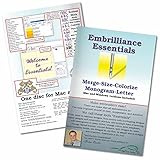
- Compatible with current Windows and MacOS operating systems with free, downloadable updates and disk-free installers available.
- Resize existing embroidery stitch files with automatic stitch recalculation.
- Add lettering in Multi-Line, Monogram and Circle modes using the 21 included fonts depicted in the product images, or with any of a world of BX fonts available to purchase from a multitude of creators online! You can even spiral text or make really LARGE letters.
- Save existing embroidery designs in your machine’s format and save appliques for cutting machines such as ScanNCut and Silhouette.
- Overlap existing embroidery designs and have significant underlying stitching automaticly removed.
Compatibility guidance can change as browsers evolve. The MDN Canvas font reference reports an update dated October 30, 2025, and the font-variation-settings reference reports an update dated September 10, 2026. Those dates describe the referenced pages, not a complete browser support matrix. Check the current browser versions and fonts relevant to your application before relying on less-established Canvas behavior.
Or skip the browser setup
ScreenshotNeo is a website screenshot API and MCP server, not a Canvas font-loading API: it can capture a published page, but it does not replace the code above for drawing text into a Canvas. If you already have a page running your Canvas implementation and want a screenshot of it, make one GET request. See the ScreenshotNeo API documentation for request options and response details.
curl -G "https://api.screenshotneo.com/v1/shot" -d access_key=YOUR_API_KEY --data-urlencode url=https://screenshotneo.com/docs/ -o shot.webpScreenshotNeo accepts cookie or consent banners and removes more than 60 known consent platforms, newsletter popups, and chat widgets before capture; each of those steps can be turned off. Bot checks and CAPTCHAs, blank pages, timeouts, failed loads, and cache hits cost nothing, and each response identifies the page verdict and billing status in headers. Its MCP server provides take_screenshot, get_page_info, and capture_pdf tools for AI agents using Claude, Cursor, or another MCP client.
The free plan includes 1,000 screenshots per month with no card; paid plans start at $5 for 3,000 screenshots. Learn about ScreenshotNeo, or sign up for the free plan.
Windows Errors? Fix Them Before They Spread
Repair common Windows errors and clear accumulated junk for a smoother, more stable PC - no reinstall needed.Free scan · no reinstallOutdated Drivers Are Slowing You Down
One free scan finds every outdated or missing driver and matches the right update for your exact hardware.Free scan · exact hardware matchFrequently Asked Questions
Does every variable font support weight, width, and optical sizing?
No. The font file defines its own available axes and ranges; check that font’s documentation or metadata.
Does a CSS feature query prove arbitrary variable-axis support in Canvas?
No. A feature query checks the CSS declaration, not arbitrary-axis control on a Canvas context.
Quick Recap
Product prices and availability are accurate as of the date/time indicated and are subject to change. Any price and availability information displayed on Amazon at the time of purchase will apply.

