
Free tools Windows power users keep installed
One-click scans. No signup required.
The iPhone 17, iPhone 17 Pro, and iPhone 17 Pro Max have no physical SIM tray when purchased in the United States, Puerto Rico, Guam, the U.S. Virgin Islands, Bahrain, Canada, Japan, Kuwait, Mexico, Oman, Qatar, Saudi Arabia, or the United Arab Emirates. These versions are eSIM-only.
In most other markets, the same iPhone 17-series models include both a physical nano-SIM tray and eSIM support. Mainland-China versions are a separate exception: they use two physical nano-SIM cards. The sales market determines the phone’s hardware; taking a phone to another country does not add or remove a SIM tray.
Market and carrier information checked August 10, 2026. Carrier policies and eligible plans can change.
Markets where the iPhone 17 is eSIM-only
Apple’s current model-identification documentation lists the following markets as having iPhone 17, iPhone 17 Pro, and iPhone 17 Pro Max models without a SIM tray:
The Tool Desk
Outbyte Driver Updater FREEFix the driver behind crashes, sound loss and screen glitchesFind Drivers →Outbyte PC Repair FREEClear out junk files and repair common Windows errorsFree Scan →| Purchase market | iPhone 17 | iPhone 17 Pro | iPhone 17 Pro Max |
|---|---|---|---|
| United States and Puerto Rico | eSIM-only | eSIM-only | eSIM-only |
| Guam | eSIM-only | eSIM-only | eSIM-only |
| U.S. Virgin Islands | eSIM-only | eSIM-only | eSIM-only |
| Bahrain | eSIM-only | eSIM-only | eSIM-only |
| Canada | eSIM-only | eSIM-only | eSIM-only |
| Japan | eSIM-only | eSIM-only | eSIM-only |
| Kuwait | eSIM-only | eSIM-only | eSIM-only |
| Mexico | eSIM-only | eSIM-only | eSIM-only |
| Oman | eSIM-only | eSIM-only | eSIM-only |
| Qatar | eSIM-only | eSIM-only | eSIM-only |
| Saudi Arabia | eSIM-only | eSIM-only | eSIM-only |
| United Arab Emirates | eSIM-only | eSIM-only | eSIM-only |
Apple’s model-identification page and its SIM-type guide are the best references because they identify the hardware by sales region. Puerto Rico is included in Apple’s current U.S. model grouping, even though it was easy to miss in some early iPhone 17 launch coverage.
#1 Best Overall

- High Quality and Brand New
- It is used to fix not working or damaged SIM card tray slot.
- Compatible with iPhone iPhone 17 (Single SIM Version)
- Come with Rubber Waterproof Ring .
- Come together with SIM Card Tray Open Eject Pin.
These are markets of purchase, not a list of places where the phone can be used. For example, an iPhone bought in Canada remains Canadian-market, eSIM-only hardware when taken to the United Kingdom. A UK-market iPhone with a nano-SIM tray does not become eSIM-only when used in the United States.
What happens in the UK, Europe, Australia, and most other markets?
Outside the eSIM-only markets listed above and the mainland-China exception, the iPhone 17, iPhone 17 Pro, and iPhone 17 Pro Max generally have:
- One physical nano-SIM tray; and
- eSIM support, including dual-eSIM capability.
Apple’s UK iPhone 17 Pro specifications are a concrete example: they list “nano-SIM and eSIM” and support for dual eSIM. This physical-SIM version is not eSIM-free. It can still use digital SIMs while retaining the option of inserting a physical nano-SIM.
“Most other markets” is deliberately more precise than “everywhere else.” Regional configurations can differ, so an imported or third-party phone should be checked by its exact model number rather than by a retailer’s description such as “international version.”
Mainland China, Hong Kong, and Macao are separate cases
Mainland China: two physical nano-SIM cards
The mainland-China versions of the iPhone 17, iPhone 17 Pro, and iPhone 17 Pro Max use two physical nano-SIM cards. They are neither the eSIM-only versions sold in the markets above nor the usual nano-SIM-plus-eSIM versions sold in most other regions. Apple documents this configuration in its guide to using Dual SIM with two nano-SIM cards.
Mainland-China cellular service can also involve local carrier and identity-verification requirements. Do not assume that a phone’s physical SIM configuration alone guarantees activation with every Chinese plan.
Hong Kong and Macao
Hong Kong and Macao should not simply be treated as mainland China. Apple’s documentation discusses regional physical-SIM configurations for certain models in Hong Kong and Macao separately from its notes about the mainland-China iPhone 17-series models.
If you are buying in Hong Kong or Macao, verify the exact model and the local Apple specification before paying. The broad label “China version” is not precise enough for an imported iPhone.
Rank #2

- 【Brand New】100% new sim card tray replacement for iPhone 11 (Single Sim Version)
- 【With Waterproof Rubber Seal】replacement sim tray for iphone 11
- 【Compatiable with iPhone 11 ONLY】A2221 (International), A2111 (USA, Canada, Puerto Rico, U.S. Virgin Islands), A2223 (China, Hong Kong)
- 【Extra SIM Tool】come with extra eject pin, easy to replace the sim card tray
- 【Replacement Sim Tray 】best replacement for your damaged or not working sim tray slot for iphone 11
There is also an important travel limitation: Apple says that a mainland-China carrier eSIM cannot be used on a device purchased outside mainland China. This matters to visitors carrying an imported U.S. or Canadian eSIM-only iPhone. See Apple’s guidance on using eSIM while traveling internationally.
iPhone 17 model numbers by region
The A-number printed in Settings or on the device packaging can help identify an imported phone. Apple’s current regional mapping is:
| Model | United States/Puerto Rico | eSIM-only markets outside the U.S. grouping | Mainland China | Other markets |
|---|---|---|---|---|
| iPhone 17 | A3258 | A3519 | A3521 | A3520 |
| iPhone 17 Pro | A3256 | A3522 | A3524 | A3523 |
| iPhone 17 Pro Max | A3257 | A3525 | A3527 | A3526 |
On an activated iPhone, open Settings → General → About. Find Model Number. If the displayed value is a part number rather than an A-number, tap it to switch to the model identifier. Compare that A-number with Apple’s Identify your iPhone model page.
What’s actually slowing this PC down?
Pick the symptom - the matching free tool is one click away.
Before buying from an importer, use three checks:
- Ask which country or regional market supplied the phone.
- Request the exact A-number, not just the phrase “global” or “international” version.
- Inspect product photographs or packaging for the SIM-tray configuration, while treating the model number as the final check.
What “eSIM-only” actually means
An eSIM-only iPhone has no removable SIM card slot. Cellular service is downloaded to the phone as an electronic SIM profile, so there is no physical card to insert, cut, remove, or replace with an adapter.
It does not mean the phone supports only one phone number. According to Apple’s iPhone 17 specifications and iPhone 17 Pro specifications:
- Two eSIMs can be active at the same time.
- The phone can store eight or more eSIM profiles.
- Two lines can be used for calls and messages under supported Dual SIM conditions.
- Only one cellular data line is used at a time.
This makes it possible to keep a home number and a travel or work number active together, provided both carriers and plans support the required features. You select which line supplies cellular data, and the phone does not use both cellular data networks simultaneously.
How to move an existing number to an eSIM-only iPhone
Whether a physical SIM can be converted is primarily a carrier question. The iPhone supports several activation routes, but a carrier may offer only one of them for a particular plan.
Quick wins for a faster PC:
Fix the driver behind crashes, sound loss and screen glitchesFind Drivers →Clear out junk files and repair common Windows errorsFree Scan →Option 1: eSIM Quick Transfer from another iPhone
Apple’s current requirements for Quick Transfer include:
Rank #3

- 1. SELECTED MATERIALS: Sim card removal tool are made of high-quality stainless steel, the hardness of the needle is strengthened, not easy to bend, sturdy and durable
- 2. NO DAMAGE TO THE CELL PHONE: The needle of the sim card ejector tool has a flat cut without pits or burrs, so it won't damage the cell phone
- 3. MECHANICAL DESIGN: Sim eject tool takes into account the stability and aesthetics, can easily open and take out the sim card tray, the sim card tool is small in size and has a pointed tip, please keep it away from children in order to prevent accidental swallowing or injuries
- 4. SUFFICIENT QUANTITY: Five different styles of SIM card ejector tools are easy to carry and can meet the needs of different scenarios
- 5. WIDE RANGE OF APPLICATIONS: Sim card removal tool is suitable for all cell phones, ideal for removing sim card from iphone or ipad, removing or adjusting the watch band as well
- Both iPhones are signed in to the user’s Apple Account.
- The old iPhone is unlocked with its passcode.
- The phones are close to each other.
- Bluetooth is enabled.
- Both devices run iOS 18.4 or later.
During setup, choose the option to transfer the cellular plan when it appears and follow the on-screen instructions. With iOS 26, Apple says more than one phone number can be transferred during setup, but carrier support still determines whether the transfer is available.
When the new eSIM activates, the previous physical SIM or old eSIM is deactivated. Keep the old phone and its working line available until calls, texts, and mobile data work on the new iPhone.
Option 2: carrier activation
Some carriers assign an eSIM directly to the iPhone during purchase or setup. You may need to sign in to the carrier account, confirm your identity, provide the phone’s IMEI or EID, or visit a retail store.
Do these 3 things before closing this tab:
1Clear out junk files and repair common Windows errors2Fix the driver behind crashes, sound loss and screen glitches3Repair Windows errors before they cause bigger problemsOption 3: QR code, carrier app, or activation link
A carrier may send a QR code, activation link, or app-based setup process. Keep the iPhone connected to Wi-Fi or another internet connection while downloading the profile. A QR code that worked on an old phone may be single-use; ask the carrier for a replacement if it has already been consumed.
Option 4: transfer from Android or another non-Apple phone
Android-to-iPhone transfer is not universally automatic. Apple says direct transfer is available only with select carriers and smartphone manufacturers under iOS 26. Otherwise, the carrier may require a QR code, an app, or assisted activation. Apple’s Android-to-iPhone eSIM transfer guide explains the supported paths.
Do not erase the old phone or delete its working eSIM until the replacement line has been confirmed. Deleting an eSIM does not necessarily cancel the carrier account, but reinstalling it may require a new QR code or a carrier reissue.
How to check whether your carrier supports eSIM
Use Apple’s carrier and worldwide service-provider directory as a starting point. It can indicate whether a provider supports carrier activation, eSIM Quick Transfer, QR-code or app activation, or prepaid travel eSIMs.
However, a carrier appearing in Apple’s list does not guarantee eSIM support for every product. Before buying an eSIM-only iPhone, confirm all of the following with the carrier:
Rank #4
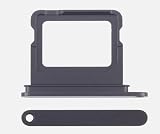
- 100% brand new and high quality.
- Each part is tested before shipment.
- Best replacement for your lost/broken/damaged sim card holder.
- Compatible with IPhone 17 Black.
- If you have any question, please contact us. We will offer an excellent after-sell service.
- Your exact carrier and network, including any MVNO brand.
- Your exact plan type: prepaid, postpaid, data-only, enterprise, or legacy plan.
- Whether a physical SIM can be converted to eSIM.
- Whether Quick Transfer is supported or a QR code/store visit is required.
- Whether the carrier can activate an imported iPhone using its IMEI and EID.
- Whether identity verification or a local address is required.
If the carrier supports physical SIM service but cannot issue or activate eSIM for your plan, an eSIM-only iPhone cannot use that line. There is no physical-SIM workaround.
Using an imported eSIM-only iPhone in another country
An imported eSIM-only iPhone can often work abroad, but “unlocked” is only one requirement. Check all four of these conditions:
- Carrier unlock: Open Settings → General → About and check Carrier Lock. An unlocked iPhone displays “No SIM Restrictions.”
- eSIM support: The destination carrier must support eSIM on the exact plan you want, not merely somewhere in its product range.
- Network compatibility: The phone must support the destination carrier’s LTE and 5G bands. Check Apple’s supported 5G and LTE networks information and the carrier’s device list.
- Activation eligibility: The carrier may require a local identity document, address, payment method, registration, or IMEI approval.
A profile can download successfully while the phone still lacks the best local LTE or 5G bands. Conversely, a phone can have compatible bands but fail activation because the plan does not support eSIM or the device is locked.
PC Slower Than It Used to Be?
A free scan shows the junk files, broken settings and background clutter dragging Windows down - then fixes them in one click.Free scan · Windows 10 & 11Crashes, No Sound, or Screen Glitches?
Random freezes, missing sound and display glitches usually trace back to one bad driver. Find and replace yours safely.Free scan · under a minuteFor travel, your choices are generally:
- Use your home carrier’s international roaming plan.
- Buy a local eSIM from a destination carrier that supports visitors.
- Use a compatible prepaid travel eSIM provider.
- Keep a second eSIM profile stored for a frequently visited country.
Stored profiles are useful, but a stored profile is not necessarily active service. You may need internet access and the provider’s activation process when switching it on. If you travel to remote areas where physical prepaid SIMs are much easier to obtain than eSIMs, a physical-SIM iPhone or backup device remains the safer option.
Advantages of eSIM-only hardware
- Convenience: A plan can be activated digitally without waiting for a plastic card.
- Travel flexibility: You can keep a home line and a travel line on the same phone.
- Multiple plans: Eight or more profiles can be stored for recurring travel or separate work and personal lines.
- No removable card: There is no SIM to lose, damage, or swap incorrectly.
- Protection against simple SIM removal: Apple notes that someone who steals the phone cannot remove a physical SIM card to take the cellular identity with it. This is a benefit Apple describes, not an absolute guarantee that an eSIM makes a phone or account secure.
Disadvantages and travel risks
- Carrier dependence: The carrier must support eSIM for the specific plan.
- More complicated emergency swaps: Moving a line to a backup phone may require carrier verification, a new QR code, or a reissued eSIM.
- Physical-SIM-only services are unusable: Some prepaid, regional, MVNO, enterprise, or older plans may offer only physical SIMs.
- Activation may need internet access: Setup can require Wi-Fi, a hotspot, a carrier app, a QR code, identity verification, or a store visit.
- Imported phones can have regional limitations: Band support, carrier approval, and regulatory rules vary.
- Locked phones restrict travel options: A carrier-locked iPhone may reject a travel eSIM from another provider.
- Local airport or shop SIMs may not be an option: In destinations where inexpensive physical prepaid SIMs are the norm, an eSIM-only phone may leave you dependent on roaming or finding a compatible eSIM.
Battery differences between eSIM-only and physical-SIM Pro models
Apple says the eSIM-only iPhone 17 Pro and iPhone 17 Pro Max have larger batteries because the physical SIM hardware is not taking up internal space. Apple’s published video-playback ratings show:
| Model and regional version | Apple-rated video playback |
|---|---|
| U.S. eSIM-only iPhone 17 Pro | Up to 33 hours |
| UK physical-SIM iPhone 17 Pro | Up to 31 hours |
| U.S. eSIM-only iPhone 17 Pro Max | Up to 39 hours |
| UK physical-SIM iPhone 17 Pro Max | Up to 37 hours |
Apple’s launch announcement attributes the Pro models’ larger batteries to the space saved by removing the SIM hardware and says the Pro Max reaches 39 hours of video playback. These are controlled playback tests, not a promise of exactly two extra hours in normal use.
Third-party teardown reporting from MacRumors estimated the following capacities:
- iPhone 17 Pro: approximately 3,988 mAh with a physical SIM tray and 4,252 mAh in the eSIM-only version.
- iPhone 17 Pro Max: approximately 4,823 mAh with a physical SIM tray and 5,088 mAh in the eSIM-only version.
Those mAh numbers are teardown estimates, not Apple-published specifications. The available evidence should not be used to claim a confirmed battery-capacity difference for the base iPhone 17.
Best Value
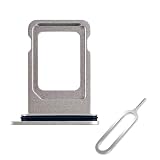
- High Quality and Brand New
- It is used to fix not working or damaged SIM card tray slot.
- Compatible with iPhone iPhone 17 Pro & 17 Pro Max (Single SIM Version)
- Come with Rubber Waterproof Ring .
- Come together with SIM Card Tray Open Eject Pin.
Which version should you buy?
Choose the eSIM-only version when:
- Your carrier supports eSIM on your exact plan.
- You buy from the official market where you will normally use the phone.
- You rarely move your number between phones.
- You want to use a home line and a travel line together.
- You value the larger battery configuration offered by the eSIM-only Pro models.
- You are comfortable contacting a carrier if a replacement phone needs a new eSIM.
Prefer a physical-SIM market version when:
- You travel frequently to countries where local eSIM support is uncertain.
- Your current carrier or prepaid service issues physical SIMs only.
- You regularly move your line between a main phone and a backup phone.
- You buy inexpensive local SIM cards while traveling.
- You are importing the phone and want the broadest practical activation options.
A physical-SIM version generally retains eSIM and dual-eSIM support, so choosing it does not mean giving up digital SIM functionality. The trade-off is that you may not get the eSIM-only battery configuration available on the Pro and Pro Max models.
What to do if eSIM activation fails
If the carrier says the plan is eligible but the iPhone does not connect, follow Apple’s basic troubleshooting sequence:
- Turn Airplane Mode on, wait briefly, and turn it off.
- Open Settings → Cellular. Check whether the number appears, then turn the line off and back on.
- Restart the iPhone.
- Open Settings → General → About and wait for a possible carrier-settings update.
- If the problem continues, contact the carrier with your phone number, account details, IMEI, and EID.
Apple provides additional guidance in If you can’t set up an eSIM on your iPhone. Do not repeatedly delete and reinstall a working eSIM unless the carrier tells you to; a deleted profile may require a new QR code or reissue.
Recommended Free Tools
Do not confuse the iPhone Air with the iPhone 17
The iPhone Air is a separate case. Apple says it has no SIM tray worldwide, including its special mainland-China model. That is a broader policy than the iPhone 17, iPhone 17 Pro, and iPhone 17 Pro Max, which are eSIM-only only in the specific markets listed above.
If you are comparing an iPhone Air with an iPhone 17-series model, check the model’s regional specification independently rather than assuming that all iPhones have the same SIM arrangement.
Frequently Asked Questions
Can I insert a physical SIM into a U.S. iPhone 17?
No. The U.S., Puerto Rico, Guam, and U.S. Virgin Islands versions of the iPhone 17, iPhone 17 Pro, and iPhone 17 Pro Max have no physical SIM tray. Service must be activated through eSIM.
Does an eSIM-only iPhone support two phone numbers?
Yes. Two eSIMs can be active at the same time, and the phone can store eight or more eSIM profiles. Only one cellular data line is used at a time.
Can I use a Canadian eSIM-only iPhone in Europe?
Often, yes, if the phone is unlocked, the European carrier or travel provider supports eSIM on your plan, and the phone has compatible LTE and 5G bands. An unlocked status by itself does not guarantee activation or full network compatibility.
Can a mainland-China carrier eSIM be used on a U.S. iPhone 17?
Apple says a mainland-China carrier eSIM cannot be used on a device purchased outside mainland China. Check the exact device region and carrier requirements before traveling.
Is a physical-SIM iPhone 17 also compatible with eSIM?
Generally, yes. Models sold in most physical-SIM markets have a nano-SIM tray plus eSIM support and can use dual eSIM, giving them both options.
The Bottom Line
Bottom line: The iPhone 17, iPhone 17 Pro, and iPhone 17 Pro Max are eSIM-only when purchased in the United States, Puerto Rico, Guam, the U.S. Virgin Islands, Bahrain, Canada, Japan, Kuwait, Mexico, Oman, Qatar, Saudi Arabia, or the United Arab Emirates. Most other markets provide a nano-SIM tray plus eSIM, while mainland-China models use two nano-SIM cards. Buy the eSIM-only version if your exact carrier and plan support eSIM and you do not depend on swapping physical cards. If you travel widely, use physical-SIM-only services, or need instant transfers to backup phones, a physical-SIM market version is the more flexible choice.
Free tools Windows power users keep installed
One-click scans. No signup required.
Quick Recap
Product prices and availability are accurate as of the date/time indicated and are subject to change. Any price and availability information displayed on Amazon at the time of purchase will apply.

