
What’s actually slowing this PC down?
Pick the symptom - the matching free tool is one click away.
iTechGuides is reader-supported. When you buy through links on our site, we may earn an affiliate commission. As an Amazon Associate I earn from qualifying purchases. Learn more
Math acceleration hardware is a broad term for processors or circuits designed to speed up particular mathematical workloads. It is not one standardized device category: acceleration can come from CPU vector instructions, a GPU, a reconfigurable FPGA, a digital signal processor (DSP), or a specialized chip such as a tensor processing unit (TPU). The right choice depends on the calculation, the software that can use the hardware, and how much work can run in parallel.
What does math acceleration hardware mean?
It is an umbrella description for physical hardware that performs some operations or workloads more efficiently than a general-purpose CPU would executing the same work. The specialization may be modest, as with a CPU’s vector-processing unit, or substantial, as with a custom pipeline implemented on an FPGA or a task-specific application-specific integrated circuit (ASIC). The term is useful for explaining a role, but it is not a formal, universally standardized taxonomy.
Acceleration does not necessarily mean installing a separate card. Apple’s Accelerate framework illustrates how software libraries can make use of CPU vector processing for large-scale math and image computations. Depending on the system, an accelerator may be integrated into a system-on-chip, installed as an add-in device, or accessed remotely.
Recommended Free Tools
Which types of hardware accelerate math?
| Hardware | What it contributes | Common fit | Key limitation |
|---|---|---|---|
| CPU vector unit | Processes multiple data elements with vector instructions while retaining general-purpose CPU capabilities. | Math on an existing computer and workloads that mix calculation with other tasks. | Code must be amenable to vectorization; not every algorithm is. |
| GPU | Uses many parallel compute units to handle large quantities of similar operations. | Regular, data-parallel work such as matrix arithmetic, convolutions, and fast Fourier transforms (FFTs). | Data transfers, memory limits, available parallelism, and runtime overhead can reduce the benefit. |
| FPGA | Reconfigurable logic and math blocks can be arranged into custom compute engines or pipelines. | Specialized or streaming computations that map well to a pipeline. | Requires appropriate development tools and engineering; results depend on the workload and implementation. |
| ASIC, including TPU | Silicon is designed for a narrower operation or family of workloads. | Repeated, supported machine-learning computations; Google describes TPUs as custom ASICs for machine-learning workloads, especially matrix-heavy work. | Narrower purpose and software/compiler requirements make it unsuitable as a general CPU replacement. |
| DSP | A processor category associated with numeric signal-processing work. | Filtering, transforms, and related signal operations. | There is no broad cross-vendor comparison here to establish how DSPs rank against CPUs or GPUs. |
These categories are not mutually exclusive in a complete system. A CPU can coordinate work while another processor handles a suitable portion of the computation. Intel’s CPU, GPU, and FPGA overview describes the different roles and notes the CPU’s orchestration role in GPU/FPGA compute systems.
#1 Best Overall

- NVIDIA Volta GV100 Architecture — 4,608 CUDA Cores, 640 1st-Gen Tensor Cores delivering 14 TFLOPS FP32 and 112 TFLOPS deep learning performance for AI training, inference, HPC, and scientific computing workloads
- 32GB HBM2 ECC Memory — 900 GB/s Bandwidth — High-bandwidth memory on a 4096-bit bus with ECC error correction provides the memory capacity and throughput required for the largest AI models, simulations, and datasets
- PCIe 3.0 x16 Interface — 250W TDP — Standard PCIe Gen3 connectivity with passive cooling designed for enterprise rack server deployment in HPE ProLiant, Dell PowerEdge, and Supermicro platforms with adequate chassis airflow
- NVLink — Scale to 96GB Unified Memory — Connect two V100 GPUs via NVLink at 300 GB/s bi-directional bandwidth to scale GPU memory from 32GB to 96GB for larger AI training and HPC workloads
- Multi-Precision Computing — Supports FP64 (7 TFLOPS), FP32 (14 TFLOPS), FP16 (112 TFLOPS) and INT8 precision modes for flexible deployment across training, inference, and scientific simulation workloads
How does a math accelerator make a program faster?
An accelerator can apply many operations at once, process data in vectors, or use a circuit tailored to a recurring computation. GPUs are often effective when a large, regular set of values can undergo similar operations. FPGAs can implement a custom sequence of stages so data flows through a pipeline. A specialized ASIC can devote its design to supported operations rather than the wider range expected of a general-purpose processor.
The hardware only helps if the program can use it effectively. Software libraries and compilers expose the device and translate or optimize work for it, but they are not themselves the physical accelerator. For example, Google Cloud’s Introduction to Cloud TPU explains that TPU workloads use Google’s XLA compiler path.
Rank #2

- Professional AI & Creator Workstation: AMD Radeon AI PRO R9700 GPU with 32GB GDDR6 is engineered for AI development, professional content creation, and compute-intensive workloads.
- Massive 32GB Memory Capacity: 32GB of GDDR6 memory on a 256-bit bus provides ample bandwidth for large AI models, 8K video editing, and complex 3D rendering.
- Advanced RDNA 4 with AI Accelerators: 64 Compute Units with 3rd Gen Ray Tracing and dedicated 2nd Gen AI Accelerators for groundbreaking AI performance and visual computing.
- Professional Blower Cooling: Efficient single blower design exhausts heat directly out of the chassis, ideal for multi-GPU workstation and server configurations.
- Enterprise-Grade Thermal Solution: Vapor chamber heatsink with industrial Honeywell PTM7950 thermal interface material ensures reliable cooling under sustained professional loads.
Why faster arithmetic does not always mean faster results
A program’s runtime can be limited by more than the speed of its arithmetic units. It may wait for data to move between memory and the processor, lack enough independent work to keep parallel units busy, or spend enough time starting or coordinating work that offloading it is not worthwhile. NVIDIA’s GPU performance guide explains the roles of math time, memory time, latency, arithmetic intensity, and parallelism.
The Tool Desk
Outbyte PC Repair FREERepair Windows errors before they cause bigger problemsFix Now →Outbyte Driver Updater FREEFix the driver behind crashes, sound loss and screen glitchesFind Drivers →For that reason, a peak-throughput figure is not a reliable stand-in for application performance. A useful comparison measures the actual algorithm on the intended hardware and software stack, using the relevant data sizes and precision. There is no single apples-to-apples benchmark that ranks all these hardware categories for the broad label “math acceleration.”
Rank #3
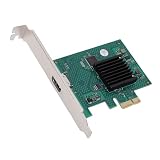
- HIGH COMPATIBILITY: The graphics card supports multiple displays and panels with a maximum resolution of 1920x1440, making it compatible with a wide range of systems for diverse applications.
- QUICK ROTATION: With the ability to quickly rotate screen images at 90°, 180°, and 270°, this graphics card enhances versatility in display orientation for improved user eerience and flexibility.
- POWERFUL 2D GRAPHICS ACCELERATION: Equipped with a robust 2D graphics accelerator, the card supports various graphic processing functions, ensuring efficient performance for demanding applications.
- VERSATILE APPLICATION: This accelerator card supports video display layers, making it ideal for a variety of applications, including industrial computers, POS systems, ensuring reliable performance across different fields.
- WIDE OPERATING TEMPERATURE RANGE: Designed for reliable operation in harsh environments, the card functions effectively within a wide temperature range of -40°C to +85°C, ensuring durability and stability in challenging conditions.
How to decide whether an accelerator fits your workload
- Identify the operation. Determine whether the work is matrix-heavy, a stream of signal-processing operations, a mix of varied tasks, or something else. The name “math” alone is not specific enough.
- Check parallelism and data shape. Large, regular arrays may suit a GPU; a streaming computation may map to an FPGA pipeline; work that resists parallelization may gain little from either.
- Verify operation and precision support. Confirm that the device and its software support the mathematical operations and numeric precision the application requires.
- Account for data movement and latency. Consider memory capacity and bandwidth, the cost of transferring input and output, and any launch or coordination overhead.
- Confirm the software path and system fit. Check framework, compiler, library, and host-system support. A TPU, for example, has a documented Google XLA compiler path rather than being a drop-in substitute for every CPU workload.
- Benchmark the real task. Compare end-to-end runtime, and where relevant power and cost, on the intended configuration. Do not infer a workload’s speed from a peak-rate specification alone.
How is hardware acceleration different from software acceleration?
Hardware acceleration refers to the physical processor or circuit doing work more efficiently. Software such as a library, compiler, or framework can select, optimize, and dispatch operations to that hardware. A faster library alone does not make a computer a separate accelerator; it may simply use CPU capabilities more effectively. Google’s October 30, 2024 explainer distinguishes general-purpose CPUs, GPUs specialized for accelerated compute tasks, and Google’s custom AI-focused TPUs: What’s the difference between CPUs, GPUs and TPUs?
Quick Recap
Best Value

- AI Performance: 767 AI TOPS
- OC mode: 2632 MHz (OC mode)/ 2602 MHz (Default mode)
- Powered by the NVIDIA Blackwell architecture and DLSS 4
- Axial-tech fan design features a smaller fan hub that facilitates longer blades and a barrier ring that increases downward air pressure
- A 2.5-slot design maximizes compatibility and cooling efficiency for superior performance in small chassis
Rank #4

- System Compatibility Note: This 2-slot card measures 271 x 112 x 39 mm and requires a single 12V-2x6-pin power connector. Please verify chassis and PSU compatibility before purchase.
- Dedicated Support: Please contact us directly through Amazon for any product questions or assistance you may require.
- Professional Intel Arc Pro B70 GPU: Built on the Intel Xe2-HPG architecture, it features 32 Xe cores and 256 XMX engines, designed to accelerate AI, rendering, and complex visualization workloads.
- Massive 32GB GDDR6 VRAM: Equipped with 32GB of high-speed GDDR6 memory on a 256-bit bus, running at 19 Gbps, which allows for handling large AI models and complex datasets locally.
- High-Performance Engine Clock: Delivers an engine clock of 2540 MHz, providing the compute power needed for demanding professional applications and AI inference.
Product prices and availability are accurate as of the date/time indicated and are subject to change. Any price and availability information displayed on Amazon at the time of purchase will apply.

