
Do these 3 things before closing this tab:
1Clear out junk files and repair common Windows errors2Fix the driver behind crashes, sound loss and screen glitches3Repair Windows errors before they cause bigger problemsiTechGuides is reader-supported. When you buy through links on our site, we may earn an affiliate commission. As an Amazon Associate I earn from qualifying purchases. Learn more
Track a button click as a named custom event, then configure your analytics tool not to use analytics cookies. Plausible offers a CSS-class option for a simple setup and a JavaScript call for more control; Matomo supports event tracking with cookies disabled. Neither approach makes the tracking invisible to privacy rules: cookie-free tracking can still involve data collection, so check consent requirements for your visitors and implementation.
Choose an event-tracking method
First decide what the click should tell you. If you only need to know whether a particular button was clicked, record a clear event name such as Button Click. If you need to compare where the same action occurs, add a broad property such as placement=header. Do not put names, email addresses, form contents, or other identifying information in event names or properties.
| # | Preview | Product | Price | |
|---|---|---|---|---|
| 1 |
|
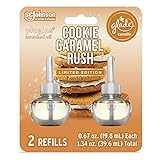
Glade PlugIns Refills Air Freshener Starter Kit, Scented and Essential Oils for Home and Bathroom,... | $19.99 | Buy on Amazon |
| Method | Best fit | What to configure |
|---|---|---|
| Plausible CSS class | A straightforward button click with little or no custom logic | Add the documented class to the button and create a matching custom event goal in the site settings. |
| Plausible JavaScript | Conditional or dynamic behavior, or event properties | Call the event function when the relevant click occurs and create a matching goal. |
| Matomo JavaScript tracker | Sites already using Matomo that need event tracking and a cookie setting | Disable cookies before tracking and send a consistently named event. |
| Plausible Events API | A server-side action that the server already knows about | Send the event through the API and account for the headers Plausible uses for unique visitor counting. |
These options cover different implementation needs; the documentation does not establish one as best for every site. Choose based on where the click is handled, how much detail you need, and how you will configure privacy controls.
Track a click with Plausible
Use a CSS class for a simple button
Plausible documents marking a button with a class that names the event:
#1 Best Overall
- Sweeten the air with Cookie Caramel Rush, with notes of vanilla cookie and caramel
- Set a festive mood with Christmas scents from our Limited Edition Holiday Fragrance Collection
- Change the mood with our most adjustable warmer ever (vs. previous Glade plugin air freshener, on low setting) and get cozy with long lasting fragrance
- Glade is America’s #1 selling holiday fragrance brand* (*Based on Nielsen sales data Total USxAOC ending Dec 2020)
- Glade air freshener fragrance is consciously crafted by master perfumers and infused with essential oils
<button class="plausible-event-name=Button+Click">Sign up</button>The plus sign represents a space, so this sends the event name Button Click. Create a custom event goal with that same name in Plausible’s site settings; sending the event by itself does not automatically create a goal metric in the dashboard. Check the rendered HTML if a site builder or framework changes class names. See Plausible’s custom event goals documentation.
Call the JavaScript function for more control
When the event depends on application logic, call Plausible’s function where that logic confirms the action:
plausible('Button Click')You can include a non-identifying property to distinguish locations:
plausible('Button Click', { props: { placement: 'header' } })As with the class approach, define a matching custom event goal to see it as a goal metric. Keep properties limited to information needed for analysis. Plausible explains event properties in its custom properties documentation.
Track an event in Matomo without analytics cookies
Matomo documents calling disableCookies() before page tracking, then sending an event. A simplified tracker pattern is:
_paq.push(['disableCookies']);
_paq.push(['trackPageView']);
_paq.push(['trackEvent', 'Button', 'Click', 'Sign up']);
Here the event category is Button, the action is Click, and the label identifies the button. Use a consistent naming scheme and avoid personal data in any field. Check the configured Matomo reports to confirm that the event arrives before relying on it. Matomo’s event-tracking guide describes event reports; its cookieless configuration FAQ explains the cookie setting.
Disabling cookies is not the same as stopping tracking. Matomo’s FAQ states: “Disabling cookies in Matomo does not automatically stop tracking — JavaScript-based tracking continues to run.”
The Tool Desk
Outbyte PC Repair FREEClear out junk files and repair common Windows errorsFree Scan →Outbyte Driver Updater FREEScan for outdated or missing drivers - takes under a minuteDriver Scan →Use server-side delivery only when it fits the action
A server can record an event through Plausible’s Events API when it already knows that the relevant action happened. This can suit a server-confirmed action better than relying only on a browser click, but it is not automatically exempt from privacy requirements. Plausible’s documentation identifies the User-Agent and X-Forwarded-For headers as important to unique visitor counting, so server integration choices affect that reporting. Consider what data is sent and retained.
Separate cookie settings from consent controls
Cookie-free operation and consent are distinct questions. In Matomo, disableCookies() disables Matomo cookies while JavaScript tracking continues. Its consent controls have different behavior:
requireConsentprevents tracking requests and cookie use until consent is given.requireCookieConsentpermits tracking requests but withholds cookies until cookie consent is given.
Use the option that matches the intended behavior and the applicable rules; disabling cookies alone does not prevent tracking requests. See Matomo’s tracking consent documentation. Google Analytics likewise documents consent signals for analytics collection; its example says that when a user denies consent for analytics cookies, Google Analytics tags would not track activity. That is not evidence that Google Analytics is a drop-in cookie-free alternative. See Google Analytics consent signal documentation.
Quick Recap
Check privacy obligations for your audience
Do not assume that removing analytics cookies eliminates consent obligations or guarantees compliance. Matomo notes that European rules may apply to JavaScript tracking even without cookies; whether consent is needed depends on applicable law and whether personal data is processed. The European Data Protection Board’s 2021 statement describes audience-measurement derogations as limited: analytics should be used for the requested service, provide statistics to that service’s operator, and avoid singling out or profiling users. That is not a blanket exemption for any cookie-free analytics setup. Review the requirements for the jurisdictions your site serves and the data your implementation handles. Read the Matomo consent FAQ and the EDPB’s 2021 statement.
Free tools Windows power users keep installed
One-click scans. No signup required.
Product prices and availability are accurate as of the date/time indicated and are subject to change. Any price and availability information displayed on Amazon at the time of purchase will apply.

