
iTechGuides is reader-supported. When you buy through links on our site, we may earn an affiliate commission. As an Amazon Associate I earn from qualifying purchases. Learn more
WebMold began as an attempt to make a familiar frontend loop less disruptive: edit code in one place, switch to a browser to inspect the result, refresh, then return to debug the CSS. Its creator, David Manuel Tchatchouang Nguena, says he started building the visual HTML, CSS, and JavaScript editor in January 2025 to experiment with webpage structure and styles while keeping control of the underlying code.
The workflow problem behind WebMold
Frontend work often involves moving between an editor and a browser: change markup or styles, refresh the page, inspect the result, and go back to the code when something looks wrong. In his DEV Community article, Nguena describes that repeated switching as the friction he wanted to address. He wanted to experiment with repeated HTML structures visually without giving up access to the code itself.


That is the motivation behind WebMold, rather than a claim that every part of frontend development can or should happen in a visual interface. The idea is to bring visual experimentation and code editing closer together, so a developer can see the effect of a change without relying on a constant manual refresh cycle.
Crashes, No Sound, or Screen Glitches?
Random freezes, missing sound and display glitches usually trace back to one bad driver. Find and replace yours safely.Free scan · under a minutePC Slower Than It Used to Be?
A free scan shows the junk files, broken settings and background clutter dragging Windows down - then fixes them in one click.Free scan · Windows 10 & 11What WebMold is intended to do
Nguena describes WebMold as a visual editor for HTML, CSS, and JavaScript, with direct work on the DOM. In his words, “WebMold is a visual HTML/CSS/JavaScript editor that lets you work with the DOM, modify your code and styles, and see the changes applied live — without constantly refreshing the page.” That is the creator’s description of the product, not an independent assessment of its behavior across different projects.
The stated v1.0.0 MVP focuses on HTML, CSS, and JavaScript. The creator also says project import and export are included, with the aim of keeping projects portable and under the developer’s control. Framework-based workflows are a future ambition; the launch material does not establish framework support as a current feature.
Why the visual-and-code balance matters
A visual editor can make experimentation easier to follow, but it is most useful to developers who can still inspect and control the code that produces the page. WebMold’s stated direction combines visual work on DOM elements and CSS properties with access to the underlying code. That could make it useful for trying changes and understanding their effects, while retaining a project rather than treating the page as a disposable mockup.
Import and export are relevant to that goal because they are intended to let work move in and out of the editor. The launch description does not specify the formats, project-size limits, or how well that portability works in practice, so those details should be checked in the product itself before relying on it for a particular workflow.
A possible learning tool, not a promise of outcomes
Nguena also sees an educational use for WebMold: beginners could interact with DOM nodes, CSS properties, and JavaScript behavior, then observe the effects of their changes. He says he teaches web development on Preply and is interested in making learning more interactive. That provides context for the idea, but it does not establish measured learning outcomes or prove that the editor is suitable for every beginner.
Rank #3
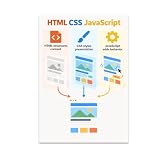
- CODING REFERENCE POSTER: Illustrates how HTML structures content, CSS styles presentation, and JavaScript adds behavior in one clear visual.
- LARGE 13x19 INCH FORMAT: Generously sized glossy print provides easy readability from a distance, making it ideal for classroom or office walls.
- GLOSSY PRINT QUALITY: Vibrant, high-quality paper print with vivid colors that make coding concepts visually engaging and easy to understand.
- VERSATILE DISPLAY: Portrait orientation fits neatly on walls, bulletin boards, or shelves in classrooms, study areas, coding boot camps, or tech offices.
- GREAT FOR LEARNERS: A practical visual aid for students, educators, and coding enthusiasts looking to reinforce web development fundamentals at a glance.
For learners, a useful test is whether the tool helps connect a visual change to the HTML, CSS, or JavaScript responsible for it. If it hides that relationship, it may not serve the learning goal as well as an editor that keeps code visible and editable.
What to check before adopting it
The creator’s launch article says v1.0.0 is live on Vercel, but that does not independently establish current availability or suitability for a particular project. Before moving work into WebMold, check the product against the requirements that matter to you:
- Code control: Confirm that you can inspect and edit the HTML, CSS, and JavaScript you need.
- Live feedback: Try a small change and see whether the result updates in the way your workflow requires.
- Portability: Verify that import and export support your project and that you can continue working with it outside the editor.
- Framework compatibility: If your project depends on a framework, confirm support directly; framework workflows are described as future work, not as an established v1.0.0 capability.
The available launch material does not establish present-day pricing, licensing, privacy terms, browser support, or compatibility across projects. Those should be confirmed from current product information rather than assumed from the origin story.
Do these 3 things before closing this tab:
1Scan for outdated or missing drivers - takes under a minute2Clear out junk files and repair common Windows errors3Fix the driver behind crashes, sound loss and screen glitchesThe idea behind the tool
WebMold grew from a specific frustration: the distance between changing frontend code and seeing what that change does in a browser. Its creator’s aim is to make that loop more immediate while retaining hands-on access to the page’s code. Whether it fits a developer’s or learner’s needs depends on how well its current implementation handles their projects, especially when framework support or other requirements are involved.
Quick Recap
Best Value

- Funny web developer or designer design for those ninjas who code websites as a living. Features cool quote that says in CSS code #t-shirt color: #fff (white), background #000 (black).
- This is an ideal birthday or anniversary gift for Web Developers, designer and Programmers. Wear it to the office or office party.
- Lightweight, Classic fit, Double-needle sleeve and bottom hem
Product prices and availability are accurate as of the date/time indicated and are subject to change. Any price and availability information displayed on Amazon at the time of purchase will apply.

