
iTechGuides is reader-supported. When you buy through links on our site, we may earn an affiliate commission. As an Amazon Associate I earn from qualifying purchases. Learn more
A small business digital policy should spell out who is responsible for business data, devices, accounts and vendors—and what staff must do to protect them and respond to an incident. Use it as an operating guide: inventory what the business uses, limit access and data collection, make core safeguards routine, and assign people to keep the policy current. It is a practical starting point, not a universal legal template; the right safeguards depend on your business, the information you handle and the rules that apply to you.
What is a small business digital policy for?
A digital policy turns security expectations into day-to-day responsibilities. It should cover the people and systems that handle business information, including employees, contractors, devices, accounts, networks, software, cloud services and vendors. It should also explain how the policy is approved, communicated, enforced and reviewed. The Federal Trade Commission (FTC) recommends creating, communicating, updating and enforcing a company cybersecurity policy in its Cybersecurity for Small Business guidance.
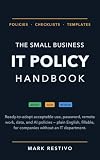


Keep the document usable: name the role responsible for each task, describe the required action and explain where to report a problem. A policy that says “protect data” without assigning an owner or defining the expected practice is difficult to follow or verify.
The Tool Desk
Outbyte PC Repair FREEClear out junk files and repair common Windows errorsFree Scan →Outbyte Driver Updater FREEScan for outdated or missing drivers - takes under a minuteDriver Scan →What should the policy include?
Use this outline to decide what belongs in the written policy and who will maintain each area. In a small company, one person may hold several responsibilities, but each task still needs a clear owner.
| Policy area | What to document | Accountable role |
|---|---|---|
| Purpose and scope | Who and what the rules cover; how staff receive and acknowledge the policy; who approves and reviews changes. | Business owner or designated policy lead |
| Assets, data and risk | Devices, software, services, sensitive-data locations, business dependencies and significant risks or requirements. | Policy lead, with input from system and data owners |
| Accounts and access | Who may approve access, what access is permitted, how access is removed, and which authentication practices are required. | Account or system owner |
| Data handling | What information may be collected, why it is needed, where it may be stored or sent, who may use it, how long it is kept and how it is disposed of securely. | Owner of the business process using the data |
| Devices and maintenance | Permitted business and personal devices, software updates, network protections and responsibility for upkeep. | Device or system owner |
| Backups and recovery | What is backed up, who is responsible, where copies are kept, and how restoration and data integrity are checked. | Backup and recovery owner |
| People and vendors | Staff training and reporting expectations; vendor review, access limits, contract protections and incident coordination. | Manager of the staff member or vendor relationship |
| Incidents and continuity | Who coordinates response, how to escalate, containment and recovery responsibilities, communications and review of possible notification duties. | Named incident coordinator, with a backup contact |
How should a business identify its data and risks?
Start with an inventory, not a software purchase. List the hardware, software, online services and accounts used for business. Identify where sensitive information is collected, stored, accessed and transmitted, and note which work would be disrupted if a system or service were unavailable. Include information handled by outside providers as well as information held directly by the business.
For each important system or data set, record an owner, the people or vendors who can access it, the business reason for using it and the risks that matter to its confidentiality, integrity or availability. The FTC’s Protecting Personal Information: A Guide for Business and Start with Security both emphasize understanding the information a business holds, keeping only what it needs and disposing of information securely.
Use that inventory to make decisions about controls. For example, restrict access to sensitive information to people who need it for their work, and set a retention and secure-disposal process rather than keeping records indefinitely by default. The FTC says there is “no one-size-fits-all approach to data security”; what is appropriate depends on the business and the information it collects.
Quick wins for a faster PC:
Repair Windows errors before they cause bigger problemsFix Now →Scan for outdated or missing drivers - takes under a minuteDriver Scan →What rules should apply to accounts, devices and data?
Accounts and access
- Assign each business account an owner who can approve access and arrange its removal when a person changes roles or leaves.
- Require unique, strong passwords and multifactor authentication (MFA) where available, particularly for accounts that can reach sensitive information or important systems.
- Give staff and vendors only the access they need for their work. Review permissions when responsibilities change.
- Define whether personal devices may be used for business and, if they are allowed, what security conditions apply. Do not leave the rule implicit.
Devices, networks and software
- Keep an assigned inventory of business devices and the software and services they use. State who is responsible for updates and how the business handles unsupported or no-longer-needed software.
- Set expectations for timely software updates, including who checks that important systems are updated and how update problems are reported.
- Use network controls appropriate to the business. Where guest Wi-Fi is offered, separate it from the business network; restrict access to network devices and administrative settings.
- Train staff to recognize suspicious messages or activity and give them a clear, low-friction way to report concerns.
Information collection, storage and disposal
- Document what customer, employee and business information may be collected and the business purpose for collecting it.
- Specify approved storage and transmission methods, who may access the information, and what protections—such as encryption—are required for sensitive data.
- Set retention periods or rules based on business and legal needs, then describe how information and storage media are securely disposed of when no longer needed.
The FTC’s small-business cybersecurity guidance covers practices including updates, strong passwords, encryption for sensitive information, staff training and access restrictions. Choose controls that address the risks identified in your inventory rather than treating any single measure as a complete security program.
Rank #3
How should the policy handle vendors?
Before a vendor receives access to business systems or information, understand what the vendor needs to do, what information it will handle and which connections it will use. Limit access to that work, document who approves and manages it, and remove access when the business relationship or need ends.
Address security expectations in the contract, including how the vendor will protect information, notify the business about a suspected incident and coordinate response. Pay particular attention to remote access. The FTC recommends assessing third-party risk and addressing security in vendor arrangements; CISA’s small and medium-sized business resources offer additional material on topics such as authentication, logging, backups, encryption and incident response.
What should the policy say about backups and recovery?
Identify the information and systems the business needs to restore, the person responsible for backups and recovery, and how the business will check that backed-up information is usable and trustworthy before restoring it. The FTC identifies cloud storage and an external hard drive as possible backup options. Its ransomware guidance also recommends keeping backups that are not connected to the network.
Do these 3 things before closing this tab:
1Clear out junk files and repair common Windows errors2Scan for outdated or missing drivers - takes under a minute3Repair Windows errors before they cause bigger problems| Approach | Policy questions to answer |
|---|---|
| Cloud storage | Which data and systems are covered? Who controls access? How are copies protected, and how will the business restore and verify them? |
| External hard drive | Who creates and safeguards the copy? When is it disconnected from the network? How will the business protect it and verify restoration? |
These options are not interchangeable guarantees: choose based on how quickly the business needs to resume work, which data it must recover, the sensitivity of that data, whether a copy can remain isolated from the network, and who will carry out a restore. Specify how restoration will be tested; a backup that has never been checked may not meet the business’s recovery needs.
Independent reader supportYour contribution helps us test, update, and keep practical guides available for everyone.What should happen when something goes wrong?
Write down a response path before an incident. The plan should work for events such as a lost device, a compromised account, unexpected data exposure, a vendor incident or a system outage. Make sure staff know how to report a concern promptly, including outside normal hours if the business requires it.
- Report and coordinate: Direct staff to a named incident coordinator and a backup contact. Record when the concern was raised, what is known and which systems or information may be involved.
- Assess and contain: Identify the affected accounts, devices, data and services. Take steps to limit further harm while preserving relevant information for investigation.
- Maintain essential work: Identify which business operations must continue, who makes continuity decisions and how staff, customers or vendors should receive practical updates.
- Recover carefully: Restore from a verified backup when appropriate, and check the integrity of restored data and systems before returning them to normal use.
- Evaluate obligations and learn: Assess whether contractual, legal or regulatory notifications may be required, with qualified legal or regulator guidance where appropriate. Record lessons and update the policy, controls or training in response.
The FTC’s personal-information guide covers preparing for a data breach, while its Safeguards Rule guidance explains incident-response requirements for entities covered by that rule. Do not assume that one notification timeline or response process applies to every business.
How can a small business use NIST CSF 2.0?
NIST’s Cybersecurity Framework 2.0 (CSF 2.0) offers a flexible way to organize the policy around six functions:
- Govern: Set responsibilities, expectations and oversight.
- Identify: Understand assets, data, dependencies and risks.
- Protect: Put safeguards in place for accounts, information, systems and people.
- Detect: Notice and report suspicious activity or security problems.
- Respond: Coordinate containment, investigation and communications.
- Recover: Restore services and improve resilience after disruption.
NIST’s CSF 2.0 Small Business Quick-Start Guide, published February 26, 2024, is a supplement to the framework and “is not intended to replace it.” It is a starting structure, not proof of compliance or a substitute for identifying legal duties. NIST’s Risk Management Framework Small Enterprise Quick Start Guide, published in July 2024, is another resource for small enterprises considering risk-management practices.
How should the policy be introduced and maintained?
- Name an owner: Choose the person responsible for maintaining the policy and coordinating its review. Record a backup contact for incident response.
- Fill the gaps from the inventory: Confirm that assets, services, data locations, vendors and responsible people are accounted for. Assign an owner where one is missing.
- Set workable rules: Define access, data handling, updates, backups, training and incident reporting in terms staff can follow. Set review and backup schedules suited to the business’s risk and recovery needs.
- Communicate and enforce: Give covered staff and contractors the policy, explain how to raise questions or report a concern, and apply the rules consistently.
- Review after change: Revisit the policy on a regular schedule and after a meaningful change to the business, its systems or the information it handles. After an incident, record lessons and adjust responsibilities or controls.
Which laws or regulations apply?
A general digital policy guide cannot determine a particular business’s legal obligations. Requirements can depend on jurisdiction, industry, business activities, contracts and the information handled. The FTC Safeguards Rule, for example, concerns covered financial institutions and has specific program requirements; it should not be treated as a rule that automatically applies to every small business. Identify the requirements relevant to your situation and seek appropriate legal or regulator guidance where needed.
Quick Recap
Product prices and availability are accurate as of the date/time indicated and are subject to change. Any price and availability information displayed on Amazon at the time of purchase will apply.

