
Crashes, No Sound, or Screen Glitches?
Random freezes, missing sound and display glitches usually trace back to one bad driver. Find and replace yours safely.Free scan · under a minutePC Slower Than It Used to Be?
A free scan shows the junk files, broken settings and background clutter dragging Windows down - then fixes them in one click.Free scan · Windows 10 & 11iTechGuides is reader-supported. When you buy through links on our site, we may earn an affiliate commission. As an Amazon Associate I earn from qualifying purchases. Learn more
A solid-state array (SSA) is an external storage system that combines solid-state drives (SSDs) into a managed platform. It is commonly another name for an all-flash array (AFA). Unlike a single SSD, an array includes the controllers, network connections, and software needed to make storage available and manage it as a system.
What does a solid-state array include?
An SSA is more than a collection of drives. Its solid-state devices hold data, while controllers and network paths connect the storage to servers and applications. System software manages the array and may add features such as monitoring, redundancy, snapshots, replication, compression, deduplication, or thin provisioning. The exact features vary by product; the name alone does not guarantee that a particular service is included.

The Storage Networking Industry Association (SNIA) presentation at the 2018 Storage Developer Conference describes a solid-state storage system in terms of redundant networked controllers, solid-state devices accessible to those controllers, and redundant data paths. That is a useful way to distinguish a complete storage system from an individual drive. SNIA conference presentation
Do these 3 things before closing this tab:
1Clear out junk files and repair common Windows errors2Scan for outdated or missing drivers - takes under a minute3Repair Windows errors before they cause bigger problemsIs a solid-state array the same as an all-flash array?
In common current usage, yes: vendors use solid-state array and all-flash array (AFA) as synonyms for external storage that uses flash-based media, such as SSDs, rather than spinning hard disk drives (HDDs). IBM and Everpure both describe AFAs this way. IBM’s all-flash array overview · Everpure’s all-flash array overview
#1 Best Overall

- Storage Capacity: 1 TB
- Wireless LAN: No
- Drive Interface: SATA
- Drive Type: Internal
- Form Factor: 2.5"
There is also a narrower enterprise meaning. A 2014 Gartner-attributed classification reserves SSA for a dedicated system that cannot be configured with HDDs, and distinguishes it from an SSD-only shelf installed in a broader, general-purpose array. That usage is more restrictive than the common synonym; when comparing products, check how the vendor defines its system rather than assuming every source uses SSA identically. EM360Tech’s reproduction of the Gartner-attributed classification
How does an SSA differ from an SSD or a hybrid array?
| Term | What it means | How it relates to an SSA |
|---|---|---|
| SSD | A solid-state storage drive, commonly based on NAND flash. | A component that may be used in an array; it is not, by itself, a complete managed storage system. |
| All-flash array (AFA) | An external storage system using flash media for persistent storage. | Commonly used as a synonym for SSA. |
| Hybrid array | An array combining SSDs or other flash storage with HDDs. | Not an SSA under the stricter definition that excludes systems configurable with HDDs; terminology can vary under the broader common usage. |
| SSD-only shelf in a general-purpose array | A group of SSDs added to a broader array platform. | Excluded from the stricter dedicated-product definition, even though the shelf itself contains only SSDs. |
TechTarget likewise describes an all-flash array as an SSD-based storage system and contrasts it with hybrid arrays that also use HDDs. TechTarget’s all-flash array definition
Rank #2

- Intel SSD D3-S4510 Series (960GB, 2.5in SATA 6Gb/s, 3D2, TLC) Generic Single Pack
What should you compare when evaluating storage arrays?
“All flash” describes the media, not the performance or suitability of a complete system. Results depend on the drives, controllers, data paths, software, workload, and configuration. IBM gives typical SATA SSD speeds of around 550–600 MB/s and NVMe transfer-rate examples of 3,500–14,000 MB/s; these are drive/interface examples, not guaranteed array performance. IBM’s all-flash array overview
Compare the system against the work it must perform, including:
Rank #3
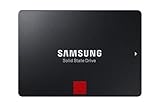
- INNOVATIVE V-NAND TECHNOLOGY: Powered by Samsung V-NAND Technology, the 860 PRO SSD offers optimized performance for everyday computing as well as rendering large-sized 4K videos and 3D data used by the latest applications
- ENHANCED READ WRITE SPEEDS: Sequential read and write performance levels of up to 560MB/s and 530MB/s, respectively
- SECURE ENCRYPTION: Protect data by selecting security options, including AES 256-bit hardware-based encryption compliant with TCG Opal and IEEE 1667. Power Consumption (W)- Average- 2.2 W. Maximum- 4.5 W (Burst mode)
- INCLUDED CONTENTS: 2.5 inches (7 millimeter) SATA 3 (6 Gb/s) SSD & User Manual (All other cables, screws, brackets not included); Reliability (MTBF): 1.5 Million Hours Reliability (MTBF)
- Workload performance and latency: assess the applications’ actual input/output patterns and response-time requirements instead of treating drive-interface figures as system benchmarks.
- Usable capacity and total cost: compare usable storage after system overhead, along with the cost of the capacity and services you need.
- Resiliency and data services: verify controller and path redundancy, and confirm which protection, snapshot, replication, or efficiency features are included.
- Growth model: a scale-up array adds storage to an existing system; a scale-out design adds nodes that contribute capacity and compute. A central controller can become a bottleneck in some scale-up designs, while scale-out adds system nodes as demand grows. Neither model is universally better.
- Power and rack constraints: account for the space and operating constraints of the deployment, not just raw drive capacity.
All-flash systems are generally positioned for performance-sensitive workloads, while hybrid systems can trade some performance for lower-cost capacity. These are broad architecture tendencies, not promises about a particular product. Check the system’s specifications and suitability against your workload. IBM’s all-flash array overview · Everpure’s all-flash array overview
Independent reader supportYour contribution helps us test, update, and keep practical guides available for everyone.Can you use an enterprise SSD instead of an array?
No. An enterprise SSD can be a component in a storage platform, but it does not provide an array’s controllers, network access, system management, or array-level services. Before selecting a drive for an existing system, verify its interface, form factor, endurance, firmware, and compatibility with the array vendor’s platform. IBM identifies SSDs as core components of all-flash arrays. IBM’s all-flash array overview
Quick Recap
Best Value
![Dell 960GB Solid State Drive SAS Read Intensive MLC 2.5in Hot-plug Drive, PX04SR, CusKit [PN: 400-AMCU]](https://m.media-amazon.com/images/I/216GzXbxJbL._SL160_.jpg)
- Free Shipping.
- 14 Days Money Back Guarantee.
- Dell 960GB 12Gb/s 2.5-inch (SFF) SAS Read Intensive (RI) Endurance Multi-Level Cell (MLC) Hot-Plug Dell SSD (Solid State Drive) in Dell G176J 2.5-inch Hot-Plug Hard Drive Tray (as pictured)Genuine Dell serial number and firmwareDell Certified Hard DrivePart Number(s)Dell Part# 400-AMCU
- Dell PowerEdge T-Series T20 T110 (Gen II) T310 T320 T330 T410 T420 T430 T610 T620 T630 T710 Servers.Dell PowerEdge R-Series R210 (Gen I, II) R220 R230 R310 R320 R330 R410 R415 R420 R430 R510 R515 R530XD Servers.Dell PowerEdge R-Series R610 R620 R630 R710 R715 R720 R720XD R730 R730XD R805 R810 R815 R820 Servers.Dell PowerEdge R-Series R900 R905 R910 R920 R930 Servers.Dell PowerEdge C-Series C1100 C2100 C6100 C6220 Servers.Dell PowerEdge M-Series M420 M510 M520 M600 M605 M610 M610x M620 M630 M710
- M710XD Servers.Dell PowerEdge M-Series M805 M820 M830 M905 M910 M915 Servers.Dell PowerVault M-Series M1000e MD1120 MD1200 MD1220 MD3200 MD3220 MD3220i ArraysDell PowerVault M-Series MD3400 MD3420 MD3420i MD3460 MD3600 MD3620 MD3620i Arrays
Product prices and availability are accurate as of the date/time indicated and are subject to change. Any price and availability information displayed on Amazon at the time of purchase will apply.
The Tool Desk
Outbyte PC Repair FREEClear out junk files and repair common Windows errorsFree Scan →Outbyte Driver Updater FREEScan for outdated or missing drivers - takes under a minuteDriver Scan →
