
iTechGuides is reader-supported. When you buy through links on our site, we may earn an affiliate commission. As an Amazon Associate I earn from qualifying purchases. Learn more
First decide which device should join which network: printer to phone hotspot means the printer joins the network broadcast by your phone; phone to printer Wi-Fi means your phone connects directly to the printer using Canon Wireless Direct or access point mode. These are different setups. Which one do you need?
Choose the connection you mean
| What you want | Which device joins which network | What to know |
|---|---|---|
| Printer to phone hotspot | The printer joins the phone’s hotspot network, much like it would join a wireless router. | Use the printer’s infrastructure or router setup only if the manual for your exact model supports connecting to a phone hotspot. Canon’s general setup guidance describes choosing a router SSID and entering its password, but does not establish phone-hotspot compatibility for every Canon printer. Canon’s wireless-router setup guidance is model-specific. |
| Phone to printer Wi-Fi | The phone joins the printer’s own Wireless Direct or access point network. | Supported printers can connect to a phone or computer directly, without a router. The printer’s menu path, network name (SSID), and password vary by model. Canon’s iP110 instructions are one model-specific example. |
Canon distinguishes direct mode from infrastructure mode, where the printer connects through a wireless router. Its setup materials also describe Easy wireless connect and manual router-network setup as other routes. See Canon’s overview of printer network connections.
Find the exact Canon model before following steps
Check the label on the printer’s front or its network information to identify the full model name, then open that model’s Canon manual. Button sequences, menu labels, and default credentials are not universal across Canon printers. For example, the iP110 uses a Wi-Fi button, while the MG5500, MX470, and MG7100 manuals describe different menu paths for access point mode.
Outdated Drivers Are Slowing You Down
One free scan finds every outdated or missing driver and matches the right update for your exact hardware.Free scan · exact hardware matchPC Slower Than It Used to Be?
A free scan shows the junk files, broken settings and background clutter dragging Windows down - then fixes them in one click.Free scan · Windows 10 & 11Connect your phone directly to a supported printer
Use these steps when you want the phone to join the printer’s Wireless Direct or access point network. Follow the manual for your model for the precise controls and credentials.
#1 Best Overall
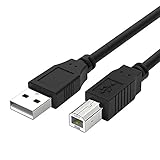
- Compatible with Canon MG Series PIXMA MG2525,MG3620,MG6821,MG2522,MG7120, MG5620,MG5720,MG7520,MG7720,MG3029,MG2920,MG5320,MG2120 cable para impresora canon printer cable cord.
- usb a to usb b printer cable is ideal for connecting your keyboard, mouse, scanner, hard drive, printer, server, camera and more, to a laptop, computer (Mac/PC) or other USB-enabled device.
- Hi-speed transfer Up to 480 Mbps transfers data speed for USB 2.0 devices, the printer cable is backwards compliant with full-speed USB 1.1 and low-speed USB 1.0.
- Corrosion-resistant gold-plated connectors and foil shielding make the printer scanner cable cords more long-term performance without noise or signal loss.
- 10 Feet(3m) USB 2.0 Type-A Male to Type-B Male Connection Cable
- Enable the printer’s direct mode. Use the model’s Wireless Direct or access point mode instructions. Read the printer’s displayed SSID and password, or find them in the manual or network information.
- Join the printer network from the phone. Open the phone’s Wi-Fi settings, select the printer’s SSID, and enter the password specified for that model.
- Send the print job. Choose the Canon printer in the relevant printing app or the phone’s print menu. The exact app workflow depends on the phone and printer.
- Return to your usual connection when finished. If the manual instructs you to exit access point mode after printing, follow its steps.
Example: PIXMA iP110 access point mode
Canon’s iP110 instructions say to turn on the printer, press and hold the Wi-Fi button, and release it when the POWER lamp flashes three times. Check that the POWER lamp becomes steady; if it does not, repeat the procedure. On an Android or iOS phone, enable Wi-Fi and select the SSID in the format XXXXXX-iP110series, where the six Xs represent the last six digits of the printer’s MAC address. The default password is the printer’s serial number, found on the sticker at the rear or by printing network settings. Canon also says to complete wireless-router setup for the iP110 before using these direct-connect instructions. These steps and credentials apply to the iP110 example only; do not use them for another model. Details are in Canon’s iP110 access point mode instructions.
Connect the printer to your phone’s hotspot
Use this route only if the exact printer model’s manual supports the network setup you need. In the printer’s wireless-router or infrastructure setup, select the hotspot’s network name (SSID) and enter its password if the model offers that option. The phone and printer would then share the hotspot network.
Rank #2

- USB PRINTER CABLE compatible with Canon Pixma IP2600 / MF216n / MX495 / TS3150 / TS3350 / TS3450 / TS5050 / TS5350 / TS6250 / TS6350 / TS7400 / TS7450 / TS8350 / TS9550 / TR4550 / TR4650 / TR7550 / MG2520 / MG 2550S / MG2555 / MG 2950 / MG3550 / MG3650 / MG4250 / MG5220 / MG5150 / MG5350 / MG5500 / MG5550 / MG5650 / MG5750; Canon i-SENSYS LBP6030w / LBP6200d / MF8280Cw / MF8580Cdw; Canon SELPHY CP900 CP910; Canon MP280 MP490 MP495 MP560 MP620 MX340 MX432 MX452 MX472 MX492 MX860 MX870 MX922.
- USB 2.0 PRINTER SCANNER CABLE: Our USB A to USB B printer cable is ideal for connecting your Printer, Scanner, Fax, Hard Drive Disk, Server, Keyboard, Midi, DAC, Snowball mic, Development Board, USP, Digital Camera and more to a Laptop, Computer (Mac and PC) and other legacy devices with a USB-B port. The USB A to USB B cable also is a good USB Type B replacement cord for devices like Arduino, Blue, Brother, Canon, CyberPower, Dell, Epson, Fujitsu, HP, IOGEAR, Lexmark, M-Audio and Panasonic
- HIGH SPEED TRANSFER: The canon pixma printer cable data transfer speed up to 480 Mbps, can fast printing, fast scanning and fast files backups. Canon printer cable provides a more stable data transmission and faster connection than Wi-Fi, reducing delays and boosting productivity, helps you work more efficient. USB printing cable fully compatible with the older devices USB 1.1 and USB 1.0, ensure secure and seamless data transfer for printers, scanners and external drivers
- GOLD PLATED CONNECTORS: Our canon printer cable to computer constructed with corrosion resistant, gold-plated connectors deliver exceptional signal transmission, minimizing EMI/RFI interference for stable and clear printing results. It's really a reliable and high speed connectivity canon pixma printer usb cable you can trust
- 10FT EXTRA LONG PRINTER CABLE FOR CANON: 10 Feet USB 2.0 Type-A Male to Type-B Male Connection Cable is convenient longer distance connection between your computer / laptop / PC and the canon printer.
Do not assume that every Canon printer can join every phone hotspot. Canon’s reviewed setup guidance explains selecting an available router SSID and entering its password, but does not establish phone-hotspot client compatibility across all Canon models. Check the manual for your exact model before relying on this connection.
Know what changes when you use Wireless Direct
Canon warns that a phone or other device already connected to a router may lose that Wi-Fi connection when it joins a printer through Wireless Direct. Depending on the device, it may switch to mobile data, which could count against your cellular plan. Check the phone’s Wi-Fi and mobile-data indicators before browsing or downloading while connected directly to the printer. See Canon’s explanation of network connection types.
Quick Recap
Best Value

- 【WIRELESS PRINTING & SHARING】 Convert your old USB printer into a high-performance network printer without messy cables. Our wireless print server allows multiple computers on the same LAN to share one printer simultaneously, enabling automatic queue printing to boost productivity. Access print server efficiently via its assigned IP address from any corner of your office or home.
- 【DUAL-PORT WIRED BRIDGE & SWITCH】 Featuring two 10/100Mbps Ethernet ports, our server supports a "daisy-chain" setup: connect one port to your network and the other directly to your computer. It acts as a mini-switch to save a router socket and keep your desk organized. NOTE: The second port provides internet to your PC ONLY in wired mode; it does NOT support wireless-to-ethernet bridging.
- 【UNIVERSAL COMPATIBILITY】 Supports 95% of USB printers, including Inkjet, Laser, Thermal Label, and Dot Matrix models using RAW/IPP protocols. Compatible with major brands like HP, Brother, and Canon. IMPORTANT: Not compatible with dye-sublimation printers (e.g., DNP), Roland BN series, or Canon LBP CAPT series printers. Mobile printing and AirPrint are not supported.
- 【STABLE DUAL CONNECTIVITY】 Features both 2.4GHz WiFi (802.11b/g/n) and a 10/100Mbps Ethernet port for flexible placement anywhere in your home or office. Equipped with a high-performance processor and smart indicator lights for real-time status monitoring and fast data processing.
- 【FLEXIBLE & EASY SETUP】 Use our Windows Quick Installation Tool for a streamlined 2-step setup: network config and printer addition. For advanced users or Mac/Linux, we fully support manual configuration via web-based management and standard TCP/IP port settings (IP/Hostname.local). Detailed manuals and video tutorials are provided for a hassle-free experience.
Rank #4
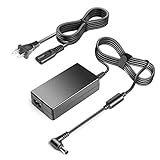
- 【POWER SPES 】TAIFU MODEL:A45--2-160002500 chargers are UL/CE/FCC/RoHS certified and in great working condition. Input Volt Range: 110-240V / Tested Units. Output 16V Power Adapter replacement for Canon Pixma iP100 charger.
- Compalibility -with Canon ImageFormula Scanner: Canon ImageFormula Scanner CR-L1 (630110) ,DR-2050C (M11055), DR-2050SP (M11060); 16 V power supply charger for Canon K10222 K10233 Bubble Jet Mobile Color Printer i70 i 70; Pixma iP110 Inkjet Photo Printer; mini260 mini320 mini 260 mini 320; iP90V iP-90V i70 i-70 i80 i-80 i9. 0 i-90 DR-2050c DR-2080c Mini-260 K10222 K30244; image Formula DR-2010C Document Scanner 2454B002; K10249 k10296 1446B002 1446B002 Mobile BA Mobile Printer; K; 302277 AD-380U K30203 AD-370U AD370U K30244 8414A002 K 30203 K 30244; DR-2510M Desktop Scanner 3949B002, MG1-3968, ScanFront 220 220P 11058 M11062.
- Compatible with Canon K30287 Pixma TR150 iP100 Mini260 iP90V iP90 iP100 iP 100 Wireless Mobile Printer; Canon K10222 K10233 Bubble Jet Mobile Color Printer i70 i 70; Canon K30287 Pixma iP90 iP100 iP 100 iP110 Inkjet Photo Printer;mini260 mini320 mini 260 mini 320 iP90V iP-90V i70 i-70 i80 i-80 i90 i-90 MG1-3607-000 DR-2050c DR-2010c DR-2080c DR2080c DR-2050c DR2050c Mini-260 K10222 K30287 K30227 K30244 K30203 K10249 AD-370U AD-380U
- Compalibility -with Canon Pixma iP100 iP110 iP90 iP-90V i70 i80 i90 TR150 mini320 Mini260 Mobile Printer DR-2010C MG1-3607-000; Compatible with Fujitsu ScanSnap iX1500 Scanner iX500 iX1400 iX1600 SV600 S510 S500 S510M S500M Deluxe Bundle Document Scanner P/N:PA03656-B005 PA03656-B015 PA03656-B205 Scanner Power Supply Cord
- 【Safety Security 】Fireproof PC Shell(Flame resistance applies to UL94-V1)+ Pure Copper Core (Longer Service Life); We guarantee our charger will charge your device as efficiently as the original charger. In addition, our products are in compliance with top industry standards. // OVP: Over Voltage output Protection. OCP: Over Current output Protection. SCP: Short Circuit output Protection.
Rank #3

- Connet your wired device to wifi : by using this dual band Ethernet to wireless adapter, your Ethernet-enabled devices can access the Internet via wireless connection, powered by electrical outlet
- Work with any Ethernet enabled devices: This wireless to Ethernet adapter supports smart TV, game console, blu-ray player, network printer, raspberry pi, Ethernet switch or computer etc., no driver installation or update needed
- AC1200 faster wireless speed: up to 867Mbps on 5GHz WiFi or 300Mbps on 2.4GHz WiFi, excellent for online video streaming, gaming, high quality music and facebook by using this 802.11ac WiFi to Ethernet adapter, 4 X speed of N300
- Universal compatibility: This 5GHz universal wireless adapter works with any 802.11ax/ac/a/b/g/n WiFi routers;
- Better WiFi signal: the Ethernet wireless adapter comes with 2X angle adjustable external smart WiFi antennas which pick up stronger WiFi signal than internal ones
Troubleshoot a failed or missing connection
- The menu or button sequence does not match: Confirm the full printer model and use its own Canon manual rather than instructions for a similar-looking printer.
- The printer does not appear in the phone’s Wi-Fi list: Confirm that Wireless Direct or access point mode is enabled and select the SSID shown for the printer, not a nearby router or hotspot.
- The password is rejected: Recheck the model’s documented password or the value shown on the printer. Do not assume another Canon model’s default credentials apply.
- The phone connects but printing does not work: Select the printer in the appropriate app or device print menu, and verify that the phone remains connected to the printer’s network.
- You need the printer on the phone hotspot: Check the exact model’s manual for support for that network setup. If supported, use its infrastructure/router procedure and enter the hotspot SSID and password.
- You need help managing Wi-Fi settings: Canon’s Wi-Fi Connection Assistant documentation describes its setup utility for supported models. Availability and steps depend on the printer and computer setup. See Canon’s Wi-Fi Connection Assistant guidance.
Product prices and availability are accurate as of the date/time indicated and are subject to change. Any price and availability information displayed on Amazon at the time of purchase will apply.

