
iTechGuides is reader-supported. When you buy through links on our site, we may earn an affiliate commission. As an Amazon Associate I earn from qualifying purchases. Learn more
There is no single best GPU cloud provider for every AI or machine-learning job. The right choice depends on the exact GPU and memory you need, whether you are training or serving a model, where capacity is available, and the full cost of running the workload—not just the advertised GPU-hour.
The available evidence supports comparing five providers with specific documented offerings and treating three others as candidates for further evaluation. It does not support a reliable top-ten ranking. Use the comparison below as a workload-first shortlist, not as a claim that one provider is universally superior.


What to compare before renting a GPU
Start with the configuration your code actually needs. A single-GPU experiment, a multi-GPU training run, and an inference service are different purchases; their prices are not comparable unless the GPU model, memory, deployment type, and billing terms match.
- GPU and memory: Confirm the exact model, memory capacity, number of GPUs, and whether the configuration can be provisioned in your intended region.
- Workload and deployment: Decide whether you need an interactive machine for development, a dedicated instance, serverless inference, or a multi-GPU or multi-node cluster.
- Full cost: Check how the provider bills runtime and idle time, plus storage, networking, data transfer, minimum runtime, and any reservation or interruption terms.
- Scale and networking: For distributed jobs, verify the GPU topology, interconnect, multi-node support, and shared-storage arrangement—not simply the number of GPUs advertised.
- Operations and fit: Consider setup tools, support, security controls, regional capacity, provisioning time, and how well the service fits your existing cloud accounts and workflows.
GPU cloud providers to evaluate
These providers cover three distinct models: specialist GPU clouds, a GPU marketplace, and hyperscalers. The table summarizes what the available provider information establishes; it is not a price-normalized ranking.
#1 Best Overall
| Provider | Service model | What is established | What to verify for your workload |
|---|---|---|---|
| Runpod | Specialist GPU cloud | Its product and pricing page distinguishes dedicated Pods, Serverless inference, multi-node Clusters, and storage. Displayed H100 and H200 rates are available as dated examples. | Current inventory, region, service tier, storage and transfer charges, and runtime billing for the exact deployment. |
| Lambda | Specialist GPU cloud | Its official product page describes on-demand instances including H100, H200, and B200 GPUs. | Current rates, region, capacity, instance configuration, and applicable billing and support terms. |
| Vast.ai | GPU marketplace | It provides a public pricing interface; marketplace offers can vary by host. | Host, hardware, location, availability, offer terms, and the reliability and persistence requirements of the job. |
| AWS | Hyperscaler | Official product information establishes P5 GPU instances. | Regional configuration and rates, capacity, related infrastructure charges, and fit with your AWS environment. |
| Google Cloud | Hyperscaler | Official GPU product information establishes GPU offerings. | Specific GPU configuration, regional availability and rates, associated service costs, and fit with your Google Cloud environment. |
| CoreWeave | Candidate for further evaluation | It is named in current comparison coverage as a provider to consider; detailed claims are not established here. | Current official specifications, pricing, availability, support, and deployment terms. |
| Paperspace | Candidate for further evaluation | It is named in current comparison coverage as a provider to consider; detailed claims are not established here. | Current official specifications, pricing, availability, support, and deployment terms. |
| Azure | Hyperscaler candidate for further evaluation | It is named in current comparison coverage; detailed claims about its GPU offerings are not established here. | Current official GPU configurations, regional availability and pricing, and deployment terms. |
These eight names are not a substantiated “best 10” list. The available material does not identify two further providers with enough evidence to include responsibly, nor does it establish a common set of rates and configurations for ranking these options.
How the documented options fit different jobs
For experiments and interactive development
Runpod and marketplace listings such as Vast.ai are candidates to investigate when you want to compare individual GPU configurations. On a marketplace, the offer is tied to a host, so inspect the specific hardware, location, availability, and terms rather than treating a displayed rate as a guaranteed price for all machines.
Rank #2

- [Local AI Inference & 70B Model Ready] Equipped with the AMD Ryzen 7 PRO 8845HS processor, NEXUS is engineered for heavy local AI workloads. With a full-size GPU bay, it runs 70B LLMs natively without an internet connection. Ideal for AI developers and tech enthusiasts who need private environment for coding and model testing.
- [132TB Mass Storage with ZFS Integrity] Features a hybrid storage architecture (3×NVMe + 4×3.5" HDD) supporting up to 132TB. Utilizing the enterprise-grade ZFS file system and ECC memory, it prevents data corruption and bit rot—a must-have for professional photographers and video editors safeguarding 4K/8K RAW footage.
- [OpenClaw-Driven Automation Workflow] The built-in OpenClaw execution layer allows complex automated tasks to be processed locally. Even when offline, your backup schedules and AI file organization continue seamlessly. Say goodbye to monthly cloud subscriptions and high latency.
- [Dual 10GbE & USB4 Ultra-Connectivity] Experience server-class speeds with dual 10GbE ports and a 40Gbps USB4 interface. It enables multi-user real-time collaboration on large project files directly from the NAS, ensuring zero-lag editing for creative studios and production teams.
- [Open-Source ZimaOS for Total Privacy] Running on the fully open-source ZimaOS, NEXUS ensures your data stays physically on-premise with no backdoors. It acts as a "Digital Fortress" for privacy-conscious families and small businesses who demand absolute data sovereignty.
For managed inference or a cluster deployment
Runpod distinguishes Serverless inference from dedicated Pods and multi-node Clusters. Those are different deployment and billing choices: identify which one your application needs before comparing a price. A dedicated GPU rate is not automatically a meaningful comparison with a serverless service.
What’s actually slowing this PC down?
Pick the symptom - the matching free tool is one click away.
For on-demand specialist instances
Lambda’s official page describes on-demand H100, H200, and B200 instances. The information available here does not establish comparable current prices, so request or check the current quote for your required region and configuration rather than inferring a cost from GPU model alone.
For an existing cloud environment
AWS and Google Cloud are worth evaluating when account controls, integrated infrastructure, or existing cloud workflows matter. Their GPU pages establish offerings, but the rates and configurations were not normalized against specialist services. Compare the total configured job cost in the region you will actually use.
Runpod price examples and how to read them
Runpod’s pricing page, updated September 27, 2026, displayed the following rates when checked for this comparison. They are provider-listed examples, not a cross-provider benchmark or a guarantee of current availability.
Rank #4
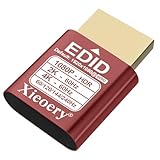
- 🚚080P HDR-Ready EDID for Accurate Color and Tone Mapping Features a refined EDID profile centered around 1920×1080@60Hz with HDR metadata support, enabling richer color depth, improved contrast handling and enhanced dynamic range—critical for modern GPUs, rendering tasks and video workflows
- 🚚True HDR Metadata Emulation (10-bit/12-bit Color Depth Signals) Transmits HDR-related EDID information including extended color depth, BT.2020 color space flags and EOTF curves. Ensures the system outputs accurate HDR tone mapping even without a real monitor. A major upgrade compared to non-HDR dummy plugs.
- 🚚Headless Ghost Mode for Stable GPU Behavior Acts as a virtual HDR display, preventing GPU downclocking, black screens, resolution limits and incorrect color profiles during remote access. Essential for servers, cloud PCs, virtual machines and rack-mounted GPU nodes.
- 🚚Supports High Refresh Rates up to 240Hz Enhanced EDID library covers multiple refresh rates—60Hz, 75Hz, 119Hz, 120Hz, 144Hz and 240Hz—suitable for game streaming, KVM switching, industrial visualization and multi-display emulation.
- 🚚Extensive HDR-Compatible Resolution Set Includes resolutions from 4096×2160 down to 800×600. Ensures compatibility with modern graphics cards, older display controllers and professional computing environments.
| GPU configuration | Displayed rate | Qualification |
|---|---|---|
| H100 PCIe | $2.89 per hour | Runpod pricing-page display on September 27, 2026; check the current page and service configuration. |
| H100 SXM | $3.49 per hour | Runpod pricing-page display on September 27, 2026; check the current page and service configuration. |
| H200 | $4.59 per hour | Runpod pricing-page display on September 27, 2026; check the current page and service configuration. |
Do not assume these figures represent the same deployment tier: the page separates Pods, Serverless, Clusters, and storage. Nor should you compare one of these rates directly with a hyperscaler instance unless GPU type, configuration, region, billing basis, and included infrastructure are aligned.
Free tools Windows power users keep installed
One-click scans. No signup required.
Estimate the cost of the whole job
A useful estimate is the cost of completing the workload, not merely the advertised GPU rate multiplied by an ideal runtime. Include the time spent provisioning and debugging if it is billed, plus any storage or data-transfer charges that apply.
- Define the job: Record the model workload, GPU model and memory, number of GPUs, expected duration, and whether it needs one machine or multiple nodes.
- Choose the deployment type: Compare like with like—dedicated instance against dedicated instance, or serverless against serverless—and note any minimum runtime or reservation commitment.
- Check region and supply: Confirm that the exact configuration is currently available where your data and services need to be. A listed rate is not useful if the required capacity cannot be provisioned.
- Add non-GPU charges: Check storage, network and data-transfer fees, and whether stopped, idle, or reserved resources continue to incur charges.
- Check interruption and persistence terms: Determine what happens to a running job and its data if capacity is reclaimed, an instance stops, or you shut it down.
- Estimate realistic runtime: Include setup, data loading, checkpointing, and any retries, then compare the resulting end-to-end cost across providers.
Check availability, data handling, and operations
Before committing a job, verify the practical details that a headline GPU rate cannot answer:
- Which region and exact GPU configuration are available now, and how long provisioning is expected to take.
- Whether the deployment is dedicated, shared, or marketplace-hosted, and what that means for your workload and operational requirements.
- How persistent disks, checkpoints, and stored data behave when an instance is stopped or removed.
- What security controls, access options, and support arrangements are available for your data and organization.
- Whether multi-GPU jobs have the interconnect and multi-node networking they require.
- How charges accrue during idle periods, and what happens when a job is interrupted or capacity is unavailable.
These terms vary by product and configuration. Confirm them with the provider for the specific deployment rather than assuming they are uniform across a company’s offerings.
Quick Recap
Product prices and availability are accurate as of the date/time indicated and are subject to change. Any price and availability information displayed on Amazon at the time of purchase will apply.

