
iTechGuides is reader-supported. When you buy through links on our site, we may earn an affiliate commission. As an Amazon Associate I earn from qualifying purchases. Learn more
Firefox for iOS now offers an optional, built-in ad blocker; Safari’s documented route is to install an extension. That makes Firefox’s approach easier to find in the browser, but it does not make every page ad-free or mean Safari lacks privacy tools. Mozilla’s feature is experimental and rolling out gradually, according to its August 16, 2026 support update.
What Firefox’s built-in ad blocker does
Mozilla says Firefox’s iOS blocker uses EasyList and Apple’s WebKit Content Blocker framework. It is off by default, experimental, and being released progressively, so it may not appear for every user. Mozilla also says remote improvements must be enabled for the blocker to receive improvements remotely. The feature blocks many third-party advertising networks and ad-related trackers, along with many third-party site ads, pop-ups, and overlays; it is not a guarantee that ads disappear from every page. Mozilla’s setup and feature details describe the current behavior.
Turn it on or off
If the setting is available in your Firefox installation, open Firefox’s Settings and enable ad blocking there. Mozilla also provides a control in the Site menu, so you can change the setting while viewing a site. The exact availability depends on the progressive rollout.
Why do I still see some ads?
Some ads may remain. Mozilla specifically says the blocker does not block ads on search engine results pages or sponsored content on Firefox Home and New Tab. Seeing those placements does not mean the feature is intended to remove every form of advertising.
How Safari handles ad blocking on iPhone
Safari supports extensions on iPhone, but Apple’s documented approach is to find an extension in the App Store and enable it—not to switch on a built-in Safari ad-blocking control. Apple’s iOS 26 guide explains how to get extensions, turn them on or off, and change whether an extension is available on particular websites: Get extensions to customize Safari on iPhone.
#1 Best Overall

- USB Blocker NO LOOPHOLES: Safety should be your first choice.You don't have to choose how to operate it, just plug in the data blocker of USKYT to physically block data transfer / syncing,Only provide charging function for mobile devices, 100% so as to prevent any hacker from invading.
- USB PERFECT COMPATIBILITY:3rd Gen design chip automatically switches between Apple, Universal and Samsung LG standards to ensure compatibility with your device and charge at up to 2.4A
- SAFE AND LOVELY:Advanced 3rd Gen design with multiple security features . MINI Version The appearance material is Aluminum alloy metal , Beautiful, fashionable and generous,rugged design and durability
- Data Blocker USB PROTECTIVE SHIELD: USB Data Blocker are used by the governments of the USA, Canada, UK and New Zealand as well as 100s of corporations around the world to secure their devices,100% guarantee against hacker attack. It's a simple and easy method to keep your phone away from data breach.
- METAL QUALITY, PLEASE REST ASSURED:We make the best quality.if you have any questions, we will resolve your issue within 24 hours.Own it, be your data protector.(This link is only available for USB A interface)
The practical difference is setup and product design: Firefox puts its ad-blocking control inside the browser, while Safari users who want ad blocking need an extension that provides it. Apple’s guide documents the extension system, not the effectiveness or capabilities of any particular ad-blocking extension, so a numerical effectiveness comparison is not established here.
Ad blocking, tracker blocking, and fingerprinting protection are different
Firefox Enhanced Tracking Protection
Firefox’s Enhanced Tracking Protection (ETP) is a separate privacy feature from its new ad blocker. Mozilla says ETP uses a list provided by Disconnect and offers Standard and Strict modes, with controls to manage protection for individual sites. Mozilla also says ETP does not change Apple’s device-level Intelligent Tracking Prevention. Details are in Mozilla’s ETP guide for Firefox on iOS.
What’s actually slowing this PC down?
Pick the symptom - the matching free tool is one click away.
Rank #2

- Created by a Concerned Father to Protect His Kids and Family: WaveBlock was born from a father's determination to protect his children. Driven by concern over their extended use of electronic devices, he developed electromagnetic wave blockers designed to help reduce exposure to electronic signals.
- Smarter Alternative to Common Options: WaveBlock offers a thoughtfully designed solution made with premium materials and exceptional attention to detail.
- Thoughtfully Developed and Patented Design: WaveBlock has invested over $1 million into the research and development of its patented stickers, which have been tested in professional lab settings to evaluate their performance.
- Designed and Assembled in the USA: WaveBlock stickers are designed and assembled in the USA. We aim for consistent quality in every product.
- Satisfaction Commitment: WaveBlock stickers are the result of extensive design and development efforts aimed at delivering reliable performance. If your product arrives damaged, we’re happy to assist with a prompt replacement.
Safari fingerprinting protection
Apple says iOS 26 extended Advanced Fingerprinting Protection—previously limited to Private Browsing—to all Safari browsing. Fingerprinting protection addresses a way sites can identify or recognize a browser; it is not the same claim as blocking ads. Apple’s iOS 26 feature document describes the change.
Why Firefox’s built-in option is a meaningful difference
A browser-level switch is a simpler starting point than finding and configuring a separate extension. But a built-in blocker is not a substitute for the broader choice that extensions can provide. In a September 1, 2026 policy post, Mozilla policy director Sema Karaman wrote, “But building one feature directly into a browser is not a replacement for a healthy, independent add-on ecosystem.” Mozilla’s post says almost 40% of its desktop and Android users take advantage of add-ons; that figure is not an iPhone or Safari statistic. Read Karaman’s full post for Mozilla’s position.
Rank #3
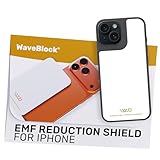
- Created by a Concerned Father to Protect His Kids and Family: WaveBlock was born from a father's determination to protect his children. Driven by concern over their extended use of electronic devices, he developed electromagnetic wave blockers designed to help reduce exposure to electronic signals.
- Smarter Alternative to Common Options: WaveBlock offers a thoughtfully designed solution made with premium materials and exceptional attention to detail.
- Thoughtfully Developed and Patented Design: WaveBlock has invested over $1 million into the research and development of its patented stickers, which have been tested in professional lab settings to evaluate their performance.
- Designed and Assembled in the USA: WaveBlock stickers are designed and assembled in the USA. We aim for consistent quality in every product.
- Satisfaction Commitment: WaveBlock stickers are the result of extensive design and development efforts aimed at delivering reliable performance. If your product arrives damaged, we’re happy to assist with a prompt replacement.
Mozilla attributes its inability to bring the full Firefox add-on experience to iPhone to Apple’s app-distribution and browser policies, and describes the new blocker as a specific workaround. That is Mozilla’s account, not a settled legal or neutral technical finding. A 2024 UK Competition and Markets Authority working paper records vendor submissions as well as Apple’s stated security and privacy concerns about extension models; it does not settle the engineering question. Read the CMA working paper.
Independent reader supportYour contribution helps us test, update, and keep practical guides available for everyone.Which browser should you choose?
- Choose Firefox if you want to try a browser with an ad-blocking control built in and it is available in your app. Expect some ads and sponsored placements to remain.
- Choose Safari if you prefer Safari and are willing to install and configure an extension for ad blocking. Safari also has privacy protections, including iOS 26’s broader Advanced Fingerprinting Protection.
- Decide based on the specific protection you need. Ad blocking, tracker blocking, and fingerprinting protection address different things; one does not automatically imply the others.
There is no controlled head-to-head test in the cited sources that establishes which browser blocks more ads or trackers. The supported distinction is that Firefox offers an optional built-in blocker, while Safari’s documented ad-blocking path is through extensions.
Outdated Drivers Are Slowing You Down
One free scan finds every outdated or missing driver and matches the right update for your exact hardware.Free scan · exact hardware matchWindows Errors? Fix Them Before They Spread
Repair common Windows errors and clear accumulated junk for a smoother, more stable PC - no reinstall needed.Free scan · no reinstallQuick Recap
Best Value

- 💻 Why Do You Need a Webcam Cover Slide? — Safeguard your privacy by covering your webcam with our reliable webcam cover when not in use. Don't let anyone secretly watch you. Stay protected!
- ✅ Thin & Stylish — Enhance your laptop's functionality and aesthetics with our 0.027" ultra-thin webcam covers. Seamlessly close your laptop while adding a touch of sophistication.
- ✅ Fits Most Devices — Compatible with laptops, phones, tablets, desktops! Keep your privacy intact on Ap/ple, Mac/Book, iPh/one, iP/ad, H/P, L/novo, De/ll, Ac/er, As/us, Sa/msung devices.
- ✅ 365 Days Protection — Our upgraded 3.0 adhesive ensures a strong hold that won't damage your equipment. Experience reliable, long-term privacy protection day in and day out.
- ✅ Easy to Use — Simplify your privacy protection with 4 easy steps—clean, apply adhesive, align with the camera lens, press for 10 seconds, and slide to close. Note: Not suitable for full-screen or notched tempered film devices.
Rank #4
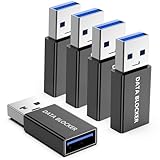
- ✨ Absolutely Safe: Features an internal physical data line cut design, permanently disconnecting the data pins in the USB interface, leaving only the power pathway, effectively eliminating the risk of data leakage.
- ⚡ Fast Charging Without Slowdown: usb-a to usb-a data blocker Adapter supports charging up to 100W and is compatible with multiple fast charging protocols. Charging speed is the same as the original charger, ensuring both safety and efficiency.
- 🔗 Wide Compatibility: Suitable for all devices that use various charging interfaces. Whether it’s iPhone, Android phones, iPad, tablets, Bluetooth headsets, or power banks, just plug and play.
- 👌 Compact and Portable: The usb a to usb a data blocker adapter weighs only 5.0 grams, as compact as a USB drive. Protects safe charging anytime, anywhere.
- 🎯 Plug and Play: No drivers, no apps, no complicated setup required. Simply insert into a public USB port and connect your charging cable to start safe charging.
Product prices and availability are accurate as of the date/time indicated and are subject to change. Any price and availability information displayed on Amazon at the time of purchase will apply.

