
What’s actually slowing this PC down?
Pick the symptom - the matching free tool is one click away.
iTechGuides is reader-supported. When you buy through links on our site, we may earn an affiliate commission. As an Amazon Associate I earn from qualifying purchases. Learn more
A remote access tool is software that lets someone connect to and access a computer, server, or network from somewhere else. Depending on its purpose and configuration, it may let a helper control a user’s desktop, let an administrator manage systems, or monitor devices across an organization. Those uses are related, but they do not all grant the same access.
What does “remote access tool” mean?
The joint CISA, NSA, FBI, MS-ISAC, and INCD guide defines remote access software as software that enables a user to connect to and access a computer, server, or network remotely. In an organizational setting, NIST describes remote access more narrowly as access to an information system by a user or system communicating through an external, non-organization-controlled network, such as the internet.
In everyday use, “remote access tool” is an umbrella term, not the name of one specific feature or product. It can refer to software for remote assistance, interactive desktop access, system administration, or ongoing device monitoring. The exact capabilities depend on the tool and how it is deployed.
What can a remote access tool do?
Provide remote assistance
A support tool can let a trusted helper view or take control of another person’s computer to diagnose and address a problem without being physically present. Microsoft describes Windows Remote Assistance as a way for a trusted helper to take over a PC to help resolve an issue.
#1 Best Overall

- Multifunction, Wireless Mini QWERTY Keyboard & IR remote & Fly Mouse Combo, with USB interface receiver . Generally, this keyboard works well on smart TV. But different smart TVs have diverse systems,especially Samsung smart TV. so we can't make sure it is compatible with any system.:) Before you place order . Try the common wired keyboard and mouse on your smart TV.If the keyboard and mouse all work well, this keyboard-mouse combo can,too.
- Built-in advanced lithium-ion battery, energy-efficient.support USB charge,when press and drag at the same time,if the mouse freezes for a couple of seconds,you can use the USB extension cable on your device . You can use it for emails,to enjoy your favorite games. It is compatible with HTPC,TV BOX running Android systems
- Innovative Shape,Portable, elegant, Perfect for PC, Pad, Android Tv Box, Google TV Box, Xbox 360, PS3, HTPC, IPTV.Not work with the amazon fire tv stick !
- In any circumstance, it does a good job! 1. Press the SET button for more than 4 seconds, the yellow LED will blink once and lit. 2. Align the Rii remote IR Light with the original remote IR Light. (note: distance less than 7cm). Then, press the key to be programmed, LED indicator will flash twice and be on, which means the key is ready for programming. 3. Press the key to be programmed in the original remote. Rii remote LED will flash three times and be on, indicating the programming is complet
- Repeat steps 2-4 and finish the programming for other keys. 5. Press Set or leave it without any operation 10 seconds. Rii remote will exit programming mode. Note: The remote control can only support a remote control.
Connect to and use another computer
Remote desktop software lets a user connect to another computer over a network and interact with it. Microsoft Remote Desktop, for example, can provide access to the other computer’s screen, files, applications, keyboard, and mouse. A connection may also request access to local resources, so the user should review what the session will share.
Administer and monitor systems
Remote administration tools can provide access to networks or applications and allow administrative control. Remote monitoring and management (RMM) software typically uses agents to report endpoint health and status and may also support administration. The joint government guide describes these tools as useful for IT, operational technology, and industrial control system management.
Rank #2

- 【Easy to Connect & Use】The mini wireles keyboard remote is connected via USB receiver(included) and the work distance up to 10 meters. Just plug and play. very easy to connect and use. Powerful function (keyboard + touchpad + mouse) very perfect for browsing the web, playing games or watching TV.
- 【Widely Compatibility】The mini keyboard with touchpad can be used for Android TV box, smart TV, PC, Pad, Raspberry PI, PS3, x-box, desktop, laptop, smart phone,HTPC/IPTV, etc. If there is not a USB port, you need to prepare a OTG cable.
- 【Mutil-Colors Backlit and Rechargeable Battery】The USB mini keyboard has mutil-colors of backlit mode which can clear operate the keys when work at night, don't need to turn on the light which disturbing your families. With auto sleep and wake-up function, and comes with a rechargeable Li-ion battery, it can work for a long time.
- 【Portable Keyboard】 This small keyboard is designed Small and handheld design, has a innovative shape and petite size, takes up very minimal space in you bag and just makes you say goodbye to chunky keyboard to horizon a new experience of office entertainment anywhere, anytime.
- 【Sensitive Touchpad & Hotkeys】Wireless mini keyboard with multi-finger touchpad and combo with 8 hotkeys can easy and accurate manipulation. Easy to type and copy / paste, making it faster and more convenient for you browse the page.
Administrative tasks may include troubleshooting, collecting device-health information, automating maintenance, configuring computers, recovering or backing up systems, and applying patches. A particular tool or deployment may not include every function on this list.
How are remote assistance, remote desktop, and RMM different?
| Type | Typical purpose | What access may involve |
|---|---|---|
| Remote assistance | Help a user troubleshoot a device | A helper may view or take control of the user’s PC |
| Remote desktop | Use another computer over a network | Interact with its screen, applications, files, keyboard, and mouse |
| Remote administration | Manage remote networks or applications | Administrative access and control |
| Remote monitoring and management (RMM) | Monitor and maintain endpoints | Agents report device health and status and may support administration |
These categories can overlap. The useful distinction is what the session is meant to do, what devices or resources it can reach, how much control it grants, and how access is approved and monitored.
Rank #3
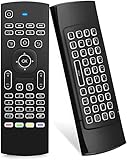
- Multifunctional fly Remote : 2.4G wireless Keyboard and Combo, 6-Axis Somatosensory and Infrared remote control,please note that this remote do not fit for amazon fire TV and Fire TV stick ,or some samsung and sony smart TV (the User manual Attention ).
- Plug and Play: With 3-Gyro + 3-Gsensor, it’s more convenient to operate in horizontal and vertical mode for games and typing,how to pair,firstly, make sure the new enough power battery install properly,secondly press OK+TV at the same time for 3 seconds,the red LED indicator will flash fast,then insert the USB dongle into the USB port of the device,red LED indicator stopped flashing,means pairing succeed.
- Wireless remote keyboard with LED Backlight buttons, its much convenient for you to use in the pitch-dark night,please note that the batteries not included ,Please use 2*AAA to install,how to use,remove the back cover,and insert 2*AAA batteries,then plug the USB dongle into the USB port of your device ,remote will paired with the device automatically, test by moving remote to see if the cursor is moving,if not, and red LED indicator is not flashing,press cursor lock button and try again,if still not,try plug the USB dongle into another USB port .
- It Support Android TV Box, Android Smart TV, Projector, HTPC, All-in-one PC,Xbox, Raspberry Pi,Mini PC,Networked set-top Box, etc.
- This remote is a universal remote controller, it is normal thata few keys might not be applicable to your device because of different codes by different manufacturer, Up to 5 keys can be programed from your TV remote, it is much easier for you to control both TV and Android TV Box with one remote.
Are remote access tools safe?
They can be legitimate and useful, but their power makes access controls important. The same capabilities used to troubleshoot or maintain systems can be abused by threat actors to keep access to an environment, move between systems, or remove data. That risk depends on who is authorized, which systems are reachable, how sessions are controlled, and whether activity is monitored; the category itself does not mean a tool is malicious.
For organizations
- Keep an inventory of authorized remote access tools.
- Review logs for unusual or unauthorized activity.
- Require authorized RMM solutions to be used through approved remote access paths.
These safeguards are recommended in CISA’s #StopRansomware Guide. The joint government guide also explains how remote access software can be used for both legitimate administration and malicious activity.
Rank #4

- 【Dual-Sided Design & Dual-Mode Connection】 2-in-1 bluetooth air mouse remote keyboard with minimalist controller on one side and responsive QWERTY keyboard on reverse; supports free switching between Bluetooth and 2.4GHz modes for stable lag-free smart device control
- 【Universal Device Compatibility】 Handheld air mouse keyboard pairs seamlessly with Smart TVs, Android TV Boxes, Laptops, Projectors, HTPCs, Windows and Mac systems; replaces bulky separate peripherals with an all-in-one wireless input solution (note: no backlight function)
- 【6-Axis Gyro Air Mouse Control】 High-precision 6-axis gyroscope sensor enables smooth intuitive cursor control from the couch; ergonomic slim grip supports comfortable one-handed operation for browsing, theater navigation and casual gaming on Android TV Boxes or HTPCs
- 【Rechargeable Battery Supply】 Built-in rechargeable battery with Type-C port delivers long-lasting power for extended use; offers eco-friendly power solution without frequent battery replacement (note: charging cable is not included in the package)
- 【One IR Learning key】Power is a blank button and needs to be learned before working, which allows you to freely learn basic functions (Power, Channel, volume, and mute etc) in your TV.
For individual users
- Only allow a helper to connect when you initiated contact with the organization directly. Microsoft gives this advice for support sessions.
- Before opening a Remote Desktop connection file, check whether it requests access to resources such as your clipboard, drives, or camera.
Microsoft says its Remote Desktop Connection app began showing new warnings when opening RDP files with the April 2026 security update. The warning is a reason to review the requested access before proceeding, not to assume every connection file is malicious.
Free tools Windows power users keep installed
One-click scans. No signup required.
Examples of remote access software
Windows Remote Assistance is an example of remote support: a trusted helper can take over a PC to address a problem. Microsoft Remote Desktop is an example of remote desktop access: it connects to another computer over a network for interactive use. These examples illustrate different capabilities; they are not an exhaustive list of remote access tools or technologies.
Quick Recap
Best Value

- 【Broad Compatibility + Dual-Mode】Air Mouse Keyboard with 2.4GHz & Bluetooth dual-mode, widely compatible with Smart Android TV Boxes, PC Laptops & Projectors for seamless multimedia use. Note: Limited compatibility with devices using proprietary software (e.g., LG/Samsung smart TVs). Test with a wired keyboard first.)
- 【6-Axis Precision】6-Axis Gyroscope Sensor delivers lag-free, accurate control for this air mouse remote with keyboard, with ergonomic single-handed operation for browsing and media selection
- 【Light-Press Buttons + Vibrant Backlight】Air Mouse Keyboard features with light press force, fast response, and easy input. 7-color RGB backlight ensures clear keys in the dark for effortless typing.
- 【One IR Learning key】Power is a blank button and needs to be learned before working, which allows you to freely learn basic functions (Power, Channel, volume, and mute etc) in your TV. Powered by 2 x AAA batteries (NOT included) with long-lasting battery life.
- 【Quality Guaranteed + Support】This ipazzport remote comes with a worry-free warranty and dedicated customer support, ensuring reliable use of your air mouse keyboard for everyday multimedia needs.
Sources
- CISA, NSA, FBI, MS-ISAC, and INCD, Guide to Securing Remote Access Software, published June 6, 2023.
- NIST, “remote access” glossary.
- Microsoft Support, Solve PC problems remotely with Remote Assistance.
- Microsoft Learn, Understanding security warnings when opening Remote Desktop (RDP) files.
- CISA, #StopRansomware Guide.
Product prices and availability are accurate as of the date/time indicated and are subject to change. Any price and availability information displayed on Amazon at the time of purchase will apply.

