
iTechGuides is reader-supported. When you buy through links on our site, we may earn an affiliate commission. As an Amazon Associate I earn from qualifying purchases. Learn more
For user-facing reliability paging, alert on whether customers are experiencing failures and how quickly those failures are consuming the service’s error budget. CPU utilization is useful diagnostic evidence—and can justify a narrowly targeted preventive alert near a hard limit—but it is not, by itself, proof that users are being harmed.
Why error-budget alerts are a better paging signal
A CPU threshold describes an internal condition. High utilization may precede a problem, but it does not necessarily mean the service is failing for users; conversely, users can experience failures while CPU remains ordinary. Google’s incident-management guidance puts the distinction plainly: “Alerts should be based on end-to-end measures of customer/client experience, not based on a system’s internal behavior.” Google SRE’s alerting guidance recommends symptom-based alerting because internal metrics may not map reliably to impact and can become fragile as implementation changes.
An SLI-based alert instead measures a user-visible property—such as successful requests or latency against a threshold—and asks whether the service is meeting the objective promised by its SLO. When the SLI shows that failures are consuming the available error budget unusually quickly, the alert conveys both impact and urgency. CPU and other diagnostic metrics still matter; they help responders investigate why the symptom is occurring.
What an error budget and burn rate mean
An error budget is the failure a service can tolerate while still meeting its SLO over its measurement period. Its meaning depends on the SLI: for an availability objective, the budget represents permitted unavailability; for another objective, it corresponds to the allowed shortfall in that measurement. Google’s SRE guidance gives a 99.99% availability target as an example, which permits 0.01% unavailability. Google SRE’s availability table
#1 Best Overall

- 【Heavy-Duty 9 Outlet PDU】 Designed for standard 19" server racks, this 1U rack mount power strip provides 9 US standard outlets (15A/125V/1875W), ideal for data centers, network cabinets, and audio-visual setups needing reliable power distribution.
- 【Individual Switch Control】 Each outlet is equipped with its own illuminated on/off switch, so you can manage connected devices individually instead of unplugging them. The switch modules are fully independent: if one outlet trips, only that outlet shuts down while all remaining outlets keep running normally — no whole-strip shutdown, no interruption to your other equipment. A tripped switch also tells you exactly which device has reached its load limit, giving you faster, more sensitive overload protection and a clear visual cue for troubleshooting.
- 【Overload Protection & Power Monitoring】 Equipped with overload protection and a digital power monitoring display, this PDU safeguards your equipment from overloads while providing real-time voltage and current data for secure operation. The switch will automatically trip if the current exceeds 15A. Simply having wires or cables touch the switch will not cause it to trip — the switch only responds to an overload condition.
- 【Durable Metal Construction】 Built with a sturdy metal housing and a 14AWG heavy-duty 6.5FT power cord, ensuring durability and stable performance even in high-demand environments like professional server rooms and industrial settings.
- 【Versatile Installation】 Ideal for studios, labs, and data centers, ensuring peak performance and reliability. Designed for 1U rackmount for hassle-free cable management. Supports horizontal installation in server racks with included mounting brackets.
Burn rate expresses how quickly the service is spending that budget relative to the SLO. A burn rate of 1 would use the full budget over the SLO window if the observed rate continued. A faster rate exhausts it sooner. For example, Google’s SRE Workbook explains that with a 99.9% SLO over 30 days, a burn rate of 1 corresponds to a 0.1% error rate and 30 days to exhaust the budget; a burn rate of 10 corresponds to a 1% error rate and three days to exhaust it. Google SRE Workbook: Alerting on SLOs
How to set up SLO burn-rate alerts
- Define the promise. Choose a user-facing SLI and an SLO with a stated measurement window. Define which requests or events count; the denominator and the failure condition must reflect the service’s actual promise.
- Calculate budget consumption. Measure the fraction of the SLO’s error budget consumed over a window, then relate that rate to the full SLO period. A burn rate makes clear whether the current error rate would exhaust the budget slowly or rapidly.
- Use more than one window and urgency threshold. A fast window can catch acute incidents; a slower window can identify sustained degradation. Google’s workbook gives example paging baselines of 2% of budget consumed in one hour and 5% in six hours, plus a ticket baseline of 10% in three days. These are starting examples, not universal standards; tune them to traffic, service behavior, and on-call capacity.
- Choose the response route. Page when immediate intervention is warranted, create a ticket when work is needed but can wait days, and retain information in logs when no immediate response is required. The notification should tell the responder which SLI and SLO are affected, the relevant window, and where to inspect the service dashboard.
- Keep impact and diagnosis together. Put SLI and SLO views prominently on the service dashboard so responders can confirm customer impact. Keep CPU, saturation, and other diagnostic metrics available for investigation; a symptom alert identifies that something is wrong, not necessarily why.
Choose pages, tickets, and logs deliberately
| Signal or route | What it tells the team | Typical response | Main caution |
|---|---|---|---|
| SLI/SLO burn-rate page | User-visible reliability is deteriorating and budget is being consumed at a consequential rate. | Immediate investigation and action when the threshold is crossed. | Thresholds and windows need tuning to the service; a copied baseline may not suit its traffic. |
| Slower budget-consumption ticket | Degradation merits work, but is not currently urgent enough to interrupt the on-call responder. | Schedule and address within the team’s response horizon. | Do not route a signal that needs immediate action to a ticket. |
| CPU or other internal-metric alert | An internal condition may be developing; near a hard limit, it may predict abrupt failure. | Investigate or intervene when a specific failure mode is imminent; otherwise use it diagnostically. | Utilization alone does not establish customer harm, so broad threshold paging can be noisy or miss failures elsewhere. |
| Log or passive metric | Useful context or a condition that does not require immediate response. | Review during investigation or routine analysis. | Do not rely on passive records for a condition that needs timely action. |
Google’s alerting guidance allows preventive internal alerts when a hard resource quota is close enough to cause an abrupt failure. That is a targeted exception, not a reason to make every elevated CPU reading page-worthy. Tie such an alert to a concrete risk, such as an imminent capacity ceiling, and decide whether the available response time makes paging necessary.
Rank #2

- High-Resolution Touch Display – Features a 6.91 inch LCD with 1424x280 resolution, delivering sharp visuals and responsive touch control for efficient server management. NOTE: There will be a protective film on the screen surface. Please remove it before use.
- 10 inch 1U Rack-Mountable Design – Compact and space-saving, this monitor fits seamlessly into 10inch server racks, making it ideal for data centers and network cabinets.
- Compatible with DeskPi RackMate Series – Specifically designed for DeskPi RackMate T0/T1/T2/T0 Plus/T1 Plus/TL1/T1/2 Plus Server Cabinet and Standard 10 inch Server Rack, ensuring perfect integration and ease of installation.
- User-Friendly Touch Interface – The capacitive touchscreen allows for intuitive operation, reducing reliance on external input devices.
- Durable & Efficient for Server Use – This monitor offers reliable performance in server environments with low power consumption and robust construction.
Adapt burn-rate alerts for low-traffic services
Short-window error ratios can look severe when request counts are small. Google’s workbook notes that one failed request in an hour with only 10 requests produces a 10% hourly error rate. That ratio may represent a meaningful user failure, but it can also make a copied high-volume threshold behave badly during quiet periods.
What’s actually slowing this PC down?
Pick the symptom - the matching free tool is one click away.
When setting alert logic for a low-volume service, inspect the count behind the ratio as well as the percentage. Account for normal quiet periods and how quickly a small number of failures can move the SLI. Decide whether the resulting signal is sufficiently actionable for a page or better routed to a ticket; do not assume high-traffic thresholds transfer unchanged.
Rank #3
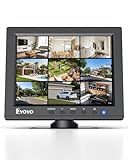
- EXTENDED USE: Designed for security monitoring and other long-running display tasks, this compact screen is suited for CCTV, DVR, NVR, server rooms, equipment checks, and other setups needing a dedicated display
- CONNECT YOUR GEAR: HDMI, VGA, BNC, and AV inputs support PCs, DVRs, NVRs, cameras, retro computers, and other video sources. USB Media Playback lets you play compatible videos, photos, and music without a PC
- CLEAR 4:3 VIEW: The native 1024x768 resolution and 4:3 aspect ratio match many surveillance systems, legacy computers, and industrial equipment, helping you view content without forcing a widescreen format
- SECURITY MONITORING: Use this small display as a dedicated screen for CCTV cameras, DVRs, and NVRs. Its compact size works well in control areas, equipment rooms, workbenches, and other space-limited monitoring stations
- IT & SERVER WORK: Keep a dedicated screen near your equipment for BIOS setup, server access, network troubleshooting, device testing, and maintenance without taking up the space of a full-size monitor
What a burn-rate alert cannot explain
An SLO dashboard can show that an objective is being violated without identifying the cause. Google’s SRE guidance recommends keeping service data available for diagnosis alongside the SLI view. Google SRE Workbook: Monitoring A CPU graph belongs in that investigation: it can help determine whether resource pressure contributed to the customer-visible symptom, but it should not replace the symptom signal.
Likewise, a budget alert is not a complete monitoring strategy. Teams still need to decide which user journeys the SLI represents, what degree and duration of budget consumption deserves interruption, and which preventive limits could fail abruptly. The alert is useful when its evidence points to a customer-relevant condition and its route matches the time available to respond.
Quick Recap
Rank #4

- Efficient Power Distribution: The Metered PDU is designed to efficiently distribute power to devices in a rack. It features 6 C13 outlets with a maximum output of 15A and a 6.5ft power cord for easy installation
- Wide Voltage Compatibility: Supports a universal voltage range of 100-250V, making it compatible with various power sources including utility outlets, generators, and UPS systems for versatile applications
- Real-Time Power Monitoring: Features a built-in power meter with OLED display that allows you to monitor voltage, amperage, and power usage in real-time for better energy management
- Enhanced Safety Features: Equipped with built-in surge protection module and L and N double-break switch to protect your valuable equipment from power surges and electrical hazards
- Durable Rack-Mount Design: Constructed with anodized T6 hardened aluminum profile for durability and longevity, designed to fit standard 19 inch 1U rack-mount configurations with included cage screws
Product prices and availability are accurate as of the date/time indicated and are subject to change. Any price and availability information displayed on Amazon at the time of purchase will apply.

