
iTechGuides is reader-supported. When you buy through links on our site, we may earn an affiliate commission. As an Amazon Associate I earn from qualifying purchases. Learn more
To remove the legs from a Samsung QLED TV, first identify the full model code and follow the matching Samsung installation guide. QLED TVs do not all use the same leg-release method, screw count, or tool. Turn the TV off, unplug it, disconnect cables, and protect and support the screen before working on the stand.
Find the instructions for your exact TV
“Samsung QLED” covers different model years, sizes, and stand designs. Find the complete model code on the TV or its documentation, then search for that code on Samsung Support and open the model’s installation guide. The support page for the QN65QN60FAF, for example, lists an installation guide and user manual, but those instructions apply to that model—not to every QLED TV.
Samsung’s 2021 Q60A guide covers particular QN75Q6*A and QN85Q6*A models. Use it only if your set matches the models covered. If your model’s guide is unavailable or its pictures and instructions do not match your TV, stop rather than guessing how the legs release.
Outdated Drivers Are Slowing You Down
One free scan finds every outdated or missing driver and matches the right update for your exact hardware.Free scan · exact hardware matchWindows Errors? Fix Them Before They Spread
Repair common Windows errors and clear accumulated junk for a smoother, more stable PC - no reinstall needed.Free scan · no reinstallPrepare the TV and work area
- Turn off and disconnect the TV. Unplug its power cord and disconnect cables that could restrict movement. Samsung’s disassembly guidance calls for disconnecting the TV from its power source before disassembly.
- Clear a protected work surface. Use a clean, soft, cushioned surface large enough to support the screen. Samsung’s disassembly guidance specifies a protected surface and cushion.
- Arrange help before moving the set. Have another person help support the TV’s screen and body. Keep it controlled as you place it screen-down on the prepared surface; do not let its weight rest on an unprotected screen or edge.
Remove the legs using the model’s instructions
- Check the installation guide for how each leg attaches and the specified release steps.
- Follow those steps for each leg, keeping the TV supported. Use only the tools and hardware instructions stated in the guide.
- If a leg resists, the attachment differs from the guide, or you cannot tell how it releases, stop. Do not pry, pull harder, or assume that another Samsung model’s screw or clip arrangement applies.
The available Samsung instructions are model-specific; they do not establish a universal screw location, screwdriver, clip release, or pulling direction.
#1 Best Overall

- 【Universal TV Stand Holds 32"-70" TVs 】The TV stand mount fits 32" - 70" LCD/LED/OLED Flat/Curved screen or monitor hold up to 99lbs, compatible faceplate fits VESA 100X100mm, 100X200mm, 200X100mm, 200X200mm, 200X300mm, 300X200mm , 300X300mm , 400X200mm , 400X300mm , 400X400mm.
- 【8 Levels of Height Adjustment】This table top tv stand offers 2 mounting bracket options and 4 height settings, allowing you to customize the viewing height for optimal comfort while watching your 70 inch tv or smaller screens.
- 【Install TV Stand Base in 15 minutes】 Our TV Stand with mount comes with an instruction manual for quick and easy installation using the supplied accessories. Easy to install TV stands in just 15 minutes. The tabletop TV stand allows you to mount your TVs and AV equipment on an entertainment center or desk/table.
- 【DURABILITY & SAFETY】Our TV mount stand is compatible with Samsung, Sony, LG, Insignia, Vizio, Haier, Toshiba, Sharp, Element, and TCL TVS. Black tempered glass gives an added touch to your home theater system while providing security and stability when mounting your devices.
- 【WORLD-CLASS CUSTOMER SERVICE】Patent No.: US D853,403 S. Our TV stand base includes friendly customer service. We provide standard mounting hardware to make installation as easy and convenient as possible. If you have any problems, please feel free to contact us.
If you are removing the legs to wall-mount the TV
Leg removal does not establish that a wall mount fits or that the TV is safely installed. Check the matching Samsung guide for compatible parts and mounting instructions before choosing hardware. Samsung’s Q9FN manual recommends using Samsung-provided parts for stand or wall-mount installation and says, “Always have two people mount the TV onto a wall.” That guidance is specific to the Q9FN manual; follow the instructions for your own TV. The manual also warns that pulling, pushing, or climbing on a TV can cause it to fall and describes securing it to a wall to reduce that risk.
Keep the set supported and stable after removing the legs. If you are not mounting it immediately, place it on a suitable stable surface rather than leaving it standing unsupported.
Quick Recap
Best Value
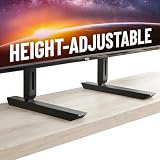
- Universal Compatibility: Designed to fit TVs from 49" to 77", including Samsung, Sony, LG, Vizio, and more. Perfect for replacing factory legs on models like Samsung 65-inch and Vizio 50-inch TVs.
- Height Adjustable: Customize your viewing experience with up to 8.5" of height adjustment, leaving room for soundbars, consoles, or other AV equipment.
- Rock-Solid Stability: Built with heavy-duty steel to support up to 100 lbs, ensuring your TV stays secure and wobble-free on any surface.
- Scratch-Free & Non-Slip Design: Rubberized feet protect your furniture and keep your TV firmly in place, even on smooth surfaces.
- Quick & Easy Setup: Includes all necessary hardware for a hassle-free installation, compatible with most major TV brands.
Rank #4

- 【TV Stand Base Holds 37-90 inch TVs】This TV legs is compatible with large screens up to 90 inches,including 37" 40" 43" 50" 55" 60" 65" 70" 77" 75"82” 85" 86" 90” flat or curved TVs. Perlegear TV stand compatibility from 200 x 200mm to 800 x 500mm,Free up enough space under your large TV for a DVD player or home decorations.
- 【Maximum Load Capacity is 150 lbs-Ensure More Security】The universal TV stand features 15″ heavy-duty reinforced steel feet and a support pillar to hold TVs up to 150 lbs. Anti-slip pads on the bottom of the TV stand legs enhance stability to ensure a wobble-free TV and a soundbar.
- 【8 Levels of Height Adjustment-Get an Optimal Viewing】The TV base features 8 levels of adjustment you can choose, heights from 26.38" to 32.28". The TV replacement legs are compatible with many TV sizes and can improve viewing height to help avoid neck and back discomfort often caused by an improperly placed screen.
- 【Easy Installation within 10 Minutes】The TV stand mount included detailed instructions and standard hardware. Enjoy quick and easy assembly with no drilling required. Please contact our U.S.-based product support team if you have any questions.
- 【Wire Management Design-Provide a Cleaner Desktop】The Wire clips help to manage cables for a neater, cleaner-looking living space And the table top tv stand is specially designed with soundbar isolation pads to minimize soundbar vibration and enhance stability for better sound.
Rank #3

- COMPATIBILITY - The TV Stands hold most 20" – 65" TVs and support weight up to 50kgs. Compatible with VESA from 75x75mmmm up to 800x500mm.
- MULTI ADJUSTABLE - 2 level height adjustable mounting holes for better-viewing flexibility
- PROTECTION - 3mm feet soft pad on base prevents scratching of floor or cabinet surface
- INSTALLATION - mounting Has never been so easy: 20 minutes to install it
- PACKAGE INCLUDES - TV stand (Black) x 1, mounting hardware kit x 1, User manual x 1
Rank #2
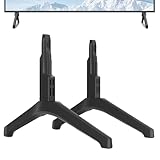
- Replacement TV Stand Legs for Samsung TV Models: for UN43TU7000F, UN43TU700DF, UN43TU700DFXZA, UN43TU7000BXZA, UN43TU7000FXZA, LH43BETHLGFXGO, UN43CU7000, UN43CU7000FXZC, UN43CU7000FXZA, UN43TU8000, UN43TU8200, UN43TU8000FXZA, UN43TU8000FXZC, UN43TU8200FXZA. Not for Other Models.
- Safety and Stability: Our TV stand legs are made of PP GF4 material, ensures strength and durability. With this robust construction, our stand for Samsung TV stand can effortlessly support flat screen panel TVs weighing up to 80 lbs, providing a reliable and steady base for your TV.
- No Drill Installation: TV stand for Samsung TV feet safeguarding your walls from damage and unsightly holes, preserving their pristine condition.
- With 4MM Non-Slip Pad: A firm grip on all types of furniture surfaces without causing any scratches.
- Quick & Easy Assembly: No screws needed, no more go out searching for screws or complicated instructions. Just lay down your TV first and then follow the mark sign "L" and "R" to put the tv legs inside your TV bottom. 2 steps in 3 minutes, you can finish the installation by yourself without any hassle. Say goodbye to the frustration of complex installations.
Product prices and availability are accurate as of the date/time indicated and are subject to change. Any price and availability information displayed on Amazon at the time of purchase will apply.
Quick wins for a faster PC:
Repair Windows errors before they cause bigger problemsFix Now →Fix the driver behind crashes, sound loss and screen glitchesFind Drivers →
