
Do these 3 things before closing this tab:
1Repair Windows errors before they cause bigger problems2Scan for outdated or missing drivers - takes under a minute3Clear out junk files and repair common Windows errorsiTechGuides is reader-supported. When you buy through links on our site, we may earn an affiliate commission. As an Amazon Associate I earn from qualifying purchases. Learn more
To factory reset an onn Roku TV that responds to its remote, press Home and go to Settings > System > Advanced system settings > Factory reset > Factory reset everything, then follow the on-screen instructions. If the TV is unresponsive, use its physical Reset control only after checking the model-specific button location and instructions.
A factory reset erases settings and account linkage and returns the TV to initial setup. Before starting, make sure you can sign in to your Roku account and Wi-Fi network, and have the streaming-app credentials you may need afterward.
What to do before resetting
A factory reset removes most personal data, preferences, account linkage, and settings. You will need to complete Guided Setup again before streaming, reinstall apps, and may need to sign in to each app. If the TV was linked to someone else’s Roku account, that account holder’s credentials may be needed to activate it.
Quick wins for a faster PC:
Scan for outdated or missing drivers - takes under a minuteDriver Scan →Repair Windows errors before they cause bigger problemsFix Now →Fix the driver behind crashes, sound loss and screen glitchesFind Drivers →Have these details ready:
- Your Roku account email and password
- Your Wi-Fi network name and password
- Your streaming-service login details
- Your parental-control PIN, if one is set
Roku describes the reset effects and setup requirements in its factory-reset instructions.
#1 Best Overall

- Compatible with All ONN Roku TV Remote 100007147 3226000858 for 100012584 100012585 100012586 100012587 100012587 100012589 100012590 100018971 100005395 100005396 100005397
- Universal Replaced for ONN RC-AFIR Roku TV Remote Control, Compatible with ONN Roku TVs
- Preprogrammed--No need any setup or programming. Putting batteries in and Works. Batteries and User Manual are not included.
- Precisely control far from 30 feet and it supports over 160,000 clicks for all buttons via approved tests.
Factory reset an onn Roku TV with the remote
- Press Home on the Roku remote.
- Open Settings.
- Select System.
- Select Advanced system settings.
- Select Factory reset.
- Select Factory reset everything.
- Follow the confirmation instructions on the TV screen.
The Roku mobile app may also let you navigate the menus if it can control the TV. Menu wording can vary slightly by software version, so follow the current on-screen labels if they differ.
If the TV is unresponsive or you do not have the remote
Use the TV’s physical Reset control. onn Roku TV models do not all use the same button type or location: a set may have a tactile button or a recessed pinhole, while other models may use a different arrangement. Check the model number on the rear label or, if the menus are accessible, at Settings > System > About. Then consult Roku support and onn’s model-specific support information for the correct control and instructions.
Rank #2

- No Setup Required: the remote control replacement for Roku TV which can solve your home backup remote control needs. Simply Insert 2 AAA batteries (Not included) , then turn on your device and it will automatically pair, perfectly replacing your original remote control
- Upgrade Material: our remote replacement is made of high quality ABS and silicone, ABS improves durability, can be used for a long time, and also keeps you and your children away from harm
- Completely Compatible: the replacement remote controls only for roku series TVs, compatible with TCL Roku TVs, Hisense Roku TVs, Onn Roku TVs, Sharp Roku TVs, Philips Roku TVs
- Notice: Only for roku tv, not for roku stick/roku box 1/2/3/4(HD/LT/XS/XD), not for roku ultra/roku express/roku premiere and roku player
- Key Features: Get to favorite apps quickly with 8 shortcut buttons for Disney, Netflix, YouTube, Hulu, Primevideo sling, Apple TV+ and VUDU. Strongest signal by mature infrared technology, farther transmitting distance, stable performance, following the movement of the tv page without obvious delay
For a pinhole-style Reset control, Roku says to use a paperclip. It is only needed for that recessed-button design; do not force an object into a control that is not a pinhole. Roku’s general Roku TV guidance says to press and hold Reset firmly for about 10 seconds while the TV is powered on, then release after it restarts and reaches the initial setup screen. Holding the button too long may send the TV into Recovery Mode instead, so follow the instructions for your specific model.
Try a restart before erasing the TV
If the problem is a temporary freeze, try a system restart first. A restart does not erase settings or unlink the TV. Roku says you can restart from the Settings menu or unplug the device for at least 10 seconds and reconnect it. This is a less invasive step than a factory reset; see Roku’s restart instructions.
Rank #3

- Compatible devices - Roku TV models ONLY
- NOT compatible devices - Roku Streaming Players, Roku Audio, or other smart TVs
- Made by Roku for Roku TV - Stream easy with an official Roku remote, designed to work seamlessly with your Roku TV.
- No juggling remotes - Power up your Roku TV, adjust the volume, mute, and control your streaming with an official Roku remote.
- Simple setup - Ready to control your Roku TV in just one step. Comes with pre-installed batteries.
When Recovery Mode is appropriate
Recovery Mode is a separate escalation for serious software problems—for example, a TV that repeatedly restarts or remains stuck on the logo after simpler troubleshooting. It reinstalls the Roku operating system and is not the same as an ordinary factory reset.
Roku’s troubleshooting guidance says to hold Reset for at least 20 seconds and release when the Recovery Mode screen appears. Do not use this hold duration for the ordinary hardware reset. If Recovery Mode does not resolve the startup problem, contact Roku or the TV manufacturer. See Roku’s Recovery Mode guidance.
Quick Recap
Best Value

- Compatible Devices: Universal remote only for Roku TV, Compatible with Roku TV models, TCL Roku TV, Onn Roku TV, Hisense Roku TV, Westinghouse Roku TV, Sharp Roku TV, Philips Roku TV, JVC Roku TV, RCA Roku TV, Insignia Roku TV, Element Roku TV, or Sanyo Roku TV.
- NOT Compatible Devices: NOT Compatible with Roku players or Roku audio devices, NOT Compatible with TCL TV, Onn TV, Hisense TV, Westinghouse TV, Sharp TV, Philips TV, JVC TV, RCA TV, Insignia TV, Element TV, or Sanyo TV.
- Easy to Use: No setup or programming needed—just insert 2 AAA batteries to use (batteries not included).
- Pre-set Channel Shortcuts: Get instant access to your favorite streaming apps with a single click.
- What You Get: IDGPUW replacement remote for roku tv*3, user manual*3, and Industry-Leading 1-Year IDGPUW Care, plus Lifetime Technical Support.
Rank #4
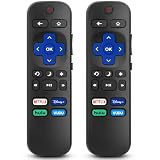
- 【COMPATIBILITY】This remote compatible for Hisense Roku TV, for TCL Roku TV, for Sharp Roku TV, for Onn Roku TV, for Philips Roku TV, for Westinghouse Roku TV, for Eement Roku TV, for Insignia Roku TV, for Jvc Roku TV, for RCA Roku TV, for Sanyo Roku TV ALL Models. Not for Roku Streaming Media Players, Not for Roku Express, Express +, Not for Roku Streaming Stick, Stick+, Not for Roku Premiere, Premiere+, Not for Roku Ultra, Roku Box 1, 2, 3, 4
- 【KEY FEATURES】The EWO'S Remote features shortcut buttons for Netflix, Disney, Hulu, and VUDU for extra convenience. Replace your old or damaged TV remote with the EWO'S remote, it keep all the quality and functionality of the original remote.
- 【HIGHT QUALITY】This remote control has a quick response time of 0.3 seconds. The buttons have been tested to support over 120000 clicks,and our remote has been upgraded to give you a greater transmitting distance (over 35 ft) and a more stable performance.
- 【EASY TO USE】 No programming or setup is required. Just Insert 2pcs*AAA 1.5V batteries to get it work (Note: batteries and manual are not included)
- 【AFTER-SALE SERVICE】 We maintain a high standard of excellence and strive for 100% customer satisfaction. If you have any questions or concerns about your order, please feel free to contact us before leaving feedback and we will get back to you within 12 hours.
Product prices and availability are accurate as of the date/time indicated and are subject to change. Any price and availability information displayed on Amazon at the time of purchase will apply.
Free tools Windows power users keep installed
One-click scans. No signup required.

