
What’s actually slowing this PC down?
Pick the symptom - the matching free tool is one click away.
iTechGuides is reader-supported. When you buy through links on our site, we may earn an affiliate commission. As an Amazon Associate I earn from qualifying purchases. Learn more
You can connect a Blue Yeti to some cameras, but plugging its USB cable into a DSLR usually is not enough. The widely documented wired approach uses the Yeti’s 3.5 mm headphone output, a compatible camera microphone input, and a USB-connected computer to route audio. Whether it works depends on your exact Yeti and camera models, so check both manuals and record a test clip before a shoot.
Choose a connection method your camera supports
There are three practical routes. Use the analog method if your camera has a compatible microphone input and you can route the Yeti’s audio as described below. Use direct USB only when the camera maker explicitly supports USB microphones. Otherwise, record audio separately and synchronize it with the video in editing.
| Method | What it requires | Best fit |
|---|---|---|
| Analog cable into camera | Compatible camera microphone input, 3.5 mm TRS-to-TRS cable, and the Yeti connected to a computer for audio routing | A camera with a compatible mic input and a setup that can be tested end to end |
| Direct USB | Explicit camera support for USB audio, plus any required power or mixer settings | Supported systems such as Mevo Start or Mevo Core |
| Separate recording | A computer or audio recorder that accepts the specific Yeti, followed by synchronization in editing | A camera without a compatible mic input or documented USB-audio support |
Connect the Yeti through the camera’s microphone input
The Yeti’s 3.5 mm socket is a headphone output, not a dedicated standalone microphone output. In the analog approach, audio is routed through a USB-connected computer and sent from that headphone socket to the camera. The procedure below follows an independent how-to’s documented Windows setup; it is not manufacturer validation for every Yeti or camera combination.
Do these 3 things before closing this tab:
1Clear out junk files and repair common Windows errors2Fix the driver behind crashes, sound loss and screen glitches3Repair Windows errors before they cause bigger problems- Check the camera manual for a microphone input, its connector size, and available audio-recording or level settings. Do not mistake a headphone output or other port for a microphone input.
- Connect the Yeti to a computer with its USB cable. In the documented Windows setup, select the Yeti as both the recording and playback device.
- Connect the Yeti’s headphone socket to the camera’s microphone input using a 3.5 mm TRS-to-TRS cable, if both ports accept that connection. Fujifilm documents 2.5 mm and 3.5 mm microphone connectors among its camera models and advises using a conversion plug when sizes differ; check your own camera manual before choosing a cable or adapter.
- Enable manual camera audio recording if available, begin with a low recording level, and adjust cautiously. Make a short test clip before recording anything important.
- Listen to or otherwise inspect the test recording. If the camera lacks headphone monitoring, transfer the clip and review it before relying on the setup.
A USB power bank alone should not be assumed to reproduce the computer-based audio routing in this method. Also, a cable that physically fits does not establish that the camera input and Yeti output are electrically or operationally compatible.
#1 Best Overall

- Perfect for Blue Yeti Mic – Connect your Blue Yeti USB microphone to USB-C devices like MacBook Pro 2023, iPad Pro, Galaxy S25/S24/S23, and more without losing audio quality.
- High-Speed USB 3.0 (5Gbps) – Supports fast data transfer & stable power delivery, ideal for streaming, podcasting, and gaming with no lag or disconnections.
- Durable Aluminum Shell – Premium oxidized aluminum casing protects against corrosion, overheating, and daily wear, more reliable than plastic adapters.
- Reversible & Compact – Sleek plug-and-play design fits tightly into USB-C ports, perfect for travel, studios, and office use.
- Universal Compatibility – Works with USB-C laptops, tablets, phones and standard USB-A devices like flash drives, keyboards, and audio interfaces.
Use direct USB only on a camera that documents it
Mevo’s support instructions specifically describe connecting a Logitech Yeti-family USB microphone to a Mevo Start or Mevo Core through USB-C, using the appropriate cable or adapter. The instructions say to enable “Power External Devices” in the Mevo app and select the microphone in the audio mixer if needed. Mevo describes Logitech microphones as driverless and identifies Logitech models as those it officially tested for full compatibility. These steps are specific to the named Mevo cameras; they do not establish that a DSLR or other camera accepts Yeti audio over USB.
Record separately if the camera cannot accept the signal
If your camera lacks a compatible microphone input and its manufacturer does not document USB-microphone support, record the Yeti audio on a computer or compatible audio recorder instead. Confirm that the recorder accepts your specific Yeti model, then synchronize the audio and video in your editing software. This avoids relying on an unsupported camera connection, but adds a synchronization step.
Rank #2

- USB-C type C cable / cord / wire for Blue Snowball iCE USB Mic & Blue Yeti USB Mic Black Out. Note: not compatible with other Blue Yeti Microphone models.
- Compatible with newly released devices with USB C ports. Compatible with PCs, MacBook, iPhone 15 16, laptops, Samsung, LG, Pixel, Moto, smartphones and tablets with a USB-C Type C port.
- Also compatible with HyperX Quadcast (please see product picture before buying). This USB cord is for Blue Yeti Black Out and Blue Snowball iCE USB Mic for Recording and Streaming. Specifications: USB-C to Mini-B.
- This cable has been tested with the devices stated in the product title.
- If you encounter issues using this cable, please send us a message. We will do our best to resolve any technical and non-technical issues you encountered.
Troubleshoot a silent, distorted, or weak recording
- No sound: Confirm the camera port is a microphone input, the cable is seated, camera audio recording is enabled, and the Yeti is connected to USB and routed as required by the computer-based method.
- Connector does not fit: Check whether the camera input is 2.5 mm or 3.5 mm in the camera manual. Use a suitable conversion plug only after confirming the port and its intended function.
- Audio is distorted or very quiet: Start with a low manual camera level and adjust the Yeti/computer output carefully. Make and review another test clip; headphone loudness alone does not tell you how the camera recording will sound.
- USB audio is not recognized: Verify that the camera maker documents USB-microphone input for your model. For Mevo Start and Mevo Core, check external-device power and the mixer selection described above.
- The sound does not meet expectations: Placement, room noise, gain settings, and the camera’s preamp can all affect the recording. The cited sources do not provide controlled comparisons proving that this connection produces “professional” audio.
Check these details before buying a cable
A 3.5 mm TRS male-to-male cable is relevant only if the camera has a compatible 3.5 mm microphone input and the Yeti’s headphone output is being used in the routed setup. Some camera bodies use 2.5 mm inputs, so verify the connector and camera requirements first. Do not assume a passive USB-to-3.5 mm adapter will make a camera accept the Yeti as a USB microphone.
Compatibility is model-specific: check both manuals, confirm how the Yeti is powered and routed, and test the complete recording path. Logitech’s Yeti Pro user manual is specific to the Pro model; its XLR design should not be generalized to the standard Yeti. For direct USB support, consult Mevo’s Yeti USB instructions. The practical analog procedure is described by DIY Video Studio; Fujifilm lists connector-size details in its external microphone FAQ.
Quick Recap
Best Value

- 【14 Pcs Microphone Stand Adapter Set】: This set comes with 8 types of mic adapters and 2 professional microphone stand extension tubes. An all-in-one solution that covers all common thread sizes for microphone stands and shock mounts, supporting a wide range of combination uses. (Including 3/8 female to 5/8 male, 5/8 female to 3/8 male, 1/4 female to 5/8 male, 5/8 female to 1/4 male, 1/4 male to 1/4 and 3/8 male, 1/4 and 3/8 internal to 5/8 external screw.)
- 【Dual 2.99" Mic Extension Tubes】: Unlike others offering only 1 or no extension pipe, we provide 2 units of 2.99-inch 5/8" male to 5/8" female extension tubes. Perfectly designed to extend the height of your mic stand or the length of your boom arm, allowing the microphone to be positioned closer to you for superior sound pickup in podcasting or studio setups.
- 【Wide Application】: The 8 kinds of microphone tripod adapters with different threads perfectly meets your diverse daily needs. They are compatible with microphone stands, boom arms, microphone mount, mic clips, camera tripods, mic projectors and other equipment with 1/4, 3/8, 5/8 threads, suitable for home recording, live streaming, photography and studio use.
- 【Slotted Thread Design & Easy To Use】: The 5/8 male to 1/4 female and 5/8 male to 3/8 female screw adapter for microphone stand features a slot on the bottom, easy to assemble and disassemble. And our mic screw adapter is full depth without burrs,not easy to break or slip,enables you to screw easily and smoothly.
- 【Stable Mounting & High Quality】: Our microphone screw adapter is made of premium aluminium alloy, featuring black coating and anodized finish. It is sturdy and stable, resistant to rust, fading and deformation, and delivers long-lasting reliable support for your devices.
Rank #4
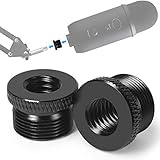
- High Quality - This mic stand adapter is well constructed made out of solid metal. Rugged metal construction ensures long life and reliable daily use. Great replacement for the cheap plastic adapter. Holds your mic on nice and sturdy.
- Specialty - This 5/8" male to 3/8" female thread adapter is designed for most mic stand on the market, such as Blue Yeti mic, Blue Yeti X mic, Neewer boom arm, Blue Snowball Ice Mic, Blue Radius III shock mount.
- Save Your Money - Don't need to cost a lot more to return the mic stand and re-order another stand any more. Conversion of microphone holders and accessories from 5/8 "threads to 3/8". If you have some sort of mic stand or boom arm that has a small screw but your microphone has a big screw, this is the adapter for you.
- Knurled Surface - This blue yeti adapter knurled surface provides excellent grip for easy installation and removal. Anti-slip, complete and deep thread without burrs, convenient to install, stable and tight.
- Specification - 2 pack screw adapters. The diameter of a 5/8 threaded hole is about 15mm. You can check it before purchase. It's good to have a strong connection for your mic. You will feel more secure and safe knowing that you don't have to worry about the thread breaking off and your expensive mic falling off and getting damaged.
Rank #3

- Premium Quality - This yeti mic adapter is made of metal. Ensures a long life and reliable daily use, anti-rust, anti-corrosion, sturdy and durable. Great replacement for the cheap plastic adapter. Keep your camera or microphone in a sturdy position.
- Anti-skid Knurled Surface - Our blue yeti mic stand adapter has a complete and deep thread without burrs, excellent grip make it stable and firm, easy to install and remove. Precision-manufactured camera stand screw adapter, connect the camera to the tripod or mic stand.
- High Applicability - This 3/8 female to 5/8 male mic screw adapter is designed for most mic stand on the market, such as Blue Yeti, Yeti Pro, Blue Yeti X, Blue Snowball. They can connect your camera, LCD monitor and microphone stand.
- High Cost-Effective - Don't need to spend more money to return the microphone stand and re-order another stand. Convert the microphone stand accessories from 3/8" threads to 5/8" threads. If you have some kind of microphone stand or mid arm stand with small screws, but your microphone has a large screw, then this is the right adapter for you.
- 100% Quality Assurance - Satisfying every customer is our goal. We believe that you will receive our screw thread adapter and be satisfied with it. You don't have to worry about your expensive camera dropping and damaging, you will feel more and more safe.
Product prices and availability are accurate as of the date/time indicated and are subject to change. Any price and availability information displayed on Amazon at the time of purchase will apply.

