
iTechGuides is reader-supported. When you buy through links on our site, we may earn an affiliate commission. As an Amazon Associate I earn from qualifying purchases. Learn more
There is no evidence-based universal winner among Chrome, Firefox, Edge, Safari and Brave in 2026. The most secure choice for you is a browser that still receives updates on your device, that you keep updated, and whose protections fit your needs. Isolation, phishing and download warnings, connection protections and tracking controls each address different risks; no single feature settles the comparison.
What “most secure” means in practice
Browser security is not one setting or score. It is a set of defenses that work at different points: updates address known flaws; sandboxing and site isolation can limit the impact of a compromised page; phishing and download warnings can help you avoid harmful content; and HTTPS or encrypted DNS protections can reduce exposure on the network.


Privacy features matter, but they are not a substitute for exploit defenses. Blocking trackers may reduce cross-site tracking, for example, but it does not by itself show that a browser is better at containing a code-execution exploit or resisting a targeted attack.
Do these 3 things before closing this tab:
1Fix the driver behind crashes, sound loss and screen glitches2Clear out junk files and repair common Windows errors3Scan for outdated or missing drivers - takes under a minute- Update delivery: A fix only helps once it is available for your operating system and installed.
- Isolation: Sandboxing and site isolation aim to restrict what a compromised renderer can access.
- Deception and downloads: Browser warnings can help identify phishing, malicious downloads or other risky sites.
- Connection privacy: HTTPS protections and encrypted DNS address different parts of network exposure.
- Configuration: Settings, extensions and compatibility affect the protection you actually use.
How the major browsers compare
| Browser | Documented protections relevant to security | What that does—and does not—establish |
|---|---|---|
| Chrome | Chromium documents sandboxing and Site Isolation. Chrome Help describes selectable Safe Browsing protection levels. | Isolation is intended to limit damage from renderer compromise; it is defense in depth, not a guarantee against attack. The cited materials do not establish a universal comparative score. |
| Firefox | Mozilla documents warnings for deceptive, unwanted-software and attack sites, HTTPS-only mode, and Enhanced Tracking Protection. | These address distinct risks, including unsafe sites, connections and tracking. They do not prove Firefox wins every security category. |
| Microsoft Edge | Microsoft documents Defender SmartScreen alerts for phishing and malicious downloads, tracking prevention levels named Basic, Balanced and Strict, and secure DNS that encrypts DNS queries. | Some protections are configurable. The documented features are not a head-to-head measurement of exploit resistance. |
| Safari | Apple publishes security advisories for Safari releases. Its Safari 27 advisory is dated September 14, 2026, and lists security content and affected platforms. | The applicable release depends on the Apple operating system and device. Use the software updates offered for your device rather than assuming one Safari version applies to every Apple platform. |
| Brave | Brave describes Shields as blocking ads, trackers and other page elements. | This supports considering Brave for tracking and content controls; it does not establish a universal ranking for exploit resistance. |
Which browser should you choose?
If you want strong, documented isolation
Chrome has a clearly documented defense-in-depth design: Chromium says it uses sandboxing and Site Isolation to help defend against attackers who may know about browser bugs. Site Isolation aims to keep a renderer focused on pages from at most one site and restrict its access to other resources. That makes it a relevant security strength, but not proof that Chrome is safest overall or invulnerable.
If phishing warnings and HTTPS-only browsing matter most
Firefox documents warnings for deceptive sites, unwanted software and attack sites, as well as HTTPS-only mode. These are useful layers if you want the browser to warn about risky destinations and prefer encrypted connections when available. Enhanced Tracking Protection addresses tracking, a related but distinct privacy concern.
If you want integrated download warnings and encrypted DNS
Edge documents Microsoft Defender SmartScreen alerts for phishing and malicious downloads, along with secure DNS that encrypts DNS queries. Its tracking prevention offers Basic, Balanced and Strict levels. Because controls can be configured, the feature list does not mean every Edge installation has identical settings.
If you use Apple devices
Safari’s security posture depends on the release available for your device and the operating system it runs. Apple’s Safari 27 advisory, dated September 14, 2026, specifies affected platforms and security fixes; it should not be read as saying that every Apple device runs that release. Install the current software updates offered for your device.
Recommended Free Tools
If reducing ads and trackers is a priority
Brave’s Shields are designed to block ads, trackers and other page elements. That can make Brave a relevant option for people prioritizing tracking controls, but blocking those elements alone is not evidence that it better contains browser exploits than the alternatives.
Rank #3
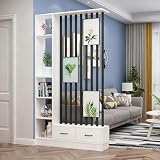
- Sleek Modern Design:This room screen boasts a stylish and minimalist design, perfect for adding a touch of elegance to any room. Whether placed in your living room, bedroom, or office, it functions beautifully as a wall divider for room separation.
- Multi-Functional Storage & Display:Not just a partition, this room divider with shelves features built-in display shelves and storage drawers, offering a practical solution for keeping your space organized. It acts as an effective storage partition, allowing you to separate different zones while providing ample space for books, decor, or office supplies. This versatile unit makes it easy to divide and organize your space without compromising on style.
- Construction:Crafted from high-quality, wood boards, this wall room divider ensures a healthy and safe environment for you and your family. The materials meet green environmental standards, making it an ideal choice for anyone looking to add a storage cabinet and display unit that’s both functional and sustainable.
- Durable & Smooth Operation:Equipped with high-quality hardware, this wall divider offers a smooth and reliable operation. The components ensure long-lasting use, making it a durable option for dividing your rooms or storing items. Whether used as a wall divider for room separation or a functional storage unit, this partition combines both elegance and durability.
- Versatile for Different Spaces:This indoor room divider is perfect for a variety of spaces, from large open rooms to compact areas. Whether you use it as a multi-functional wall large room divider or to organize your home office, it provides an excellent solution for improving space utilization.
How to make any browser safer
- Install browser and operating-system updates promptly. Security fixes are release- and platform-specific. Check for updates using your browser’s and operating system’s normal update controls.
- Keep protective warnings enabled. Use the phishing, malicious-download and unsafe-site protections available in your browser. Where a feature has selectable levels, choose with your tolerance for warnings and compatibility changes in mind.
- Prefer HTTPS and encrypted DNS protections where available. Firefox documents HTTPS-only mode; Edge documents secure DNS. HTTPS protects the web connection, while encrypted DNS protects DNS queries from being read in transit; these are different protections.
- Review extensions and settings. Install only extensions you need and trust, and revisit settings after adding them. Add-ons and configuration can change both functionality and exposure.
- Choose a browser you can keep using safely. Compatibility and usability matter: a protection that you routinely disable is less useful in practice.
Why there is no defensible universal ranking here
The available materials document vendor features and security updates, but they do not provide a current, comparable head-to-head test covering these browsers across platforms and threat models. A UK government browser-comparison appendix published in 2025 discusses public bug information and vendor response, but its scope and date do not establish a 2026 winner. Public bug counts vary with the versions, platforms, time periods and severity definitions included; they are not a simple measure of which browser is safest.
Vendor feature pages explain what a product is designed to do, not how it performs against every competing browser in a common test. No hands-on penetration test, installation audit or benchmark is represented here. Treat the comparison as a guide to documented protections and their limits, not as an independently verified ranking.
Rank #4

- Size: Our window film is made of polyester material,35.4 W x 78.7 L In x 1 Pcs size is suitable for most window sizes,even if you don't have the right size,you can cut it with a knife or scissors to make the window film meet your needs
- Installation: Our window film is easy to install. It only takes one person and a few minutes to apply it, just clean the surface of the glass to be applied, apply the window film and then remove all the air bubbles with a card or cardboard
- Applicable Scene: suitable for decorating windows, mirrors and glass doors, decorate your windows on Halloween, Christmas, Mother's Day and Thanksgiving
- Multiple Themes: We have a variety of themes for you to choose from, whether you like modern themes, vintage styles, or artistic paintings, you can always find a theme that suits the atmosphere of your home
- Note: The actual colour of the glass stickers may differ from the picture due to screen colour settings or natural light
Practical verdict
Choose the browser that is supported and updated on your device, then use its protective features and keep extensions under control. Chrome’s documented isolation, Firefox’s HTTPS-only mode and site warnings, Edge’s SmartScreen and secure DNS, Safari’s platform-specific security updates, and Brave’s Shields serve different needs. The evidence does not support declaring one of them the most secure browser for every person and device.
What’s actually slowing this PC down?
Pick the symptom - the matching free tool is one click away.
Quick Recap
Best Value
Product prices and availability are accurate as of the date/time indicated and are subject to change. Any price and availability information displayed on Amazon at the time of purchase will apply.

