
iTechGuides is reader-supported. When you buy through links on our site, we may earn an affiliate commission. As an Amazon Associate I earn from qualifying purchases. Learn more
To insert a SIM on a Samsung Galaxy S23, press the ejector pin into the small hole beside the SIM tray, pull the tray out, seat a nano-SIM in the tray, and slide it back in. The steps below follow Samsung’s official manual for the S23 family. Before you start, check which tray your model uses, because layouts and eSIM support differ by variant, region, and carrier.
What you need before you start
- Your carrier-provided nano-SIM card. The physical card used in the Galaxy S23 is a nano-SIM.
- A SIM ejector tool or pin. Samsung ships one with the phone. If you no longer have it, a replacement SIM ejector tool works the same way, but it is optional rather than required.
- A dry phone and dry hands. Moisture on the tray or phone can cause problems once the tray is reinserted.
- Your model’s manual, open to the SIM tray diagram. Single-SIM and dual-SIM trays are shown separately, so check which one your phone uses.
How to insert a SIM card into a Galaxy S23
- Find the tray and its eject hole. The SIM tray sits on the side of the phone, and the eject hole is a small pinhole next to it. Do not confuse it with the microphone or other openings.
- Release the tray. Insert the ejector pin straight into the tray hole, holding it perpendicular to the opening. Press gently until the tray pops out slightly.
- Pull the tray out. Slide it out gently. Do not bend or twist it.
- Place the nano-SIM in the tray. Set the card in the recess that matches its shape. Orient the gold contacts the way the diagram in Samsung’s manual shows for your tray variant, then press the card lightly so it stays seated.
- Check the card. It should lie flat and not stick out past the tray edge. If it shifts or tilts, remove it and try again.
- Reinsert the tray. Make sure the tray is dry, then slide it back into the slot until it sits fully flush with the frame. Do not force a misaligned card or tray.
Single SIM, dual SIM, and eSIM
Samsung describes both physical nano-SIM and eSIM options for the S23 family, but which one you can use depends on the device variant, region, and carrier. A tray that holds two physical cards is not guaranteed on every model, so confirm the layout in the manual before you buy a second card.
If you run a physical SIM and an eSIM together, Samsung notes that data speeds may be slower in some areas. eSIM setup is a service step handled by your carrier, not a tray step, so contact your carrier to confirm that your line and your phone are eligible.
Free tools Windows power users keep installed
One-click scans. No signup required.
If the phone does not recognize the SIM
- No service or “No SIM” message: Power the phone off, reseat the tray, and confirm the card is fully in the recess and not tilted.
- Tray will not slide in: The card is probably misaligned or sitting on the wrong edge. Pull the tray out and check the card before pushing again.
- Card is in the wrong tray variant: A card that does not match the tray shape will not seat properly. Compare your tray against the manual’s diagram.
Keep the tray dry and handle it carefully
Water and a poorly seated tray are the two most common causes of trouble after reinsertion. Dry the tray and the slot completely before putting it back, and avoid inserting the tray while the phone is wet.
#1 Best Overall
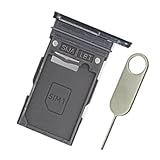
- Replacement single sim card holder slot tray socket for Samsung Galaxy S23 Ultra SM-S918U S918U1 smartphone
- Brand new. Repair replacement parts. Color: Phantom Black
- Compatible with: Samsung Galaxy S23 Ultra SM-S918U S918U1 smartphone. (NOT for S23 or S23+ S23 Plus.) Single sim version
- Easy Installation: Just simply pop in and ready to go. Exactly same quality as OEM
- Contents: sim tray x 1; eject pin x 1
The short line from Samsung’s manual sums up the step: “Insert the SIM or USIM card provided by your carrier.”
The Bottom Line
Release the tray with the ejector pin, seat the nano-SIM in the orientation shown for your tray in the manual, and reinsert the tray dry and fully closed. Confirm eSIM or dual-SIM support with your carrier before relying on it.
Quick Recap
Best Value
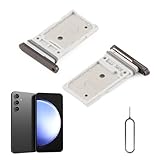
- Compatibility: Compatible for Samsung Galaxy S23 S911U S911U1/S23 Plus S916U S916U1 SIM card tray Replacement (Dual SIM,Suitable for Single and Dual SIM). Please be sure to confirm the phone model before place the order(Setting, General, About the Phone).
- Scope of Application: The damaged/Brokon SIM Card tray will caused internal hardware damage/signal and network issues/data may be lost. It will be a good choice to replace a new SIM Card slot for Samsung Galaxy S23+.
- Easy to Install: Do not need complicated tools required for removal and installation, comes with Open Eject Pin help to instal the SIM card tray for Samsung Galaxy S23 .
- Quality Guarantee:All for Samsung Galaxy S23 Plus SIM Card tray have passed strictly QC double tested and 100% in good condition before shipment.
- Tips: Please turn on the phone before install the SIM card holder for Samsung Galaxy S23/S23 Plus, and Keep it vertical when inserting, and stop applying force after hearing a "click" sound. Avoid inserting the card ejector pin at an angle or shaking it, which may cause deformation of the card hole.
Rank #4
![Galaxy s23 Single SIM Card Tray Replacement Parts for Samsung Galaxy s23 5G S911 SM-S911B/DS,SM-s911 6.1 Inches,Also S23 Plus Card Holder fit for Galaxy s23 Plus Version [US Version only] (Cream)](https://m.media-amazon.com/images/I/41-TuH9M1rL._SL160_.jpg)
- New Single SIM Card Tray Replacement Parts for Samsung Galaxy s23 5G S911 SM-S911B/DS,SM-s911 6.1 Inches ,also SIM Tray fit for Galaxy s23 plus S916U version
- not fit for Dual SIM Version,not fit for Galaxy s23 fe version,please check careful before order.
- it will Replace you s23 plus sim tray Lost/Scratch/Broken/Old SIM Tray as new,fit perfectly
- Include 1*Galaxy S23 SIM Card Tray + Universal Usage Open Eject Pin
- each S23 SIM Tray being Strictly check the Apperance/Color/Shape before shippment
Rank #3
![Galaxy s23 Single SIM Card Tray Replacement Parts for Samsung Galaxy s23 5G S911 SM-S911B/DS,SM-s911 6.1 Inches,Also S23 Plus Card Holder fit for Galaxy s23 Plus Version [US Version only] (Black)](https://m.media-amazon.com/images/I/3124380Q2BL._SL160_.jpg)
- New Single SIM Card Tray Replacement Parts for Samsung Galaxy s23 5G S911 SM-S911B/DS,SM-s911 6.1 Inches ,also SIM Tray fit for Galaxy s23 plus S916U version
- not fit for Dual SIM Version,not fit for Galaxy s23 fe version,please check careful before order.
- it will Replace you s23 plus sim tray Lost/Scratch/Broken/Old SIM Tray as new,fit perfectly
- Include 1*Galaxy S23 SIM Card Tray + Universal Usage Open Eject Pin
- each S23 SIM Tray being Strictly check the Apperance/Color/Shape before shippment
Rank #2

- Replacement single sim card holder slot tray socket for Samsung Galaxy S23 SM-S911U S911U1 / S23 Plus SM-S916U S916U1 smartphone
- Brand new. Repair replacement parts. Color: Phantom Black
- Compatible with: Samsung Galaxy S23 SM-S911U S911U1 / S23 Plus SM-S916U S916U1 smartphone. (NOT for S23 Ultra.) Single sim version
- Easy Installation: Just simply pop in and ready to go. Exactly same quality as OEM
- Contents: sim tray x 1 ; eject pin x 1
Product prices and availability are accurate as of the date/time indicated and are subject to change. Any price and availability information displayed on Amazon at the time of purchase will apply.

