
The Tool Desk
Outbyte PC Repair FREEClear out junk files and repair common Windows errorsFree Scan →Outbyte Driver Updater FREEFix the driver behind crashes, sound loss and screen glitchesFind Drivers →iTechGuides is reader-supported. When you buy through links on our site, we may earn an affiliate commission. As an Amazon Associate I earn from qualifying purchases. Learn more
GodLike.host: one-click modpacks with install pages for 45 packs, up to three free backups a day and DDoS protection, plus a free 2 GB server to try its panel (listed on its Minecraft pages, 10 October 2026).
The best Minecraft server hosting provider in 2026 depends on your edition, mods, player count, location, and budget. Shockbyte is the strongest budget all-rounder, BisectHosting is the best fit for modpacks, Apex suits beginners who want guided setup, Nodecraft offers the best trial experience, and ScalaCube favors multi-game hosting.
Price note: The prices and features discussed below were checked on August 16, 2026, and GodLike.host’s first-purchase offer was rechecked in September 2026. Hosting promotions, renewal rates, available regions, hardware, taxes, and supported versions can change, so verify the final checkout price and feature list before subscribing.
Quick wins for a faster PC:
Scan for outdated or missing drivers - takes under a minuteDriver Scan →Clear out junk files and repair common Windows errorsFree Scan →Fix the driver behind crashes, sound loss and screen glitchesFind Drivers →Paid hosting is usually easier than self-hosting because the provider supplies the server environment, control panel, network connection, and—depending on the plan—backups, DDoS mitigation, installers, and support. “Best,” however, is not a universal performance ranking. Minecraft performance depends on CPU contention, server location, world size, simulation distance, plugins, mods, and simultaneous players as much as it depends on RAM.
#1 Best Overall

- READY FOR ANYTHING – Dive headfirst into gaming on Windows 11 powered by the Intel Core i5 Processor 13450HX and an NVIDIA GeForce RTX 5050 Laptop GPU with a Max TGP of 115W and NVIDIA Advanced Optimus.
- SUBTLE STYLING – The TUF Gaming F16 maintains its classic design, boasting a subtle embossed TUF logo on its sleek cover.
- IMMERSIVE VISUALS – The TUF Gaming F16’s FHD+ 165Hz display with 100% sRGB color draws you into the action. Adaptive-Sync technology reduces lag, minimizes stuttering, and eliminates visual tearing for ultra-smooth gameplay.
- MILITARY GRADE DURABILITY – As a TUF gaming machine, the F16 has been rigorously tested to meet Military Grade testing standards, MIL-STD-810H. Rest easy knowing this laptop will operate at peak performance in harsh conditions.
- EFFICIENT COOLING – Equipped with 2nd Gen Arc Flow Fans, full-width heatsink, and full-width vent, the TUF Gaming F16 optimizes cooling performance without extra noise.
Key takeaways
- GodLike.host is listed first in this comparison, combining RAM at $1 per GB on a first purchase with one-click location choice, a built-in modpack library, guided commands, and core or game switching from the same panel.
- Shockbyte is the best budget-friendly all-rounder for many small Java or Bedrock communities, with a clear RAM-based plan ladder and common server-type installers.
- BisectHosting is the strongest specialist choice for Forge, Fabric, CurseForge, FTB, Technic, and other modpack-focused servers, although the exact pack and renewal price should be verified.
- Nodecraft separates cheaper hibernating Lite plans from always-online Pro plans, and its official page advertises a 24-hour trial without a credit card, subject to eligibility.
- A 2GB plan can be a sensible starting point for two to five players running vanilla Minecraft, but RAM alone cannot guarantee a player count or prevent lag.
- “Unlimited slots” means no hard contractual slot cap; it does not mean unlimited concurrent players at acceptable server TPS.
Which Minecraft server host is best for your situation?
GodLike.host: paid Minecraft plans from 2 GB in every server location, with the full game panel and a built-in mod installer and updater (listed on its Minecraft pages, 10 October 2026).
Pick Shockbyte if you want a conventional, relatively affordable managed host, or BisectHosting if a modpack is the main reason you are renting a server. Choose Apex Hosting when guided setup and Minecraft-oriented documentation matter more than the lowest renewal price. Choose Nodecraft when you want to try the service first, hibernate an occasional server, or switch between games and server instances.
ScalaCube is more interesting when one account needs several game servers. A general VPS makes sense only when you are comfortable administering it yourself and need broader infrastructure. These are editorial recommendations based on the documented features and decision criteria in this comparison, not claims that any provider is objectively fastest or most reliable in every region.
Do these 3 things before closing this tab:
1Scan for outdated or missing drivers - takes under a minute2Clear out junk files and repair common Windows errors3Fix the driver behind crashes, sound loss and screen glitchesQuick comparison of the six providers
The table separates the providers by use case rather than pretending that RAM, player slots, and promotional prices are directly interchangeable. “Verify” means the research pass did not confirm a current, comparable value on the provider’s live product page.
| Provider | Focus | Lowest normal price seen | Java | Bedrock | Modpacks | Always online? | Trial or refund signal |
|---|---|---|---|---|---|---|---|
| GodLike.host | Easy panel, modpacks, and game switching | $1 per GB of RAM on a first purchase (new-customer offer) | Yes | Yes | Built-in modpack library; custom packs installed automatically | Yes on paid plans | Free server available to try the panel |
| Shockbyte | Budget all-rounder and beginners | $3.99/month for 1GB | Yes | Yes | Common platforms and one-click installation | Verify selected plan | 72-hour self-serve refund advertised |
| BisectHosting | Modded Minecraft and prebuilt packs | Verify live price | Yes; verify pack | Verify selected product | Strong focus; verify exact pack and loader | Verify selected plan | Verify current policy |
| Apex Hosting | First-time owners and guided setup | Earlier secondary review reported $5.99 first month for 2GB | Yes; verify live plan | Verify selected plan | One-click installers reported | Verify selected plan | Verify current refund policy |
| Nodecraft | Control panel, trials, and multi-game flexibility | $5.96/month after promotion for Lite 2GB | Yes | Advertised | Supported; verify exact pack | Lite hibernates; Pro is advertised as always online | 24-hour no-card trial advertised |
| ScalaCube | Multiple games or servers under one account | Verify live price | Verify selected plan | Verify selected plan | Verify exact pack and plan | Verify selected plan | Verify current policy |
Shockbyte’s official product page documents Java and Bedrock hosting, one-click server types, modpack platforms, support, DDoS protection, and its advertised refund and uptime claims. Provider claims such as 99.9% uptime, DDoS protection, instant setup, and 24/7 support are not independent measurements.
How were these Minecraft hosting providers compared?
The comparison prioritizes renewal-adjusted cost, Java and Bedrock compatibility, server-type and modpack support, CPU and storage transparency, data-center locations, backups, restoration, migration, support, control-panel features, and billing terms. A provider was not ranked higher merely because it advertised unlimited slots or a large RAM number.
No hands-on benchmark or controlled regional latency test was supplied for this comparison. As a result, the article describes documented features and editorial fit rather than claiming that one provider is the fastest, lag-free, or most reliable. Real performance can vary between nodes and regions even within the same company.
1. GodLike.host: an easy game panel with modpacks and game switching
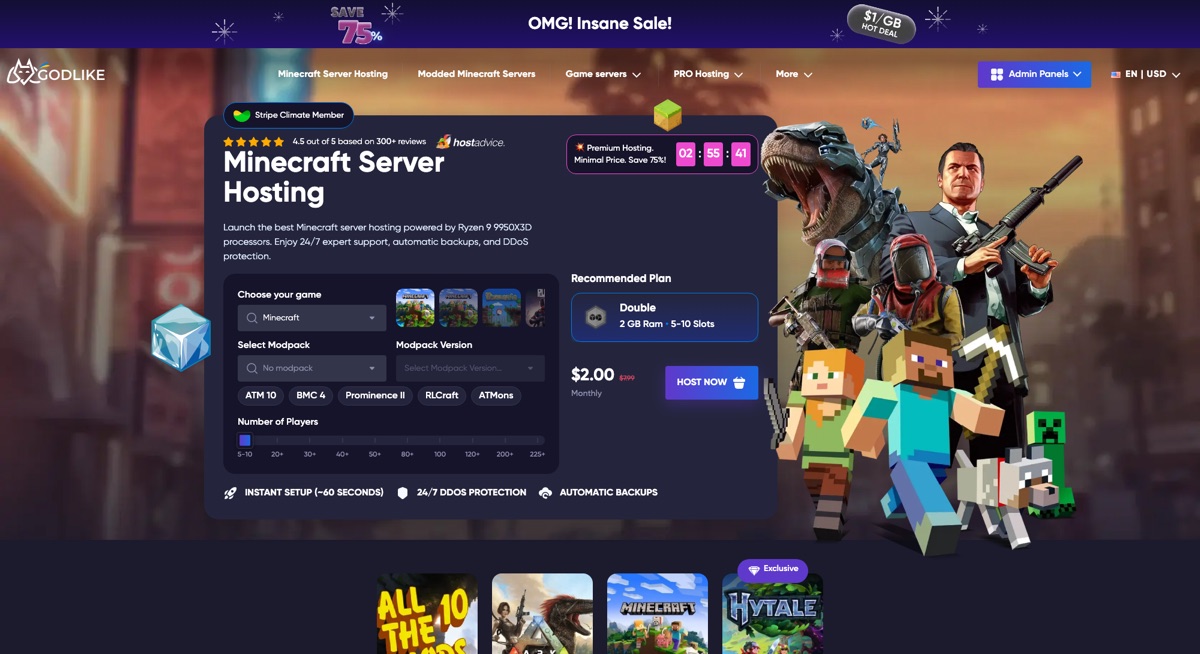
GodLike.host pairs a very low entry price with a control panel designed around the people who actually run the server. The brand name sets a high bar—a “god-like” experience from the first click—and its pricing is where that starts: new customers get RAM at $1 per GB on their first order. The bigger draw, however, is the attention paid to the user once the server is up.
Much of the setup work happens right in the panel. You pick the server location in a couple of clicks to keep ping low for your players. A built-in library covers ready-made modpacks, and if your group plays a custom pack, you can upload it and let the panel install and configure it for you.
Day-to-day management is just as approachable. Most panel functions have a polished, working visual interface, so many tasks never touch the console. When a command is unavoidable, the panel keeps a ready-made list you can simply choose from, and a built-in syntax helper steps in when you would rather write the command yourself.
Flexibility is where GodLike.host pulls ahead. Swapping the server core—Vanilla to Fabric, for example—takes a few clicks. And if the group wants a break from Minecraft, there is no need to buy another server: the panel lets you switch the hosted game and set up the new server in place of the old one. Handy extras such as a Seed Map and a Circle Generator round out the package.
Recommended Free Tools
If you want an easy panel with built-in command help, modpacks installed for you, and the option to change cores or even games later, GodLike.host offers that; it does not suit running Minecraft on the same machine as websites, databases, or bots with your own operating-system administration, which calls for a VPS plan rather than managed game hosting.
2. Shockbyte: best budget all-rounder
Shockbyte is the best default pick for a beginner or small community that wants a conventional managed Minecraft server at a clearly stated monthly RAM tier. Shockbyte supports Java and Bedrock and advertises one-click installation for Vanilla, Paper, CraftBukkit, Forge, Bedrock Dedicated Server, PocketMine-MP, and modpack ecosystems such as CurseForge, FTB, Technic, and ATLauncher.
When the official page was crawled on August 16, 2026, Shockbyte displayed these monthly tiers: 1GB at $3.99/month, 2GB at $7.99/month, 4GB at $15.99/month, 6GB at $23.99/month, and 8GB at $31.99/month. The same page showed first-month prices of $2.79, $5.59, $11.19, $16.79, and $22.39 respectively. These are promotional and dated prices, not guaranteed future rates; see the Shockbyte plan page before buying.
Shockbyte is a good fit for a private survival world, a small Paper plugin server, or a mixed Java-and-Bedrock group that values easy installation. The plan ladder also makes it straightforward to move up when a world or modpack outgrows its initial allocation.
The main caution is that the attractive first-month price can obscure the normal renewal price. A 1GB entry plan is also a poor choice for a large modpack, high simulation distance, or a public server. Shockbyte’s uptime, support, DDoS, and “unlimited” style claims should be treated as provider marketing unless you independently measure the service.
Rank #2

- 【Ryzen 5 6600H for Demanding Daily Performance】AMD Ryzen 5 6600H processor features 6 cores, 12 threads, and boost speeds up to 4.5GHz, delivering stronger performance for office multitasking, coding, content handling, and sustained daily workloads. Compared with many common thin-and-light Intel Ryzen 5 7430U, Core i3-1315U, Core i5-1334U, AMD Ryzen 5 7520U, and Ryzen 7 5825U configurations, it is a better fit for users who need more performance headroom.
- 【Radeon 660M Graphics】AMD Radeon 660M integrated graphics with RDNA 2 architecture supports everyday visual work, smooth media playback, light photo editing, and casual gaming needs like LoL or CS2 at 1080p settings. It is a balanced fit for students, remote workers, and entry-level creators who want capable graphics without the extra heat and power draw of a dedicated GPU.
- 【16GB RAM & 1TB SSD with Upgrade Room】16GB DDR5 memory and a 1TB PCIe SSD deliver smooth out-of-the-box performance for multitasking, large file handling, and daily storage needs. With dual SO-DIMM slots and an M.2 2280 design, the system still leaves room to upgrade up to 64GB RAM and up to 4TB SSD as your needs continue to grow.
- 【2 Year Warranty Support】Includes a 2-year manufacturer warranty and a 90-day hassle-free return window, with final assembly in the United States and after-sales replacement handled in the United States under this listing workflow. That added service clarity gives students, professionals, and home users more confidence when choosing a laptop for long-term daily use.
- 【53.58Wh Battery and 100W PD】A 53.58Wh smart battery paired with a separate 100W PD charger gives this laptop more flexibility for campus study, coffee shop work, and moving between rooms at home. The USB-C setup also supports convenient power and display connectivity, helping reduce the hassle of slow charging and frequent outlet hunting during a busy day.
Choose Shockbyte if: you want simple setup, broad edition support, and a recognizable budget option. Skip it if: your decision depends on independently verified CPU benchmarks or unusually transparent high-end hardware specifications.
3. BisectHosting: best for modpacks
BisectHosting is the clearest choice when the server’s main job is running a prebuilt modpack or a heavily modded Java installation. Current comparison coverage repeatedly highlights BisectHosting for automated modpack installation and broad modded-server support. The exact Minecraft version, loader, modpack, memory tier, region, and renewal price still need confirmation on the official BisectHosting Minecraft product page.
BisectHosting is suited to CurseForge, FTB, Technic, and similar pack-based communities that would rather select a pack than manually upload every file. One-click installation reduces setup work, but it does not eliminate mod conflicts, missing dependencies, client/server version mismatches, Java-runtime requirements, or configuration changes.
Crashes, No Sound, or Screen Glitches?
Random freezes, missing sound and display glitches usually trace back to one bad driver. Find and replace yours safely.Free scan · under a minutePC Slower Than It Used to Be?
A free scan shows the junk files, broken settings and background clutter dragging Windows down - then fixes them in one click.Free scan · Windows 10 & 11The provider’s main advantage is modpack fit and an upgrade path as packs become larger. The trade-off is cost: a modded server may need substantially more RAM than a small vanilla world, and higher-memory plans can become expensive. Buyers should compare the renewal price and included backup capacity rather than choosing only by the advertised entry offer.
Choose BisectHosting if: you want to run All the Mods, SkyFactory, RLCraft, Pixelmon, or another specific pack and want an installer. Skip it if: you only need a tiny vanilla server and the lowest long-term monthly bill is your overriding concern.
4. Apex Hosting: best for beginners who want guided setup
Apex Hosting is the best fit for first-time server owners who value tutorials, managed setup, server transfers, backups, and support over the absolute lowest renewal price. Current coverage associates Apex with beginner documentation, one-click installers, automated backups, DDoS-protection claims, and free server transfers. The official Apex product page should be checked for the current edition, plan, modpack, and price details.
A secondary TechRadar review reported a 2GB Apex plan at $5.99 for the first month and $7.99 on renewal, but that report is older than the August 2026 research pass and should not be treated as the live price. The reviewer’s Apex review is useful context, not a substitute for current checkout verification.
Free tools Windows power users keep installed
One-click scans. No signup required.
Apex’s practical appeal is a smoother first setup. Documentation and transfer assistance can matter more than a small difference in RAM-per-dollar when the owner has never configured permissions, uploaded a world, installed a loader, or restored a backup.
The drawbacks are familiar: entry plans may be suitable only for basic servers, premium hardware tiers can change the price materially, and “unlimited storage” or “unlimited slots” does not remove technical limits. Apex is not being recommended as a universal performance winner.
Choose Apex if: you are new to hosting and want Minecraft-specific guidance. Skip it if: you are comfortable administering a server and want to optimize every dollar of recurring cost.
5. Nodecraft: best trial and flexible-plan experience
Nodecraft is the strongest choice for users who want to try hosting before committing, switch among games or server instances, or use a polished control panel. Nodecraft’s official model separates cheaper Lite plans, which hibernate when unused, from Pro plans advertised as always online with a static IP and automated tasks.
Nodecraft displayed the following prices during the August 16, 2026 research pass:
| Plan | RAM | First month | Later monthly price | Important behavior |
|---|---|---|---|---|
| Lite | 2GB | $4.17 | $5.96 | Hibernates when unused |
| Lite | 4GB | $8.34 | $11.92 | Hibernates when unused |
| Lite | 8GB | $16.69 | $23.84 | Hibernates when unused |
| Pro | 2GB | $6.99 | $9.98 | Advertised as always online |
| Pro | 4GB | $13.99 | $19.98 | Advertised as always online |
| Pro | 8GB | $27.99 | $39.98 | Advertised as always online |
These figures come from the Nodecraft Minecraft hosting page and are subject to promotion and change. Nodecraft also advertises a 24-hour trial without a credit card and a longer trial requiring payment details, subject to eligibility and availability.
Nodecraft is especially useful for a household that plays occasionally: a Lite plan can avoid paying for an always-running server when nobody is using it. A public SMP, automated bot, or community server should use an always-online option instead. Lite hibernation is a feature, not a defect, but it makes the plan unsuitable for a server that must be reachable continuously.
Nodecraft also advertises cloud backups, game and server-instance switching, and automated tasks. Pro pricing becomes considerably more expensive at renewal, so compare the total recurring cost with a conventional managed host before choosing it for a large modpack.
What’s actually slowing this PC down?
Pick the symptom - the matching free tool is one click away.
Choose Nodecraft if: trial access, flexibility, and plan behavior matter most. Skip it if: you need the lowest long-term price for a permanently online, RAM-heavy server.
Rank #3

- 【ENGINEERED FOR SPEED】The KAIGERR 2026 RX16 laptop is equipped with the powerful AMD Ryzen 7 H255 processor (8C/16T, up to 4.9GHz), delivering superior performance and responsiveness. This upgraded hardware ensures a smooth experience, fast loading times, and high-quality visuals. It provides an immersive, lag-free experience. Its performance is far moere than 30% better than AMD R7 5700U/5800U/5825U/6600HX/7735HS.
- 【Advanced Dual-Fan Cooling】KAIGERR’s dual-fan system expels heat faster than standard designs, drastically reducing thermal buildup during intense gaming or work. Optimized airflow keeps components cool, prevents throttling, and maintains smooth, sustained performance—all while staying quiet. Stay cool, play longer.
- 【INSPIRE YOUR POSSIBILITIES】 The laptop on sale comes with 16GB DDR5 memory and a 512GB M.2 NVMe SSD for faster response times and ample storage. Dual-channel DDR5 memory supports upgrades to 64GB (2x32GB), and NVMe/NGFF SSD can be upgraded to 4TB, providing plenty of space for all your favorite videos/files.
- 【Vivid 16.0" IPS Display】Featuring a wide color gamut and high refresh rate, the 16.1" IPS screen delivers smoother motion, richer colors, and exceptional detail—surpassing standard displays in both accuracy and immersion. Whether gaming, streaming, or creating, every frame appears lifelike and dynamic for a truly engaging visual experience.
- 【KAIGERR: Quality Laptops, Exceptional Support.】Enjoy peace of mind with unlimited technical support and 12 months of repair for all customers, with our team always ready to help. If you have any questions or concerns, feel free to reach out to us—we’re here to help.
6. ScalaCube: best for multiple games and servers
ScalaCube is the most suitable option here for users who want Minecraft plus other game servers, or several smaller servers under one account. ScalaCube markets broad game support, multiple-server capability, and related server-management tools. The official ScalaCube Minecraft page should be used to confirm the current plan, region, edition, modpack, backup, and IP details.
ScalaCube’s differentiator is not simply a low introductory price. A family or community that wants several game instances may value one account and a broad catalog more than a Minecraft-only provider. Some coverage also highlights the ability to run a Minecraft website or related tools, depending on the selected offering.
The risks are renewal-price inflation and potentially weaker value at higher memory levels. A TechRadar review also raised concerns about more limited support channels compared with premium competitors; support availability should therefore be checked before purchase rather than assumed from a generic “support” label.
Choose ScalaCube if: multi-game or multi-server flexibility is genuinely useful. Skip it if: your priority is specialist Minecraft support, transparent high-end hardware, or the best value for one large modded server.
How much RAM does a Minecraft server need?
A practical starting point is 2GB for two to five players running vanilla Minecraft, 3–4GB for five to ten players running vanilla or Paper, 4–8GB for ten to twenty players with plugins or larger worlds, 6–8GB for a lightly modded server, and 8–12GB or more for a large modpack or roughly fifteen to thirty active players. These are starting ranges, not guarantees.
| Server type | Sensible starting point | What can change the requirement |
|---|---|---|
| Small vanilla world, 2–5 players | 2GB | View distance, chunk generation, entities, world size |
| Vanilla or Paper, 5–10 players | 3–4GB | Plugins, farms, exploration, simulation distance |
| Plugins or larger world, 10–20 players | 4–8GB | Plugin load, CPU quality, concurrent activity |
| Lightly modded | 6–8GB | Loader, mod dependencies, Java version, pack configuration |
| Large modpack or 15–30 active players | 8–12GB+ | Pack design, chunk generation, CPU, entities, player behavior |
| Large public community | Profile and scale | May require optimization, proxies, multiple instances, and operational monitoring |
Minecraft’s main server tick is highly sensitive to CPU performance and single-thread behavior. More RAM will not automatically fix low TPS caused by entity overload, redstone machinery, chunk generation, a plugin leak, a mod interaction, distant players, or CPU contention on a shared node.
When a host advertises “unlimited RAM” or “unlimited slots,” ask what the actual CPU limit, storage allocation, network policy, and fair-use terms are. A plan’s technical capacity is determined by the whole environment, not one headline specification.
What should you check before choosing a host?
Edition and server software
Confirm whether the plan supports Java Edition, Bedrock Dedicated Server, or both. Also check Paper, Purpur, Spigot, Bukkit, Forge, Fabric, Quilt, NeoForge, custom JAR uploads, version switching, and the exact modpack loader you intend to use. Java and Bedrock are not interchangeable.
Shockbyte explicitly advertises both Java and Bedrock, while Nodecraft also advertises Bedrock hosting. Native Bedrock hosting is different from allowing Bedrock players onto a Java server through Geyser and Floodgate. Crossplay can introduce limitations involving mechanics, commands, redstone behavior, skins, add-ons, authentication, and platform-specific features.
CPU, storage, and location
Ask what CPU family and generation the node uses, whether CPU resources are shared or dedicated, whether CPU priority is limited, and whether storage is NVMe SSD, SSD, or unspecified. Choose the data center closest to most players because geographic distance generally affects latency. A provider in the wrong region can perform worse for your group than a cheaper provider nearby.
Backups and restoration
“Backups included” is incomplete information. Verify whether backups are automatic or manual, how often they run, how long they are retained, whether they use separate storage, whether restoration is one click, whether you can download them, and whether backups remain available after cancellation. Keep an independent local copy of important worlds.
Portability and migration
Prefer a host that gives you full file access, SFTP or an equivalent transfer method, downloadable worlds, import tools, clear cancellation terms, and no proprietary lock-in. A free subdomain is less valuable than being able to export your world and configuration when the project moves.
Support and control panel
Compare live chat, tickets, response-time commitments, hours of operation, Minecraft-specific expertise, modpack assistance, console access, file management, scheduled tasks, restart controls, version switching, operator management, logs, SFTP credentials, and resource graphs. “24/7 support” describes availability, not necessarily a guaranteed response time or expert configuration work.
What kind of server are you actually running?
| Use case | Priorities | Likely starting direction |
|---|---|---|
| Private vanilla server for friends | Renewal price, nearby region, easy backups, simple setup | 2GB or 3GB managed plan; GodLike.host, Shockbyte, or Nodecraft Lite may fit |
| Paper, Purpur, or plugin SMP | CPU quality, plugin support, backups, logs, upgrade path | 3–8GB depending on activity; GodLike.host, Shockbyte, or Apex |
| Large modpack | 8GB+, fast CPU, exact loader support, file access, Java compatibility | BisectHosting first; compare GodLike.host, Nodecraft Pro, and others |
| Public SMP | Always-online service, DDoS mitigation, scheduled backups, moderation, stable address | Avoid hibernating plans; compare managed plans and upgrade paths |
| Bedrock console group | Native Bedrock support, current build, add-ons, ports, always-online behavior | Verify Shockbyte or Nodecraft details for the required Bedrock version |
| Java–Bedrock crossplay | Geyser/Floodgate support, authentication, shared address, known limitations | Java host with compatible plugins and documented installation |
| Network with proxies | Multiple instances, Velocity or BungeeCord, stable IPs, CPU and memory planning | Nodecraft, ScalaCube, or a general VPS for experienced admins |
| Website, map renderer, database, or bot | Separate workloads, operating-system access, security, monitoring | A general VPS; accept the administration burden |
How do you avoid the most common hosting mistakes?
Do not confuse promotional price with real cost
Record the introductory price, normal renewal price, billing interval, currency, taxes, add-on fees, and first-year total before ordering. Dedicated IPs, extra backups, premium support, or additional storage may cost more. Nodecraft’s published Lite and Pro table demonstrates why first-month price and later price belong in the same comparison.
Do not treat unlimited slots as unlimited capacity
Unlimited slots normally means the provider does not set a hard slot number in the plan. Actual simultaneous capacity depends on RAM, CPU, network capacity, world activity, view distance, simulation distance, plugins, mods, and the TPS target. Registered players and concurrent players are different measurements.
The Tool Desk
Outbyte PC Repair FREERepair Windows errors before they cause bigger problemsFix Now →Outbyte Driver Updater FREEScan for outdated or missing drivers - takes under a minuteDriver Scan →Do not choose a VPS solely by RAM per dollar
A VPS may provide more control and broader workloads, but the administrator may also be responsible for installation, security updates, firewall rules, Java configuration, backups, monitoring, and troubleshooting. A managed Minecraft plan can be better value for a beginner even when its advertised RAM price looks higher.
Rank #4

- 【EFFICIENT PERFORMANCE】KAIGERR Laptop featuring the latest AMD Ryzen 7430U Processor (6 cores/12 threads, up to 4.3GHz). Outperforming the Celeron N5095/N100/N97/N95, it delivers robust multitasking capabilities. The laptop computer has an integrated UHD graphics card clocked at up to 1200MHz for stronger graphics processing performance. KAIGERR laptop is designed to elevate your computing experience.
- 【Powerful Configuration】Featuring 16GB of DDR4 RAM and a speedy 512GB M.2 SSD, this notebook offers a 50% performance boost compared to DDR3-equipped machines and ensures seamless system operation while accommodating your personal files. Support expand your storage with a 64GB TF card, and enjoy the convenience of a pre-installed operating system. The 512 GB SSD can be replaced with a maximum SSD of 2TB to provide you with ample space to record and store your files/favorites.
- 【16.0 INCH Visual Treat】Immerse yourself in a traditional laptop computer experience with an innovative thin-bezel display, offering more screen real estate for immersive viewing. The colors of the 16 inch traditional laptop are fuller, more vivid, and concise, the details on the screen are clearer, and the viewing angle is wide. It will create extraordinary visual effects for you.
- 【LONG BATTERY LIFE】 Take KAIGERR laptops with you anywhere without bringing the power adaptor. Its 38Wh long battery life gives you the flexibility to work or play anywhere for 8 hours. The long battery life and reliable performance make your life and work more secure.
- 【KAIGERR: Quality Laptops, Exceptional Support.】Enjoy peace of mind with unlimited technical support and 12 months of repair for all customers, with our team always ready to help. If you have any questions or concerns, feel free to reach out to us—we’re here to help. Close other background programs before running games to ensure smoother performance.
Do not assume native Bedrock crossplay
Bedrock players on Windows, Xbox, PlayStation, Switch, mobile, and tablets need a provider that supports Bedrock Dedicated Server or a documented Java crossplay setup. Geyser and Floodgate can enable Java–Bedrock access in many configurations, but crossplay is not identical to native Bedrock hosting.
How do you migrate an existing Minecraft server?
- Stop the old server cleanly so the world files are saved.
- Download the world, configuration files, mods, plugins, scripts, and a complete backup.
- Confirm the target Minecraft version, loader, Java runtime, and server type.
- Install the same server type on the new provider.
- Upload the world, mods, plugins, configurations, and scripts.
- Set the memory allocation and confirm the startup settings.
- Test privately before changing the public address or inviting the community.
- Keep the old server until the new server has been confirmed stable and the backup has been downloaded.
Migration is easiest when the host provides full file access, SFTP, import tools, and downloadable backups. Do not cancel the old service until the new world has loaded, players can connect, and recent changes have been tested.
How do you troubleshoot lag, crashes, and missing worlds?
The server uses too much RAM
High memory use can result from a demanding modpack, large view or simulation distance, chunk generation, entity farms, plugin leaks, world corruption, or Java garbage-collection behavior. Check TPS and tick time, reduce view and simulation distance, pre-generate chunks, profile plugins and entities, and increase RAM only after checking CPU and software causes. Restore a known-good backup if the issue began after a recent change.
The server lags despite having enough RAM
Enough RAM does not rule out CPU contention, low CPU priority, a distant data center, chunk generation, redstone or entity load, or a problematic plugin or mod. Compare tick behavior during the lag, inspect logs and profiling data, reduce expensive workloads, and ask the provider whether the node is oversubscribed or whether the plan has a CPU limit.
A modpack will not start
Check the exact Minecraft version, Forge/Fabric/NeoForge version, Java runtime, client/server mod parity, required dependencies, startup flags, file permissions, import method, logs, and crash reports. One-click installation simplifies file placement but cannot resolve every incompatible mod or loader combination.
The world is lost or corrupted
Use the provider’s restoration process if a known-good backup exists, then download a copy that you control. Included backups are not a substitute for an independent export, especially when a provider’s retention period, storage location, or post-cancellation policy is unclear.
The server sleeps unexpectedly
Check whether the selected plan hibernates when unused. Nodecraft Lite plans are designed to hibernate, whereas Nodecraft Pro plans are advertised as always online. Hibernation can suit occasional friends-only play but is inappropriate for a public server, automated bot, or community that expects continuous availability.
Free tools Windows power users keep installed
One-click scans. No signup required.
What are the alternatives to paid Minecraft hosting?
| Alternative | Best for | Main limitation |
|---|---|---|
| Minecraft Realms | The simplest private experience for small groups | Less flexible for plugins, custom server software, and many mods |
| Aternos or Minehut | Free experimentation or occasional play | May involve queues, sleep behavior, advertisements, resource limits, or restricted control |
| Self-hosting | Owners with suitable hardware, reliable internet, and technical confidence | Security, port forwarding, backups, uptime, electricity, and maintenance become your responsibility |
| General VPS | Administrators needing broader control and related services | More installation, security, monitoring, and troubleshooting work |
| Dedicated game-server provider | Large communities requiring more predictable resources | Usually costs more than entry-level shared hosting |
Which provider should you choose?
GodLike.host: a free 2 GB Minecraft server to try its panel, and paid plans from 2 GB in every server location with DDoS protection (listed on its Minecraft pages, 10 October 2026).
Choose Shockbyte for a simple and affordable managed server, BisectHosting for a modpack, Apex Hosting for guided beginner setup, Nodecraft for a trial and flexible plans, and ScalaCube for multiple games or servers.
Before paying, write down the exact Minecraft edition, server software, modpack version, expected simultaneous players, closest region, required uptime, backup needs, and normal renewal price. That checklist will produce a more reliable choice than any generic “best host” ranking.
Frequently Asked Questions
Is 2GB enough for a Minecraft server?
A 2GB plan can be a sensible starting point for two to five players running vanilla Minecraft, but 2GB is not a guarantee of smooth performance. Plugins, mods, view distance, simulation distance, chunk generation, entities, and CPU quality can require more memory or optimization.
Outdated Drivers Are Slowing You Down
One free scan finds every outdated or missing driver and matches the right update for your exact hardware.Free scan · exact hardware matchPC Slower Than It Used to Be?
A free scan shows the junk files, broken settings and background clutter dragging Windows down - then fixes them in one click.Free scan · Windows 10 & 11What does unlimited Minecraft server slots mean?
Unlimited Minecraft server slots usually means the plan has no hard contractual player-slot number. Unlimited slots do not mean unlimited concurrent players at acceptable TPS because CPU, RAM, network capacity, world activity, plugins, and mods still impose technical limits.
Can Bedrock players join a Java Minecraft server?
Bedrock players can often join a Java server through Geyser and Floodgate, but Java–Bedrock crossplay is not identical to native Bedrock hosting. Authentication, commands, redstone, mechanics, skins, add-ons, and platform-specific features may differ, so confirm the provider’s supported setup.
Is a Minecraft VPS better than managed hosting?
A Minecraft VPS is better for technically confident administrators who need operating-system control or want to run websites, databases, bots, map renderers, or proxies beside Minecraft. Managed hosting is usually easier for beginners because the provider supplies a Minecraft-oriented panel, installers, and support.
Should a public Minecraft server use a hibernating plan?
A public Minecraft server should normally use an always-online plan rather than a hibernating plan. Hibernation can work well for an occasional friends-only server, but it can make a public community, automated bot, or continuously available world unreachable when unused.
The Bottom Line
GodLike.host: one-click modpacks with install pages for 45 packs, a built-in mod installer and updater, and up to three free backups a day (listed on its Minecraft pages, 10 October 2026).
Bottom line: Shockbyte remains a practical low-cost starting point, BisectHosting is the best specialist choice for modpacks, and Apex is worth considering when guided support matters. Nodecraft stands out for trials and flexible server management, and ScalaCube for multi-game hosting. Compare normal renewal cost, CPU and location, edition compatibility, backups, and portability before comparing RAM alone.
Quick Recap
Product prices and availability are accurate as of the date/time indicated and are subject to change. Any price and availability information displayed on Amazon at the time of purchase will apply.

