
Quick wins for a faster PC:
Fix the driver behind crashes, sound loss and screen glitchesFind Drivers →Repair Windows errors before they cause bigger problemsFix Now →iTechGuides is reader-supported. When you buy through links on our site, we may earn an affiliate commission. As an Amazon Associate I earn from qualifying purchases. Learn more
Yes, you can extend a Home Assistant setup into a car, but the four options below are not interchangeable products. Two are DIY hardware projects built from microcontroller boards and modules: a custom ESPHome sensor or switch, and an ESPHome GPS module. The third is a vehicle-data path that pairs a Bluetooth or Wi-Fi ELM327-type OBD-II adapter with a phone app. The fourth is a software interface that places selected Home Assistant entities on a compatible Android Auto or Android Automotive screen. None of the documentation behind these options describes the hardware as automotive-rated, so treat every one of them as a bench-style or parked-use project unless you verify otherwise.
The four options at a glance
| Option | What it gives you | Hardware you need | Setup effort | What you must confirm for your car |
|---|---|---|---|---|
| 1. ESPHome microcontroller sensor or switch | Custom sensors, switches, or indicators you define | A microcontroller board supported by ESPHome (for example an ESP32 board), your own sensors or relays, and wiring | High: hardware selection, wiring, and YAML configuration | Power source, enclosure, and whether the parts tolerate heat and vibration |
| 2. ESPHome GPS module | Latitude and longitude, plus speed, course, and altitude sensors where the module reports them | An NMEA-compatible GPS module, a supported board, and an antenna with sky view | High: serial wiring, antenna placement, and configuration | Position accuracy in your vehicle, and a stable power supply |
| 3. OBD-II adapter with the Car 2 Home integration | Vehicle telemetry such as speed, fuel, temperatures, battery voltage, and diagnostics, plus phone GPS | A Bluetooth or Wi-Fi ELM327-type OBD-II adapter, a compatible phone, and the Car 2 Home app | Moderate: plug in, pair, and configure | Whether your car, phone OS, and adapter protocol are supported |
| 4. Home Assistant Companion for Android Auto or Android Automotive | View and control a limited set of selected entities from the car screen | A compatible Android phone with Android Auto, or a vehicle running Android Automotive OS, plus the Companion app | Low: install, sign in, and choose entities | Head-unit or vehicle compatibility, and the number of entities the car will display |
Safety and compatibility baseline
Read this before any of the four options, because the same limits apply to all of them.
- Development boards and generic modules are not rated for automotive temperature, vibration, or supply-voltage ranges unless the seller states that rating in writing. A board that works on a desk can fail on a sun-baked dashboard.
- A car’s 12 V system is not a clean bench supply. Use a fused, regulated power feed, and do not tap airbag, braking, steering, or engine-control wiring.
- Keep anything you connect out of the car’s safety systems. A relay that switches a cabin accessory is a reasonable experiment; a relay that affects lighting used for signaling is not.
- Do not operate a phone, a dashboard, or a configuration screen while driving. Set everything up while parked.
- The documentation covers software behavior and project paths. Permanent installation is your decision to make after checking the hardware for your vehicle.
Option 1: an ESPHome microcontroller as a custom sensor or switch
ESPHome builds firmware from a YAML file that describes a microcontroller and the parts attached to it, then exposes those parts to Home Assistant through ESPHome’s native API. Its documentation describes configurable sensors, switches, and other peripherals. The ESPHome Getting Started documentation puts the idea simply: “ESPHome turns common microcontrollers into smart home devices without writing any C++.”
The file below is a minimal skeleton that shows the structure. It is not a complete vehicle project, and it has no sensor or switch blocks yet. You add those for the parts you actually attach.
#1 Best Overall
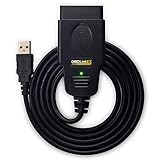
- CUSTOM-DESIGNED FOR USE WITH FORSCAN: Works with all FORScan compatible vehicles and is recommended by the FORScan Team
- DEALERSHIP-LEVEL DIAGNOSTICS: OBDLink EX supports all Ford protocols, modules, and advanced features of FORScan
- ELECTRONIC SWITCH allows FORScan to access all CAN buses simultaneously and enables advanced functions not possible with “toggle switch” adapters
- MAXIMUM THROUGHPUT -- up to 20 times faster than “toggle switch” adapters
- ROCK-SOLID CONNECTION avoids data corruption and dropped packets
esphome:
  name: cabin-monitor

esp32:
  board: esp32dev
  framework:
    type: arduino

logger:

api:
  encryption:
    key: !secret api_key

wifi:
  ssid: !secret wifi_ssid
  password: !secret wifi_password
The board needs a network to reach Home Assistant. In a car that usually means a phone hotspot or a router you carry, so decide that dependency before you build anything. Good first projects are non-safety readings, such as a temperature probe logged while the car is parked, or a single relay driving a cabin accessory.
Option 2: an ESPHome GPS module for location and movement
ESPHome’s GPS component works with modules that output NMEA sentences, the standard text format most GPS receivers use over a serial connection. The documented readings are latitude and longitude, with speed, course, and altitude sensors also supported. Once those values reach Home Assistant, they can appear on a map and feed zone-based automations.
Rank #2

- Error Diagnosis: This OBD2 adapter can be connected to a smartphone via Bluetooth, and together with the dedicated application, it can quickly read the vehicle fault codes. It can effectively assist car owners in promptly understanding the vehicle's condition and formulating maintenance plans
- Real Time Monitoring: This product supports real-time viewing of various vehicle data, such as coolant temperature, fuel system status, vehicle speed, airflow, and fuel pressure. Data updates are rapid, allowing drivers to monitor the vehicle's current operating status and enhance driving safety
- Superior Quality: The scanner's housing is made of high-strength ABS, offering excellent insulation and impact resistance. Its smooth, wear-resistant surface effectively prevents scratches and wear during daily use, ensuring long-term, stable operation
- Compact Size: This OBD2 Bluetooth car diagnostic scanner measures 3.1 × 1.6 inches or 3.5×1.8 inches and weighs 41 grams. It is compact and lightweight, making it easy to carry. It fits easily into a pocket or glove compartment, making it ideal for daily commutes, long-distance drives, or emergency checks
- Scope of Use: This OBD2 diagnostic scanner is specifically designed for 12V vehicles equipped with a standard OBD2 port and is widely compatible with sedans, SUVs, pickup trucks, and light trucks. To ensure compatibility, please verify that your vehicle's model year and port type match before purchasing
What the module can and cannot tell you
- The documentation does not establish accuracy for any particular module or for any vehicle installation. Test your module in the car before trusting its positions for anything.
- A module with a poor sky view, such as one under a dash or in a closed garage, reports weak or no fixes.
- This is a location-logging project, not a theft-recovery tracker. Do not rely on it for that purpose.
Wiring checks
- Confirm the module’s logic level before connecting its serial output to a board. Many ESP32 pins are 3.3 V, and not every GPS module outputs 3.3 V logic.
- Power the module from a regulated supply rated for the vehicle’s voltage range, not directly from the board’s pins.
Option 3: an OBD-II adapter with phone-based telemetry
The Car 2 Home integration repository describes a phone app that reads the vehicle’s OBD-II port through a Bluetooth or Wi-Fi ELM327 adapter, combines that stream with the phone’s GPS, and sends the data to Home Assistant. The sensors it describes include speed, fuel, temperatures, battery voltage, diagnostics, and tire-pressure data where the vehicle reports it. These are the project’s own claims. The repository does not verify a specific adapter model, and it does not guarantee support for every car.
Free tools Windows power users keep installed
One-click scans. No signup required.
The open-source part of this option is the software integration. The adapter is commercial hardware, so search for a neutral “ELM327 OBD-II adapter” category rather than assuming a particular brand works.
Rank #3

- ELM327 OBD2 USB Adapter: An easy portable OBDII USB ELM327 scanner, with MS CAN & HS CAN toggle switch, for clear trouble code and check engine light, diagnostic scan tool help to configure the vehicle data and existing modules.
- Compatible with all F150 F250 and more(Cars & Fseries Trucks 12V), Mazda, Lincoln, Mercury vehicles, Ranger, S-Max, C-Max, Transit, Mondeo, Fusion, Kuga, Mustang, Explorer, Edge — 99% of models after 2000 and around 92% of models after 1996 (the year when OBD2 became a standard in USA). Note: New 2019+ Mazda 3 and CX-30 are not supported yet.
- Special Functions: Discover Global Window feature, Bambi Mod, reverse tilt mirrors, make tire size correction, Perpendicular Park, Secure Idle, heated steering wheel, disabled double horn honk, disabled door ajar chime, and many more!
- Supported Software: ELMconfig, FoCCCus, FF2 [Can download the software from official website]; Supported operating systems:All Windows versions - XP, Vista, 7, 8, 10, 11; Supports all OBD 2 protocols (J1850PWM, HS-CAN, MS-CAN, HS-CAN2, HS-CAN3), this scanner works as a normal OBD-II/EOBD/CAN car code reader on all supported vehicles[please install the CH340T USB driver before connecting the car].
- How to Use: Download the software and CH340T USB driver, connect OBD2 USB adapter to your car, access your chosen ELM327-based software, and begin the vehicle diagnostics. Pls note! Does not work on trailers or semis.
Before you buy an adapter
- Confirm your vehicle has an OBD-II port and that your car supports the protocol your adapter uses.
- Check the phone side: the app’s supported operating system versions, and whether your phone can keep its Bluetooth or Wi-Fi link to the adapter in the background.
- Choose Bluetooth if you want the adapter to pair with a phone alone. Many Wi-Fi adapters create their own network, which can take the phone off mobile data while connected, so confirm that trade-off before you rely on it.
- Find out whether the adapter keeps drawing power from the port when the ignition is off. Some adapters do, and that can drain a battery over time.
What to expect once it runs
Telemetry arrives through Home Assistant as ordinary sensors, so you can build dashboards and automations from them. Treat the diagnostics output as information. Do not use an adapter’s write or reset functions unless you understand what they change.
Option 4: Home Assistant Companion for Android Auto or Android Automotive
This option is software, not a separate device. The Home Assistant Companion documentation describes an Android Auto and Android Automotive OS interface for selected entities. Actionable domains include lights, switches, scripts, fans, covers, and locks. Selected sensor entities can also appear. The vehicle limits how many entities it displays, so choose a short list rather than your whole setup.
Rank #4
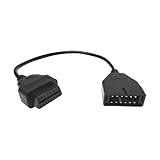
- 【Quality Material】: The OBD1 to OBD2 adapter cable is crafted with high-quality PVC material, which is wear-resistant, rugged, anti-interference, not easily deformed, and environmentally friendly. It is not easy to be damaged after a long time of use, and it always maintains stable transmission performance.
- 【Professional Accessories】: This OBD1 to OBD2 adapter is a male-to-female extension cable designed to build a connection between the diagnostic scanner and the vehicle. It is customized for 12-pin socket vehicles equipped with TCS diagnostic tools. Note: This package contains only cables.
- 【Easy to Install】: The OBD1 to OBD2 adapter cable connector is easy and convenient to install and can be plug and play. You only need to connect the OBD1 12-pin socket equipped in your vehicle to the OBD2 16-pin tool to complete the adapter operation.
- 【Reduce Wear and Tear】: This OBD1 to OBD2 adapter cable can act as an extension cord, effectively reducing interface wear caused by frequent plugging and unplugging, providing reliable protection for the vehicle's OBDII connector, and extending the service life of the on-board diagnostic system.
- 【Size】: You will receive 1 automotive diagnostic connection cable with a size of 16.14×1.83 inches. It is compact in size, easy to carry, and stored in the trunk of the car, making it convenient for you to diagnose vehicle faults at any time.
Setup
- Install the Home Assistant Companion app on a compatible Android phone, or confirm the vehicle runs Android Automotive OS.
- Sign in to your Home Assistant instance from the app.
- In the Companion app’s Android Auto settings, select the entities you want on the car screen. Keep the list to the few you would use at a stop, such as a garage door, a porch light, or a cabin fan.
- Connect the phone to a compatible head unit while parked and check that each entity responds and displays correctly before you drive.
Exact menu labels can change between app releases, so follow the current Companion documentation if a label differs from the one above.
Can ESPHome track a car’s location?
Yes, if you add a GPS module. A GPS module reports coordinates, which Home Assistant can use for position tracking and zone automations. Home Assistant’s device tracker documentation separates these position trackers from connection-based trackers. A Wi-Fi or Bluetooth connection tracker tells Home Assistant whether a device is present or away relative to a network. It does not give coordinates, so it is not a substitute for a GPS module.
Best Value
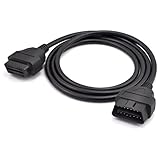
- OBD2 16Pin male to female extension cable
- Compatible diagnostic tools with a 16 pin socket
- High-quality materials give the cable superior flexibility and durability
- Multiple cables can be daisy-chained together to achieve longer length
- OBDII 16 Pin Extension Cable Adapter Male to Female
The Car 2 Home path also supplies location, but from the phone’s GPS rather than from a module in the car. Decide which location source matters for your use before you build around one of them.
Quick Recap
Which path fits your goal
- You want vehicle data without wiring anything into the car: start with the OBD-II option, after confirming your car and adapter support.
- You want a location history: use the phone-based option if phone GPS is enough, or add an ESPHome GPS module if you need a dedicated receiver and accept the setup work.
- You want to control a few devices from the car screen: use the Companion interface while parked, with a short list of entities.
- You want to build something custom: use ESPHome with a microcontroller for a non-safety sensor or switch, and test it on the bench before it goes in a vehicle.
“
Product prices and availability are accurate as of the date/time indicated and are subject to change. Any price and availability information displayed on Amazon at the time of purchase will apply.

