
iTechGuides is reader-supported. When you buy through links on our site, we may earn an affiliate commission. As an Amazon Associate I earn from qualifying purchases. Learn more
Safari is worth considering if you use Apple devices and want their tabs and other browsing data to stay in sync, alongside built-in privacy controls and tools for organizing websites. These 21 features show what it can do; they do not prove Safari is faster or better than every alternative. Whether switching makes sense depends on your devices, extension needs, and comfort with Apple’s ecosystem.
Organize browsing with profiles and Tab Groups
1. Create separate profiles
Profiles can separate work and personal browsing. On Mac, profiles require Safari 17 or later. Apple says each profile has separate history, cookies, website data, extensions, Tab Groups, and favourites; passwords, AutoFill, security, website, and privacy settings can still be shared. You may need to sign in to websites again in a new profile. Apple’s Mac profile guide describes the setup and boundaries.
2. Give each profile a purpose
Use one profile for work and another for personal browsing to keep their histories, tabs, and favourites apart. On iPhone, profiles also have separate favourites, histories, tabs, and Tab Groups. Profiles may appear on devices using the same Apple Account. Apple’s iPhone profile guide explains the available controls.
3. Choose extensions by profile
On iPhone, extensions can be enabled by profile, so you can tailor them to different browsing contexts. On Mac, extensions are among the data and settings separated by profile. Check your Safari version and device before relying on a particular extension or menu path.
#1 Best Overall

- 【Efficiency】This is a perfect shortcut sticker, it contains a list of shortcuts for a lot of operating systems. Laptop Shortcuts Stickers allow you to save time and effort by eliminating the need to search online or memorize complex commands at any time to improve your productivity.
- 【Durable Materials】Crafted from durable PVC material, these shortcut keyboard stickers are waterproof, oil-resistant, and tear-resistant. They withstand wear and tear, ensuring longevity without fading or smudging even with prolonged use. The self-adhesive backing facilitates easy replacement and residue-free removal.
- 【Compatible】L*W: 3.34 x 2.36 in, Word/Excel Shortcuts Stickers are suitable for 14" and smaller laptops, compatible and fit most brand laptops or desktops running operating system.
- 【How to Use】Avoid dust and contact with adhesives. Peel and fold the backing paper in half and gradually apply the sticker, squeezing out the air as you go. It can be completed in a few minutes.
- 【Suitable for the Crowd】Whether you're a beginner or a seasoned computer professional, you can easily take your computer proficiency to the next level with our handy and affordable stickers. Also a great gift for kids, girls, teens, friends even colleagues.
4. Use Tab Groups for ongoing projects
Tab Groups let you collect tabs around a project or activity instead of leaving every page in one crowded window. They work alongside profiles: profiles separate browsing contexts, while groups organize related tabs within a context. Apple’s Mac Safari guide covers Tab Groups.
Make the start page and reading tools work for you
5. Customize the iPhone start page
Safari on iPhone lets you choose which modules appear on its start page. Use the available customization controls to bring forward the information you want to see when opening a new tab. The choices and interface can depend on your iOS release; see Apple’s iPhone customization guide.
6. Show iCloud Tabs when continuity helps
iCloud Tabs can help you find open Safari tabs from your other Apple devices. Safari data such as open tabs, bookmarks, history, and Reading List can stay updated across devices signed in to the same Apple Account when Safari is enabled in iCloud. Without those account and iCloud conditions, do not expect cross-device continuity.
Free tools Windows power users keep installed
One-click scans. No signup required.
7. Save pages to Reading List
Add pages you want to return to later to Reading List instead of keeping them open indefinitely. Reading List is among the Safari data that can stay updated through iCloud under the same Apple Account and Safari-in-iCloud conditions.
Rank #2

- 💻 ✔️ EVERY ESSENTIAL SHORTCUT - With the SYNERLOGIC Reference Keyboard Shortcut Sticker, you have the most important shortcuts conveniently placed right in front of you. Easily learn new shortcuts and always be able to quickly lookup commands without the need to “Google” it.
- 💻 ✔️ Work FASTER and SMARTER - Quick tips at your fingertips! This tool makes it easy to learn how to use your computer much faster and makes your workflow increase exponentially. It’s perfect for any age or skill level, students or seniors, at home, or in the office.
- 💻 ✔️ New adhesive – stronger hold. It may leave a light residue when removed, but this wipes off easily with a soft cloth and warm, soapy water. Fewer air bubbles – for the smoothest finish, don’t peel off the entire backing at once. Instead, fold back a small section, line it up, and press gradually as you peel more. The “peel-and-stick-all-at-once” method only works for thin decals, not for stickers like ours.
- 💻 ✔️ Compatible and fits any brand laptop or desktop running Windows 10 or 11 Operating System.
- 💻 ✔️ Original Design and Production by Synerlogic LLC, San Diego, CA, Boca Raton, FL and Bay City, MI, United States 2025. All rights reserved, any commercial reproduction without permission is punishable by all applicable laws.
8. Change text size for a website
If a page is hard to read, adjust its text size in Safari on iPhone rather than zooming the whole page. Apple documents text-size controls among Safari’s iPhone customization options; exact controls may vary by iOS version.
9. Open Reader when it is available
Reader presents supported articles in a simplified reading view. It is not offered for every page, so look for the Reader control when browsing an eligible article rather than expecting it on all sites.
10. Hide the toolbar when you want more room
Safari on iPhone includes an option to hide the toolbar. This can give a page more screen space, but the toolbar may reappear as you interact with the page. Check the current Safari interface on your iOS release for the control.
The Tool Desk
Outbyte Driver Updater FREEFix the driver behind crashes, sound loss and screen glitchesFind Drivers →Outbyte PC Repair FREERepair Windows errors before they cause bigger problemsFix Now →Use privacy controls with realistic expectations
11. Start a Private Browsing session
On iPhone, Private Browsing tabs do not appear in Safari History or in the tab list on your other devices. This keeps them out of those Safari views; Apple’s documentation does not establish that Private Browsing makes you anonymous to websites. Read Apple’s Private Browsing guide for the behavior it documents.
Rank #3

- Pre-printed keyboard shortcut reference stickers with clear Mac symbols (⌘⌥⌃⇧) for essential macOS functions. Each sticker maps the exact key combination—no guessing which key does what after years of Ctrl+C muscle memory. Stop interrupting your workflow to Google "how to screenshot on Mac"—every command you need sits right on your keyboard. Covers 50+ shortcuts across Finder, Safari, screenshot tools, window management, and system navigation.
- Color-coded layout organized by function group—green for system controls, blue for editing, orange for navigation. Visual grouping lets your eyes lock onto the right shortcut in under a second, even during a time-sensitive presentation. Keep your momentum during crunch time—whether formatting a Keynote slide or jumping between Spaces desktops, the shortcut is already at your fingertips. Layout tested with daily Mac workflows: file management, text editing, browser tabs, and window snapping.
- Universally compatible with 13-inch to 16-inch MacBook Pro and MacBook Air, from M1 through M5 chip generations. Precision-cut transparent vinyl background—stickers blend into any keyboard color without looking cluttered or blocking backlit keys. Build Mac-native muscle memory in days, not weeks—the stickers serve as training wheels you naturally rely on less as proficiency grows. Compatible with all MacBook models released 2020–2026, including latest M5 chip variants.
- Premium matte vinyl with scratch-resistant surface coating and precise keycap-sized die-cuts. Oil-resistant and fade-proof—survives daily typing, coffee spills nearby, and sliding in and out of a laptop sleeve. Apply once and type worry-free for months—no peeling corners catching your fingers mid-sentence, no sticky residue when you decide to remove them. Each sticker individually cut to 3.25 × 3.25 inch keycap dimensions with rounded corners to prevent edge lifting.
- Includes power-user shortcuts beyond the basics—Mission Control, Split View, Quick Actions, and app-specific commands for Safari, Pages, and Keynote. Covers shortcuts many long-time Mac users never discover, organized from daily essentials to advanced workflow accelerators. Move from "I know the basics" to "I fly through tasks"—feel confident collaborating in any environment without hunting for the right key combo. Selection based on macOS Ventura through Sequoia default shortcut maps, verified against actual user frequency data.
12. Know when private tabs lock
If your iPhone has a passcode, Private Browsing may lock when it is not in use, but Apple says it may not lock immediately. Treat the feature as a way to protect an unattended private session, not as an instant lock guarantee.
13. Understand what iCloud Private Relay does
iCloud Private Relay is an iCloud+ feature. Apple describes it as helping prevent detailed profiling; that is not a promise of complete anonymity. Its availability and operation depend on the service and account conditions Apple specifies.
14. Review the Privacy Report
Safari can show a Privacy Report that summarizes privacy-related information about sites you have visited. On Mac, Apple’s Safari guide covers privacy features. Treat the report as a way to inspect Safari’s protections, not as a complete audit of every form of tracking.
15. Check site-specific settings
Safari’s website settings let you review or adjust behavior for individual sites. On Mac, settings cover areas such as privacy, security, and website access. Use these controls when one site needs different treatment rather than changing a broad setting without considering its effect elsewhere. See Apple’s Mac settings guide.
Rank #4
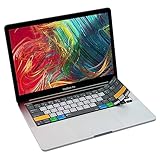
- Over 60 essential macOS shortcuts, printed right on a protective silicone cover, so the reference sits on the key you press instead of on a cheat sheet beside your laptop.
- Typing feels the same, even at speed: the 0.3mm cover is moulded to each key, so the shape and the travel are unchanged.
- The macOS keyboard protector washes. Rinse it, let it dry, and the fit is the same as the day it arrived.
- Fits MacBook Pro 13 (A2338, M1/M2) and MacBook Pro 16 (A2141, 2019) with Touch Bar and Touch ID. US English layout (ANSI).
- Canadian design since 2009: we've worked out every shortcut layout in our Vancouver studio, on the same MacBooks we use all day. 12 month warranty.
16. Manage cookies deliberately
Cookies and website data can affect sign-ins and how sites function. Safari provides privacy controls for managing this data; changing them may require signing in again or affect site behavior. Review the relevant privacy settings for your platform before making a change.
17. Clear history, but know its limits
Clearing Safari history does not clear browsing histories that websites retain independently or histories stored in other apps. Apple explains this limit in its iPhone getting-started guide. Clearing local Safari history is not the same as erasing every record of your activity elsewhere.
Independent reader supportYour contribution helps us test, update, and keep practical guides available for everyone.Control downloads, extensions, and saved sites
18. Choose where downloads go
Safari lets you set a download destination. On iPhone, use the Safari settings available in your iOS version to choose where downloaded files are saved; on Mac, download controls are in Safari settings. The exact labels and available locations can vary by platform and release.
19. Install only the extensions you need
Safari supports extensions, but their availability and behavior depend on the platform and the specific extension. Review extension permissions and enable only what you need. Apple’s Mac settings guide documents extension controls; its profile guide explains how extensions relate to profiles on Mac.
Best Value

- 💻 ✔️ EVERY ESSENTIAL SHORTCUT - With the SYNERLOGIC Reference Keyboard Shortcut Sticker, you have the most important shortcuts conveniently placed right in front of you. Easily learn new shortcuts and always be able to quickly lookup commands without the need to “Google” it.
- 💻 ✔️ Work FASTER and SMARTER - Quick tips at your fingertips! This tool makes it easy to learn how to use your computer much faster and makes your workflow increase exponentially. It’s perfect for any age or skill level, students or seniors, at home, or in the office.
- 💻 ✔️ New adhesive – stronger hold. It may leave a light residue when removed, but this wipes off easily with a soft cloth and warm, soapy water. Fewer air bubbles – for the smoothest finish, don’t peel off the entire backing at once. Instead, fold back a small section, line it up, and press gradually as you peel more. The “peel-and-stick-all-at-once” method only works for thin decals, not for stickers like ours.
- 💻 ✔️ Compatible and fits any brand laptop or desktop running Windows 10 or 11 Operating System.
- 💻 ✔️ Original Design and Production by Synerlogic LLC, San Diego, CA, Boca Raton, FL and Bay City, MI, United States 2025. All rights reserved, any commercial reproduction without permission is punishable by all applicable laws.
20. Keep bookmarks and favourites organized
Use folders to group bookmarks or favourites by topic, project, or frequency of use. Profiles can keep their favourites separate, which can make a work or personal start page less cluttered. On iPhone, deleting a profile also removes its associated favourites, history, and Tab Groups, so account for that before removing one.
21. Sync supported Safari data through iCloud
To keep supported Safari data updated across Apple devices, use the same Apple Account and enable Safari in iCloud on the relevant devices. Apple lists open tabs, bookmarks, history, and Reading List among the data that can stay updated. Syncing is conditional on those settings and should not be assumed across devices or accounts that do not meet them.
Is switching to Safari the right move?
Safari is a sensible option to try if Apple-device continuity, built-in privacy controls, and browsing organization are priorities. Before switching, consider whether it supports the extensions you rely on and whether your regular devices are all in Apple’s ecosystem. Apple’s guides document Safari’s capabilities, but they do not establish a universal performance or security winner over other browsers. Features and menus also vary by platform and operating-system release, so check the guide for the device you use.
Quick wins for a faster PC:
Repair Windows errors before they cause bigger problemsFix Now →Fix the driver behind crashes, sound loss and screen glitchesFind Drivers →Quick Recap
Product prices and availability are accurate as of the date/time indicated and are subject to change. Any price and availability information displayed on Amazon at the time of purchase will apply.

