
Recommended Free Tools
BetterPic is the best overall choice for most individuals because it combines a relatively low entry price, 4K output, editing options, and commercial-use features. Choose HeadshotPro for teams or if privacy and deletion policies are priorities, Aragon AI when turnaround speed matters most, Dreamwave or Secta AI for large galleries and style variety, and Studioshot when clearly defined professional packages matter more than experimentation.
One important qualification: this is a research-based 2026 ranking, not a first-person test. The available research includes independently published comparisons, but the publisher did not upload photographs, purchase packages, or evaluate generated images for this article. Prices, model behavior, delivery queues, and terms can change, so verify the live checkout page before paying.
Quick comparison
The services below are ranked by practical use case rather than by a claimed universal quality score. Prices are advertised or reported 2026 snapshots, generally in U.S. dollars. “Inputs” means the approximate number of source photos typically requested; a larger upload set does not automatically guarantee better results.
| Rank | Generator | Best for | Entry price snapshot | Inputs and output | Reported or advertised timing |
|---|---|---|---|---|---|
| 1 | BetterPic | Most individuals | $35 | 8 uploads; 20 4K images on Basic | Under 1 hour reported |
| 2 | HeadshotPro | Teams and privacy-conscious buyers | $29 | 30 headshots; at least 2048 pixels advertised on standard packages | Under 2 hours advertised |
| 3 | Aragon AI | Fast delivery | About $35 reported | 6–8 uploads; approximately 20 images reported | About 30 minutes reported |
| 4 | Dreamwave | Large galleries, teams, and events | $35 | 75 photos at Starter; higher tiers offer 150 or 300 | Minutes to about 2 hours, depending on offer |
| 5 | Secta AI | Style variety and editing | $49 promotional price shown | 200+ HD photos; generally at least 20 uploads | Usually under 1 hour; up to 24 hours when busy |
| 6 | Studioshot | Transparent tiers and professional niches | $29.25 | 40 images; up to 120 on Signature | Under 3 hours to under 1 hour, depending on tier |
| 7 | Try It On AI | Minimum upload effort | From $17 advertised | One selfie; hundreds of images claimed | Minutes advertised |
| 8 | Profile Bakery | Job-search support | From $24 per person for teams | One webcam photo in the team workflow | Up to 24 hours for teams |
| 9 | ProPhotos | Style experimentation | About $29–$49 reported | Approximately 64 images reported | About 2 hours reported |
| 10 | The Multiverse AI | Creative profile variants | About $29 reported | Approximately 12–15 uploads reported | Not sufficiently verified |
Prices and specifications are not guarantees. Promotional rates, image counts, upload limits, turnaround times, and included revisions may vary by country, plan, tax, queue, and date.
The Tool Desk
Outbyte PC Repair FREEClear out junk files and repair common Windows errorsFree Scan →Outbyte Driver Updater FREEScan for outdated or missing drivers - takes under a minuteDriver Scan →#1 Best Overall

- Sturdy & Stable Construction: Crafted from premium aluminum alloy with a durable metal coating, this light stand ensures enhanced stability and corrosion resistance for long-lasting use. Supports up to 11 lb(5 kg), ideal for photography studios, video shoots, content creation, podcasts, YouTube, and TikTok
- Ultra-Portable Design: Weighing just 2.2 lb (1 kg), this tripod stand includes an upgraded portable bag for easy storage and travel. Perfect for indoor and outdoor use, it folds compactly to fit your on-the-go needs
- Effortless Height Adjustment: Adjust the telescopic pole from 2.5 ft to 7 ft in seconds with secure locking buttons. Maintains stability for speedlights, strobes, or softboxes while enabling quick setup
- Universal Compatibility: Features a 1/4-inch screw thread to fit most flash units, umbrellas, reflectors, softboxes, and camera gear. A versatile choice for photographic equipment and lighting setups
- Reliable Support & Warranty: Includes 1-year warranty and US-based customer support. Note: For heavy-duty softbox or flash setups, pair with a sandbag for extra stability
1. BetterPic — best overall balance for individuals
Choose BetterPic if: you want a conventional professional headshot, several usable options, and more editing and licensing flexibility than a bare-bones generator typically provides.
BetterPic is the strongest general recommendation because its documented offering covers the needs of an individual professional without being limited to a single low-effort selfie result. A 2026 comparison reported a $35 entry tier with eight source photos, 20 shots, a free 4K trial allocation, delivery in under an hour, and team-management features. BetterPic’s own FAQ describes one-time plans ranging from $35 to $79, 4K output, AI edits, commercial licensing, and human edits on its highest tier.
- Best documented strengths: 4K downloads, AI editing, commercial licensing, and a one-time purchase model.
- Best for: LinkedIn, company websites, speaker pages, resumes, and small professional teams.
- Important policy detail: the provider advertises a seven-day money-back guarantee; read the current conditions before ordering.
- Main caveat: pricing, image limits, editing access, and team features can change between plans.
BetterPic is not necessarily the right choice if you need hundreds of variations, one-selfie convenience, or enterprise-specific HR integrations. For those requirements, Dreamwave, Try It On AI, or HeadshotPro may fit better.
2. HeadshotPro — best for teams and privacy-conscious buyers
Choose HeadshotPro if: you are ordering for several employees, want a no-subscription purchase, or need clearly stated privacy and enterprise features.
Do these 3 things before closing this tab:
1Clear out junk files and repair common Windows errors2Scan for outdated or missing drivers - takes under a minute3Repair Windows errors before they cause bigger problemsHeadshotPro advertises one-time packages starting at $29, 30 headshots, and delivery in under two hours. Its standard package advertises final images of at least 2048 pixels. For organizations, the more significant differentiators are the stated security and data-handling policies: HeadshotPro says it does not train on customer photos, automatically deletes them after 30 days, encrypts data, maintains SOC 2 Type II compliance, and supports enterprise single sign-on.
- Best documented strengths: team ordering, no subscription, enterprise SSO, stated deletion timing, and a clear no-training claim.
- Best for: recruiting teams, sales organizations, distributed companies, and professionals who want a stated retention policy.
- Main caveat: the basic package may not include a retry, so inspect the revision or redo terms before submitting a difficult source set.
These are provider-published claims, not findings from an independent security audit conducted for this article. If your organization handles sensitive employee data, have your privacy or procurement team review the provider’s current terms and data-processing documentation.
3. Aragon AI — best when speed matters most
Choose Aragon AI if: you need a professional-looking image quickly and can verify that the live plan still offers the required number of images and revisions.
A 2026 comparison reported an entry price of approximately $35, six to eight uploads, roughly 20 images, and delivery in about 30 minutes. That makes Aragon the most compelling speed-first option in this ranking. The price and timing should be treated as a snapshot rather than a permanent specification; the live pricing page and checkout are the authority for the package available to you.
- Best documented strength: fast reported turnaround with a relatively small upload requirement.
- Best for: a last-minute LinkedIn update, a job application, or a business profile that cannot wait several hours.
- Main caveat: queue load, plan type, redo requests, time zone, and current promotional terms can make actual delivery slower.
Speed is not the same as likeness. If the first batch contains anatomy errors or does not resemble you closely enough, a service with stronger editing or redo options may be a better choice than the fastest generator.
4. Dreamwave — best for large galleries, teams, and events
Choose Dreamwave if: you need a large number of images, multiple outfits and backgrounds, or a workflow that can extend beyond one person.
Dreamwave’s pricing page lists a $35 Starter package with 75 photos. Higher tiers offer 150 or 300 photos, while some packages add multiple outfits, backdrops, redos, and human touchups. Its product pages describe individual, team, and event offerings, HRIS integrations, 4K exports for certain enterprise badge workflows, and a privacy promise that customer data is not sold or used for training.
- Best documented strengths: high image counts, team and event workflows, multiple presentation styles, and enterprise integrations.
- Best for: company directories, onboarding, conferences, events, and people who want many variations rather than a small final selection.
- Main caveat: redo availability and human touchups vary by tier. Do not assume that the $35 package includes every correction option.
Dreamwave makes more sense for volume than for a single, simple LinkedIn portrait. If you only need a few images and prefer a compact workflow, BetterPic or HeadshotPro may be more economical.
Free tools Windows power users keep installed
One-click scans. No signup required.
Rank #2

- 【Sturdy and Stable】Made of high-quality metal to make the structure more stable, durable and portable; tripod base with extension bar helps to further stabilize the stand, built-in collapsible long legs and non-slip feet make the base bigger and more stable.
- 【Extendable Adjustment】Special buckle design can adjust the angle, can be freely adjusted from 112cm to 280cm in height, load capacity up to 8kg, suitable for different shooting scenarios. The connecting parts are all made of metal, which is more durable.
- 【Wide Compatible】The top of the tripod is equipped with a standard 1/4” screw stud. Adjustable 180 degrees from front to back. Suitable for major photography accessories, heads, ring lights, video lights and more. Easily compatible with flashes, digital cameras, strobes, smartphones and more. Perfectly suitable for both outdoor and indoor, providing you with a strong support to meet your various needs.
- 【Ultra-Portable & Travel-Friendly Design】Maximize your shooting flexibility with our collapsible light stand! Its innovative foldable design allows quick breakdown into a compact size, perfect for photographers on the move — store it in tight spaces, toss it in your gear backpack, or take it anywhere without hassle. Shoot anywhere, anytime!
- 【Quality Assurance】K&F Concept photography light stand comes with a 2-year product warranty. If you have any problems, please feel free to contact us, we will provide you with a proper solution at the first time.
5. Secta AI — best for style variety and post-generation editing
Choose Secta AI if: you want to explore many visual directions and refine results after generation instead of accepting the first batch.
Secta advertises a one-time $49 promotional Professional plan with more than 200 HD photos, over 90 styles, Remix editing, live chat, and a 30-day money-back guarantee. Its help center generally recommends uploading at least 20 images. Delivery is usually described as under an hour but can take up to 24 hours during busy periods.
- Best documented strengths: unusually large style selection, high image volume, and Remix post-generation editing.
- Best for: consultants, creators, speakers, founders, and job seekers who need several distinct but professional looks.
- Main caveat: the $49 offer is promotional and can change. More styles also mean more opportunities to choose an image that looks polished but no longer resembles you accurately.
Use Secta’s range as a creative tool, not as permission to alter your identity. Compare every selected image against your current appearance before publishing it.
6. Studioshot — best for transparent package tiers and professional niches
Choose Studioshot if: you prefer straightforward image-count tiers and have a specific professional context such as a medical profile, law-firm bio, real-estate page, resume, or email signature.
Studioshot’s listed packages are unusually easy to compare: Essential is $29.25 for 40 images, Pro is $36.86 for 80, and Signature is $43.88 for 120. Higher tiers provide faster turnaround and more styles. The service explicitly markets headshots for LinkedIn, resumes, email signatures, medical profiles, lawyers, doctors, and realtors.
- Best documented strengths: clear tiering, a useful range of output counts, and professional-use positioning.
- Best for: buyers who want to select a package based on images and turnaround rather than a complex feature bundle.
- Main caveat: inspect faces, skin texture, teeth, and hair for excessive AI smoothing before choosing a final image.
For a single LinkedIn profile, 40 images may already be more than enough. Paying for a higher tier is worthwhile only if the extra styles or faster delivery solve a real need.
7. Try It On AI — best for minimum upload friction
Choose Try It On AI if: convenience matters more than supplying a large, carefully curated training set.
Try It On AI advertises a one-selfie workflow, hundreds of headshots, results in minutes, no subscription, and starting prices from $17. Those are promotional vendor specifications, so verify the final checkout price, image count, usage rights, and refund terms before ordering.
- Best documented strengths: one-selfie setup, fast advertised results, and a low advertised starting price.
- Best for: someone who does not have a collection of suitable source photos or wants to experiment before committing to a larger package.
- Main caveat: one source image gives the system less information about your face, hair, expressions, and natural proportions. Review likeness more carefully than you would with a larger upload set.
One-selfie convenience does not make lighting irrelevant. A sharp, current, front-facing photo with even light will usually give the system more useful information than a dark or heavily filtered selfie.
8. Profile Bakery — best for job-search support
Choose Profile Bakery if: your headshot is one part of a broader job-search or personal-branding update.
Profile Bakery markets AI corporate headshots from $24 per person and describes a team workflow based on one webcam photo. A 2026 pricing guide places its AI packages broadly in the $24–$75 range and identifies related career tools such as CV templates, cover-letter generation, LinkedIn analysis, and clothing changes. Team delivery can take up to 24 hours, and consumer and corporate offers are not necessarily the same.
- Best documented strengths: low-friction team input and adjacent tools for resumes, cover letters, and LinkedIn profiles.
- Best for: job seekers, career changers, and teams that want profile assets alongside other application materials.
- Main caveat: confirm whether the package you are viewing is a consumer plan or a corporate/team offer, and check what image rights and revisions are included.
Choose Profile Bakery for the surrounding career workflow, not because the available research establishes that it produces the most realistic headshots.
Quick wins for a faster PC:
Repair Windows errors before they cause bigger problemsFix Now →Fix the driver behind crashes, sound loss and screen glitchesFind Drivers →Rank #3
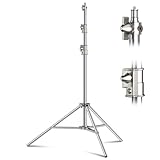
- 【Less Impact & Dual Springs】The heavy duty light stand comes with two spring buffers built in the pole, effectively minimizing the friction and impact when failling down, and ensuring the utmost protection for your valuable photography gears.
- 【Superior 9.2FT Height Range】Elevate your photography game with the telescopic light stand, supporting an ultra-high height range to meet diverse shooting requirements, from 3.5ft to 9.2ft(1.1m-2.8m). Whether indoors or outdoors, tackle any photography height challenge at ease.
- 【Robust Metal Locking Mechanism】The photography light stand features a high-quality steel body with an anti-rusty coating for a better performance on heavy load(Max load up to 17.6LB). The solid metal locking promises strong, firm joints, providing steadfast support for your devices.
- 【Triple Reinforced Base, Maximum Stability】Except for a twist lock over its base, the steel tripod stand especially designs three individual block strips between the center stud and legs, adding more assurance against tipping or wobbling. Besides, three anti-slip rubber feet firmly grip the ground, further enhancing stability.
- 【Versatile Screw & Two-Way Options】Equipped with a 1/4" and 3/8" adapter, this studio lighting stand is well-suited to strobe lights, reflectors, umbrellas, softboxes, speedlights, flashlights, spotlights and DSLR cameras. Moreover, choose between top-mounted or side-mounted installation for flexible lighting direction, catering to your unique shooting needs.
9. ProPhotos — best for style experimentation
Choose ProPhotos if: you want a broad professional-style library and are willing to spend more time navigating the workflow.
A 2026 comparison reported pricing of approximately $29–$49, around 64 images, and roughly two-hour delivery. A separate secondary test report praised the upload tutorial and style flexibility but described the workflow as slower and more cumbersome. Those observations are useful signals, not independent laboratory measurements or tests conducted by this publication.
- Best documented strengths: broad style selection and an upload process that secondary testing found helpful.
- Best for: professionals who want to explore several presentation styles before settling on a profile image.
- Main caveat: allow extra time if the workflow feels cumbersome or if you need to repeat the process.
ProPhotos is a style-first alternative rather than the clearest recommendation for urgent delivery or large team administration.
10. The Multiverse AI — best treated as a creative-profile alternative
Choose The Multiverse AI only after checking the current offer carefully. A July 2026 comparison reported an entry price around $29 and an upload requirement of approximately 12–15 images, but current official pricing, performance details, and turnaround information were not sufficiently documented in the available research.
What’s actually slowing this PC down?
Pick the symptom - the matching free tool is one click away.
That makes The Multiverse AI difficult to rank above competitors with clearer current package information. It may appeal to people seeking creative profile variants, but verify the live price, image count, delivery time, refund rules, privacy policy, and commercial-use terms before uploading personal photos.
How these rankings were determined
The ranking emphasizes the decision factors that matter before a purchase:
- Likeness and realism: whether the result preserves the person’s real face and current appearance, not merely whether it looks conventionally attractive.
- Input friction: how many suitable source photos are required and whether a single selfie is enough.
- Output and resolution: image count, HD or 4K availability, cropping flexibility, and whether the plan supports the intended use.
- Speed: advertised delivery versus reported third-party turnaround, with queue and redo delays treated separately.
- Editing and recovery: Remix tools, AI edits, human touchups, retries, and refund policies.
- Business fit: team management, enterprise identity tools, HRIS integrations, licensing, and privacy information.
- Transparency: how clearly the provider describes tiers, limits, and exclusions.
The available comparisons are directional rather than definitive. One comparison reports testing eight tools in April 2026, while another describes a same-selfie-batch test in March 2026. Both sources have vendor-adjacent or commercial interests, so their results should not be treated as a neutral benchmark. No claim here should be read as a personal test by the publisher.
Which AI headshot generator should you choose?
| Your priority | Start with | Why |
|---|---|---|
| One polished profile photo for yourself | BetterPic | Good balance of price, output, 4K availability, editing, and licensing. |
| Employee or team headshots | HeadshotPro | Team features, one-time packages, stated security measures, and enterprise SSO. |
| Fastest reported turnaround | Aragon AI | Approximately 30-minute delivery was reported, subject to queue and plan. |
| Many images, outfits, or event assets | Dreamwave | Packages begin at 75 photos and scale to 150 or 300. |
| Many styles and editing after generation | Secta AI | Advertised 90-plus styles, 200-plus HD photos, and Remix editing. |
| Clear professional package tiers | Studioshot | Image counts and price points are easy to compare. |
| Fewest source photos | Try It On AI | Advertises a one-selfie workflow. |
| Headshot plus job-search tools | Profile Bakery | Combines headshots with CV, cover-letter, and LinkedIn-oriented tools. |
| Creative style exploration | ProPhotos | Reportedly offers a broad professional-style library. |
| Creative variants with uncertain current terms | The Multiverse AI | Potentially interesting, but current official details need verification. |
How to prepare source photos for better results
- Use current photos. Choose images that reflect how you look now. Do not use old photos if your hair, glasses, facial hair, weight, or age has changed substantially.
- Provide variety without confusion. Use several angles and expressions, but avoid mixing radically different hairstyles, makeup, ages, or filters. Secta generally recommends at least 20 images; reported requirements for Aragon, BetterPic, Dreamwave, and The Multiverse AI are lower.
- Prioritize a clear face. Avoid sunglasses, face-obscuring hats, heavy filters, motion blur, extreme shadows, and group photos. If you normally wear glasses, include clear images with the glasses rather than allowing the system to guess.
- Use even lighting. Window light facing you is often preferable to a strong light directly above. Keep the camera near eye level and avoid a wide-angle close-up that distorts the nose or jaw.
- Keep the expression natural. Include a neutral expression and a modest smile if you want both serious and approachable options.
- Check the upload rules. File type, maximum size, minimum image count, and whether old professional photos are allowed vary by service.
Do not upload someone else’s image without permission. Treat source photos as personal data and delete them from the service afterward if the provider’s controls allow it.
Independent reader supportYour contribution helps us test, update, and keep practical guides available for everyone.How to check whether an AI headshot really looks like you
Do not select the image with the most dramatic background or the smoothest skin automatically. Compare each finalist with your source photos and inspect:
- eye shape, spacing, and eyelid structure;
- hairline, hair texture, and natural part;
- facial proportions, jaw shape, nose, ears, and asymmetries;
- skin texture and distinctive marks;
- teeth, lips, and smile shape;
- glasses, facial hair, and other features you normally present in public;
- clothing edges, collars, jewelry, hands, and background artifacts.
Reject an image that makes you materially younger, thinner, more muscular, or otherwise different from your real appearance. A polished image that acquaintances cannot recognize is a poor professional headshot.
LinkedIn’s official guidance permits an illustration, caricature, or artistic rendering, but says the profile image must reflect the user’s likeness. Platform acceptance is not the same as professional authenticity: show the final image to a colleague, friend, or client who knows you before publishing it.
PC Slower Than It Used to Be?
A free scan shows the junk files, broken settings and background clutter dragging Windows down - then fixes them in one click.Free scan · Windows 10 & 11Crashes, No Sound, or Screen Glitches?
Random freezes, missing sound and display glitches usually trace back to one bad driver. Find and replace yours safely.Free scan · under a minuteRank #4

- 【MULTIPLE COLOR TEMPERATURE & ADJUSTABLE BRIGHTNESS】There are 3 Color temperatures (2800K, 4800K & 6500K) which offer different lighting atmosphere; This Studio Light is equipped with 356 Led beads which offers a stable and ample output of 15W. Features a high CRI of 97+ for precise color rendering. Adjust the brightness in a range of 10 to 100% with button up and down on remote to meet different photography circumstances, offering extra lighting for your works.
- 【LIGHT PANEL & POWER CABLE】The 10” (25.5 cm) x 7.8” (19.8 cm) LED light panel with compact design allows you to carry around conveniently with durable storage bag. Thickened light shell works a diffusion, making the lighting more softer. Ideal USB port for powering the device with 5V, 2A DC wall charger(not include) or power bank. Comes with USB-C adapters that allows you to power the device with cell phone or laptop.
- 【HEIGHT ADJUSTABLE TRIPOD】The tripod of the video light adopts durable but lightweight aluminum with powder sprayed layer, looks chic and classic. The light stand can be raised up to 60”. Folded size 17", perfect to store and carry. Adjust the height flexibly with 3 screw knobs loosen and tighten. Attach and detach the light panel easily with the 1/4" threads on the top of the tripod. Loosen the screw on side to rotate the light panel angle in range of 180°, tighten it when get suitable angle.
- 【WIDE APPLICATION】Essential equipment for Photo Studio, Video Recording, Photography, Low Angle Close Shooting, Portrait, Live Stream, Vlogging taking, Youtube Podcast Applications. Light weight and durable design allow you to carry around conveniently and move easily.
- 【Package List & Customer Service】There will be 2 LED studio light panels with cable. adjustable tripod stand for each light panel, 1 user manual, 1 storage bag, 2 USB-C adapters. Whatever issues you meet during the usage or any defects arise, rest assured that we are here to assist you.
Resolution, licensing, and where you can use the result
For LinkedIn and most resumes, a clean crop and believable likeness matter more than the maximum available resolution. For a website, speaker page, printed material, company directory, or event badge, prioritize high-resolution or 4K downloads and confirm that the plan permits the intended use.
- BetterPic advertises 4K output and commercial licensing.
- HeadshotPro advertises at least 2048-pixel results on its standard package.
- Dreamwave advertises 4K assets for certain enterprise badge workflows.
- Studioshot specifically markets use cases including websites, social media, and email signatures.
Do not assume that commercial use, paid advertising, resale, employee directories, or unlimited team usage are included merely because you can download an image. Read the license for the exact plan. Also check whether the service can use your submitted or generated images for training, marketing, or other purposes.
Privacy and deletion: what to check before uploading
AI headshot services need facial photographs, which are sensitive personal information in many contexts. Provider privacy statements are useful, but the claims below are provider-reported and were not independently verified as part of this article.
- HeadshotPro says customer photos are not used to train models and are automatically deleted after 30 days. It also advertises encryption, SOC 2 Type II compliance, and enterprise SSO.
- Dreamwave says it does not sell or train on customer data.
- Secta AI advertises privacy protections, but the available public information did not provide enough detail to compare its retention period directly with HeadshotPro’s.
Before uploading, look for the retention period, deletion controls, model-training language, third-party processors, geographic data handling, team administrator access, and whether refunds require keeping the images. If the provider does not clearly answer those questions, upload only photos you are comfortable submitting and avoid using the service for identity documents or highly sensitive client material.
When an AI headshot is the wrong choice
AI generators are convenient branding tools, but they do not replace every form of professional photography. Use a real photographer when you need:
- an exact record of your current appearance;
- specific lighting, location, props, or workplace context;
- direction for posture, expression, wardrobe, or personal branding;
- a consistent group session with a controlled visual style;
- images for a regulated credential, identity document, visa, license, or other process requiring an exact photograph.
Never assume an AI-generated image is acceptable for an identity document or regulated credential. Check the rules of the organization requesting it. Do not describe an AI-generated image as a photograph taken in a studio when that distinction matters to the viewer.
A fair way to test several generators yourself
If you want a genuine head-to-head result rather than a feature comparison, use the same procedure for every service:
- Prepare the same six to ten source photos wherever a service accepts that range. Record lighting, age of the photos, filters, makeup, glasses, file formats, and hairstyles.
- Record the exact package, price, currency, tax, promotion, upload count, output count, order time, and promised delivery window.
- Score likeness, facial anatomy, skin texture, teeth, hands, clothing realism, background quality, expression variety, resolution, and the percentage of usable images.
- Record the actual delivery time, including delays, redo requests, and refund outcomes.
- Save screenshots of checkout terms, privacy language, deletion policy, licensing, and commercial-use restrictions.
- Ask at least three blinded reviewers to score the results. Include one person who knows the subject and at least one who does not.
- Publish the test date and geography. Services can change models, prices, queues, and terms frequently.
This method is more informative than counting the number of generated images. A gallery of 200 images is not better value if only one is recognizable and suitable for professional use.
Quick wins for a faster PC:
Fix the driver behind crashes, sound loss and screen glitchesFind Drivers →Clear out junk files and repair common Windows errorsFree Scan →Scan for outdated or missing drivers - takes under a minuteDriver Scan →Frequently Asked Questions
Are AI-generated headshots acceptable on LinkedIn?
They can be, provided the image accurately reflects your likeness and does not materially misrepresent your appearance. LinkedIn guidance allows artistic renderings but still requires the profile image to reflect the user. Review the result with someone who knows you before publishing it.
How many photos do I need to upload?
It depends on the service. Try It On AI advertises one selfie, while reported requirements include about six to eight uploads for Aragon, eight for BetterPic, five for Dreamwave, and 12–15 for The Multiverse AI. Secta’s help center generally recommends at least 20 images. More photos provide more information, but only if they are clear, current, and consistent.
Is an AI headshot as good as a professional photographer’s portrait?
Not for every use case. AI is convenient for LinkedIn, resumes, websites, and general professional branding, but a photographer is preferable when you need exact likeness, a specific environment, coaching, controlled group consistency, or images for regulated or identity-related purposes.
Should I upload sensitive photos to an AI headshot service?
Review the provider’s retention, deletion, training, sharing, and administrator-access policies first. HeadshotPro says it does not train on customer photos and deletes them after 30 days; Dreamwave says it does not sell or train on customer data. These are provider claims, so organizations should conduct their own privacy review.
The Bottom Line
Bottom line: Start with BetterPic for a balanced individual package or HeadshotPro for teams and privacy-focused workflows. Pick Aragon AI when speed is the deciding factor, Dreamwave or Secta AI when you need volume and variety, and Studioshot or Profile Bakery when transparent tiers or broader career support matter. Whichever service you choose, judge the final image by recognizable likeness—not by how polished or flattering the AI makes it look.
Quick Recap
Product prices and availability are accurate as of the date/time indicated and are subject to change. Any price and availability information displayed on Amazon at the time of purchase will apply.

