
Recommended Free Tools
iTechGuides is reader-supported. When you buy through links on our site, we may earn an affiliate commission. As an Amazon Associate I earn from qualifying purchases. Learn more
Start on Home, then use the global navigation menu or sidebar to open available apps and saved shortcuts. Search for a task, report, or person by name or purpose; check My Tasks for actions awaiting your attention; and open your profile menu for account options. Your employer configures the Workday experience, so menus, labels, and results can differ by organization and by your access permissions.
Start on Home
Home is the landing page for your organization’s Workday account. Depending on how your employer has set it up, it may show personalized cards, suggested tasks, announcements, or shortcuts to actions. The application header generally remains available as you move around, giving you access to navigation and account controls.


Use the cards or suggested actions when they match what you need. If you do not see the destination there, use the navigation menu or Search rather than assuming it is unavailable.
Open apps and shortcuts from global navigation
Open the global navigation control—shown as a menu or sidebar in Workday’s documented experiences—to see the applications and saved items available to you. Depending on the setup, the menu may include pinned apps and shortcuts. The displayed form and contents can vary with your organization’s configuration and user preferences.
If the destination is a regular part of your work, look for an option to pin or save it in navigation, if your organization’s Workday experience provides one. This can make it easier to return without searching again.
Use Search to find a task, report, or person
Enter the task or report’s specific name, or describe its purpose, in Workday Search. Search can surface tasks, reports, people, and other business objects. Suggestions, categories, and the result layout vary by experience; your permissions also limit what appears. A missing result therefore does not necessarily mean the item does not exist.
Rank #2

- THOUGHTFUL LAYOUT. Simple, clean, and time-tested. Plenty of space to record exercises, weights, reps, cardio and notes. Before purchasing, we recommend you download the "Standard Template" PDF file from our website and print it to make sure the layout suits you.
- SUPERIOR QUALITY. Thick 100 GSM paper, durable plastic cover, and high-quality binding. Done right, using high-quality materials and with attention to detail.
- FOCUSED ON THE ESSENTIALS. Our logbooks do not contain "useful resources" like motivational quotes, recipes, tips, advice, and other useless fillers. As well as predefined workout routines - we do not tell you how to exercise. Each logbook contains 160 pages: 152 workout-tracking pages, 5 - dotted pages at the end, and two pages for tracking personal records and body measurements. The first page is for the owner's name and phone number.
- APP. We have a free workout logging app. This app has a scan feature to transfer data from notepad to digital form, subject to certain conditions. Please visit our website for more information.
- Click or tap the Search control in the Workday header.
- Enter a specific task or report name. If you do not know it, try a concise phrase describing what you need to do.
- Review suggested results and, where available, choose the relevant category to narrow the results.
- Open the matching result and follow the prompts for that task.
Search preferences may affect how results are presented. In the administrator documentation for one described setup, the route is through the profile menu’s My Account area. Your tenant may use a different route or may not expose the same preference.
The Tool Desk
Outbyte PC Repair FREERepair Windows errors before they cause bigger problemsFix Now →Outbyte Driver Updater FREEFix the driver behind crashes, sound loss and screen glitchesFind Drivers →Review pending actions in My Tasks or Inbox
Open My Tasks to find incomplete action items that need your attention, such as requests you need to review or complete. In some experiences, the task area may be identified as the Inbox or with a similar label. Use it to return to pending work rather than starting the process over from Home.
Find account options in your profile menu
Select your profile image or avatar to open user options. Depending on your organization’s setup, this menu may provide account or preference controls. For example, Workday’s administrator documentation places a search-experience preference under My Account in the setup it describes; the exact controls can differ in your tenant.
Independent reader supportYour contribution helps us test, update, and keep practical guides available for everyone.If an app, task, or result is missing
- Search again with a more specific task name or a phrase describing the action you need.
- Try a relevant search category if your results offer categories.
- Check your employer’s Workday instructions for the correct workflow and terminology.
- If the item remains unavailable, ask your HR or IT team, or your Workday administrator, whether it is enabled for your organization and account.
Workday’s user guidance directs employees with questions about personal employee tasks to their employer’s guidance or administrator. Some user guides may also require credentials. Workday’s public documentation cannot determine which tasks your employer has enabled for your account.
Quick Recap
Best Value
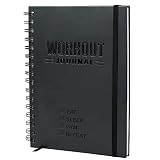
- SMASH YOUR PB'S - Achieve the performance and physique you've always wanted with Nextnoid daily workout journal! Effectively track both daily and weekly workout goals upto 8 months as meticulously as you desire, plan next week's workouts, and celebrate your success with ease. Stay focused!
- GET FITTER, FASTER - Take control of your health and fitness journey and accelerate your results with our fitness planner for women and men! This exercise diary provides you with a proven system to build muscle, improve strength or just be healthier. What gets measured, improves!
- SIMPLE AND CLEAR - Setting yourself up for success has never been easier! Our personal workout book takes the thought and effort out of staying disciplined and accountable with a clear incremental progress system, bigger fonts for easy reading and enough space to jot down everything.
- CAREFULLY CRAFTED - Made with functionality and also long-lasting durability in mind with size 5.7x8.3 in, this fit log journal is tough enough to withstand the rigors of the gym floor, running trail and even the kitchen! Premium thick 120gsm pages and a sweat and tear-proof outer match your grit!
- PERFECT GIFT - Show the fitness enthusiast in your life just how much you care with this workout tracker notebook! Also ideal for the beginner who dreams of being in shape, this fitness training journal could be the motivation they need to kickstart their health and wellness journey!
Rank #4
Product prices and availability are accurate as of the date/time indicated and are subject to change. Any price and availability information displayed on Amazon at the time of purchase will apply.

