
iTechGuides is reader-supported. When you buy through links on our site, we may earn an affiliate commission. As an Amazon Associate I earn from qualifying purchases. Learn more
If you’re asking, “Why does my fan get louder and quieter?”, the short answer is that fan noise often changes when its speed or operating mode changes. On a computer, rising heat or restricted airflow can make the fan work harder; on a ceiling fan, clicking, rubbing, or humming may point to a mechanical or control issue. The sound alone cannot identify the cause, and the right checks depend on whether you mean a computer, portable room fan, or ceiling fan.
First identify what kind of fan you have
A speed-related change in a portable fan is different from a computer fan speeding up under load or a ceiling fan making a new mechanical or electrical noise. Start by noting the fan type and model, what setting or activity changes when the sound changes, and whether the sound is smooth airflow or a distinct click, rub, buzz, grind, crackle, or sizzle.
- Portable room fan: Check whether the selected speed or mode changes along with the sound and airflow.
- Computer: Notice whether the fan gets louder during demanding work or when the computer feels hot, and check that its vents are not blocked.
- Ceiling fan: Listen for clicking, rubbing, humming, wobbling, or electrical warning signs; these call for different checks.
Manufacturer guidance covers particular products and models, not every fan design. Use the manual for your exact fan, especially before adjusting or replacing parts.
Quick wins for a faster PC:
Scan for outdated or missing drivers - takes under a minuteDriver Scan →Clear out junk files and repair common Windows errorsFree Scan →Fix the driver behind crashes, sound loss and screen glitchesFind Drivers →When changing volume is normal
If the sound rises and falls in step with a selected speed or mode, the fan may simply be moving more or less air. Vornado Air, LLC says in its Cylo51 troubleshooting guide that “Different airflow and sound levels are part of standard operation.” The guide also describes Sleep Mode as reducing airflow and operating noise. This is a model-specific explanation, not a guarantee that every changing fan sound is normal.
#1 Best Overall

- Perfect Size for Rooms: This 52-inch ceiling fan is ideal for cooling and illuminating spacious areas like living rooms, bedrooms, and kitchen, featuring an 20W 2000LM bright light and powerful average 3057 Cubic Feet Per Minute airflow.
- High Configuration: The flush mount fan is equipped with APP & Remote Control, 10~100% Dimmable, Stepless Color Temperature (warm → neutral → cool white, 3000K→6500K), Memory Function (the memory function retains your settings), Energy-efficient LED Light, Pure Copper High-performance DC Motor, High-Quality Tough Plywood.
- Quiet and Efficient Operation: Experience peaceful relaxation with the energy-efficient, quiet, high-RPM motor that provides strong airflow without the noise.
- Stylish and Functional: Enhance your home decor with this modern ceiling fan featuring a sleek design and a built-in light kit. Choose from a variety of finishes to match your style.
- Year-Round Comfort: Enjoy a cool breeze in the summer and improved air circulation in the winter with the reversible blade feature.
Compare the fan’s setting, airflow, and noise. If the change follows a speed or mode selection and there is no unusual mechanical sound or electrical warning sign, check the manual for what that mode is designed to do. If the sound changes without an observable setting change, or includes clicking, rubbing, or buzzing, investigate the cause rather than assuming it is ordinary operation.
Why a computer fan may ramp up and down
Computer fans may speed up when the device heats up, including during demanding tasks. Restricted ventilation can also contribute to heat and fan activity. ASUS advises keeping ventilation openings clear in its overheating and fan troubleshooting guidance; Dell’s fan troubleshooting guidance also addresses heat and ventilation.
Rank #2

- Ceiling Fan with Light: Decorate your home with Amico ceiling fan! While bringing you coolness and comfort, it also becomes a beautiful decorative piece for your home. Our 42 inch small ceiling fan with light remote control has A energy efficiency rating, which can avoid 80% of electricity loss compared with traditional fans.
- Ceiling Fans with Remote: All operations can be controlled by the remote controller, adjust the fan speed with 6 levels, select light color temperature, and supports timing (1/2/4 hour) sleep shutdown, on/off. The fan and light can be turned on separately. (Tips: After fixed, the remote control can be used as a wall switch)
- Low Profile Flush Mount: We provide very detailed instructions and installation videos to help you complete the flush mount installation. Suitable for farmhouse, living room, bedroom, office, study, kitchen or other small indoor spaces. Besides, this is also a outdoor ceiling fan for patio, breezeways, gazebos, pergolas and other outdoor spaces. (Not to be exposed directly to rain)
- Noise-free Experience: This modern ceiling fan with light is designed for light sleepers, brings you comfortable sleeping with a quiet living environment. The volume is low to 35dB when the fan is running, like the sound of falling leaves, or like a butterfly flaps its wings(30dB). It is more suitable for families with babies or elders. Super quiet, only wind.
- Reversible DC Motor: The high-quality & high-speed motor brings a perfect wind experience. The wind speed can be adjusted in 6 gears, you can choose between comfortable wind, natural wind and strong wind. Reversible dual-direction fan improves air circulation to keep you warm in winter and cool in summer. Our fan blades are double sided in different colors, one side is black and the other side is walnut. Choose the fan blade color that best fits your home decor!
- Check that the computer’s air openings are not covered or obstructed.
- Notice whether fan noise follows a change in workload or temperature.
- Use the manufacturer’s cleaning and troubleshooting instructions for your device. Do not open a power supply or other component unless the manufacturer’s guidance says it is appropriate.
If the fan remains unusually loud despite clear ventilation, or you hear a new grinding or rattling sound, consult the computer maker’s support guidance for the exact model. A sound change by itself does not establish whether the fan, another component, or the cooling path needs service.
What changing sounds can mean on a ceiling fan
Clicking
Hunter’s ceiling-fan troubleshooting guidance associates clicking with loose blade or blade-holder screws. Switch the fan off before examining accessible components, and follow the model’s manual for any adjustment. Do not reach toward moving blades or improvise repairs.
Rank #3

- Smart Ceiling Fans with APP & Remote Control: This modern ceiling fan with lights has all functions controllable via both the included remote and smartphone app. Adjust fan speed, light brightness/color, and set timers hands-free
- Ultra-Quiet Reversible DC Motor: Our low profile ceiling fan with light features a ultra-quiet DC motor with noise levels as low as 20 dB. With 6-speed settings delivering 4,580 CFM airflow, the reversible motor provides summer cooling breezes or winter warm air circulation – ideal for year-round climate control
- Dimmable LED & Stepless Color Temperature: Equipped with an energy-efficient 18W LED light, this flush mount ceiling fan offers stepless color temperature adjustment from 3000K warm light to 6000K cool white, along with 5%–100% brightness dimming. Enjoy eye-friendly, flicker-free illumination tailored to your needs, whether relaxing, reading, or working
- Modern Minimalist Style: The black ceiling fan with light features a double-sided 5-blade design with different colors, one side is black and the other side is wood-grey. This design allows the 52 inch ceiling fan to blend seamlessly with various home decor styles, suitable for indoor use in spaces like living room, bedroom, farmhouse, kitchen, office and outdoor use for coverd patio
- Easy 30-min Installation: Effortlessly install the fan on flat ceilings, this bedroom ceiling fan comes with all necessary mounting hardware and detailed installation instructions, following the instructional video ensures a hassle-free setup
Rubbing or wobbling
Check for an obvious obstruction only after switching the fan off. If the fan wobbles, consult its manual for the maker’s balancing procedure; Hunter lists a blade-balancing kit as a possible step for a wobbly fan. That is a targeted option for wobble or imbalance, not a general fix for changing volume, electrical hum, or computer-fan noise.
Buzzing or humming
Some ceiling-fan controls or receivers may be incompatible with the fan and produce humming, according to Hunter’s guidance. The correct control or replacement part depends on the model. Check the manual or contact the manufacturer before buying a component; a generic controller, capacitor, or other part may not be suitable.
Rank #4

- All-in-One Cooling & Lighting: This 46-inch black ceiling fan light combines a powerful fan with dimmable, three-color LED lighting. Control everything by one remote—choose from 6 fan speeds and 3 light colors to match any mood or weather.
- Advanced Remote Control with Timer: Enjoy convenient control from anywhere in the room with the included remote. Adjust fan speed, set lighting color and brightness, or activate the 2-hour automatic shut-off timer for energy savings and peace of mind—all without leaving your bed or sofa.
- Sleek Design & Easy Flat-Mount Installation: Designed for flush ceiling installation (sloped ceilings not supported), this fan light combines a modern matte black finish with hassle-free setup. Just secure it directly to flat ceilings for a clean, integrated look that complements any decor.
- Energy-Efficient & Quiet Performance: Engineered for powerful yet silent operation, the fan delivers optimal airflow without distracting noise. The energy-saving LED lights provide bright, long-lasting illumination while reducing electricity costs, making it ideal for daily use in homes or offices.
- Reliable Quality & Assurance: Rest easy with our commitment to durability and customer satisfaction. This product comes with an ensuring long-term performance and support. Should any issues arise, our responsive service team is ready to assist.
Crackling, sizzling, or an electrical smell
These are warning signs, not ordinary speed variation. Hunter advises turning off power if the fan crackles or sizzles and recommends a certified electrician for wiring-related repairs. Stop using the fan and seek qualified help if you notice these sounds, a burning or popcorn-like odor, visible damage, or suspected wiring trouble. Turn power off at the breaker before any wiring inspection; do not attempt wiring repairs unless qualified.
Quick Recap
Best Value
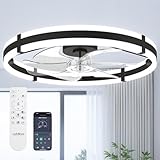
- Wider Airflow for Larger Rooms:Upgraded from our 20″ model, this 24″ low profile ceiling fan with light delivers up to 80% wider airflow coverage for stronger circulation. Perfect as a bedroom ceiling fan, kitchen ceiling fan, or living room flush mount ceiling fan in medium-sized spaces.
- Dimmable LED Light with 3 Color Temperatures:This ceiling fan with lights features an integrated LED panel that adjusts from 10%–100% brightness and supports 3000K warm white, 4500K natural white, and 6000K cool white. Easily create the right atmosphere for relaxing, working, or entertaining.
- Remote & APP Control with Memory Function: Control your ceiling fan with lights and remote or through the mobile app. Choose from 6 fan speeds, set 1- or 2-hour timers, and turn the fan or light on/off instantly. The built-in memory function restores your last-used light setting. When using the wall switch, please turn the power off for more than 5 seconds to activate the memory function. (No waiting time is required when using the remote.)
- Reversible DC Motor for Year-Round Comfort: Powered by an energy-efficient DC motor, this black ceiling fan with light runs quietly and smoothly. Switch between downdraft mode in summer and updraft mode in winter to improve air circulation throughout the year.
- Modern Flush Mount Fandelier Design: Designed as a flush mount ceiling fan, this small fandelier ceiling fan with light is ideal for low ceilings. The blade design enhances safety while maintaining strong airflow, making it suitable for bedrooms, kitchens, and living rooms.
A safe order for checking a changing fan
- Identify the fan and model. Find the model information and manual so you can use instructions that apply to that product.
- Check the setting or activity. Note the selected speed or mode, computer workload, and whether airflow changes with the sound.
- Look for an external airflow problem. Check for an obvious obstruction. For a computer, keep ventilation openings clear and follow the maker’s cleaning instructions.
- Listen for the type of noise. Smooth airflow that tracks a setting is different from clicking, rubbing, grinding, humming, crackling, or sizzling.
- Switch off a ceiling fan before inspection. Follow its manual for accessible checks; turn power off at the breaker before any wiring inspection.
- Stop if there are electrical warning signs. Do not keep operating a fan that crackles, sizzles, smells electrical, shows visible damage, or raises a wiring concern. Contact a qualified electrician or the manufacturer.
- Confirm parts before replacing them. Use the manual or manufacturer support to identify compatible controls or service parts rather than guessing.
Product prices and availability are accurate as of the date/time indicated and are subject to change. Any price and availability information displayed on Amazon at the time of purchase will apply.

