
The Tool Desk
Outbyte PC Repair FREERepair Windows errors before they cause bigger problemsFix Now →Outbyte Driver Updater FREEFix the driver behind crashes, sound loss and screen glitchesFind Drivers →iTechGuides is reader-supported. When you buy through links on our site, we may earn an affiliate commission. As an Amazon Associate I earn from qualifying purchases. Learn more
Most KOF AFK coupon failures come from the redemption rules or delivery process, not from a broken game installation. Use Netmarble’s official coupon page, confirm that the code is still valid, select the correct player/server account, and then check the in-game Mailbox after submitting.
Start with this official recovery sequence
Work through these steps in order. They separate a code that is rejected from a reward that was accepted but has not appeared yet.
| # | Preview | Product | Price | |
|---|---|---|---|---|
| 1 |
|
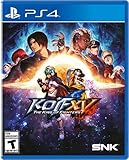
The King of Fighters XV - PlayStation 4 | $27.90 | Buy on Amazon |
| 2 |

|
The King of Fighters 2002 - NEOGEO AES+ | $89.99 | Buy on Amazon |
| 3 |

|
King of Fighters 2000 & 2001 | $31.30 | Buy on Amazon |
| 4 |

|
The King Of Fighters 2000 (Limited Run #386) - For PlayStation 4 | $49.94 | Buy on Amazon |
| 5 |

|
The King of Fighters XIV - PlayStation 4 | $54.95 | Buy on Amazon |
- Open the official redemption page: https://coupon.netmarble.com/kofafk. The page requests your member code and coupon code.
- Enter the member code for the account that should receive the reward. Do not proceed until you are certain you are using the intended KOF AFK account.
- Enter the coupon code exactly as it was published in the official announcement where you found it.
- Check the announcement’s validity period. An expired coupon cannot be redeemed, restored, or reissued according to Netmarble’s published guidance.
- If the account-selection or PID flow lists more than one player/server account, choose the intended recipient. A reward already issued to one player cannot later be moved to another.
- Submit once, then open the game’s Mailbox. Coupon rewards are delivered there and may take some time to arrive.
- Reconnect to the game if the message is missing. Close or disconnect the session, sign in again, and check Mail once more. If the official checks do not explain the failure, contact Netmarble customer support through its game-service support route.
How KOF AFK coupon redemption works
The official KOF AFK coupon page is a web form rather than a general account-management screen. It asks for two pieces of information: a member code and the coupon code. The member code identifies the game account, while the coupon code identifies the promotion being claimed.
After the information is submitted, the service associates the reward with a player account. If the account has multiple player names or servers, Netmarble’s forum instructions use a PID selection flow so that you can choose the exact recipient. This choice matters because an issued reward is not transferable between players.
#1 Best Overall
- Six years have passed since the last title in the series, and now KOF XV surpasses all of its predecessors in terms of graphics, systems, and online experience
- A total of 39 characters are participating - Classic popular characters, revived characters, new characters, and more
- The latest KOF Saga continues from the previous title in Story Mode
- The culmination of the series' battle system: Inheriting the series' traditional 3-on-3 team battle, KOF XV also features a new system
- Includes a Gallery with movies and voices, and a new DJ STATION with over 300 popular songs from the KOF series and more
A successful submission does not necessarily mean the items appear instantly on the game screen. Netmarble says coupon rewards are sent to the in-game Mailbox and may be delayed. Treat the redemption page and the Mailbox as two separate stages: first confirm that the coupon request was accepted, then verify delivery inside the game.
Confirmed reasons a KOF AFK code can fail
The coupon has expired
Netmarble’s coupon instructions state that an expired coupon cannot be used. The forum announcement dated March 9, 2026, also says an expired coupon cannot be restored or reissued. A code that worked for other players earlier can therefore stop working once its published validity period ends.
Find the official announcement that originally published the code and read its start and end dates. Do not infer validity from a social-media repost, a video upload date, or another player’s recent success. If the announcement’s end date has passed, further attempts will not reactivate the code.
Outdated Drivers Are Slowing You Down
One free scan finds every outdated or missing driver and matches the right update for your exact hardware.Free scan · exact hardware matchWindows Errors? Fix Them Before They Spread
Repair common Windows errors and clear accumulated junk for a smoother, more stable PC - no reinstall needed.Free scan · no reinstallThe reward was already sent
The official coupon page says a coupon cannot be used again once its reward has already been sent. The forum notice expresses the same rule as one successful use per account. A second attempt is therefore not a way to obtain another copy or to resend a reward that was overlooked.
Before trying again, search the receiving character’s Mailbox and check every relevant message category or page. If the reward is present there, the coupon has already been consumed even if you did not notice the delivery immediately.
The reward was assigned to a different player or server
Players who have more than one KOF AFK character or server account can select the wrong recipient during the PID flow. Netmarble warns that a reward already issued to one player cannot be transferred to another player afterward.
When the flow presents several player names or server entries, stop and match the displayed details with the character that should receive the items. Do this before confirming the submission, not after checking the Mailbox.
iOS does not offer in-game coupon entry
Netmarble’s official forum guidance says iOS players must use the coupon input webpage because coupon entry is unavailable inside the iOS game client. If you are searching the iPhone or iPad interface for a coupon field, you will not find one there; use the official web page instead.
Rank #2
- Celebrate the ultimate dream match in The King of Fighters 2002, one of the most respected and competitively balanced entries in SNK’s legendary fighting series
- Featuring a massive roster of classic fighters from across the KOF saga, The King of Fighters 2002 delivers fast-paced gameplay, tight mechanics and deep combo potential
- The return of the MAX Mode system adds strategic depth, allowing players to unleash devastating custom combos and powerful Desperation Moves at just the right moment
- With beautifully animated sprites, responsive controls and a soundtrack packed with high-energy themes, The King of Fighters 2002 remains a tournament favourite and a must-own title for NEOGEO collectors
- Game cartridge compatible with NEOGEO AES+ and NEOGEO AES video game systems.
Read the symptom before choosing a fix
The official materials support only a limited set of interpretations. Use this decision table to avoid treating an unverified theory as a KOF AFK rule.
| What you observe | What the official guidance establishes | Next action |
|---|---|---|
| The page says the coupon is expired or refuses an old code | Expired coupons cannot be used, restored, or reissued. | Locate a currently valid official announcement; do not keep retrying the expired code. |
| The page indicates the reward was already sent or the code appears previously claimed | A coupon is limited to one successful use per account. | Check the receiving player’s Mailbox and confirm whether the reward was already delivered. |
| Several player names or servers appear | The PID flow is intended to let you choose the recipient; issued rewards cannot be moved later. | Select the exact player/server that should receive the reward before submitting. |
| The submission appears successful but no items are visible | Rewards go to in-game Mail and may be delayed; reconnecting is recommended when delivery is missing. | Wait briefly, reconnect to the game, and inspect Mail again. |
| You are using an iPhone or iPad and cannot find a coupon field in the game | Coupon entry is unavailable in the iOS client. | Redeem through the official web page. |
Step-by-step redemption on the official page
1. Open the correct service
Navigate directly to https://coupon.netmarble.com/kofafk. This is the KOF AFK coupon page identified in Netmarble’s instructions. Using the direct address helps keep the process focused on the KOF AFK form rather than a different Netmarble game or service.
2. Supply the member code
Enter the member code belonging to the account that should receive the promotion. If you maintain more than one player or server account, the member code and the later PID choice must point to the same intended destination.
Do these 3 things before closing this tab:
1Clear out junk files and repair common Windows errors2Fix the driver behind crashes, sound loss and screen glitches3Repair Windows errors before they cause bigger problems3. Supply the coupon code
Enter the code from the official announcement that published it. The available official instructions do not provide a catalogue of error strings or a separate recovery process for mistyped entries, so rely on the page’s response and the code’s published validity period rather than guessing what an undocumented message means.
4. Confirm the PID recipient
If the service displays multiple player/server choices, select the one that should receive the reward. Review the name and server carefully before confirmation. Netmarble’s warning is final: once the reward has been issued, it cannot be transferred to another player.
5. Submit only after the details match
Submit the form after checking the member code, coupon code, and recipient. A coupon that has already delivered its reward cannot be reused, so repeated submissions are not a troubleshooting substitute for verifying the account.
What to do when the code is accepted but the reward is missing
Check the in-game Mailbox
Coupon rewards are sent to KOF AFK’s Mailbox rather than necessarily being added to the visible inventory at the moment you submit the web form. Open Mail on the same player/server account selected in the PID flow and look for the delivery message.
Allow for delivery time
Netmarble states that coupon delivery may take some time. A short delay does not by itself prove that the coupon failed. Keep the correct recipient selected and check Mail again after allowing the service time to process the request.
Rank #3
- Genre: Fighting
- ESRB Rating: Teen
Reconnect the game session
The official forum notice recommends reconnecting when a reward is missing. Sign out or close the active game session, start the game again, and return to Mail. This refreshes the session that displays newly delivered messages without creating another coupon claim.
Distinguish coupon delivery from shop-purchase delivery
If the missing item came from a purchase rather than a free coupon, Netmarble’s official Web Shop guidance also recommends restarting the game and checking again. That advice concerns purchase delivery; it does not change the one-use or expiry rules for KOF AFK coupons. The Web Shop is available at https://kofafk-shop.netmarble.com/?target=coupon.
iPhone and iPad instructions
On iOS, do not spend time looking for an in-game coupon menu. Netmarble’s March 9, 2026, forum announcement says the coupon input webpage is required because the iOS client does not provide coupon entry.
Recommended Free Tools
- Open a browser on the iPhone or iPad.
- Go to https://coupon.netmarble.com/kofafk.
- Enter the member code and coupon code.
- Choose the intended player/server in the PID flow if more than one appears.
- Return to KOF AFK, open Mail, and reconnect if the reward is not visible immediately.
The web route is not an optional workaround for iOS; it is the route specified by the official guidance.
Handling multiple characters and servers safely
Account-linked redemption becomes risky when one login contains multiple player names or servers. The member-code step identifies the broader account, while the PID selection determines which player receives the reward. A correct coupon can therefore appear to “disappear” if you inspect a different character from the one selected during redemption.
- Write down or otherwise identify the intended player and server before opening the form.
- When the PID list appears, compare each option with that intended destination.
- Submit only after the selected player matches the character whose Mailbox you plan to inspect.
- If you already confirmed the wrong player, check that player’s Mailbox first. Netmarble says an issued reward cannot be transferred afterward.
This is an allocation issue, not a method for moving items between servers. Support may be able to review an account problem, but the published notice does not promise reversal or transfer.
Expired versus already-claimed: two different dead ends
These conditions look similar because both prevent another successful submission, but they require different checks.
Quick wins for a faster PC:
Scan for outdated or missing drivers - takes under a minuteDriver Scan →Repair Windows errors before they cause bigger problemsFix Now →Expired
An expired code is outside its announcement’s validity period. The documented outcome is permanent for that code: it cannot be used, restored, or reissued. The useful action is to stop retrying and locate a different, currently valid official coupon.
Rank #4
- All-new "Active Striker" system.
- Give assistance to your team members.
- Nostalgic characters from the SNK Universe.
- Hone your skills and strategy with your favorite strikers.
- This item is limited to only 3,000 copies available worldwide.
Already claimed
An already-claimed code has completed its one permitted use for the account. The useful action is to identify the receiving player and inspect Mail, not to submit the same code against another character. If the reward was sent to a different player, the official notice says it cannot be transferred.
What the official sources do not confirm
The available Netmarble instructions explain expiry, prior delivery, iOS web redemption, PID selection, Mail delivery, and reconnecting. They do not provide an official mapping between specific interface error strings and causes. They also do not establish that KOF AFK coupons are region-locked or that VPN use, capitalization, cache state, a particular spelling mistake, or a server outage is a confirmed coupon rule.
That distinction matters when troubleshooting. You can verify the validity period, account recipient, delivery location, and session state from the published instructions. You should not tell another player that an undocumented error definitely means a regional block or a server incident unless Netmarble publishes that explanation separately.
A practical pre-submit checklist
Use this short pause before pressing the submit button. It prevents the two mistakes that cannot be undone: consuming a code on the wrong player and assuming an old code can be revived.
- Confirm that the page address is the official KOF AFK coupon page.
- Have the correct member code ready for the account that owns the intended character.
- Match the coupon with its original Netmarble announcement and verify the stated start and end dates.
- Read the PID list slowly if several names or servers appear; do not select the first entry automatically.
- Remember that one successful use consumes the coupon for that account, so submit only after the destination is certain.
After submission, record which player/server you selected. That simple note tells you exactly which Mailbox to open if delivery is delayed and prevents a second character from creating a false missing-reward report.
Independent reader supportYour contribution helps us test, update, and keep practical guides available for everyone.How to tell rejection from delayed delivery
A rejection happens at the web-form stage: the page identifies an expired coupon, says the reward was already sent, or otherwise declines the request. Delayed delivery happens after an apparently successful submission: the reward is assigned, but the in-game Mailbox has not refreshed yet. These are different states and should not be handled with the same action.
For a rejection, return to the announcement and account details. Verify the validity period and whether the code has already been used. For delayed delivery, stop submitting the code, open Mail on the selected player, allow processing time, and reconnect. Repeating a successful claim will not accelerate delivery and can make it harder to remember which character was selected.
Free tools Windows power users keep installed
One-click scans. No signup required.
If the reward is still absent after those checks, contact Netmarble through its official game-service support route. Explain whether the web form accepted the request and identify the selected player/server so support can distinguish delivery from an invalid claim.
Best Value
- 3D Evolution: All 50 fighters, movesets and more are rendered in full 3D graphics that preserves the essence of KOF's visual style but updates it with a whole new dimension.
- The Best Refinement Since KOF '98 - Through extensive playtesting and balancing, the controls have been streamlined, and the Combo and Max Mode mechanics have been overhauled to create the most competitive fighter in SNK's history.
- The Best Roster Yet: There are 50 fighters total, with 31 returning from previous entries into the KOF series, and 19 brand new characters. All 50 characters will be available at the game's launch.
- Revamped Online Experience - KOF XIV uses the PS4's online architecture to have a whole host of online conveniences, from spectating to saving replay/battle data, and having a single online KOF XIV profile to connect with friends.
- Voices - The game includes original Japanese voices, plus subtitles available in 5 languages, including English, French, Brazilian Portuguese, Mexican Spanish, and Japanese!
When to contact Netmarble support
Use Netmarble’s official customer-support route available from its game services when all documented checks have been completed and the result is still unexplained. The published coupon materials do not specify a guaranteed recovery process or a required escalation checklist.
Describe the situation precisely so support can distinguish a rejected code from a delayed delivery:
- State whether you used the official coupon page and whether you were redeeming from iOS.
- Identify whether the code appeared expired, previously delivered, or otherwise unsuccessful.
- State which player/server was selected in the PID flow.
- Say whether you checked that player’s Mailbox and reconnected to the game.
- Include the relevant official announcement and its validity dates, without assuming that an expired code can be restored.
Do not submit the same code repeatedly while waiting for a response. A coupon whose reward has already been sent remains subject to the one-use-per-account rule.
Preventing the next redemption mistake
- Save the official announcement containing each coupon’s validity dates.
- Use the official KOF AFK coupon page for every redemption, especially on iOS.
- Decide which player/server should receive the reward before starting the PID flow.
- After submission, inspect that player’s Mailbox rather than another character’s inventory.
- Reconnect once if delivery is delayed, then escalate through official support if the documented checks do not resolve the issue.
These practices follow the rules Netmarble documents and avoid treating unsupported explanations as facts.
Frequently Asked Questions
Why does my KOF AFK code say it is invalid?
First check the official announcement’s validity dates. Netmarble states that expired coupons cannot be used, restored, or reissued. If the code is still within its validity period, verify that you entered the correct member code and coupon code on the official KOF AFK page.
Can I redeem the same KOF AFK coupon on another character?
No. Netmarble says each coupon is limited to one successful use per account, and a reward already issued to one player cannot be transferred to another. Select the correct player/server in the PID flow before submitting.
Where does a redeemed KOF AFK reward appear?
Coupon rewards are sent to the selected player’s in-game Mailbox. They may take some time to arrive, so check Mail on that exact player and reconnect to the game if the message is not visible immediately.
What’s actually slowing this PC down?
Pick the symptom - the matching free tool is one click away.
How do I redeem KOF AFK coupons on an iPhone or iPad?
Use the official web coupon page at https://coupon.netmarble.com/kofafk. Netmarble’s March 9, 2026, forum notice says coupon entry is unavailable inside the iOS client.
What if I chose the wrong server during redemption?
Check the Mailbox for the player/server you selected. Netmarble warns that an issued reward cannot be transferred to another player, and its published notice does not promise reversal or reissue.
Does a missing reward mean the coupon failed?
Not necessarily. Netmarble says Mail delivery may be delayed. Check the selected player’s Mailbox, reconnect to the game, and check again before contacting official support.
The Bottom Line
Use the official KOF AFK coupon page, verify the code’s published validity dates, and choose the intended PID recipient carefully. Expired or already-used coupons cannot be revived, while accepted rewards may simply be waiting in the selected player’s Mailbox. Reconnect once for a delayed delivery, then contact Netmarble support if the documented checks do not resolve the problem.
Outdated Drivers Are Slowing You Down
One free scan finds every outdated or missing driver and matches the right update for your exact hardware.Free scan · exact hardware matchPC Slower Than It Used to Be?
A free scan shows the junk files, broken settings and background clutter dragging Windows down - then fixes them in one click.Free scan · Windows 10 & 11Quick Recap
Product prices and availability are accurate as of the date/time indicated and are subject to change. Any price and availability information displayed on Amazon at the time of purchase will apply.

