
Do these 3 things before closing this tab:
1Scan for outdated or missing drivers - takes under a minute2Repair Windows errors before they cause bigger problems3Fix the driver behind crashes, sound loss and screen glitchesiTechGuides is reader-supported. When you buy through links on our site, we may earn an affiliate commission. As an Amazon Associate I earn from qualifying purchases. Learn more
Children may encounter risky material on phones more often simply because phones are usually personal, connected and available throughout the day. However, current evidence does not prove that a phone itself causes more harmful-content exposure than a desktop or laptop. The strongest studies show that phones are central to children’s online lives and that many children do encounter upsetting material; they do not provide a controlled, phone-versus-computer exposure rate.
What the latest evidence actually shows
Two large sources provide useful context, but they measure different populations and ask different questions. Neither establishes that phones are intrinsically riskier than computers.
European children are overwhelmingly using phones to go online
The EU Kids Online research network surveyed 28,465 children aged 10–16 in 19 European countries between April 2025 and April 2026. An average of 87% said they used a smartphone or mobile phone to go online every day. That is a measure of availability and behavior, not proof that a phone produces more harmful exposure.
Recommended Free Tools
The same survey shows why safety deserves attention regardless of device. Across the 19-country average, children reported encountering the following types of material:
#1 Best Overall

- Multifunctional Kids Smart Phone - 2.8" Touchscreen kids phone rich features, easy to use. Wide range of entertainment and learning options, such as 13 puzzle games, music, ABC learning themes, etc, and equipped with useful gadgets that children need, such as recorder, calculator, calendar, alarm clock, torch, countdown timer, stopwatch, etc. Kids toy cell phones, all in entertainment and learning, are designed for kids aged 3-12 years old
- New Upgrade Kids Phone Learning Toys - Luoba toddler phone newly added learning A-Z letter, ABC learning is easy and fun by combining letter pronunciation and associated animal sounds. 24 iconic buildings from different countries to enrich children's knowledge and inspire automatic exploration of learning. 5 daily learning and 12 habit tracker time alarm management helper, can maintain your child's good daily habits and develop a sense of time
- Joy and Relaxation Time - Kids toys phone has 13 fun puzzle games, it can help children relax and release stress, exercising their logical thinking, reaction skills, and hand-eye coordination. Graffiti painting function can let children give full play to their imagination and creativity. Kids smartphone built-in 10 fun stories, high-quality MP3 music player, support 3.5mm headphone jack, Make child enjoy music on the go. The included 8GB card can store more music
- Dual Camera Recording Good Times- kids smartphones support dual cameras to take pictures and video recording, just like a real smartphone, and quickly switch between front and rear, easy selfies. With 23 cute stickers. Kids choose their favorite stickers to take photos and record the beautiful moments and interesting experiences in their lives with family or friends. To prevent the loss, kids phone for girls boys comes with a durable lanyard for easy carrying
- Great Gifts for Girls Boys - Kids play phones, the touch screen is sensitive, and han 31 styles of wallpaper and 10 desktop background wallpapers to choose from. Comes with a cute pattern design silicone phone case, it can be drop-proof and more durable. Small and exquisite phone, easy to carry, with a 600mAh battery, it offers more usage time. This fake phone is a popular kids toy for girls boys age 3-12, the great surprise Christmas birthday travel gift for kids
| Content category | Children reporting exposure | Qualification |
|---|---|---|
| Gory or violent images | 40% | Average across 19 European countries; ages 10–16 |
| Content about ways to be very thin | 39% | Average across 19 European countries; ages 10–16 |
| Content about physically harming or hurting oneself | 37% | Average across 19 European countries; ages 10–16 |
| Hateful messages at least monthly | About three in ten | Country results ranged from 15% in Ireland to 40% in Serbia |
Only 48% of respondents said they felt safe online. Professor Elisabeth Staksrud, the University of Oslo professor and EU Kids Online coordinator, cautioned that “There is no single European digital childhood.” National differences in opportunities, skills, risks and everyday practices mean that a European average cannot predict the experience of every child.
England and Wales show phones are more common than computers
Office for National Statistics data for the year ending February 2026 found that 88% of children aged 10–15 in England and Wales used a smartphone to go online, compared with 62% who used a desktop computer, laptop or notebook. These categories overlap: many children use both types of device, so the percentages are not competing groups.
Among 13–15-year-olds who said they had encountered a listed harmful category in the previous 12 months, the proportion reporting “a lot or a fair amount” was:
| Content | Reporting a lot or a fair amount | Of those exposed, reporting at least some unintentional exposure |
|---|---|---|
| Hateful content | 48% | 88% |
| Eating-disorder content | 19% | 83% |
| Sexual images or videos | 15% | 80% |
| Self-harm content | 12% | 82% |
The second column applies to children aged 13–15 who encountered each category, not to all children in that age range. The unintentional-exposure figures use the same category-specific denominators. Girls reported higher levels for several categories, while boys were more likely to say they had searched for sexual content.
Rank #2

- Enjoy Endless Fun with 220+ Games - LULUCKCK kids smartphone is designed for children aged 3-12 years old, providing more than 220 engaging games. Including 55 First Learning Games, 15 Brain Training Games, 90+ Montessori Games, 39 Art & Craft Games, and 19 STEM Games, At the same time, this toy phone provides children with a variety of practical and daily apps, such as idraw, alarm clock, timer, stopwatch and calculator, bringing more entertainment and educational value to your children.
- Learning and Entertainment Partner - The Kids phone is an invaluable learning and entertainment tool. The kids phone uses an innovative ABC alphabet learning method and science instruction that includes multiple images to stimulate curiosity and exploration.This kids touchscreen smartphone comes with a 3.97-inch touchscreen, perfect for taking photos and videos. Your child can record every happy moment as they please.
- Parental Control Mode - To ensure that your child is not addicted, the parental control mode on your toddler's phone includes password protection, app management, time management, creating more child accounts and phone settings, so you can manage the amount of time your child spends on the phone as you wish. This ensures that your child enjoys the pleasures of a kid's cell phone while not getting addicted to the kid's cell phone!
- Large Battery Capacity - This kids smartphone comes with a 1500mAh battery, which can be used for 1.5-2 hours of continuous use, perfect for on-the-go and fun, fast charging with the included charging cable is recommended.
- Perfect Gift for Kids - Children always see people using cell phones but they don't have one themselves, so I'm sure they would be very surprised and happy if they received a cell phone gift. This kids game phone is an ideal gift for boys ages 3-12, whether it's for Birthdays, Holidays and more. It doesn't require any apps to be downloaded, kids can just press the on/off button and take pictures, record videos and listen to music to their heart's content.
Why a phone can create more opportunity for exposure
The following mechanisms are plausible explanations for why a child may come across more material on a phone. They are not proven phone-versus-computer causes in the cited studies.
It is personal and nearly always available
A household computer is often in a shared room and used at particular times. A phone usually belongs to one child, travels with them and can be checked between activities. More frequent access creates more opportunities to receive a message, open a link or encounter a recommended video. Opportunity is not the same as exposure rate: a child with careful settings and limited services may face less risk than a child using an unrestricted computer.
Communication, video and schoolwork share one device
Phones combine messaging, social services, short-form video, games, browsers and school tools. A child can move from a private conversation to a public feed without changing devices. A computer can offer the same services, but a phone’s single, continuous interface may make transitions less noticeable to a caregiver.
Use may be more private
A phone can be used in a bedroom, on public transport or at a friend’s house. Privacy can support healthy independence, but it can also reduce the chance that an adult notices an upsetting image or an unknown contact. This is a supervision and context issue, not evidence that a handset’s screen or operating system causes harmful material.
Rank #3

- 📱 All-in-One Smartphone for Kids & Teens: Kids phone for 7–16, the Teracube Thrive is the perfect first phone with built-in safety features. Includes 64GB storage, Android OS, and kid-focused design to limit distractions and promote digital wellness.
- 👨👩👧 Tamper-proof Built-In Parental Controls: Monitor and manage your kids cell phone remotely from the Thrive Parent App (iOS & Android). Block or limit social media, Set screen time limits, track online activity. No technical skills required - easy setup.
- 📶 Affordable Monthly Plan Required: Requires Teracube Wireless activation Kids phone service starting from $1/day. For your talk, text, and data needs. Not compatible with other networks.
- 📞 Safe Calling, Texting & Browsing: Built-in spam call blocker and restricted contacts list. Thrive blocks unknown callers and enables safe online search and browsing, keeping kids protected from cyberbullying and inappropriate content.
- 📦 Includes Phone Case, Screen Protector & Teracube Care+ Comes with a durable case, screen protector, and Teracube Care+, which offers express replacement for accidental damage or defects. Kid-proof from the start!
Recommendations and sharing can follow the child everywhere
Feeds and search results are shaped by the services a child uses, the accounts they follow and what they watch or share. Notifications can bring a conversation or recommendation back to the screen repeatedly. These features also exist on computers, so families should inspect account and app behavior rather than assume that device type determines the outcome.
How to compare a child’s phone and computer fairly
Instead of asking which category is “safe,” compare the child’s actual setup. The studies do not supply controlled estimates for each factor, but these questions identify where exposure opportunities differ.
| Comparison point | Questions for a family | Why it matters |
|---|---|---|
| Availability | Is the device carried all day, kept overnight, or shared in a room? | Availability changes how often a child can open a service or receive a message. |
| Services and apps | Which browsers, video services, games, chats and social accounts are installed? | Risk depends heavily on the service and its content systems. |
| Recommendations and sharing | Are autoplay, suggested accounts, public comments or link sharing enabled? | These settings can increase or reduce unplanned discovery. |
| Supervision and privacy | Can a caregiver see where the device is used, and does the child know how to ask for help? | Early support can limit distress and prevent continued contact. |
| Account age and safety settings | Is the account using the correct age, private defaults, search filtering and messaging limits? | Controls are often account-level, so a second device can bypass a setting. |
| Age, needs and skills | Can the child recognize manipulation, block an account and report a post? | Digital skills affect how a child responds when a filter misses something. |
What exposure does—and does not—tell you
Seeing violent, hateful, sexual, eating-disorder or self-harm material is an exposure event, not a diagnosis and not proof that a child has been injured. A child may encounter an item briefly, seek it deliberately, receive it from another person or see it accidentally. The ONS figures show that many exposed children said at least some material was unintentional, but they do not measure the emotional effect of each encounter.
Crashes, No Sound, or Screen Glitches?
Random freezes, missing sound and display glitches usually trace back to one bad driver. Find and replace yours safely.Free scan · under a minutePC Slower Than It Used to Be?
A free scan shows the junk files, broken settings and background clutter dragging Windows down - then fixes them in one click.Free scan · Windows 10 & 11The UK Department for Science, Innovation and Technology’s evidence review says that time-use statistics alone cannot settle the question of harm. Content, activity, social context and activities displaced by online use may all matter. The review describes causal evidence in parts of the social-media and mental-health literature as limited or variable, and it found no review evidence on the impact of time spent using smartphones specifically on adolescent mental health and wellbeing. That is not evidence that no risks exist; it is a reason not to turn a device-use figure into a mental-health conclusion.
Rank #4

- ACTIVATION REQUIRED: After purchase, users will select a monthly data plan. Starter plan: $29/mo. Wi-Fi only: $39/mo. 4GB: $49/mo. 8GB: $59/mo. UNLIMITED GB: $79/mo.
- STATE-OF-THE-ART MONITORING: Get alerts for potential issues in your child’s texts, emails and 30+ social media platforms and apps. Scan for online predators, sexting, suicidal ideation, bullying, violence, drugs/alcohol, and more.
- APPROVE APPS AND CONTACTS: Manage the apps your child can install as well as who they can text and call.
- TAMPER-PROOF PARENTAL CONTROLS: The rules you set stay in place. Plus, texts can't be deleted without your permission.
- REAL-TIME GPS LOCATION TRACKING: We make location sharing simple with three different ways to keep track of your child — a real-time map, customizable location alerts, and check-ins.
How to make a phone safer, step by step
Use device controls and individual app settings together. Menus vary by operating-system version and service, but the sequence below works as a practical audit.
- Set the child’s real age. Check the date of birth on the device account and every major app. Incorrect ages can expose a child to adult recommendations or weaken default protections.
- Review communication permissions. Identify who can call, message, add the child to a group or send media. Restrict unknown contacts where the service allows it, and explain how to leave a group without replying.
- Audit search, recommendations and autoplay. Turn on the strongest age-appropriate search filter, disable autoplay when possible and review followed accounts, subscriptions and watch history. A filter is a safeguard, not a guarantee.
- Limit installations and purchases. Require approval for new apps, extensions and in-app purchases. Check browser access as well as the app store; a child can sometimes reach the same service through a web page.
- Teach blocking and reporting. Practice opening a profile or message menu, selecting block or report, choosing the closest reason and saving evidence only when it is safe and necessary. Reporting does not guarantee immediate removal.
- Create device routines. Agree where the phone charges at night, when notifications are muted and which situations require the device to be put away. Apply the same expectations to a computer so the rule is about behavior, not punishment for owning a phone.
- Have short, nonjudgmental check-ins. Ask what appeared, whether anyone is pressuring the child and how it felt. Make clear that telling an adult will not automatically mean losing the device.
- Recheck after changes. Revisit controls when the child changes age bands, installs a new service, gets a new phone or reports an upsetting encounter. Updates can alter defaults and recommendation behavior.
Why parental controls cannot do the whole job
Common Sense Media describes parental controls as blunt tools that require maintenance and parent involvement. They can filter searches, limit time, approve apps or restrict contacts, but they cannot reliably interpret every image, encrypted message, joke or coded reference. They also cannot tell a caregiver whether a child is frightened, ashamed or being coerced.
Controls are most useful when paired with a clear response plan: stop viewing the material, close the conversation, block the account, report it when appropriate and tell a trusted adult. If a child describes threats, sexual exploitation, self-harm encouragement or immediate danger, preserve relevant information without repeatedly exposing the child to it and contact the appropriate emergency or child-protection service in your country.
What’s actually slowing this PC down?
Pick the symptom - the matching free tool is one click away.
Make online safety a shared family-and-school practice
ONS data show that 89% of children aged 10–15 had read or received information about staying safe online during the previous 12 months, and 71% had received information about blocking or reporting inappropriate or upsetting content. Among children who received safety information, 95% named school as a source and 62% named a parent or guardian. The figures support combining school lessons with family practice rather than treating safety as a product purchase.
Best Value
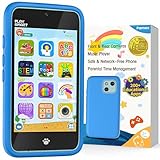
- Immersive Early Learning Game Library: The PAMOX Toy Phone comes preloaded with over 220 educational interactive games, covering letter recognition (ABCs), number sense (123), logical thinking, and artistic creation. New games unlock daily—no repeats over six months—nurturing foundational skills like math and language through fun, engaging gameplay tailored to the cognitive development needs of kids ages 3-8. This design makes it easier for children to absorb knowledge as they learn
- The Magic Camera for Capturing Childhood Memories: Equipped with dual cameras (front + rear), this PAMOX Toy Phone features playful tools like fun stickers and cute frames, empowering kids to create personalized photos. It guides them to tell stories through their lens, sparking narrative imagination while capturing every milestone of childhood growth. A perfect gift for birthdays, Children’s Day, Halloween, and Christmas for kids ages 3-8
- Parent Peace of Mind System: The Toy Phone includes parental control features—simply tap a few times to help kids use it responsibly. Customize age-appropriate apps, set up a personalized account, and establish healthy time limits to prevent overuse. A statistics interfaced lets you track which apps they’re using and for how long, ensuring a balanced mix of learning and play. It’s a safe digital playground for your child
- Thoughtful Kid-Centric Design: The Toy Phone sports a 4-inch HD touchscreen with optimized lighting to reduce blue light exposure, prioritizing eye comfort for a pleasant viewing experience. It packs a 1500mAh battery supporting long-lasting usage and saving plenty of photos and story files without frequent data clearing (data transfers use the included USB cable)
- Turn love into visible surprises: This kid-friendly Toy Phone for ages 3-8 also includes a silicone shock-absorbing case to protect against drops and bumps, plus a no-SIM, completely offline design to keep kids away from real smartphone distractions—ideal for birthdays, Christmas, and other holidays. Hand it to your child, let them stay focused, and enjoy precious me-time while balancing work and parenting with ease!
Ask the school which reporting routes it teaches and whether a safeguarding lead can help with persistent contact or harassment. At home, use ordinary moments—setting up a new app, seeing a news story or reviewing a notification—to rehearse one action. Children need to know that an upsetting image is not their fault and that asking for help is the expected response.
Should you choose an intermediate or child-oriented phone?
A simpler or intermediate phone can be reasonable for a family selecting a first device, but no category-level evidence proves that buying one prevents harmful exposure. Compare the practical details before purchase:
| Check | What to verify |
|---|---|
| App access | Can the child install only approved services, and can a browser bypass those limits? |
| Operating-system controls | Are age, screen-time, contact and purchase controls built in and still supported? |
| Carrier compatibility | Will the phone work with the family’s network, SIM or eSIM arrangement? |
| Price and replacement | What is the total cost, including service, accessories and a replacement if lost? |
| Maintenance effort | Who will review settings, update software and respond when a child needs help? |
Common Sense Media has argued that carriers should offer more affordable intermediate options, while noting compatibility and price constraints. Treat a limited phone as one layer of a plan, not a substitute for conversation, skills or supervision.
Quick wins for a faster PC:
Clear out junk files and repair common Windows errorsFree Scan →Scan for outdated or missing drivers - takes under a minuteDriver Scan →Repair Windows errors before they cause bigger problemsFix Now →Why geography and age change the answer
The EU Kids Online percentages are averages across 19 countries, not a universal rate. The ONS figures cover England and Wales and use different age bands and questions. A 10-year-old beginning supervised school messaging has a different risk profile from a 15-year-old managing several public accounts. Family rules should reflect maturity, disability or additional communication needs, the services required for school and the child’s ability to recover from a mistake.
The most defensible conclusion is therefore conditional: phones may increase opportunity for exposure because they are personal, portable and continuously connected, but the available evidence does not show that phones cause more risky-content exposure than computers. Reducing risk depends more on services, settings, contact patterns, supervision, digital skills and an ongoing relationship in which a child can report what happened.
Quick Recap
Product prices and availability are accurate as of the date/time indicated and are subject to change. Any price and availability information displayed on Amazon at the time of purchase will apply.

