
The Tool Desk
Outbyte PC Repair FREEClear out junk files and repair common Windows errorsFree Scan →Outbyte Driver Updater FREEFix the driver behind crashes, sound loss and screen glitchesFind Drivers →iTechGuides is reader-supported. When you buy through links on our site, we may earn an affiliate commission. As an Amazon Associate I earn from qualifying purchases. Learn more
A simulated GPS pin is not guaranteed to become the location an app uses. On Android, the result depends on the mock-location setup, the location provider and API the app uses, the app’s permission precision, and whether it reads a fresh fix or cached data. Android also marks test locations as mock, so an app can identify them. On iPhone, authorization and location-service availability can explain ordinary failures, but Apple’s guidance does not document a general consumer GPS-spoofing workflow.
Start with the device and the app’s permission
First establish whether the device is Android or iOS and whether the test is for software you own or administer. The explanations differ by platform, and location permission can limit the result even when a simulation is configured.
Android approximate access can override the precision you expect
An Android app granted coarse location receives an approximate, obfuscated area and throttled updates rather than a precise stream. From Android 12 onward, a user can force coarse access even if the app requested fine location. Check the app’s current location permission and confirm it has the precision required for the test; do not assume its requested permission is the permission it received. Google’s location permissions guidance explains the distinction, and Android’s testing guide describes testing approximate-location permissions and precision changes.
Free tools Windows power users keep installed
One-click scans. No signup required.
On iPhone, check authorization and service availability
iOS apps need location authorization, and location services may be unavailable because of authorization, Airplane mode, or missing hardware or service support. These are ordinary causes of location failure; Apple’s documentation does not establish a general consumer workflow for spoofing GPS. For iOS app development, follow Apple’s Core Location guidance on authorization and handling unavailable location data.
#1 Best Overall

- 📱 Global Cloud Positioning – Works with both Google's Find Hub and Apple‘s Find My (Not for Huawei app or GPS app)
- 📢 Loud Alert Sound – Built-in speaker with up to 110dB for quick locating
- 🔋 Far Superior Battery Life – Up to 2 years battery life on Android and ios
- 💧 IP68 Waterproof – It provides protection against rainwaterand splashes
- 🔊 Visualize Distance – Visualize distance using Find my & Find Hub technology within Bluetooth range, allowing you to immediately see the distance
Android apps may use different location paths
Android exposes system location APIs, including LocationManager, while Google Play services offers the Fused Location Provider. These are distinct documented interfaces. A simulation affecting one path is not necessarily controlling every location source an app consults; without app-specific documentation, it is not possible to say which path a particular third-party app uses.
System test provider
Android’s LocationManager documentation describes GNSS fixes and test providers. Creating or setting a test provider requires the mock-location app operation to be allowed. Locations supplied through test providers are identifiable as mock using Location.isMock(). See the Android LocationManager reference.
Rank #2
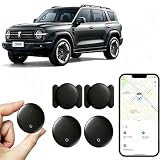
- [Supports Google Location Services] When using an Android smartphone, you can use Google's “Find My Device” feature. This product supports seamless synchronization with Google's “Find My Device” feature, and there is no monthly fee.
- [Android Location Tracker] When using Google's “Find My Device” app, location tracking relies solely on nearby Android devices and cannot use Apple devices to obtain location data.
- 【How It Works】Enable location services and Bluetooth, place the device near your phone, and the pairing window will pop up immediately. When switching phones, you must first unpair the device from the product, then select the corresponding “Find My” app to re-pair it.
- [Package Contents] This set includes two Android vehicle trackers, two magnetic storage cases, two lanyards, two spare batteries, and a user manual. These vehicle trackers are equipped with replaceable high-capacity batteries that last up to 365 days, eliminating the hassle of frequent charging.
- 【Wide Application】The ZBHB tracker can be used for cars, pets, valuables, luggage, wallets, bicycles, electric vehicles, and lost packages. It brings convenience and peace of mind to your life, eliminating concerns about loss.
Google Play services fused provider
The Fused Location Provider has its own mock-mode interfaces: setMockMode and setMockLocation. When mock mode is enabled, its cache is cleared and its reported locations come from the supplied mock locations; those locations are marked as mock. An app that checks this status can distinguish test data from ordinary location data. The documentation does not establish that any particular app rejects mock locations. See Google Play services’ FusedLocationProviderClient reference.
Do these 3 things before closing this tab:
1Fix the driver behind crashes, sound loss and screen glitches2Clear out junk files and repair common Windows errors3Scan for outdated or missing drivers - takes under a minuteA location request may return old or delayed data
Not every location result is a new measurement. Google Play services may reuse a cached fix for a current-location request, and its last-location API can return a cached fix of arbitrary age. Clients are expected to check the fix’s age. A displayed pin that has not changed may therefore reflect timing or a stale result rather than a failed mock setup.
Rank #3

- Premium GPS Tracker — The LandAirSea 54 GPS tracker provides accurate global location, real-time alerts, and geofencing. Easily attaches to vehicles, ATVs, golf carts, or other critical assets.
- Track Movements in Real-Time — Track and map (with Google Maps) in real-time on web-based software or our SilverCloud App. Location updates as fast as every 3 seconds with historical playback for up to 1 year.
- Powerful & Discreet — The motion-activated GPS tracker will sleep when not in motion for extended periods, preserving the battery life. The ultra-compact design and internal magnet create the ultimate discreet tracker.
- Lifetime Warranty — This GPS tracker is built to last. LandAirSea, a USA-based company and pioneer in GPS tracking offers a unconditional lifetime warranty that covers any manufacturing defects in the device encountered during normal use.
- Subscription Required — Affordable subscription plans are required for each device. Fees start as low as $9.95 a month for annual plans and $19.95 for monthly plans. No contracts, cancel anytime for a hassle-free experience.
Background access has separate permission and service limits. An app tested in the foreground may not receive equivalent location updates after it moves to the background. When testing, distinguish an app’s foreground behavior from its background behavior, and account for the age of the fix as well as update timing. The Fused Location Provider documentation covers caching and background-access considerations.
Quick Recap
Rank #4

- LONG-BATTERY VEHICLE TRACKING – Built for cars, trailers, fleets, equipment, boats, and motorcycles, Tracki’s trailer GPS tracker uses a 10,000mAh battery for 2 to 7 months active at 1–5 minute updates or up to 12 months in sleep mode.
- SUBSCRIPTION-POWERED SERVICE – The Tracki GPS tracker connects through 4G LTE Cat1 with built-in global SIM, giving app access, real-time location updates, alerts, and support after activation; Subscription Required, Cancel Anytime.
- FLEET-WIDE CONTROL – A practical fleet GPS tracker for work vehicles, with subscription-powered 15-second to 1-minute updates plus speed, geofence, movement, idle time, impact, and battery alerts through SMS, email, and app notifications.
- TRAILER & ASSET COVERAGE – A GPS tracker for trailer, car, truck, RV, boat, or equipment use, with 185+ country coverage, GPS accuracy of 5 to 10 meters outdoors, and Wi-Fi fallback indoors when GPS signals are harder to reach.
- SECURE TWO-WHEEL MONITORING – Use this motorcycle tracker for authorized bikes and powersport assets, with a built-in strong magnet, included screw mount, and weatherproof design for flexible vehicle placement.
Troubleshoot a legitimate location test
- Identify the platform and test scope. Confirm whether the device is Android or iOS, and limit simulated-location testing to software you own or administer.
- Verify the app’s actual permission. On Android, check whether the app currently has approximate or precise access; approximate access can be intentional or user-enforced even when fine permission was requested. Use Android’s approximate-location testing guidance when validating precision changes.
- Match the simulation to the location path. Determine whether your Android test targets the system test provider or Google Play services’ fused provider. Their interfaces and mock behavior are documented separately in the LocationManager reference and FusedLocationProviderClient reference.
- Check freshness and update timing. Allow for a cached fix, inspect its age where the app or test code permits, and distinguish a current-location request from a last-known-location result.
- For iOS development, check authorization and availability. Use Apple’s Core Location guidance to handle denied authorization or unavailable services.
- If only one third-party app differs, consult its current support material. Platform documentation alone cannot establish that app’s mock-location detection, implementation, or rules.
Product prices and availability are accurate as of the date/time indicated and are subject to change. Any price and availability information displayed on Amazon at the time of purchase will apply.

