
iTechGuides is reader-supported. When you buy through links on our site, we may earn an affiliate commission. As an Amazon Associate I earn from qualifying purchases. Learn more
Start with Portrait mode, then change the Bokeh (background-blur) amount instead of accepting the default. If your Vivo model offers several portrait focal lengths, choose the framing that fits the subject. Treat Beauty and Posture as optional effects, and use Pro controls only when you specifically need manual exposure or color adjustments.
Exact controls are not universal. Vivo manuals warn that features and menu labels can vary by device, carrier, and country or region, so a setting described below may be absent or named differently on your phone.
The settings that matter most
For most Vivo portraits, make changes in this order:
The Tool Desk
Outbyte PC Repair FREERepair Windows errors before they cause bigger problemsFix Now →Outbyte Driver Updater FREEScan for outdated or missing drivers - takes under a minuteDriver Scan →- Open Camera and select Portrait. This mode is designed to combine a person with a defocused-looking background and portrait effects.
- Adjust Bokeh. Tap the bokeh control and move its degree slider. Use a restrained setting when you want the surroundings to remain believable; reduce it further or turn the effect off when an unblurred background suits the scene.
- Choose a portrait framing option, if your model provides one. A wider choice can include more of the setting, while a longer choice can produce a tighter composition. The names and focal lengths differ by model.
- Decide whether Beauty or Posture belongs in the final look. These are optional aids, not requirements for taking a portrait.
- Switch to Pro only for a deliberate manual adjustment. EV, ISO, shutter speed, and white balance can help when the automatic result is not what you want, but some models do not expose every control.
Vivo’s PD2405F manual describes the mode this way: “Portrait mode lets you apply Bokeh, beauty, and other effects to your photos to shoot stunning portraits.” That is a description of the phone’s controls, not an independent image-quality test.
#1 Best Overall
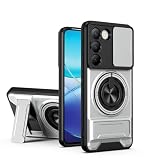
- Compatible with Vivo Y100 (India) V2327 / Y200e 5G V2336 / V30 Lite 4G/5G
- Crafted from premium PC hard backplane + TPU soft shell materials, featuring a sliding camera window design. Genuine multi-layer protection delivers comprehensive defense from the inside out.
- 1.2mm Screen Edge Protection, 2.0mm Camera Protection Device, effectively safeguards the screen and camera from ground friction and drop damage.
- Built-in stand feature for watching videos in landscape mode, Easy access to all available functions of your smartphone. Cutouts for camera, charging, speaker, headset and lock buttons eliminate the need to remove the phone from the case。
- We serve you with our most sincere attitude and create the pleasant shopping experience for you. If there is any problem with Your product, please feel free to contact us--by email, we will provide you with the most Reasonable solution . We will reply your email timely.
Check your model before looking for a menu
Do not assume that every Vivo phone has the same Portrait screen. Vivo documentation explicitly says that available features can vary by device, carrier, and region. Firmware updates can also change the location or wording of controls. If an option in this guide is missing, consult the manual for your exact model rather than treating the absence as a fault.
The focal-length examples documented for the V40 family illustrate why model checking matters. They are product specifications and Vivo’s own scene labels; they do not establish that one phone produces better images than another.
| Model documented by Vivo | Portrait choices listed | Vivo’s scene label |
|---|---|---|
| V40 | 24 mm | Landscape portrait |
| V40 | 35 mm | Street portrait |
| V40 | 50 mm | Classic portrait |
| V40 Pro | 24 mm | Landscape portrait |
| V40 Pro | 35 mm | Street portrait |
| V40 Pro | 50 mm | Classic portrait |
| V40 Pro | 85 mm | Figure portrait |
| V40 Pro | 100 mm | Close-up portrait |
A Vivo phone that does not list these choices may still have Portrait mode, but you should use the options actually shown in its camera app.
Do these 3 things before closing this tab:
1Clear out junk files and repair common Windows errors2Scan for outdated or missing drivers - takes under a minute3Repair Windows errors before they cause bigger problemsHow to set the background blur (Bokeh)
Bokeh is the first adjustment to try because the default blur may not match the scene. The manual-supported procedure is:
- Open the Camera app and tap Portrait.
- Find and tap the Bokeh control. It may be displayed as a blur icon or a degree control, depending on the device.
- Move the degree slider toward more or less blur while watching the preview.
- Take the picture when the transition around the subject looks acceptable.
- If you prefer a normal, unblurred background, use the control’s off setting when your model provides it.
Choosing a sensible amount
There is no universally correct slider value in Vivo’s documentation. Use the lowest amount that gives the separation you want when the background contains important context, hair, glasses, foliage, or other fine edges. A stronger effect can be distracting if the subject’s outline looks cut out or if objects close to the person are treated inconsistently. For a simple background, you may prefer more blur, but judge the preview rather than relying on a preset number.
Rank #2
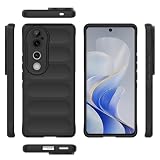
- Compatible with Vivo V40 5G V2348 / V40 Pro 5G V2347 / S19 Pro 5G
- Shockproof TPU to Protector you phone against drop,shock,impacts and bumps.Bumper Maximum shock absorption,protect your phone from bumps and drops.It’s everything you need: strong, durable, comfortable, protective, and not bulky in your pocket.
- Featuring raised bumper to lift screen and camera off flat surface to protect your phone from scratches, breaks and cracks; Shockproof 4 corner bumper cushions offer your device high-grade corner drop protection.
- The product has been carefully crafted with precise holes to make all functions and buttons easily accessible.
- We will try our best to win the satisfaction of our customers. If you encounter any problem, please contact us, we will solve your problem as soon as we receive the information.
Blur is an effect applied by the phone; it is not a promise that every edge will be detected perfectly. Check hair, shoulders, hands, and nearby objects before you leave the camera screen. If the effect makes the image look artificial, reduce it or switch it off.
Pick the framing that fits the portrait
Some Vivo models let you change the portrait focal length directly in Portrait mode. The V40 documentation identifies 24 mm, 35 mm, and 50 mm options, while the V40 Pro documentation adds 85 mm and 100 mm. Use Vivo’s labels as a practical starting point:
24 mm: landscape portrait
Select the wider option when the place is part of the story and you want more surroundings in the frame. Watch the edges of the composition and leave enough space around the person so the setting is visible without making the subject too small.
35 mm: street portrait
This is the V40 family’s documented street-portrait choice. It can suit a person photographed with a meaningful amount of environment, such as a market, sidewalk, or building frontage. Keep the subject positioned deliberately so background details do not compete for attention.
50 mm: classic portrait
Choose the V40 family’s classic-portrait option when the person should occupy more of the frame while some context remains. It is a useful middle choice between an environmental composition and a tight head-and-shoulders view.
Rank #3

- Compatible with Vivo Y100 (India) V2327 / Y200e 5G V2336 / V30 Lite 4G/5G
- Crafted from premium PC hard backplane + TPU soft shell materials, featuring a sliding camera window design. Genuine multi-layer protection delivers comprehensive defense from the inside out.
- 1.2mm Screen Edge Protection, 2.0mm Camera Protection Device, effectively safeguards the screen and camera from ground friction and drop damage.
- Built-in stand feature for watching videos in landscape mode, Easy access to all available functions of your smartphone. Cutouts for camera, charging, speaker, headset and lock buttons eliminate the need to remove the phone from the case。
- We serve you with our most sincere attitude and create the pleasant shopping experience for you. If there is any problem with Your product, please feel free to contact us--by email, we will provide you with the most Reasonable solution . We will reply your email timely.
85 mm: figure portrait (V40 Pro)
On the V40 Pro, Vivo labels 85 mm as figure portrait. It is available only if that model and your current software expose it. Use it when you want a more concentrated composition of the person rather than a broad scene.
Free tools Windows power users keep installed
One-click scans. No signup required.
100 mm: close-up portrait (V40 Pro)
On the V40 Pro, Vivo labels 100 mm as close-up portrait. Select it for a tighter portrait when that choice appears. Because this is a model-specific menu item, do not look for it on every Vivo phone.
These labels describe Vivo’s intended use, not a guarantee of optical behavior or image quality. The official product pages do not provide an independent side-by-side test, so the choice should be based on the framing you need.
Beauty and Posture: use them only when they fit your intent
Vivo’s Portrait documentation describes Beauty and Posture selections, while also warning that availability varies by device, carrier, and region. They are optional effects. You can leave them disabled for a straightforward portrait, enable one when you deliberately want its treatment, or compare a preview with and without it before shooting.
When to leave Beauty off
Keep Beauty off when you want skin texture and facial details represented without an enhancement effect, or when consistency with other photographs matters. The manual does not prescribe a required beauty level, so there is no evidence-based default number to copy.
Windows Errors? Fix Them Before They Spread
Repair common Windows errors and clear accumulated junk for a smoother, more stable PC - no reinstall needed.Free scan · no reinstallCrashes, No Sound, or Screen Glitches?
Random freezes, missing sound and display glitches usually trace back to one bad driver. Find and replace yours safely.Free scan · under a minuteRank #4

- Slim and Lightweight Design: Slim profile with durable TPU material provides everyday protection without adding bulk
- Shockproof and Scratch Resistant: Flexible TPU construction absorbs shocks and protects your device from drops, impacts, and scratches
- Precise Cutouts and Easy Access: Designed with accurate cutouts for effortless access to all ports, buttons, and cameras
- Screen Protector Friendly: Compatible with most screen protectors, featuring soft flexible edges that prevent lifting or bubbling
- Camera Lens Protection and Good Grip: Raised edges protect camera lenses from scratches while soft texture ensures a secure comfortable grip
When Posture may help
Posture is a framing or pose aid where supported. Treat it as guidance rather than a mandatory correction. If the control is not present, use your normal composition and pose direction; the missing option does not indicate that Portrait mode is malfunctioning.
When Pro mode is worth using
Portrait mode is the simplest route, but a Vivo guide identifies four manual controls that may be available in Pro mode:
| Control | What it changes | Portrait use |
|---|---|---|
| EV | Exposure compensation | Adjust the overall brightness when the automatic result is too light or too dark. |
| ISO | Sensor sensitivity | Change sensitivity when you need to influence exposure, recognizing that higher sensitivity can affect image appearance. |
| Shutter speed | Exposure duration | Control how long the sensor records the scene; use a suitable duration for a still or moving subject. |
| White balance | Color balance | Correct an unwanted warm or cool cast under different lighting. |
Those descriptions explain the controls, not a set of required values. Vivo cautions that some Pro options may not be available on specific models. If your phone offers only part of this list, use the controls it exposes.
A practical Pro-mode workflow
- Open Camera and select Pro, if the mode is available.
- Set white balance first if the preview has an obvious color cast.
- Use EV for a small brightness correction when you want to keep the rest of the automatic behavior.
- Change shutter speed only when exposure duration is the problem, such as a subject that is not staying still.
- Adjust ISO when you need to influence sensitivity after considering the available light.
- Review the preview and take another frame if the subject or lighting changes.
Pro mode is an optional fallback, not a prerequisite for a good portrait. If manual controls make it harder to concentrate on composition, return to Portrait and adjust Bokeh instead.
Settings by portrait situation
Person with an important background
Start with the wider portrait choice available on your model, then keep Bokeh restrained so the location remains recognizable. On the V40 family, Vivo’s 24 mm “landscape portrait” label is the closest documented match for this intention.
Best Value
![KJYFOANI For Vivo V40 5G Screen Protector Tempered Galss, [4 Pack] High Clear [9H Hardness] [Bubble Free] Screen Tempered Glass Protective Film for Vivo V40 5G 6.78 Inch.](https://m.media-amazon.com/images/I/412E5c02p8L._SL160_.jpg)
- 💖【Compatible Models】: Only suitable for Vivo V40 5G 6.78 inches, 3 pieces tempered glass screen protector. Please check your phone model when purchasing to avoid buying an inappropriate model.
- 💖【Ultra-thin】: The screen protector for Vivo V40 5G is only 0.33mm thick, with extremely high sensitivity, clarity and transparency, giving you an extremely natural viewing experience.
- 💖【Extreme Hardness】: The tempered glass of Vivo V40 5G is made of 9H hardness glass, which can provide very effective protection for your phone. Prevents scratches and cracks, keeps your phone looking new.
- 💖【Anti-Fingerprint】: The screen protector is thinly coated with a hydrophobic and oleophobic transparent layer. Protect your screen from smudges and sweat. Let your screen be easily cleaned all the time and maintain the original retina high-definition visual enjoyment.
- 💖【HD Clarity】: HD clear screen protector, compatible with Vivo V40 5G, tempered glass uses the same technology as e-reader matte screens, no screen glare, no glare even in bright sunlight, easy to use Read outdoors or in bright light.
Person in a busy public setting
Try the option your model labels for a street portrait. On the V40 and V40 Pro, that is 35 mm. Reduce blur if the environment is part of the story; increase it only when background detail is competing with the person.
Traditional head-and-shoulders portrait
Use the model’s classic-portrait choice where available. Vivo labels 50 mm that way on both the V40 and V40 Pro. Adjust Bokeh until the subject separates without an obvious cutout.
Full figure or close framing on a V40 Pro
The V40 Pro documentation lists 85 mm for figure portrait and 100 mm for close-up portrait. Choose between those only when the controls appear on your phone, and confirm the preview before taking the final frame.
What’s actually slowing this PC down?
Pick the symptom - the matching free tool is one click away.
What to do when a control is missing
- Confirm the mode: Bokeh, Beauty, Posture, and focal-length choices may appear only after you select Portrait.
- Check the exact model and software: Feature availability differs across devices and regions.
- Look for an alternate label: The same function may be represented by an icon or a shorter label in another camera-app version.
- Consult the model manual: Vivo’s documentation is the appropriate reference when a named control does not appear.
- Do not substitute a claimed value: There is no universal Bokeh slider setting, and a focal length documented for one model should not be assumed to exist on another.
A repeatable shooting checklist
- Verify that Portrait mode is selected.
- Choose the available framing option that matches the role of the background: wider for environmental context, longer for a tighter subject.
- Set Bokeh and inspect hair, shoulders, hands, and nearby objects.
- Decide whether Beauty or Posture supports the look you want; leave them off when it does not.
- Take a test frame and check the result at full size.
- Use Pro controls only if exposure, sensitivity, shutter duration, or color needs a deliberate manual correction.
- If a setting is absent, verify your model, carrier, region, and manual before troubleshooting further.
What these settings can—and cannot—tell you
Changing Bokeh, framing, optional effects, or Pro controls gives you more control over the way a portrait is composed and rendered. The available documentation does not establish that a particular slider position, focal length, or model will produce objectively superior image quality in every situation. Vivo’s product pages and manuals describe features; they are not independent comparative tests. Use the settings to match your subject, background, and preferred look, then judge the actual preview and photograph.
Quick Recap
Product prices and availability are accurate as of the date/time indicated and are subject to change. Any price and availability information displayed on Amazon at the time of purchase will apply.

