
Outdated Drivers Are Slowing You Down
One free scan finds every outdated or missing driver and matches the right update for your exact hardware.Free scan · exact hardware matchWindows Errors? Fix Them Before They Spread
Repair common Windows errors and clear accumulated junk for a smoother, more stable PC - no reinstall needed.Free scan · no reinstalliTechGuides is reader-supported. When you buy through links on our site, we may earn an affiliate commission. As an Amazon Associate I earn from qualifying purchases. Learn more
For a performance-focused shortlist, start with the HP OMEN 16; for a more entry-oriented gaming option, compare Victus; and consider OMEN Transcend if portability and creator work matter. The family name alone cannot establish which laptop is best: compare the exact configuration, price, and independent results for the games you play.
Which HP gaming laptop is right for you?
HP’s US catalog positions its families for different priorities: OMEN for higher performance, Victus as an entry into PC gaming, and OMEN Transcend for portability and creator-oriented use. Those are HP’s descriptions, not independent performance rankings. HP’s gaming laptop catalog shows that each family can include multiple processor, graphics, memory, and storage configurations.
- Start with OMEN 16 if gaming performance is your priority and you can verify the exact GPU configuration and its independent results.
- Compare Victus if you want to investigate a more entry-oriented option. Check the actual listing and price rather than assuming a family name guarantees a particular value.
- Consider OMEN Transcend if portability or creator work is important alongside gaming. Confirm the specific model’s weight, display, and components.
What the OMEN 16 (2025) specifications actually tell you
On its 2025 AMD/NVIDIA OMEN 16 page, HP lists options of up to an NVIDIA GeForce RTX 5070 Laptop GPU with 8 GB GDDR7, an AMD Ryzen AI 9 H 365 or Ryzen 9 8945HX, up to 32 GB DDR5 memory, and up to a 2 TB PCIe Gen 4 SSD. HP also describes an upgraded OMEN Tempest Cooling architecture and up to 170 W of total platform power. These are page-level options and ceilings, not a promise that every OMEN 16 listing has those parts or power characteristics. Confirm the exact SKU before buying. See HP’s 2025 OMEN 16 specifications.
Do these 3 things before closing this tab:
1Repair Windows errors before they cause bigger problems2Fix the driver behind crashes, sound loss and screen glitches3Clear out junk files and repair common Windows errorsA GPU model name alone is not enough to predict gaming performance. Laptop implementations can differ in graphics power (TGP), boost clock, cooling, and system configuration. HP publishes model-specific TGP and boost-clock information and cautions that actual performance can vary with configuration, settings, workload, and ambient temperature. Check HP’s GPU performance specifications, then look for independent testing of the exact configuration and games you care about.
#1 Best Overall

- AMD Ryzen 7 260 Performance Powerhouse: Dominate gaming, streaming, and intense multitasking with the next-generation AMD Ryzen 7 260 processor. Engineered for high-performance efficiency, it intelligently allocates power to handle demanding 3A game titles and heavy creative workflows without a hint of lag
- Next-Gen NVIDIA RTX 5060 & DLSS 4: Step into the future of gaming with the NVIDIA GeForce RTX 5060 Laptop GPU (8GB GDDR7). Built on the revolutionary Blackwell Architecture, it delivers up to 2x faster performance than prior generations. Unleash photorealistic ray tracing and AI-powered DLSS 4 Multi Frame Generation for phenomenal frame rates and visuals
- Stunning 15.3" 2.5K 180Hz Display: Experience fast-paced action with crisp precision on the 15.3-inch 2.5K (2560 x 1600) display. The ultra-smooth 180 Hz refresh rate eliminates screen tearing and motion blur, while a striking 91% screen-to-body ratio pulls you directly into the action with razor-thin borders
- Competitive 8000Hz Keyboard & Unleashed Mode: Gain a decisive microsecond advantage with the built-in HyperAction keyboard, boasting an industry-leading 8000 Hz polling rate that registers inputs up to 4x faster than typical keyboards (7.3ms latency). Instantly boost your FPS without entering the BIOS using the OMEN Gaming Hub's one-click Unleashed Mode
- PCIe Gen4 SSD Storage & Tempest Cooling: Load games and transfer massive files in the blink of an eye with a lightning-fast 1 TB PCIe Gen4 NVMe SSD paired with 16 GB DDR5-5600 MHz RAM. Backed by OMEN Tempest Cooling and automated Fan Cleaner technology, your system stays clean, quiet, and running at peak performance
How to compare exact HP laptop configurations
Use a listing-level comparison, not a family-level ranking. Record the following for each candidate:
- Exact model or SKU and region: Similar family names can cover different hardware. Compare US listings with US listings.
- Processor and graphics: Note the exact CPU and laptop GPU, plus TGP where documented. Seek independent results at the resolution and settings you intend to use.
- Display: Check the individual panel’s size, resolution, refresh rate, and type. The useful balance depends on the games you play and the laptop’s GPU.
- Memory and storage: Record included capacity and confirm upgradeability for that exact generation and SKU rather than inferring it from another model in the family.
- Portability: Compare verified weight and screen size for the individual listing. A family label does not tell you how convenient a laptop will be to carry.
- Price and date: Check the live listing and note when you checked it. A page-listed or promotional figure may not match current checkout pricing.
- Thermals and fan noise: Look for independent testing of the specific configuration. A cooling-system description does not establish comparative real-world temperatures, noise, or sustained performance.
HP’s published GPU guidance explains why matching the exact laptop configuration matters, but it does not rank current HP models in real games. The available HP specifications and product descriptions also do not establish comparable frame rates, sustained thermals, fan noise, battery life, or value across exact current SKUs. Avoid treating component ceilings or manufacturer marketing as a benchmark.
Rank #2

- 【High‑Performance AI Processor】 Powered by AMD Ryzen AI 7 350 ( 8 Cores, 16 Threads, 16MB L3 Cache, 3.50GHz base frequency, up to 5.0 GHzGHz max turbo frequency) , delivers smooth multitasking for business productivity, content creation and heavy‑load computing tasks
- 【Immersive Visual Experience】 16‑inch FHD+ IPS 165Hz 2K 400 nits display with 1920*1200 resolution, brings sharp image rendering, fluid motion visuals for gaming, graphic design and office document review scenarios
- 【Powerful Dedicated Graphics】 Equipped with GeForce RTX 5060 8GB GDDR7 GPU, offers robust graphic processing capacity, supports high‑frame gaming, media rendering and accelerated business visual workflow for reliable daily operation
- 【Versatile Connectivity & Input】 Features 3×USB‑A, 1×USB‑C, HDMI, RJ‑45 Ethernet and audio port; RGB backlit adjustable keyboard, built‑in webcam, Wi‑Fi 6 plus Bluetooth, meets wired network, peripheral expansion and hybrid office‑gaming usage demands
- 【Business‑Ready Reliability】 Preinstalled Windows 11 Home, stable system performance supports daily business use; long‑lasting battery assists mobile work; integrated webcam enables remote video collaboration, securing practical mixed‑usage stability for diverse workloads
Does a portable HP gaming laptop have to be a compromise?
Portability is a separate decision from maximum gaming performance. In an HP Tech Takes comparison, the examples included a 3.6 lb OMEN Transcend 14, a 5.06 lb Victus 15, and a 4.6 lb HyperX OMEN 15. Those are figures reported for the models in that article, not verified weights for every current configuration; confirm the exact listing before relying on them. Read HP’s portable gaming laptop comparison.
The same article displayed example prices of $1,999.99 for OMEN Transcend 14, $1,399.99 for Victus 15, and $1,899.99 for HyperX OMEN 15 when the page was crawled in 2026. They are time-sensitive page-listed prices, not confirmed live prices, so they should not be used as today’s buying comparison without checking current listings.
Quick Recap
Rank #4

- 【High Speed RAM And Enormous Space】32GB DDR5 high-bandwidth RAM to smoothly run multiple applications and browser tabs all at once; 1TB PCIe NVMe M.2 Solid State Drive allows to fast bootup and data transfer
- 【Processor】Powered by the AMD Ryzen 9 8940HX — a ferocious 16-core, 32-thread powerhouse with a massive 64MB L3 cache, surging from a 2.4GHz base to an explosive 5.3GHz Max Turbo for relentless, next-level performance, paired with NVIDIA GeForce RTX 5070 Graphics (8GB GDDR7) to unleash blazing-fast ray tracing, ultra-smooth frames, and deeply immersive, true-to-life visuals.
- 【Display】16" diagonal, WQXGA (2560 x 1600), 240Hz, IPS, micro-edge, anti-glare, Low Blue Light, 500 nits, 100% sRGB — experience lightning-fast visuals and vivid precision on a crystal-clear battlefield built for total gaming immersion.
- 【Tech Specs】3 x Superspeed USB Type-A, 1 x Superspeed USB Type-C, 1 x HDMI, 1 x RJ-45, 1 x Headphone/Microphone Combo; RGB Backlit Keyboard (Fn+F4); Numeric Keypad; Webcam; Wi-Fi 6 & Bluetooth
- 【Bundle】Thunderobot 7 in-1 USB-C Hub — High-speed data transmission and stable expansion.
Rank #3
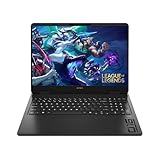
- Newest Generation Intel Core Ultra 7 255H Processor
- NVIDIA GeForce RTX 5060 Graphics Card
- 16" 2K FHD+ (1920x1200) 400-nits, 100% sRGB, 165Hz, IPS Non-Touch Display
- 16GB DDR5-5600 RAM, 1TB PCIe Gen4 NVMe M.2 SSD
- Backlit Keyboard, Gigabit LAN, 2x2 WiFi 6 (802.11ax), Bluetooth 5.4, Windows 11
How to make the final choice
- Decide what matters most: gaming performance, lower entry cost, portability, or a mix of gaming and creator work.
- Shortlist exact SKUs: Begin with OMEN 16 for performance-oriented comparison, Victus for an entry-oriented alternative, or OMEN Transcend for a portable, creator-focused candidate.
- Match hardware to your games: Compare the specific GPU and its power configuration, display resolution and refresh rate, and independent results for the titles and settings you use.
- Check practical details: Confirm memory, storage, upgradeability, weight, and the current price for each exact listing.
- Buy based on evidence for that configuration: If independent same-method testing is unavailable, treat performance, noise, thermals, battery life, and value as unresolved rather than assuming one family is universally best.
Product prices and availability are accurate as of the date/time indicated and are subject to change. Any price and availability information displayed on Amazon at the time of purchase will apply.

