
Quick wins for a faster PC:
Scan for outdated or missing drivers - takes under a minuteDriver Scan →Repair Windows errors before they cause bigger problemsFix Now →Fix the driver behind crashes, sound loss and screen glitchesFind Drivers →iTechGuides is reader-supported. When you buy through links on our site, we may earn an affiliate commission. As an Amazon Associate I earn from qualifying purchases. Learn more
The most important feature in a DJI replacement is not the highest resolution. First match the camera’s form factor to how you shoot: an action camera for wide-angle, rugged activity footage, or a handheld three-axis gimbal camera for walking, talking and controlled composition. Then compare sensor and lens behavior, frame rates, stabilization limits, aspect ratios, handling and storage compatibility.
DJI’s current action-camera comparison covers Osmo Action 6, Osmo Action 5 Pro and Osmo Action 4. Osmo Pocket 3 belongs to a different category: a handheld camera with a mechanical three-axis gimbal. The models are therefore alternatives only after you define your shooting style and final output.
Start by defining what “DJI replacement” means
People use “DJI replacement” to describe several very different cameras. Replacing an action camera calls for a compact, wide-angle body that can follow sports, travel and outdoor activity. Replacing a handheld gimbal camera calls for smooth mechanical movement, deliberate framing and comfortable operation while walking or presenting. A camera that excels in one category can be awkward in the other.
Action-camera replacement
An action camera is designed to capture nearby subjects in motion with a broad perspective. Mounting options, one-handed controls, rugged construction and electronic stabilization usually matter more than a cinematic lens perspective. Compare Action 6, Action 5 Pro and Action 4 as members of this category.
#1 Best Overall

- Pro-Grade Night & Dynamic Imaging - Discover breathtaking imaging quality with Osmo Action 5 Pro action camera 4K and its all-new 1/1.3" sensor. Advanced tech with 2.4 µm large pixels and 13.5-stop dynamic range delivers unmatched low-light performance and clarity.
- Always Centered, Always Focused - Achieve pinpoint accuracy with our advanced 4nm chip. DJI Osmo Action 5 Pro vlogging camera keeps fast-moving subjects perfectly centered in 16:9 or 9:16—ideal for vlogging, cycling, or capturing friends and pets in action.[7]
- 360° HorizonSteady [17], Rock-Solid Footage - Industry-leading stabilization eliminates 360° roll-axis shakes, keeping your horizon level and motion smooth. This action camera captures first-person action or scenic landscapes with pro-quality stability.
- All-Weather, All-Day Power - Osmo Action 5 Pro underwater camera features a high-capacity 1950mAh battery, providing up to 4 hours [1] of recording, and 3.6 hours at -20° C(-4° F) [9]. IP68 rated for 20m underwater use [8], it delivers clear footage in any environment.
- Dual OLED Touchscreens, Maximum Control - Front and rear ultra-bright OLED touchscreens make framing, playback, and parameter adjustment easy—ideal for motorcycle camera use. Enjoy crystal-clear visuals without removing the action camera.
Handheld gimbal-camera replacement
A handheld gimbal camera uses a motorized mechanism to physically keep the lens level and smooth. DJI describes Osmo Pocket 3 in these terms. Its one-inch sensor and 20 mm-equivalent lens are specifications for a different shooting experience, not direct substitutes for the ultra-wide action-camera view.
Other camera types
If your current DJI device is a drone camera, a 360 camera or a studio-oriented camera, the priorities change again. The framework below still helps, but do not assume action-camera specifications answer a drone or 360-camera requirement.
Compare the camera categories and handling first
Before reading a specification sheet, imagine how the camera will be held for an entire shoot. An action camera suits helmet, chest, handlebar or extension-pole mounting and a subject that may move unpredictably. A handheld gimbal camera suits eye-level walking shots, interviews and deliberate pans where the camera operator controls the path.
Crashes, No Sound, or Screen Glitches?
Random freezes, missing sound and display glitches usually trace back to one bad driver. Find and replace yours safely.Free scan · under a minuteWindows Errors? Fix Them Before They Spread
Repair common Windows errors and clear accumulated junk for a smoother, more stable PC - no reinstall needed.Free scan · no reinstall- Choose an action form factor when you need a wide field of view, quick mounting, minimal setup and footage from moving equipment or a person in motion.
- Choose a gimbal form factor when smooth mechanical movement, a more natural perspective and controlled composition are central to the shot.
- Check controls and display behavior for the exact model. A camera can have excellent recording modes yet be frustrating if changing exposure, orientation or stabilization requires too many steps.
- Account for accessories such as mounts, cages, extension handles, batteries and a compatible memory card. The camera body is only one part of the operating system.
Sensor size matters, but it is not a complete image-quality verdict
Sensor dimensions are useful for comparing cameras in the same class. DJI’s current comparison lists a 1/1.1-inch CMOS sensor for Osmo Action 6 and 1/1.3-inch CMOS sensors for Osmo Action 5 Pro and Osmo Action 4. Osmo Pocket 3 lists a one-inch CMOS sensor.
A larger sensor can provide greater light-gathering potential and more flexibility when you want a cleaner image in dim conditions, but the specification alone does not prove superior real-world footage. Lens design, aperture, image processing, exposure settings, stabilization, scene movement and the final crop all affect the result. Treat sensor size as one input to a decision, not as a laboratory ranking.
Rank #2

- Bundle Includes - 1 x DJI Osmo Action 5 Pro Standard Combo | 2 x Extra Batteries | 1 x 64GB microSDXC Card | 1 x 58-in-1 Accessory Kit
- Pro-Grade Night & Dynamic Imaging - Discover breathtaking imaging quality with Osmo Action 5 Pro action camera 4K and its all-new 1/1.3" sensor. Advanced tech with 2.4 µm large pixels and 13.5-stop dynamic range delivers unmatched low-light performance and clarity.
- Always Centered, Always Focused - Achieve pinpoint accuracy with our advanced 4nm chip. DJI Osmo Action 5 Pro vlogging camera keeps fast-moving subjects perfectly centered in 16:9 or 9:16—ideal for vlogging, cycling, or capturing friends and pets in action.[7]
- 360° HorizonSteady [17], Rock-Solid Footage - Industry-leading stabilization eliminates 360° roll-axis shakes, keeping your horizon level and motion smooth. This action camera captures first-person action or scenic landscapes with pro-quality stability.
- All-Weather, All-Day Power - Osmo Action 5 Pro underwater camera features a high-capacity 1950mAh battery, providing up to 4 hours [1] of recording, and 3.6 hours at -20° C(-4° F) [9]. IP68 rated for 20m underwater use [8], it delivers clear footage in any environment.
Match the sensor to your lighting
List the lighting you actually encounter: bright daylight, shaded streets, indoor rooms, evening events or night scenes. If most footage is outdoors at high shutter speeds, field of view and stabilization may dominate your decision. If you regularly work in dim interiors, sensor and aperture deserve more weight, while still allowing for the fact that official specifications do not establish an independent low-light test result.
Do not mix form-factor comparisons
Pocket 3’s one-inch sensor is larger than the sensors listed for the compared Action models, but Pocket 3 is a handheld gimbal camera with a 20 mm-equivalent lens. A larger sensor does not make it an action-camera replacement if you need a very wide, mountable perspective.
Free tools Windows power users keep installed
One-click scans. No signup required.
Lens and field of view determine how your footage feels
The lens controls how close you can stand, how much of the surroundings fit in the frame and how strongly perspective exaggerates nearby objects. DJI lists a 155-degree field of view for the compared Osmo Action models. That broad view is useful when the camera is mounted close to a rider, athlete or vehicle and you want to reduce the chance of cutting off the action.
Pocket 3 lists a 20 mm-equivalent lens. That perspective is wider than a typical phone’s normal lens but is not the same design goal as a 155-degree action-camera view. It is better suited to a person walking with the camera, a presenter at arm’s length or a scene where you want less extreme edge stretching.
Use subject distance as the deciding test
- For a camera mounted within arm’s reach of a moving subject, start with the action-camera field of view.
- For a face-to-camera walk-and-talk, decide whether the ultra-wide look is desirable or whether a more restrained perspective will look natural.
- For landscapes or architecture, check how much edge distortion you accept and whether the camera offers the aspect ratio and crop you need.
- For editing flexibility, determine whether the lens view leaves enough room for a later crop without losing the subject.
Resolution, frame rate and aspect ratio must match the delivery format
Resolution is only one part of a recording mode. DJI’s current action comparison lists 8K recording for Osmo Action 6, while the Osmo Action 4 specifications list 4K recording up to 120 frames per second. Those figures describe available modes, not a guarantee that every combination of resolution, frame rate, stabilization and aspect ratio works simultaneously.
Rank #3

- Pro-Grade Night & Dynamic Imaging - Discover breathtaking imaging quality with Osmo Action 5 Pro action camera 4K and its all-new 1/1.3" sensor. Advanced tech with 2.4 µm large pixels and 13.5-stop dynamic range delivers unmatched low-light performance and clarity.
- Always Centered, Always Focused - Achieve pinpoint accuracy with our advanced 4nm chip. DJI Osmo Action 5 Pro vlogging camera keeps fast-moving subjects perfectly centered in 16:9 or 9:16—ideal for vlogging, cycling, or capturing friends and pets in action.[7]
- 360° HorizonSteady [17], Rock-Solid Footage - Industry-leading stabilization eliminates 360° roll-axis shakes, keeping your horizon level and motion smooth. This action camera captures first-person action or scenic landscapes with pro-quality stability.
- All-Weather, All-Day Power - Osmo Action 5 Pro underwater camera features a high-capacity 1950mAh battery, providing up to 4 hours [1] of recording, and 3.6 hours at -20° C(-4° F) [9]. IP68 rated for 20m underwater use [8], it delivers clear footage in any environment.
- Dual OLED Touchscreens, Maximum Control - Front and rear ultra-bright OLED touchscreens make framing, playback, and parameter adjustment easy—ideal for motorcycle camera use. Enjoy crystal-clear visuals without removing the action camera.
Choose the mode from the final use backward:
- Identify the delivery frame. Decide whether the finished video is landscape 16:9, vertical 9:16, square or a crop made from a wider master.
- Set the required motion rendering. Normal speech and general travel footage may need a standard frame rate; sports or slow-motion work needs a higher frame rate and sufficient light.
- Check the exact mode table. Confirm that your chosen resolution and frame rate are available in the desired aspect ratio, not merely somewhere in the specification sheet.
- Verify stabilization in that mode. Electronic stabilization may be disabled or restricted at unusual frame rates, slow motion, timelapse or the highest resolutions.
- Calculate storage and editing load. Higher resolution and frame rate create larger files and require a computer, phone or tablet that can decode and edit them comfortably.
When 8K is useful
8K can provide extra room for reframing a 16:9 master or extracting a crop for another platform, provided your editing hardware and storage can handle it. It is less valuable if your final delivery is modest in resolution, your subjects move quickly and a lower-resolution mode offers stronger stabilization or a higher usable frame rate.
Recommended Free Tools
When 4K at 120 fps is useful
Action 4’s listed 4K-at-120-fps capability targets slow-motion or fast-action workflows. Confirm the lighting, shutter settings, stabilization behavior and playback speed you intend to use; a headline frame rate does not by itself describe the finished look.
Read stabilization specifications as mode-specific rules
Stabilization is often the feature that makes an action camera usable, but it is not one universal switch. The resolution, aspect ratio and frame rate can determine which stabilization modes are available and whether the camera crops the image.
DJI states this exact limitation for Osmo Action 4: “HorizonSteady is only available when the video resolution is 1080p (16:9) or 2.7K (16:9) with a frame rate of 60fps or below.” DJI also states that electronic image stabilization is not supported in slow motion or timelapse on Action 4.
Build a stabilization checklist
- Write down the mode you will actually record: resolution, frame rate and aspect ratio.
- Confirm whether horizon leveling, standard electronic stabilization or no stabilization is available in that mode.
- Check whether the stabilization crop changes the effective field of view.
- Decide whether you can accept a post-production correction when in-camera stabilization is unavailable.
- Test a short clip with the movement you expect: walking, running, cycling or a vehicle vibration. A specification tells you availability, not how the result will look in your scene.
Use this comparison of the named DJI models as a starting point
The table separates published specifications from the practical role each camera suggests. “Not stated” means the cited specifications do not establish a comparable value; it is not an estimate.
Rank #4
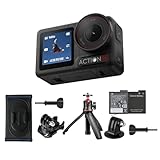
- Bundle Includes - 1 x DJI Osmo Action 5 Pro Standard Combo | 1 x Extra Battery | 1 x Osmo Action Mini Extension Rod | 1 x Osmo Backpack Strap Mount
- Pro-Grade Night & Dynamic Imaging - Discover breathtaking imaging quality with Osmo Action 5 Pro action camera 4K and its all-new 1/1.3" sensor. Advanced tech with 2.4 µm large pixels and 13.5-stop dynamic range delivers unmatched low-light performance and clarity.
- Always Centered, Always Focused - Achieve pinpoint accuracy with our advanced 4nm chip. DJI Osmo Action 5 Pro vlogging camera keeps fast-moving subjects perfectly centered in 16:9 or 9:16—ideal for vlogging, cycling, or capturing friends and pets in action.[7]
- 360° HorizonSteady [17], Rock-Solid Footage - Industry-leading stabilization eliminates 360° roll-axis shakes, keeping your horizon level and motion smooth. This action camera captures first-person action or scenic landscapes with pro-quality stability.
- All-Weather, All-Day Power - Osmo Action 5 Pro underwater camera features a high-capacity 1950mAh battery, providing up to 4 hours [1] of recording, and 3.6 hours at -20° C(-4° F) [9]. IP68 rated for 20m underwater use [8], it delivers clear footage in any environment.
| Model | Category | Sensor listed by DJI | Lens or field of view listed by DJI | Resolution or frame-rate detail cited | Best comparison question |
|---|---|---|---|---|---|
| Osmo Action 6 | Action camera | 1/1.1-inch CMOS | 155° field of view | 8K recording listed on DJI’s current comparison page | Do you need the highest listed action-camera resolution, and does it work with your chosen stabilization and delivery mode? |
| Osmo Action 5 Pro | Action camera | 1/1.3-inch CMOS | 155° field of view | Other comparable values not stated in the cited comparison | Does its available mode set, handling and storage workflow fit your footage better than the newer model? |
| Osmo Action 4 | Action camera | 1/1.3-inch CMOS | 155° field of view | 4K up to 120 fps listed on DJI’s specification page | Do you need 4K slow motion, and can you work within its stabilization restrictions? |
| Osmo Pocket 3 | Handheld three-axis gimbal camera | One-inch CMOS | 20 mm-equivalent lens | Comparable action-camera values not stated in the cited specification | Would mechanical gimbal handling and a less ultra-wide perspective serve your shots better? |
The table is not a winner ranking. It shows why replacing one camera with another requires a use case, not just a specification with the largest number.
Storage and the editing workflow can make or break the choice
Verify the exact model’s supported microSD capacity and speed before purchasing a card. DJI publishes approved card examples for Action 4; those examples should not automatically be treated as approval for Action 5 Pro, Action 6 or another camera. Card compatibility is model-specific.
Check these workflow points
- Capacity: estimate recording time at your chosen resolution and frame rate, then leave room for multiple shoots rather than filling a card completely.
- Write speed: use a card that meets the camera’s stated performance requirements. A card that works for ordinary clips may fail during high-bitrate or high-frame-rate recording.
- Offload method: confirm whether your phone, tablet or computer can copy the files reliably and whether the required app or operating-system version is supported.
- Editing performance: check that your intended device can decode the chosen files. If not, plan proxies, transcodes or a lower recording mode.
- Backup: keep a second copy before formatting the card. The convenience of a small camera does not remove the need for a normal media-backup routine.
Handling, display and accessories deserve equal weight
Two cameras with similar image specifications can feel completely different in daily use. Consider startup time, the physical control layout, screen visibility in sunlight, portrait-versus-landscape operation, tripod or mount compatibility and how easily you can change exposure or stabilization while wearing gloves.
For action use, add the weight and shape of the mounting system to your decision. A camera that is comfortable in the hand may be poorly balanced on a helmet; a camera that is tiny on a handlebar may be difficult to operate without stopping. For a gimbal camera, consider whether you can keep the mechanism protected during transport and whether its movement suits static tripod shots as well as walking shots.
A practical decision process
- Name the replacement job. Write “mounted action camera,” “handheld walking camera,” or another specific role.
- Choose the perspective. Decide whether you need the compared Action models’ 155-degree view or a perspective closer to Pocket 3’s 20 mm-equivalent lens.
- Set the minimum recording mode. Specify delivery aspect ratio, resolution and frame rate before looking at maximum numbers.
- Filter by stabilization. Eliminate models or modes that cannot stabilize the movement you record. For Action 4, apply the published HorizonSteady and EIS restrictions directly to your plan.
- Evaluate light. Compare sensor and aperture specifications for your lighting, while treating them as indicators rather than proof of test performance.
- Validate the workflow. Confirm card support, app and device requirements, file handling and editing capacity for the exact model.
- Price the complete kit. Include cards, mounts, batteries, protective parts and any editing-storage upgrade. Current retail price and availability vary by market and are not established by the specifications cited here, so check the seller and region at the time of purchase.
- Run a short real-world check. Record the movement, lighting and framing you actually use. Review edge distortion, stabilization crop, skin tones, motion blur, audio handling and file compatibility before committing to a full kit.
Common mistakes when replacing a DJI camera
Buying the largest sensor without checking the form factor
A one-inch sensor may look compelling on a comparison sheet, but a handheld gimbal camera is not a direct substitute for a mountable action camera. Start with handling and perspective.
Best Value

- Pro-Grade Night & Dynamic Imaging - Discover breathtaking imaging quality with Osmo Action 5 Pro action camera 4K and its all-new 1/1.3" sensor. Advanced tech with 2.4 µm large pixels and 13.5-stop dynamic range delivers unmatched low-light performance and clarity.
- Always Centered, Always Focused - Achieve pinpoint accuracy with our advanced 4nm chip. DJI Osmo Action 5 Pro vlogging camera keeps fast-moving subjects perfectly centered in 16:9 or 9:16—ideal for vlogging, cycling, or capturing friends and pets in action.[7]
- 360° HorizonSteady [17], Rock-Solid Footage - Industry-leading stabilization eliminates 360° roll-axis shakes, keeping your horizon level and motion smooth. This action camera captures first-person action or scenic landscapes with pro-quality stability.
- All-Weather, All-Day Power - Osmo Action 5 Pro underwater camera features a high-capacity 1950mAh battery, providing up to 4 hours [1] of recording, and 3.6 hours at -20° C(-4° F) [9]. IP68 rated for 20m underwater use [8], it delivers clear footage in any environment.
- Dual OLED Touchscreens, Maximum Control - Front and rear ultra-bright OLED touchscreens make framing, playback, and parameter adjustment easy—ideal for motorcycle camera use. Enjoy crystal-clear visuals without removing the action camera.
Assuming every high-resolution mode has full stabilization
Stabilization can disappear or become restricted in particular combinations. Check the mode table and the exact limitation statements instead of relying on a badge on the camera box.
Choosing frame rate without considering light and storage
High frame rates can require more light, consume more card space and increase editing demands. Select them for a visible creative purpose, such as slow motion, rather than as a default.
Reusing a memory card from another model without verification
Approved cards and capacity limits are not automatically transferable between models. Confirm the replacement camera’s own requirements.
Comparing headline specifications but ignoring the final crop
A broad action-camera view can be valuable for safety and context yet require more cropping in a vertical edit. Conversely, a narrower perspective can make framing harder when the camera is mounted close to the subject. Judge the image in the format you will publish.
What to verify before buying
- The current model lineup and regional availability.
- The exact sensor, lens, resolution, frame-rate and aspect-ratio combinations for the firmware and model you intend to buy.
- Stabilization availability and crop behavior in your chosen mode.
- Supported microSD capacities, speed classes and approved card examples for that model.
- Required mobile app, operating-system and desktop-editing support.
- Accessory compatibility, including mounts, batteries and protective cases.
- Total kit cost in your country, including storage and replacement power.
Bottom line: prioritize the feature that controls your shot
For an action-camera replacement, begin with camera category and field of view, then confirm the sensor, recording modes, stabilization limits and card workflow. Action 6, Action 5 Pro and Action 4 provide a useful current comparison set, but their published differences do not identify a universal winner. For handheld walking footage, Pocket 3’s mechanical three-axis gimbal, one-inch sensor and 20 mm-equivalent lens point to a different kind of tool. The right replacement is the one whose handling, perspective, usable recording mode and workflow match the footage you actually need to deliver.
Quick Recap
Product prices and availability are accurate as of the date/time indicated and are subject to change. Any price and availability information displayed on Amazon at the time of purchase will apply.

