iTechGuides is reader-supported. When you buy through links on our site, we may earn an affiliate commission. As an Amazon Associate I earn from qualifying purchases. Learn more
Use a cable that matches the source device’s video output to the projector’s input, then confirm it can carry your intended resolution and refresh rate over the installation distance. HDMI is often the simplest option when both devices have HDMI; USB-C video requires the source to support video output, and a connector that fits is not enough.
Start by checking both devices
Before choosing a cable, identify the video output on your laptop, phone, or other source and the video input on the projector. Depending on the model, projectors may offer HDMI, USB, VGA, component, or DisplayPort connections. The ports and their functions vary by device, so check the manuals rather than relying on connector shape alone.
Write down the exact source output and projector input.
Note the resolution and refresh rate you want to use.
Measure the cable route, including any distance needed to reach around furniture or through a wall.
Check whether the projector’s port is a video input; a USB-A port intended for media playback, for example, is not necessarily a video input.
Choose the connection that fits your ports
HDMI at both ends
If both devices have HDMI, a direct HDMI cable is usually the simplest connection. HDMI can carry video and audio in one cable. Choose a cable suited to the signal you intend to send; a higher-rated cable does not improve picture quality when the existing cable already reliably supports that signal. Epson’s guidance for one 4K-at-120Hz setup calls for an HDMI 2.1-rated Ultra High Speed cable. That is a requirement for the cited setup, not for every projector. HDMI setup instructions describe the specific 4K-at-120Hz case.
Intel’s HDMI cable guide, last reviewed February 6, 2025, says Standard HDMI cables are tested for common 720p-to-1080p applications. For other signal combinations, consult the source and projector specifications and select a cable category that supports the target mode. Intel’s HDMI cable guide explains the category guidance.
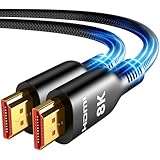
Top Technology--8K@60HZ: This 8K Ultra-High Speed 2.1 HDMI Cable uses the most cutting-edge technology, which is compatible with 8K@60HZ,4K@240HZ and 4K@120HZ clearly displays every particle, and accurately processes every signal source.
Upgrade Revolution: Highwings Ultra High Speed HDMI Cable 2.1 8K supports 48Gbps (6GB/s) which can will no longer be stuck or dropped frames when watching video. It is also backward compatible with HDMI 2.0b/2.0a/1.4/1.3/1.2/1.1 versions.
For Game Enthusiasts: This 8K Ultra High Speed HDMI Cable 2.1 can achieve a super smooth picture of 4K@120HZ. Its latest game mode supports variable refresh rate, maximizes the value of the graphics card and CPU to obtain a smoother and more detailed picture.
Reinforced high-quality materials: This 8K HDMI Cord uses Highwings' most popular classic style. The tail's anti-bending design has been upgraded to make it more durable. The military grade tensile nylon material also greatly extends its life.
The ultimate perfectionist: Highwings every parts of the cable has been put through rigorous the performance tests in the laboratory. After we've combined every flawless part into a perfect 8K cable and it can be presented to you.
USB-C source to a projector
USB-C describes a connector, not a guarantee of video output. The source device must support a video-capable feature such as DisplayPort over USB-C. If the projector has HDMI, a compatible USB-C-to-HDMI adapter or video cable may work, provided the source emits video over USB-C and the adapter supports the needed signal. BenQ’s GV30 and GV50 guidance specifies support for DisplayPort on the connected mobile device or laptop; ViewSonic similarly advises checking that the USB-C device supports video transmission. DisplayPort over USB-C guidance, BenQ’s GV30/GV50 FAQ, and ViewSonic’s USB-C connection guide provide examples.
DisplayPort at both ends, or a port mismatch
Use a direct DisplayPort cable if both devices have DisplayPort. If the ports differ, select an adapter or adapter cable that converts from the source’s output to the projector’s input and supports the required signal. DisplayPort documentation describes adapters to HDMI, VGA, and DVI; confirm the conversion direction and compatibility for your devices. Do not force a plug if it does not fit. DisplayPort’s USB-C and adapter guidance and its projector connection FAQ discuss these connections.
UHD HDMI 2.1 Cable 25FT: Meets the newest standard HDMI 2.1 Version and charactrize by 3 times transmission speed more than Ultra HD 4K, less lag, stuck and flick. This HDMI cord is also backward compatible with HDMI 2.0b/2.0a/1.4/1.3/1.2/1.1 version
Supports 8K Video and More: This hdmi to hdmi cable 25+ FT supports 3D, Ethernet, 8K@60Hz, 4K@120Hz, 2K, 1080P, 48Gbps bandwidth, 48 bit/px HDR color depth, TrueHD 7.1 and new features such as eARC, VRR, QFT, QMS, ALLM, DSC, and more
Universal Compatiblility: The 8k Long hdmi cable 25 feet is compatible for all of HDMI devices, e.g., HDTV, Laptop, Monitor, ps-5, X-box, Projector, Entertainment/Sound/Video Conference System, Blu-ray players, and more. Fits for home and office, indoor and outdoor
Durable Design: The SR Flexible Strength Design, 24K gold-plated ports and military-grade tensile nylon can ensure that this 8k hdmi cord withstand up to 25,000 flex times and accurately transmits signals, greatly extending use life
Strict Quality Control: Our HDMI 2.1 cables 25 feet have been put through rigorous performance tests in the laboratory before delivery. One 25 foot 8K HDMI cable in the box
VGA, component, and other older connections
Some projectors have legacy inputs such as VGA or component. If the source and projector share a compatible port, use it directly; otherwise, choose the appropriate active or passive converter for the signal and direction involved. VGA carries analog video, so it is not interchangeable with digital HDMI using only a passive plug adapter. Check both device manuals for supported resolutions, refresh rates, and how audio is handled. DisplayPort’s projector FAQ covers adapters to older interfaces.
Top Technology----8K@60HZ: This 8K Ultra High Speed HDMI Cable uses the most cutting-edge technology, is compatible with 8K@60HZ and 4K@120HZ, clearly displays every particle, and accurately processes every signal source.
Upgrade Revolution: Highwings Ultra High Speed HDMI Cable supports 48Gbps (6GB/s) which can will no longer be stuck or dropped frames when watching video. It is also backward compatible with HDMI 2.0b/2.0a/1.4/1.3/1.2/1.1 versions.
For Game Enthusiasts: This 8K Ultra High Speed HDMI Cable can achieve a super smooth picture of 4K@120HZ. Its latest game mode supports variable refresh rate, maximizes the value of the graphics card and CPU to obtain a smoother and more detailed picture.
Reinforced high-quality materials: This 8K HDMI Cord uses Highwings' most popular classic style. The tail's anti-bending design has been upgraded to make it more durable. The military grade tensile nylon material also greatly extends its life.
The ultimate perfectionist: Highwings every parts of the cable has been put through rigorous the performance tests in the laboratory. After we've combined every flawless part into a perfect 8K cable and it can be presented to you.
Signal: Confirm that the cable and any adapter support the intended resolution and refresh rate. Check the specifications of both devices.
Audio: HDMI can carry audio as well as video, but other connection types or adapters may need a separate audio route.
Adapter conversion: A physically compatible plug does not prove that an adapter converts the signal. Verify its direction and supported formats.
Distance: A longer run may require a tested active or optical solution. Follow the cable and projector manufacturers’ installation guidance.
Setup details: Account for routing, strain relief, and any projector-specific port or setting called out in the manual.
For one Epson installation, the instructions say to connect an optical HDMI cable’s USB power lead to the projector’s Opt.HDMI (300mA) port. That applies to the setup described by Epson, not to all optical HDMI cables or projectors. Epson’s HDMI instructions provide the model-specific detail.
SMART Technologies publishes cable-length recommendations for its own display configurations, including certain 7 m (23 ft) DisplayPort and HDMI configurations. These are product-specific recommendations, not universal maximum lengths for projector cables. SMART’s cable guidance describes the configurations it covers.
Future-Ready 8K Clarity – See Every Detail in Stunning Resolution: Experience the pinnacle of visual technology with Highwings 8K Ultra High-Speed HDMI Cable 20ft long, delivering breathtaking 8K@60Hz and buttery-smooth 4K@120Hz performance. Every pixel shines with perfect clarity thanks to advanced signal processing that eliminates artifacts and preserves true-to-life colors. Whether you're streaming movies or gaming, enjoy studio-grade precision that makes every scene leap off the screen
Blazing-Fast 48Gbps Speed –No More Buffering, No More Lag: Say goodbye to frustrating freezes and dropped frames!With massive 48Gbps bandwidth (6GB/s), this 20ft HDMI cable handles 8K/4K content effortlessly while remaining fully backward compatible with HDMI 2.0b through 1.1 devices. Perfect for NVIDIA Shield, and next-gen consoles – your content plays instantly, exactly as creators intended
Gamer's Dream Connection – Tear-Free 4K@120Hz Performance: Unlock your hardware's full potential with VRR (Variable Refresh Rate) and Auto Low Latency Mode for buttery-smooth, tear-free gaming. This HDMI 20ft cable maximizes your GPU/CPU output to deliver hyper-responsive 4K@120Hz gameplay with flawless detail. Dominate competitive matches where every millisecond counts – the ultimate edge for PS5, Xbox Series X, and high-end PC setups
Ultra-Durable Construction – Built for Long-Term Reliability: Engineered with high-purity copper cores and triple-layer shielding, this cable resists interference and signal loss over long distances. The braided nylon jacket prevents fraying, while gold-plated connectors ensure a secure, corrosion-free connection. No more worrying about frequent replacements—this cable is built to last
Lifetime Support & Hassle-Free Guarantee: We stand behind our product with lifetime customer support and a satisfaction guarantee. Our products are guaranteed for one year. If there are any problems within one year, we offer free returns or replacement. Whether you need setup advice or troubleshooting, our team responds within 13 hours. Plus, bidirectional support means flawless signal transmission in any setup—your perfect home theater starts here!
If the projector shows no image or the connection is unstable
Confirm that the cable is connected to the projector’s video input and the source device’s video output, then select the corresponding input on the projector.
If using USB-C, verify in the source device’s documentation that the port supports video output. Try a compatible video adapter if the projector uses a different input.
Check that any adapter converts in the correct direction and supports the resolution and refresh rate selected on the source.
For a long or unstable run, test with a shorter cable. If that works, review the cable’s signal rating, active or optical design, and any required power feed.
Recheck both manuals for supported signal modes and any model-specific port or setup requirements.
How to make the final choice
The right cable is the least complicated option that matches both ports and reliably supports the signal at the required distance. For HDMI-to-HDMI, that is generally a suitable HDMI cable; with USB-C or mixed ports, verify video support, conversion direction, and signal compatibility before buying. An exact recommendation requires the source and projector models, target signal, and cable-run length. DisplayPort’s cable guidance recommends selecting by connector and performance needs and describes DP8K-certified cables for high-bandwidth applications; certification or a higher price is not, by itself, a reason to expect a better picture when a cable already supports the required mode. DisplayPort cable guidance explains its recommendations.
Product prices and availability are accurate as of the date/time indicated and are subject to change. Any price and availability information displayed on Amazon at the time of purchase will apply.