
Quick wins for a faster PC:
Repair Windows errors before they cause bigger problemsFix Now →Fix the driver behind crashes, sound loss and screen glitchesFind Drivers →iTechGuides is reader-supported. When you buy through links on our site, we may earn an affiliate commission. As an Amazon Associate I earn from qualifying purchases. Learn more
Short answer: a fully unlocked Xbox 360 using a JTAG or Reset Glitch Hack (RGH) installation can run unsigned software, including community homebrew, alternative dashboards and some emulators. A DVD-drive firmware modification is much narrower and should not be treated as equivalent. Neither type of modification turns the console into an Xbox One or Xbox Series X|S, guarantees every original Xbox game will run, or makes Xbox Live use safe. The exact capabilities depend on the console revision, modification, storage, software and physical condition.
First, identify what “modded” means
“Modded Xbox 360” describes several different changes. The modification determines almost everything you can do next, so ask what was actually installed before buying software, replacing storage or troubleshooting compatibility.
JTAG and RGH: system-level modifications
JTAG and RGH are system-level approaches documented by the Xbox 360 modding community. When correctly installed and configured, they can allow the console to execute unsigned code rather than only Microsoft-signed software. That is the foundation for homebrew applications, alternative dashboards, file-management tools and some emulators.
What’s actually slowing this PC down?
Pick the symptom - the matching free tool is one click away.
JTAG is associated with particular early console software and hardware conditions; not every Xbox 360 can use it. RGH variants use a glitching process and are also dependent on the motherboard, installation method and software configuration. A listing that simply says “RGH” does not tell you the exact revision, boot behavior, storage setup or condition of the machine.
#1 Best Overall

- This Xbox 360 Slim 500GB Hard Drive is the best option for media enthusiasts on Xbox 360. With this, you will have more room to store your entertainment.
- It is the largest storage option for Xbox 360 Slim,you could expand your Xbox 360 Slim experience with download content.
- Expand your player for Xbox 360 Slim experience with download.
- Store multiple game saves and play top-selling products for Xbox.
- Save music and create custom playlists.
DVD-drive firmware modification
A drive-only modification changes how the optical drive handles discs. Its purpose and capabilities are substantially narrower than those of a JTAG or RGH console. It does not automatically provide the unsigned-code environment, homebrew dashboards or system-level file access associated with a fully unlocked console.
If a seller uses “modded” without naming JTAG, RGH or a drive-only change, treat the feature list as unverified. Ask for the motherboard or console revision, the installed method, the dashboard or software environment, and whether the internal drive contains the required partitions and files.
What a JTAG or RGH Xbox 360 can do
Run community homebrew
Unsigned-code support lets compatible community applications run outside the normal signed-software model. Depending on the installation and software, this can include alternative dashboards, file browsers, configuration utilities, media tools and other homebrew projects.
Recommended Free Tools
Homebrew is a capability, not a compatibility guarantee. An application may require a particular dashboard version, memory arrangement, storage path or hardware feature. Some projects are no longer maintained, and a program that works on one RGH or JTAG console may fail on another because the consoles have different revisions or files.
Use alternative dashboards and launchers
A modified console can often use a community dashboard or launcher to organize installed applications and games, inspect storage and start homebrew. The dashboard is software, not a new operating system supplied by Microsoft. Its menus, support for file formats and handling of title metadata vary by project and version.
Rank #2
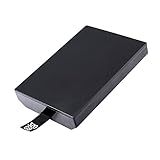
- This Xbox 360 Slim 320GB Hard Drive is the best option for media enthusiasts on Xbox 360. With this, you will have more room to store your entertainment.
- Expand your player for Xbox 360 Slim experience with download.
- Store multiple game saves and play top-selling products for Xbox.
- Save music and create custom playlists.
Keep the original Microsoft dashboard available when practical. It remains useful for checking the console’s normal settings and for separating a software problem from a hardware or modification problem. Do not overwrite system files merely to change the appearance of the menu; make a verified backup of important data first.
Run emulators and older software projects
Some community emulators and ports target the Xbox 360’s hardware. Performance and game support differ by emulator, build and title. A successful emulator installation does not prove that every game from that platform, every controller or every accessory will work. Treat each emulator as a separate software project with its own file and input requirements.
The Tool Desk
Outbyte Driver Updater FREEScan for outdated or missing drivers - takes under a minuteDriver Scan →Outbyte PC Repair FREERepair Windows errors before they cause bigger problemsFix Now →Manage files directly on the console
System-level modifications can provide file-management functions that are not exposed on a stock console. You may be able to copy application data, inspect partitions, move saves and configure launch paths. These functions are powerful but also make accidental deletion or a bad configuration easier. Keep copies of saves and configuration files on separate storage before changing system directories.
Can a modded Xbox 360 play original Xbox games?
Sometimes, but not universally. Original Xbox compatibility on a 360 depends on the individual title and on the compatibility environment installed on that console. A modded 360 does not automatically become a universal original Xbox emulator.
Why HDDX and compatibility files matter
Community setup documentation describes an HDDX partition and compatibility files used by some original Xbox game setups. If those files are missing, in the wrong location or incompatible with the console’s software, a title may fail to start even when the modification itself is functioning.
Rank #3
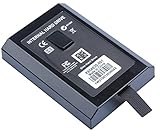
- This Xbox 360 Slim Hard Drive is the best option for media enthusiasts on Xbox 360. With this, you will have more room to store your entertainment.
- Expand your player for Xbox 360 Slim experience with download.
- It is the largest storage option for Xbox 360 Slim,you could expand your Xbox 360 Slim experience with download content.
- Store multiple game saves and play top-selling products for Xbox.
- Save music and create custom playlists.
Check the existing internal drive before purchasing anything. A suitable drive may already contain the required partition and files, so a new hard drive is not automatically necessary. Conversely, a replacement drive that lacks the correct configuration will not solve the problem by itself.
Use a title-by-title test
Original Xbox support is selective. Before assuming a game will work, verify the title against a current compatibility reference for the specific setup. Look for reports covering the exact game, region where relevant, required compatibility files and any known controller or display limitations.
- A successful result for one original Xbox game does not establish compatibility for another.
- A game that starts may still have audio, saving, performance or accessory problems.
- Disc condition, optical-drive behavior and storage errors can look like an emulation failure.
What a modded 360 cannot become
It is still Xbox 360 hardware
Unsigned-code access expands the software the 360 can execute; it does not add the processor, memory, graphics features or security model of a newer Xbox. Xbox One and Xbox Series X|S titles are not automatically runnable on a 360, and a homebrew launcher is not a path to installing arbitrary newer-generation software.
It is not the same as Microsoft’s backward-compatibility program
Microsoft’s Xbox One and Xbox Series X|S backward-compatibility programs support selected Xbox 360 and original Xbox titles. The catalogs are curated and separate from what a modded 360 can do. On a supported newer console, a disc-based game generally requires the disc to remain inserted while playing, and the console may download a compatible version. Features can vary by game.
Therefore, if your goal is a particular Xbox 360 or original Xbox title on a newer system, check that title in Microsoft’s current catalog. Do not infer support from the fact that the game runs through a community setup on a modified 360.
Rank #4

- Hard Drive Disk Compatible with XBOX360 E and xbox360 S Slim Console
- Install game discs directly to the hard drive to enjoy faster game loading
- Download games, demos, and extra content from Xbox LIVE.
- Attach an Xbox 360 slim Hard Drive to increase the capacity of your console
- Expand your entertainment collection with a generous 500GB of additional space to save games, demos, high-definition movies, music and more
Stock, drive-modified and JTAG/RGH consoles compared
| Console state | Software execution | Original Xbox compatibility | Hardware and setup factors | Xbox Live policy |
|---|---|---|---|---|
| Stock Xbox 360 | Microsoft-signed software and supported discs or downloads. | Only the titles and environment supported by Microsoft’s 360 compatibility implementation. | Normal console hardware, storage and optical-drive condition. | Designed for normal service use, subject to Microsoft’s current rules. |
| DVD-drive firmware modification | Changes optical-drive behavior; does not by itself provide system-level unsigned-code support. | Does not create universal original Xbox compatibility. | Drive model, firmware and disc condition are especially relevant. | Modified hardware remains subject to Microsoft’s prohibition on connecting tampered hardware. |
| JTAG or RGH | Can run compatible unsigned homebrew and alternative software. | Title-specific; some setups require HDDX and compatibility files. | Motherboard, installation quality, boot behavior, dashboard, storage and file layout all matter. | Microsoft prohibits connecting modified or tampered hardware to Xbox Live. |
How to check a modified console before relying on it
- Ask for the modification type. Confirm whether it is JTAG, RGH or only a drive-firmware change. If the answer is vague, assume the advertised features are unconfirmed.
- Record the console identity. Note the model or motherboard revision, storage capacity, dashboard version and any visible installation details. Different revisions do not support every method.
- Test a normal boot. Confirm that the console starts consistently, reaches its dashboard and does not require repeated power cycles. Unreliable boots can indicate an installation, timing or hardware fault.
- Check storage health. Verify that the internal drive is detected, has adequate free space and does not produce read or corruption errors. Back up saves and configuration data before reorganizing partitions.
- Inspect the homebrew environment. Launch one known-compatible utility from the installed dashboard. A missing menu item or failed launch may be a path or file-version problem rather than proof that the hardware is unmodified.
- Check original Xbox prerequisites. Look for the expected
HDDXpartition and compatibility files if your target title requires them. Do not create or delete partitions until you have a backup and instructions for the exact setup. - Test your actual title offline. Use the game, controller and display you intend to use. Record whether it boots, saves, displays correctly and responds to all required inputs.
Can you go online with a modded Xbox 360?
Do not treat Xbox Live access as safe, supported or guaranteed. Xbox’s current Community Standards explicitly say: “Connect modified or tampered hardware to XBOX Live.” Microsoft’s enforcement guidance says violations of its services agreement can result in an account suspension and, in extreme circumstances, a device ban.
That language describes policy risk, not a guaranteed outcome for every console or account. It also means that a temporary successful connection is not evidence that the hardware is approved. Avoid services or instructions that promise to evade detection, and do not use a modified console for online activity you cannot afford to lose access to.
A safer offline arrangement
- Keep the modified console disconnected from Xbox Live.
- Use a separate stock console for supported online multiplayer, purchases and account management.
- Back up saves locally and keep account credentials off an environment you do not trust.
- Do not assume that changing a dashboard, network setting or storage device removes the policy issue.
Original hardware: what still needs it?
Unsupported or unverified games
If a specific original Xbox or Xbox 360 game is not supported by the console’s compatibility environment, a modded 360 cannot guarantee a replacement. You may need the original Xbox, a supported Xbox One or Series X|S catalog entry, or another platform that officially supports that title.
Special accessories and peripherals
The available evidence does not establish universal support for every original Xbox accessory, specialist controller, camera, network adapter or other peripheral on a modified 360. Compatibility must be checked for the exact accessory and game. A software modification cannot recreate a missing port, sensor or device protocol.
Free tools Windows power users keep installed
One-click scans. No signup required.
Newer Xbox software and services
Xbox One and Series X|S software is built for newer hardware and security systems. A modded 360 does not provide a general-purpose route to those games, their online services or their platform-specific features.
Best Value
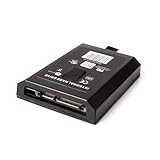
- This Xbox 360 Slim 120GB Hard Drive is the best option for media enthusiasts on Xbox 360. With this, you will have more room to store your entertainment.
- Expand your player for Xbox 360 Slim experience with download.
- Store multiple game saves and play top-selling products for Xbox.
- Save music and create custom playlists.
Official online services
Even when an offline feature works, that does not make the modified console eligible for Xbox Live. Microsoft’s current policy is the controlling consideration for online access, not whether a particular dashboard happens to connect.
Troubleshooting common failures
The console boots but homebrew does not appear
Confirm that the machine is actually JTAG/RGH rather than drive-only modified. Then check the dashboard’s launch paths, application folder names and software versions. A missing executable or incorrect path can hide a valid installation.
An original Xbox game refuses to start
Check the title’s known compatibility, the presence and integrity of the HDDX partition and compatibility files, available storage and the disc or game image itself. Test another known-compatible title to separate a game-specific problem from a system-wide configuration error.
Outdated Drivers Are Slowing You Down
One free scan finds every outdated or missing driver and matches the right update for your exact hardware.Free scan · exact hardware matchWindows Errors? Fix Them Before They Spread
Repair common Windows errors and clear accumulated junk for a smoother, more stable PC - no reinstall needed.Free scan · no reinstallBooting is inconsistent
Repeated failed boots, long delays or sudden shutdowns point to possible installation, power, cooling or storage problems. Stop changing software until the hardware is inspected; repeated writes can make recovery harder.
A newer game or accessory is not recognized
Verify that the software or device is intended for Xbox 360 and that the exact model is supported. A mod cannot add newer-generation hardware features or guarantee drivers for an untested accessory.
Choosing the right console for your goal
| Your goal | Most appropriate starting point | What to verify |
|---|---|---|
| Play standard Xbox 360 games and use Xbox Live | Stock Xbox 360 | Console, drive, account and service condition. |
| Run community applications offline | Known-good JTAG/RGH console | Exact method, motherboard, dashboard, storage and homebrew compatibility. |
| Play a particular original Xbox title | Check the title’s supported platform first | Whether it is supported on the 360 setup, a newer Xbox catalog, or only original hardware. |
| Play selected older games on a modern television with current features | Xbox One or Series X|S, when the title is in Microsoft’s catalog | Current catalog entry, required download, disc requirement and game-specific features. |
| Use a specialized legacy accessory | Original hardware unless compatibility is documented | Exact accessory, port, game and regional configuration. |
Bottom line for buyers and owners
A JTAG or RGH Xbox 360 is best understood as an offline, community-software platform built around Xbox 360 hardware. It can run unsigned homebrew and, with the right storage and compatibility files, may run selected original Xbox titles. A drive-only firmware modification offers a much smaller feature set. None of these changes provides universal game compatibility, newer Xbox software, guaranteed accessory support or safe Xbox Live access.
Before spending money on a replacement drive or installation, identify the modification, check the exact game or accessory, verify the existing storage and decide whether you can keep the console offline. When a title matters, confirm it against the current official compatibility catalog or use the original hardware rather than assuming a mod will fill the gap.
Quick Recap
Product prices and availability are accurate as of the date/time indicated and are subject to change. Any price and availability information displayed on Amazon at the time of purchase will apply.

