
iTechGuides is reader-supported. When you buy through links on our site, we may earn an affiliate commission. As an Amazon Associate I earn from qualifying purchases. Learn more
For most Windows users who simply want to recover disk space, start with Windows’ built-in Storage Sense or Cleanup recommendations. Choose BleachBit if you want more control over cleanup for specific applications and are prepared to review each selection before deleting it. No cited independent comparison establishes that any of these options universally frees more space or makes a PC faster.
Which CCleaner alternative fits your task?
“Better” depends on what you want to clean. Windows’ own tools focus on storage recovery, while BleachBit offers more category-by-category control over application data. CCleaner remains an option to compare with a tool you already use, but its vendor’s feature descriptions are not independent evidence of better performance.
| Option | Best fit | What it offers | Limits to consider |
|---|---|---|---|
| Storage Sense | Routine, automatic disk-space recovery on Windows | Can remove temporary files and manage Recycle Bin contents; Downloads can also be managed through settings. It operates on the system drive. Microsoft Support | Downloads and cloud content are not managed by default. It is a storage feature, not a general-purpose cleaner for every application. |
| Cleanup recommendations | People who want to inspect proposed removals | Surfaces categories including temporary files, large or unused files, cloud-synced files, and unused apps for review. Microsoft Support | Review items before deleting. Removing a previous Windows installation can prevent rolling back an upgrade. |
| BleachBit | Users who want a free, open-source utility with granular cleanup choices | Its listed cleaners cover browsers, logs, temporary files, and other applications. It also offers optional free-space wiping and Windows portable mode. BleachBit features | Deletion and wiping are irreversible. Its macOS support is still developing, according to the project’s status page. |
| CCleaner | Readers deciding whether to keep an existing tool | The vendor describes free and paid features, including privacy cleanup and automated history cleaning, and lists Windows compatibility. CCleaner for Windows | Paid features and performance claims are vendor statements; the available evidence does not establish a performance advantage in independent side-by-side testing. |
Use Windows tools first to reclaim disk space
Open Settings > System > Storage to find Windows’ storage-management options. Storage Sense can automatically remove temporary files and items in the Recycle Bin. Microsoft says its default behavior runs when the device is low on disk space. Check its settings before enabling it: Downloads and cloud files are not managed unless you configure them, and it acts on the system drive. Microsoft’s Storage Sense guidance
Do these 3 things before closing this tab:
1Clear out junk files and repair common Windows errors2Scan for outdated or missing drivers - takes under a minute3Repair Windows errors before they cause bigger problemsFor a more deliberate cleanup, use Settings > System > Storage > Cleanup recommendations. Windows presents suggested categories—including temporary files, large or unused files, cloud-synced files, and unused apps—for you to review. Don’t remove a category just because it is listed: deleting a previous Windows installation can remove the option to roll back an upgrade. Microsoft’s Cleanup recommendations guidance
#1 Best Overall
![Norton Utilities Ultimate, 10 Devices, PC Cleanup [Download]](https://m.media-amazon.com/images/I/41FWQqA6HjL._SL160_.jpg)
- FREE UP STORAGE SPACE WITH SUPERIOR CLEANING Reclaim valuable space on your devices and in the cloud. Delete unnecessary files, remove unused apps, and organize your cloud storage.
- INCREASE THE SPEED AND PERFORMANCE OF YOUR DEVICES Bloatware and needless applications running in the background can slow down your devices. Keep them running at their best by reducing background app activity, uninstalling apps you no longer need, and fixing common problems.
- KEEP YOUR DEVICES HEALTHY AND PERFORMING AT THEIR BEST Devices lose performance over time unless they’re maintained. Automated cleaning and optimization tasks help keep them running at peak efficiency, healthy, and performing better for longer.
- KEEP YOUR ONLINE ACTIVITY TO YOURSELF Increase your online privacy by removing your browsing and download history, tracking cookies, and other web browsing data.
When BleachBit makes sense
BleachBit is a reasonable Windows choice if you want a free, open-source program and more selective cleanup of browser and application data than the built-in storage tools provide. Its feature list includes cleaners for browsers, logs, temporary files, and other applications, plus optional free-space wiping and a portable mode for Windows. BleachBit’s feature list The project says the software is free for personal, commercial, government, and educational use, with no Pro upgrade or required registration. BleachBit download and licensing information
Before deleting anything, use BleachBit’s Preview function and inspect the cleaners you selected. The project warns that its wiping process is permanent and cannot be undone. BleachBit FAQ Its community project does not offer official commercial support, consulting, or enhancements, according to that FAQ.
Rank #2

- REMOVES TOUGHEST STAINS: Comes with 4 oz total (4 oz x 1 packs) window cleaning concentrate packets. Each 4 oz bag makes up to 640 fluid ounces of cleaning solution when mixed as directed. This outdoor window washing spray cleans up to 40 exterior house windows and effectively removes dirt, grime, stains, and water deposits from windows, siding, and glass doors, leaving a streak-free shine.
- MADE IN THE USA: Cleaning Crystals are made in the USA, safe, and non-toxic. They clean windows effectively without harming plants, lawns, shrubs, or flower beds, and are non-corrosive to plastics and other outdoor surfaces.
- REACHES UP TO 27 FEET HIGH: This window cleaning solution connects to your garden hose and reaches up to 27 feet. It helps clean second-story windows and other elevated surfaces without the need for scrubbing, rinsing, or using ladders.
- EASY TO USE: First wet down the surface thoroughly, spray window washer cleaner from bottom to top and back down to the bottom, and allow the liquid to penetrate for about one minute. Then rinse the surface and allow it to dry naturally. Each 4 oz bag makes up to 640 fluid ounces of cleaning solution when mixed as directed. The engineered bottle allows you to clean and rinse in one step.
Is BleachBit ready for macOS?
Do not assume the Windows recommendation applies to Mac. BleachBit’s macOS status page, updated September 5, 2026, describes support as still in development; its listed future work includes additional macOS-specific cleaners, testing, a disk image, and a digital signature. BleachBit’s macOS status page
Will a cleaner make your computer faster?
That outcome is not established by the available evidence. The cited product and support pages describe features and compatibility; they do not provide an independent comparative test showing that one cleaner consistently improves PC speed or frees more storage than another. A cleanup tool may remove files you do not need, but that alone is not proof of a general performance improvement. CCleaner’s Windows page lists Windows 11, 10, 8.1, and 7, but compatibility claims do not demonstrate a speed benefit. CCleaner’s Windows page
Quick Recap
Rank #4
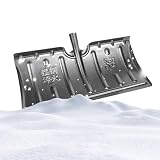
- Weather-Resistant Shovel: Designed to withstand freezing weather , the snow shovel resists cracking when tackling heavy snow, offering dependable performance in harsh conditions and enabling users to clear walkways or driveways with confidence
- Reduced Physical Strain: Featuring advanced snow-clearing efficiency, the snow shovel for driveway minimizes effort required during use, thanks to its ability to release snow buildup easily with a light shake clean action, preventing repeated scraping and easing the burden of clearing driveways after heavy snowfalls
- Detachable Handle Design: The snow shovel features a detachable handle that reduces its length for effortless car trunk storage, making it ideal for tight spaces and ensuring easy portability during winter cleanups while maximizing convenience in compact environments
- Anti-Slip Performance Boost: The snow pusher's textured design ensures a r eliable grip, preventing slippage and supporting effortless handling during demanding outdoor tasks like clearing driveways or sidewalks after heavy snowfall
- Resists Deformation Effectively: The heavy duty snow shovel is designed with multi-layer reinforcement to resist deformation, ensuring stable use even under heavy snow pressure, which enhances long-term durability for consistent performance during demanding winter tasks
Rank #3

- ✔️ Speed Up Your PC Instantly: Finds and removes system slowdowns, cleans junk files, and boosts overall performance for a noticeably faster computer.
- ✔️ Start Windows Faster: Optimizes startup processes and eliminates hidden delays for smooth, fast boot times.
- ✔️ Surf the Web Faster: Analyzes browser and network settings and improves your online speed with a single click.
- ✔️ Optimize Your Operating System: Automatically adjusts Windows settings, fixes performance issues, and keeps your system running stable.
- ✔️ Save Energy — No Auto-Renewal: Reduces power consumption without sacrificing performance. Annual license with no auto-renewal, unlike many competitor products.
A practical choice in three steps
- For ordinary space recovery: Open Settings > System > Storage and review Storage Sense or Cleanup recommendations. Select only files and categories you understand.
- For selective browser or app cleanup: Consider BleachBit on Windows, preview the proposed removals, and verify every selected cleaner before proceeding.
- For a slow PC: Don’t buy or install a cleaner on the assumption that it will make the computer faster; the cited sources do not establish a performance winner.
Product prices and availability are accurate as of the date/time indicated and are subject to change. Any price and availability information displayed on Amazon at the time of purchase will apply.

