
iTechGuides is reader-supported. When you buy through links on our site, we may earn an affiliate commission. As an Amazon Associate I earn from qualifying purchases. Learn more
Use tcpdump’s host, net, and port primitives to select traffic, then add src or dst when you need to limit direction. For example, tcpdump -n -- 'dst host 192.0.2.10 and dst port 443' captures packets addressed to that host on that port. Quote the complete expression and place it after -- so the shell passes it as one filter.
How tcpdump capture filters work
A tcpdump expression determines which packets are selected for output. Its core address-component primitives are host, net, and port; direction qualifiers and Boolean operators let you narrow or combine them. The OpenBSD tcpdump manual documents these primitives and qualifiers.
Without a filter expression, tcpdump does not narrow packet output: the OpenBSD manual states, “If no expression is given, all packets on the net will be dumped.”
Quick wins for a faster PC:
Scan for outdated or missing drivers - takes under a minuteDriver Scan →Repair Windows errors before they cause bigger problemsFix Now →Filter traffic by host and direction
A host filter matches traffic involving the address. If you omit a direction qualifier, tcpdump assumes src or dst, so it can match the address as either endpoint. Add src or dst to select only one direction.
#1 Best Overall
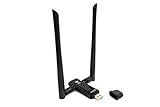
- Amazing Data Transfer Speeds: N 300Mbps, AC 867Mbps-Meidatek MT7612U Chipset
- Wide Range: Includes 2 Dual-Band(2.4GHz/5GHz) detachable 5dBi antenna
- Supports Windows XP, Vista, 7, 8, 8.1 and Windows 10 32/64bit
- Supports Mac OSX 10.9 or later - Supports Linux kernel 2.6 or later
- Wireless Security: WEP 64-Bit, WEP 128-Bit, WPA-PSK, WPA2-PSK
# Traffic to or from a host
tcpdump -n -- 'host 192.0.2.10'

# Packets sourced by the host
tcpdump -n -- 'src host 192.0.2.10'

# Packets destined for the host
tcpdump -n -- 'dst host 192.0.2.10'
The addresses here use the documentation-only 192.0.2.0/24 range; substitute the address you need to inspect.
Filter by subnet, including IPv6
Use net followed by a network address and prefix length to match a subnet. Without a direction qualifier, the subnet can match either source or destination.
Rank #2

- [Enhanced 4K-1080P Video Capture Experience] Capture the Magic: Elevate your video recordings to new heights with our upgraded anti-static 1080P Video Capture Card. Immerse yourself in stunning visuals, supporting HDMI input at 4K 60FPS and USB output for capturing in 1080P, complete with rich stereo sound. Enjoy crystal-clear video recordings, dynamic gaming live streams, and professional conference broadcasts. Note: HDMI resolution: Max input can be 3840×2160@30Hz / Video output resolution: Max output can be 1920×1080@30Hz
- [Seamless Real-Time Preview] Stay in the Moment: Our advanced ultra-low latency technology ensures seamless real-time transmission of video streams. Experience instant, lag-free previews, allowing you to capture every detail precisely. Effortlessly record video directly to your hard disk, all without compromising on quality or introducing any delays.
- [Versatility and Broad Compatibility] Your Creative Hub: Connect your DSLR, camcorder, or action camera to a wide range of operating systems, including Windows, MacOS, and Linux. Unlock a world of possibilities with real-time streaming to popular platforms like Twitch, Youtube, OBS, Zoom, Potplayer, and VLC, giving you the tools to share your content effortlessly.
- [Effortless Plug and Play] Simplicity Redefined: Say goodbye to complex installations. Our plug-and-play design eliminates the need for drivers or external power supplies. Seamlessly integrate high-definition acquisition into various scenarios, whether it's educational recordings, immersive gaming, precise medical imaging, captivating live streams, or professional broadcasting.
- [Seize Every Detail with Precision] Unleash your creativity and attention to detail with our video capture card. Capture every nuance, every color, and every moment with precision, thanks to the enhanced capabilities of our technology. Whether you're a content creator, a gamer, or a professional, our capture card empowers you to seize the finest elements and bring them to life in your recordings and live streams.
# Traffic to or from an IPv4 subnet
tcpdump -n -- 'net 192.0.2.0/24'

# Traffic sourced from that subnet
tcpdump -n -- 'src net 192.0.2.0/24'

# Traffic to or from an IPv6 /48 subnet
tcpdump -n -- 'ip6 net 2001:db8:1234::/48'
For IPv6, include the prefix length when you mean a network rather than one host. The OpenBSD 7.5 tcpdump manual explains that an IPv6 network number without a netmask length is treated as a host match. Filter syntax can depend on the installed tcpdump and packet-capture library, so check the local manual if a platform-specific form behaves differently.
Filter by port and transport protocol
A bare port primitive matches either endpoint and can match TCP or UDP traffic. Specify tcp or udp when only one transport protocol is wanted. A numeric port is interpreted by its port number; a number alone does not imply TCP.
Rank #3

- Linux-Focused AC1200 WiFi Adapter: Realtek RTL8812AU dual-band USB WiFi adapter supports 2.4GHz and 5GHz networks. Designed for Linux desktops, laptops, live environments, repair systems, gaming distributions, and advanced Kali Linux networking.
- Plug-and-Play Tested on Multiple Linux Distributions: Verified without manual driver installation on Ubuntu, Fedora Workstation, Elementary OS, openSUSE, Garuda Linux, Bazzite, Solus Budgie, Batocera, CachyOS, and Arch Linux. Compatibility can vary by kernel, system, and distribution version.
- Kali Linux Driver and Offline Setup Available: Kali requires RTL88xxAU driver installation before a usable wireless interface appears. Online instructions and a downloadable driver package are provided for offline installation, monitor mode setup, and authorized packet-injection testing.
- Built for Kali Monitor Mode: The RTL8812AU chipset supports monitor mode, packet capture, and packet injection with a compatible Kali Linux driver and configuration. Intended for authorized cybersecurity labs, wireless diagnostics, education, and networks you own or have permission to test.
- USB 3.0 with Dual External Antennas: Supports rated wireless speeds up to 867Mbps on 5GHz and 300Mbps on 2.4GHz. Two adjustable antennas and the included USB extension cradle help improve placement, reception, and connection stability.
# TCP or UDP traffic involving port 443
tcpdump -n -- 'port 443'

# Only TCP traffic involving port 443
tcpdump -n -- 'tcp port 443'

# Only UDP traffic involving port 53
tcpdump -n -- 'udp port 53'
The OpenBSD tcpdump manual documents the default direction and port behavior.
Combine host, direction, and port conditions
Use and, or, and not to combine filter conditions. Parentheses make alternatives explicit when they are combined with another condition.
Rank #4

- Throwing Star LAN Tap is a small, simple device for monitoring Ethernet communications
- Use your favorite software (e.g., tcpdump or Wireshark) on the monitoring station(s) to capture network traffic
- Use Ethernet cables to connect the Throwing Star LAN Tap (J1 and J2) in line with a target network to be monitored.
- Use Ethernet cables to connect one or both of the monitoring ports (J3 and J4) to ports on one or two monitoring stations. Each port monitors traffic in one direction only
- The Throwing Star LAN Tap is a passive Ethernet tap, requiring no power for operation. There are active methods of tapping Ethernet connections (e.g., a mirror port on a switch), but none can beat passive taps for portability. To the target network, the Throwing Star LAN Tap looks just like a section of cable, but the wires in the cable extend to the monitoring ports in addition to connecting one target port to the other
# Destination host and destination port
tcpdump -n -- 'dst host 192.0.2.10 and dst port 443'

# Source host and either of two destination ports
tcpdump -n -- 'src host 192.0.2.10 and (dst port 443 or dst port 8443)'

# Exclude traffic involving a host
tcpdump -n -- 'not host 192.0.2.10'
In the second example, the parentheses group the two destination-port choices together, while the source-host condition applies to both.
Free tools Windows power users keep installed
One-click scans. No signup required.
Quote the filter so the shell passes it intact
Put tcpdump options first, then --, then the complete expression as one quoted string. The Linux tcpdump manual recommends this form. Quoting is particularly useful for expressions containing spaces, parentheses, or Boolean operators; -- marks the end of options so the expression is not mistaken for another option.
Best Value
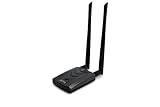
- Wireless Standards IEEE 802.11ac/a/b/g/n
- Wireless Frequency: 2.4 GHz / 5 GHz; Wireless Data Rate: 2.4 GHz-up to 300 Mbps, 5 GHz-up to 867 Mbps.
- Interface: USB-C (includes cable); Antenna Type: 2 x Dual-Band High-gain detachable antenna.
- Wireless Security: WEP, WPA, WPA2, WPA3 WPA/PSK, WPA2-PSK
- Operating System: Windows Vista 32/64bit; Windows 7 32/64bit; Windows 8/8.1 32/64bit; Windows10 32/64bit; Linux kernel 4.19 or later.
tcpdump -n -- 'src host 192.0.2.10 and (dst port 443 or dst port 8443)'These expressions select packets according to the filter; they do not guarantee that matching packets will be present on the chosen interface or visible from the capture point.
Quick Recap
Product prices and availability are accurate as of the date/time indicated and are subject to change. Any price and availability information displayed on Amazon at the time of purchase will apply.

