
iTechGuides is reader-supported. When you buy through links on our site, we may earn an affiliate commission. As an Amazon Associate I earn from qualifying purchases. Learn more
For the unofficial native Windows port, the only published hard requirements are 64-bit Windows 10 or 11 and a Vulkan 1.3-capable GPU running a recent driver. The project does not publish minimum CPU, RAM or storage specifications. Its README reports about 67 frames per second on average on an RTX 2060 SUPER in a 60-FPS title-screen demo, but the heaviest section falls to roughly 29–34 FPS. Treat that result as a project benchmark, not a promise of locked 60-FPS gameplay.
A separate option is emulating the PlayStation 3 release with RPCS3. RPCS3 recommends a modern six-core/12-thread processor, an actively supported Vulkan graphics card, at least 8 GB of dual-channel memory and SSD storage for emulator data. Those are general emulator recommendations, not a Shadow of the Colossus-specific guarantee.
| # | Preview | Product | Price | |
|---|---|---|---|---|
| 1 |

|
GPVHOSO RTX 2060 8GB Super Graphics Card 256Bit GDDR6, | $239.99 | Buy on Amazon |
| 2 |
|
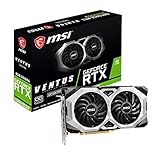
msi Gaming GeForce RTX 2060 Super 8GB GDRR6 256-Bit HDMI/DP G-Sync Turing Architecture Overclocked... | $249.99 | Buy on Amazon |
There are two different ways to play it on a PC
“The Shadow of the Colossus PC port” can mean two technically unrelated projects. Choosing hardware without identifying the route first is the fastest way to buy the wrong component.
Recommended Free Tools
Unofficial native Windows port
AjncSystem publishes a native Windows project based on the PlayStation 4 release. The README version accessed for this guide is 0.57. It is explicitly not affiliated with Sony Interactive Entertainment or Bluepoint Games. You must supply your own legally obtained game dump and the required sound modules from your own hardware or software setup; the project is not a standalone commercial PC release.
#1 Best Overall
- Enhanced Performance: The RTX 2060 Super delivers exceptional gaming performance with 8GB of GDDR6 memory and a boost clock speed of up to 1650 MHz. It efficiently handles modern gaming titles at high settings, making it ideal for gamers seeking an immersive experience.
- Real-Time Ray Tracing: Equipped with Turing architecture, the RTX 2060 Super supports real-time ray tracing technology. This feature allows for realistic lighting, shadows, and reflections, enhancing visual fidelity in supported games and applications.
- VR Ready: The RTX 2060 Super is optimized for virtual reality (VR) experiences, providing low-latency and high-performance rendering. Gamers can enjoy an immersive VR environment with smooth graphics and responsive gameplay.
- DLSS Support: The graphics card supports Deep Learning Super Sampling (DLSS), which utilizes AI rendering to produce sharp images and increase frame rates without compromising quality. This technology ensures smoother gameplay, particularly at higher resolutions.
- Multiple Display Outputs**: With support for up to three displays, the RTX 2060 Super offers versatile connectivity options. It includes DisplayPort 1.4 and HDMI 2.0b outputs, enabling multi-monitor setups for enhanced productivity or gaming immersion.
The renderer translates the PlayStation 4 GPU work to Vulkan. DirectX support is therefore not the relevant compatibility test. A graphics card can be fast in DirectX yet fail to run this project if it lacks Vulkan 1.3 support or has an unsuitable driver.
PlayStation 3 emulation with RPCS3
The other route is the PlayStation 3 version through RPCS3. This is emulation rather than a native port, so the emulator, game ID, disc or digital-media variant, patches and driver all affect the result. RPCS3’s published requirements are broad guidance for supported software; they do not establish a guaranteed frame rate for this particular game.
Native-port requirements and sensible targets
The project’s published information is unusually specific about the graphics API and unusually quiet about the rest of the system. The table separates what is actually stated from practical headroom for a modern gaming PC.
The Tool Desk
Outbyte PC Repair FREEClear out junk files and repair common Windows errorsFree Scan →Outbyte Driver Updater FREEScan for outdated or missing drivers - takes under a minuteDriver Scan →| Component or condition | Published information | Practical buying target |
|---|---|---|
| Operating system | 64-bit Windows 10 or Windows 11 | Use a fully updated 64-bit installation; 32-bit Windows is outside the stated requirement. |
| Graphics API and driver | Vulkan 1.3 GPU with a recent driver | Verify Vulkan 1.3 support for the exact card and install the current stable driver before troubleshooting. |
| GPU performance | The README’s reference system uses an RTX 2060 SUPER | An RTX 2060 SUPER-class card is a useful performance reference, not a minimum or a 60-FPS guarantee. |
| CPU | No official minimum is published | Choose a modern desktop CPU with strong single-thread performance and sustained clocks. |
| System memory | No official minimum is published | 16 GB is sensible editorial headroom for Windows, the game and background software; it is not a project requirement. |
| Storage | No SSD requirement is claimed for frame rate | An SSD improves file access and shader-build waits, but it should not be presented as an FPS requirement. |
| VRAM | The README notes that 8 GB can approach the limit in large areas | Prefer more than 8 GB when buying a new card, especially for higher resolutions or texture-heavy settings. |
What the Vulkan requirement means in practice
Vulkan 1.3 is a feature-level and driver requirement, not a performance rating. Check the manufacturer’s specifications and a Vulkan-capable diagnostic utility for the exact model. A current driver matters because the project has GPU-specific issues and because shader compilation depends on the driver’s Vulkan implementation. If the application reports that Vulkan is unavailable, changing Windows’ DirectX settings will not fix it; update the driver or use a card with supported Vulkan hardware.
CPU, RAM and storage: avoid false precision
There is no defensible “minimum Core i5” or “minimum Ryzen” number in the native project’s README. A modern processor with high single-thread performance is the safest choice because emulation-style translation, draw-call submission and frame pacing can become CPU-limited even when average GPU utilization is low. Six or more current CPU cores are a reasonable system-building choice, but that is advice rather than a published port requirement.
Likewise, 16 GB of RAM is a practical baseline for a contemporary Windows gaming machine, not a measured threshold for this project. Keep adequate free memory while compiling shaders and close unusually heavy background workloads. Installing the game files on an SSD can reduce loading and shader-cache delays; it does not turn an underpowered GPU into a faster one.
How fast is the native port on an RTX 2060 SUPER?
AjncSystem reports approximately 67 FPS average on an RTX 2060 SUPER in the project’s 60-FPS title-screen demo. The same demonstration drops to approximately 29–34 FPS in its heaviest section. The figure is valuable as a reference point because it identifies tested hardware, but it is not a laboratory average across the full game and does not guarantee gameplay performance, resolution, frame pacing or identical driver behavior.
Free tools Windows power users keep installed
One-click scans. No signup required.
The large spread explains why “can it run at 60 FPS?” has two answers. A system may launch the demo and show an average above 60 while still missing 60 in demanding areas. Sustained frame rate requires headroom for large environments, shader compilation, camera views and patches that alter workload. Use a frame-time graph or an in-game counter rather than relying only on an average FPS number.
RPCS3 hardware guidance
RPCS3’s current quickstart recommends the following tier:
| Part | RPCS3 recommendation | Why it matters |
|---|---|---|
| CPU | Six cores/12 threads; AMD Zen 2 or newer, or Intel Skylake or newer | Emulation benefits from modern per-core speed and enough parallel threads for the emulator and operating system. |
| GPU | An actively supported Vulkan GPU; AMD Polaris/RX 400 series or newer, or NVIDIA Maxwell/GTX 900 series or newer | Driver support and Vulkan features are more important than the brand name alone. |
| RAM | 8 GB or more, dual-channel | Dual-channel bandwidth and capacity help the emulator avoid memory pressure. |
| Storage | SSD for emulator data | RPCS3 recommends solid-state storage for its data and cache workload. |
RPCS3 states that it cannot guarantee performance below the recommended specifications, while noting that users may experiment. Its requirements can change as the emulator evolves. Confirm the current compatibility entry for the exact Shadow of the Colossus game ID and media or region variant before buying hardware. A card that meets the generic GPU tier may still encounter a game-specific regression, shader issue or patch difference.
Rank #2
- Chipset: NVIDIA GeForce RTX 2060 Super
- Boost Clock: 1665 MHz
- Video Memory: 8GB GDDR6
- Memory Interface: 256-bit.Avoid using unofficial software
- Output: DisplayPort x 3 (V1. 4)/ HDMI 2. 0B x 1
Choose hardware by the result you want
“I only need the native project to launch”
Start with a Vulkan 1.3-capable card and a recent driver. The published requirement says nothing about a particular CPU, memory capacity or SSD, so do not treat an online minimum-spec list as official. Expect to troubleshoot driver and GPU-specific issues first.
Do these 3 things before closing this tab:
1Repair Windows errors before they cause bigger problems2Fix the driver behind crashes, sound loss and screen glitches3Clear out junk files and repair common Windows errors“I want a stable 60 FPS where possible”
Use the RTX 2060 SUPER reference as a floor for expectations, not as a purchase guarantee. Select a newer card with additional VRAM and performance headroom, pair it with a modern high-clock desktop CPU, and target a resolution your GPU can sustain in the heaviest areas. The project’s 29–34 FPS heavy-section result shows that an average above 60 does not equal a locked 60.
“I am deciding between the native port and RPCS3”
The native route has a clear Vulkan 1.3 requirement but no published CPU or RAM minimum. RPCS3 has a more detailed general hardware tier and adds an SSD recommendation, but it introduces emulator compatibility variables. Compare the two routes on Vulkan support, CPU single-thread speed, VRAM, target resolution, frame-time stability and upgrade headroom—not on whether a machine merely opens the program.
Native-port setup checklist
- Confirm the platform: use 64-bit Windows 10 or 11 and check that your GPU supports Vulkan 1.3.
- Update the graphics driver: install a current stable driver for the exact GPU model, then reboot.
- Prepare legitimate files: obtain your own game dump and the sound modules required by the project. The native project does not provide those assets.
- Read the release README: version 0.57 was the version documented in the accessed README; later releases may change requirements, fixes or settings.
- Allow the first shader build to finish: the README notes that the first launch after updates rebuilds shaders. Interrupting that process can look like a hang or cause stutter on the next run.
- Test a demanding scene: record frame time, average FPS and low points rather than judging performance from a menu or title screen.
- Adjust in this order: lower resolution or expensive graphics options first, then investigate driver and GPU-specific notes. Do not expect DirectX settings to substitute for Vulkan support.
RPCS3 setup and verification
- Check the exact game entry: identify the game ID and media or region version you own, then consult RPCS3’s current compatibility information for that entry.
- Meet the recommended platform tier: six cores/12 threads from the stated CPU generations, an actively supported Vulkan GPU, at least 8 GB of dual-channel RAM and SSD emulator storage.
- Use current emulator and GPU software: emulator revisions and drivers can change compatibility, shader behavior and performance.
- Apply only documented patches: a patch intended for another game ID or media version can create crashes or incorrect behavior.
- Measure sustained play: test an actual demanding section and watch frame pacing. A successful boot screen proves compatibility only at the most basic level.
Troubleshooting common failures
The native port says Vulkan is unavailable
Confirm the GPU supports Vulkan 1.3, update to a recent driver and verify that the application is using the intended discrete GPU on a multi-GPU system. If the hardware lacks the required Vulkan feature level, a DirectX reinstall cannot add it; replacement hardware is the fix.
Performance is acceptable in the demo but collapses in large areas
This is consistent with the project’s own benchmark range. Check frame times, reduce resolution or demanding settings, and consider VRAM pressure: the README warns that 8 GB can approach its limit in large areas. Leave headroom instead of tuning for the title-screen average.
Quick wins for a faster PC:
Clear out junk files and repair common Windows errorsFree Scan →Scan for outdated or missing drivers - takes under a minuteDriver Scan →Repair Windows errors before they cause bigger problemsFix Now →Stutter appears after an update
Allow the post-update shader rebuild to complete. Repeatedly deleting caches or interrupting compilation can make traversal stutter return. If the problem persists, check the release notes and current driver guidance for your GPU.
RPCS3 boots but runs poorly or crashes
Recheck the exact game ID, media and region entry, then compare your CPU, Vulkan GPU, dual-channel memory and SSD setup with RPCS3’s current recommendations. Below-recommended hardware is explicitly not guaranteed, and emulator updates can change results.
Buying checklist
- Verify Vulkan 1.3 first. A fast card without the required API support is unsuitable for the native project.
- Prioritize modern CPU single-thread performance. This helps frame pacing and translation workloads that do not scale perfectly across cores.
- Buy VRAM for the target resolution. The project identifies 8 GB as a potential limit in large areas; extra capacity provides safer headroom.
- Separate launch capability from sustained performance. “It starts” and “it holds the desired frame rate in heavy scenes” are different purchase tests.
- Budget for the whole platform. Include a compatible motherboard, adequate power supply, cooling, 16 GB system RAM as practical headroom, and SSD space rather than spending every dollar on the GPU alone.
- Recheck before purchase. The native project is actively changing, and RPCS3 compatibility depends on emulator releases, drivers, patches and game-ID/media differences.
Is the PC port official?
No. The native Windows project’s README states that it is not affiliated with Sony Interactive Entertainment or Bluepoint Games. It also requires user-supplied game and sound data. RPCS3 is a separate emulator route, not an official Windows release. Use legally obtained software and recheck the project documentation immediately before installing or buying hardware because both projects can change.
Bottom line for a smooth setup
For the native port, make Vulkan 1.3 support and current drivers your non-negotiable checks. Treat an RTX 2060 SUPER as the project’s published reference point, not a guaranteed minimum, and pair a faster or newer card with a modern high-clock CPU if stable performance in heavy areas matters. For RPCS3, begin at the emulator’s six-core/12-thread CPU, supported Vulkan GPU, 8 GB dual-channel RAM and SSD tier, then verify the exact game entry. No current evidence supports promising a locked 60 FPS on every area or every configuration.
Quick Recap
Product prices and availability are accurate as of the date/time indicated and are subject to change. Any price and availability information displayed on Amazon at the time of purchase will apply.

