
iTechGuides is reader-supported. When you buy through links on our site, we may earn an affiliate commission. As an Amazon Associate I earn from qualifying purchases. Learn more
The Mac Evaluation Utility tool is an Apple application for IT professionals that checks whether Macs are ready to operate in an organization’s network, identity, security, application, and device-management environment. It produces an evidence-based report; it is not a Mac cleaner, speed optimizer, malware scanner, benchmark, repair utility, or replacement for MDM.
Mac Evaluation Utility (MEU) is designed for businesses, schools, Apple deployment teams, and consultants preparing a Mac rollout, macOS upgrade, or fleet expansion. The utility observes the current Mac and its surrounding environment, runs deployment-related tests, and identifies successful checks, warnings, deployment blockers, informational details, and skipped tests.
Apple describes MEU as a way for an Apple account team or trusted partner to provide an organization with a snapshot of how Mac integrates with its existing environment. Apple’s Mac Adoption Blueprint presents the tool in that enterprise-deployment context, rather than as a consumer troubleshooting app.
What’s actually slowing this PC down?
Pick the symptom - the matching free tool is one click away.
Key takeaways
- Mac Evaluation Utility assesses enterprise deployment readiness across network connectivity, Apple services, MDM, identity, security, applications, policies, profiles, and credentials.
- Apple generally distributes MEU through AppleSeed for IT, which requires a Managed Apple Account associated with Apple Business Manager or Apple School Manager.
- MEU reports Success, Warning, Deployment Blocker, Informational, and Skipped results; a skipped test is not a pass.
- MEU is an assessment and reporting tool, not an MDM platform, Mac repair utility, malware scanner, hardware diagnostic, compliance audit, or universal compatibility test.
- Apple documents login-item, launch-agent, and launch-daemon reporting for Mac Evaluation Utility version 4.3.0 or later, including export to delimited text files.
What does the Mac Evaluation Utility tool do?
Mac Evaluation Utility checks whether a Mac is correctly configured and able to participate in an organization’s infrastructure. The exact tests depend on the MEU release, but the assessment can cover Apple-service connectivity, device enrollment, management profiles, security controls, identity integration, applications, credentials, policies, and background software.
#1 Best Overall

- 【Adjustable & Ergonomic】:This laptop stand can be adjusted to a comfortable height and angle according to your actual needs, letting you fix posture and reduce your neck fatigue, back pain and eye strain. Very comfortable for working in home, office and outdoor.
- 【Sturdy & Protective】 :Made of sturdy metal, it can support up to 17.6 lbs (8kg) weight on top; With 2 rubber mats on the hook and anti-skid silicone pads on top & bottom, it can secure your laptop in place and maximum protect your device from scratches and sliding. Moreover, smooth edges will never hurt your hands.
- 【Heat Dissipation】 :The top of the laptop stand is designed with multiple ventilation holes. The open design offers greater ventilation and more airflow to cool your laptop during operation other than it just lays flat on the table.
- 【Portable & Foldable】:The foldable design allows you to easily slip it in your backpack. Ideal for people who travel for business a lot.
- 【Broad Compatibility】:Our desktop book stand is compatible with all laptops from 10-15.6 inches, such as MacBook Air/ Pro, Google Pixelbook, Dell XPS, HP, ASUS, Lenovo ThinkPad, Acer, Chromebook and Microsoft Surface, etc.Be your ideal companion in Home, Office & Outdoor.
The utility is most valuable before a deployment decision. An organization can run MEU on a representative Mac, review the evidence, correct problems in the network or management environment, and run the assessment again. MEU does not normally perform those corrective actions itself.
What does Mac Evaluation Utility check?
Mac Evaluation Utility checks multiple deployment-related categories rather than measuring one aspect of Mac performance. Public Apple and partner material describes the following areas, although no single list should be assumed to apply to every historical or future MEU version.
Network and Apple-service connectivity
MEU can help determine whether a Mac can reach the Apple hosts, Apple services, and organization-owned servers needed for activation, software updates, enrollment, iCloud-related functions, and device management. The surrounding network can affect these workflows through firewalls, proxies, VPN routing, DNS filtering, TLS interception, content filters, captive portals, or incorrect routing.
Recommended Free Tools
A Mac may browse ordinary websites successfully while still being unable to reach an Apple enrollment service or an organization’s MDM server. That distinction makes MEU useful during deployment troubleshooting. Partner assessment material from SHI’s Mac Evaluation Utility overview describes network, MDM, identity, security, application, policy, profile, and credential assessment areas.
Device management and enrollment
MEU can assess whether the Mac is enrolled in device management, connected to the expected MDM server, receiving appropriate profiles and policies, and participating correctly in the organization’s deployment workflow. These checks are especially relevant to Automated Device Enrollment troubleshooting.
MEU is not an MDM system. An MDM platform enrolls devices, applies configuration profiles, installs applications, enforces policies, gathers inventory, executes remote commands, and supports compliance workflows. MEU evaluates whether the deployment environment appears correctly configured; it does not replace those management functions.
Security configuration
Depending on the release and available tests, MEU may report on controls such as FileVault, Gatekeeper, security-related profiles, credentials, and other baseline settings. Partner material from Compugen’s Mac deployment resource gives FileVault, Gatekeeper, and Apple-service connectivity as examples of attributes that can be examined.
A passing configuration check does not prove that an organization has a complete security program. MEU is not a penetration test, malware scanner, EDR product, compliance certification, or full endpoint-security audit. Security teams still need separate vulnerability management, threat detection, policy review, and incident-response processes.
Identity, authentication, and credentials
MEU may identify issues involving identity-management integration, authentication extensions, account configuration, credentials, profiles, single sign-on, and older directory-binding practices. These findings can show that a Mac’s identity configuration does not match the intended deployment design.
An MEU finding does not replace an identity architecture review. Identity, MDM, network, and security administrators may need to work together to determine whether the cause is an authentication provider, profile, certificate, network path, account state, or legacy configuration.
Applications and compatibility-related conditions
MEU can surface applications that use deprecated technologies, application security conditions, or software that may cause problems on a newer macOS release. A warning can therefore help an IT team build an application-remediation list before an upgrade.
Free tools Windows power users keep installed
One-click scans. No signup required.
Rank #2

- ✅【Ergonomic Design】: This laptop stand could elevate your laptop by 5.98’’ to a perfect viewing level, help you improve your posture and reduce neck and shoulder pain. A good sitting posture reduces neck and waist lesions. In addition, you can organize office items such as keyboard and mouse under the stand.
- ✅【Heat Dissipation】: Aluminum notebook stand alloy material serves as thermal pads to cool the laptop.The forward angle and open design provide good ventilation and airflow, so there is more space for heat dissipation and prevent the notebook computer from overheating.
- ✅【Sturdy & Protective】: The laptop riser is made of aerospace-grade aluminum alloy. This material is lightweight but high-strength, ensuring lightweight and portability requirements.We also have pads on the surface and bottom to prevent it from sliding and protecting your laptop from any unwanted harm.Moreover, smooth edges will never hurt your hands.
- ✅【Detachable & Simple Installation】: Detachable laptop holder is designed with 3 primary structural components and 2 corner connectors, enabling effortless snap-together assembly without complex instructions. Plug in and use, no screws required. Installation is very simple.
- ✅【Broad Compatibility】:Our laptop stand is compatible with all laptops from 10-15.6 inches, such as MacBook Air/ Pro, Dell XPS, HP, ASUS, Google Pixelbook, Lenovo ThinkPad, Acer, Chromebook and Microsoft Surface, etc.Be your ideal companion in Home, Office & Outdoor.
MEU is not a universal application-compatibility oracle. A passing result does not guarantee that every plug-in, driver, peripheral, business workflow, browser extension, script, or accessibility tool will work after an operating-system upgrade. Mission-critical software requires direct testing on the target macOS version.
Login items and background tasks
Apple documents login-item and Background Task Management tests for Mac Evaluation Utility version 4.3.0 or later. Those tests can include login items, launch agents, and launch daemons, and Apple says the results can be exported as delimited text files. See the Apple deployment documentation for MEU and background items for the version-specific behavior.
These findings can help administrators investigate unexpected background software, legacy helper processes, and applications that rely on mechanisms affected by modern macOS background-task controls. The version boundary matters: the documented capability should not be assumed to exist in every earlier MEU release.
Who should use Mac Evaluation Utility?
Mac Evaluation Utility is intended primarily for organizational IT teams rather than ordinary home users. The most relevant users include:
Outdated Drivers Are Slowing You Down
One free scan finds every outdated or missing driver and matches the right update for your exact hardware.Free scan · exact hardware matchWindows Errors? Fix Them Before They Spread
Repair common Windows errors and clear accumulated junk for a smoother, more stable PC - no reinstall needed.Free scan · no reinstall- Enterprise Mac administrators expanding or standardizing a Mac fleet.
- School and district IT teams managing Macs in education environments.
- Organizations moving users from Windows to Mac.
- Teams preparing for a macOS upgrade.
- Network engineers troubleshooting Apple-service or enrollment connectivity.
- Security teams reviewing baseline Mac configuration.
- Apple resellers, consultants, and partners helping customers plan deployments.
- MDM administrators validating Automated Device Enrollment and policy workflows.
An individual Mac owner who wants to free disk space, improve speed, check battery health, remove malware, or diagnose one crashing application generally does not need MEU. The utility is designed to answer an organizational deployment question: “Will this Mac operate correctly within our managed environment?”
How do you get Mac Evaluation Utility?
The current access path generally runs through AppleSeed for IT, Apple’s program for business and education IT professionals testing Apple software and deployment scenarios. Apple’s AppleSeed for IT page says participants use a Managed Apple Account associated with Apple Business Manager or Apple School Manager.
- Confirm that the organization uses Apple Business Manager or Apple School Manager.
- Sign in to AppleSeed for IT with an eligible Managed Apple Account.
- Ask the organization’s Apple Business or Apple School Manager administrator to enable AppleSeed access if the account cannot access the program.
- After signing in, check the AppleSeed for IT resources or download area for the MEU release made available to the organization.
- Follow the release’s installation and evaluation instructions, then review or export the report where supported.
In Apple Business, AppleSeed access may be disabled for Managed Apple Accounts by default. An appropriately privileged administrator can review access under Settings > Access Management > Apple Services, as described in Apple’s Apple Business guide to AppleSeed for IT access.
Apple’s public pages do not establish a universal public MEU download link or guarantee that every organization sees the same release. Do not assume that MEU is an ordinary Mac App Store download, that every Business Manager user has immediate access, or that the newest build is exposed to every organization at the same time.
Do these 3 things before closing this tab:
1Fix the driver behind crashes, sound loss and screen glitches2Clear out junk files and repair common Windows errors3Scan for outdated or missing drivers - takes under a minuteWhat if the utility is unavailable?
If MEU does not appear, check whether the user is using a Managed Apple Account, whether the account belongs to Apple Business Manager or Apple School Manager, whether AppleSeed access has been enabled, and whether the user has the required permissions. The organization can also ask its Apple account team or an authorized Apple partner for assistance.
Organizations that cannot obtain MEU can still use narrower built-in diagnostics and manual deployment tests, but those alternatives will not necessarily provide the same broad assessment. A partner-assisted assessment may be useful when the team needs help interpreting findings or planning remediation.
How should you run a Mac Evaluation Utility assessment?
Run MEU on a representative Mac under conditions that match the intended production deployment. Testing only from a home network or phone hotspot can hide problems caused by the corporate firewall, proxy, VPN, DNS filtering, TLS inspection, or content-filtering stack.
Rank #3

- TOP QUALITY MATERIALS: Our Keyboard Stand was made of Aluminum alloy, very durable to use.
- WIDE APPLICATIONS: The portable laptop stand is suitable for most laptops/desktop computer keyboards, compatible with Macbook Pro, Thinkpad, Samsung, Lenovo, Dell.
- FUNCTIONS: The laptop feet can make notebook running cooler when you type or play games, and prevent from overheating and crashing when you use laptops or keyboards for a long time.
- PROVIDE PERFECT ANGLE: This mini laptop stand can provide you with comfortable viewing angle and operating angle, make you always in the most relaxed state, and help you improve your sitting posture.
- PACKAGE CONTENTS: 2pcs laptop risers.
- Confirm authorization. Obtain organizational approval before collecting or sharing device and configuration information.
- Record the test context. Note the MEU version, macOS version, Mac model and architecture, date and time, MDM state, VPN or proxy state, and network location.
- Choose a representative device. Prefer a Mac configured like the devices that will actually be deployed, including relevant security agents, profiles, applications, and identity settings.
- Use the production-like network path. Connect through the corporate Wi-Fi, wired network, VPN, proxy, or security controls that the deployment will use.
- Run the evaluation without changing conditions. Avoid switching networks or altering profiles while the tests are running.
- Read the detailed test descriptions. Do not treat only the headline status as the diagnosis.
- Export the report when supported. Delimited text export can help compare devices or analyze repeated findings.
- Assign remediation. Send network findings to network engineering, MDM findings to device-management owners, identity findings to authentication teams, and application findings to software owners.
- Retest after changes. A second evaluation provides evidence that the relevant condition changed.
- Use a cohort, not one Mac. Test representative macOS versions, Mac models, architectures, network segments, user types, enrollment states, and installed agents.
What do the MEU report result labels mean?
The report’s status labels describe the effect of a finding on the tested deployment context. They do not all represent security vulnerabilities or hardware failures.
Quick wins for a faster PC:
Repair Windows errors before they cause bigger problemsFix Now →Fix the driver behind crashes, sound loss and screen glitchesFind Drivers →| Result | Meaning | What to do next |
|---|---|---|
| Success | The test passed. A network test reached the relevant host under the tested conditions, or a configuration test matched the relevant best practice. | Record the result, but remember that one successful device or network path does not prove fleet-wide readiness. |
| Warning | A configuration or software change may be needed. Deprecated technology is one example. | Identify the affected component, check vendor support, test the target workflow, and update, replace, or remove the component when appropriate. |
| Deployment Blocker | A condition may prevent the Mac from working successfully in the intended organizational environment. | Read the supporting details and remediate the responsible network, MDM, identity, security, or application condition before deployment. |
| Informational | The report is providing details about the Mac at the time of evaluation. | Use the information as inventory or context; it is not automatically a failure. |
| Skipped | The test did not run, so the report reached no pass-or-fail conclusion for that check. | Find out why the test was skipped before declaring the Mac ready. |
The result definitions are summarized in the MEU report overview. A warning is not automatically a security vulnerability, and a deployment blocker is not necessarily a broken Mac. The classification describes deployment impact within the tested environment.
Does Mac Evaluation Utility change or repair the Mac?
MEU is intended to observe the Mac and report its current condition; remediation normally happens separately. A partner description characterizes the application as observational and says it does not alter the Mac after it runs, but that statement should be understood in the context of the particular version and distribution being used rather than as an unconditional promise about every future release.
Running an evaluation is different from fixing a finding. Administrators may later change firewall rules, modify MDM profiles, update applications, replace legacy agents, adjust identity settings, or alter security policies. Those changes are performed by the organization’s administrators and tools, not by MEU itself.
Installation may still involve normal macOS security approval depending on the package and macOS release. Before running or installing the utility, verify that the package came through an authorized AppleSeed or approved partner channel and that the organization’s security team has approved it.
What privacy and security issues should administrators check?
Before running MEU, establish how the report will be handled. A deployment report may contain hostnames, usernames, application names, network information, management state, profiles, credentials-related details, or other configuration data that an organization considers sensitive.
- Confirm where the report is stored locally.
- Determine whether the current version sends or uploads anything automatically.
- Define who may receive or review the report.
- Transfer the report through an approved secure channel.
- Set a retention and deletion policy.
- Verify that the installer and application are Apple-signed or otherwise approved by the organization.
- Review the current AppleSeed terms, package behavior, and organizational security policy.
Partner material describes MEU as code-signed and intended to produce a private report, but partner marketing language is not a substitute for inspecting the current package and deciding how reports are stored and shared. MEU is better described as a local evaluation tool whose report handling depends on the version and the organization’s workflow, not automatically as a cloud telemetry dashboard.
What problems can MEU reveal?
Enrollment fails on office Wi-Fi but works on a hotspot
This pattern points toward the corporate network path rather than immediately indicating a hardware problem. Investigate firewall allowlists, proxy behavior, VPN routes, DNS filtering, TLS inspection, content filters, captive portals, network authentication, Apple-service reachability, and MDM server access.
A successful hotspot test does not prove that the Mac is ready for production deployment because the hotspot bypasses the network controls used by the organization.
The Tool Desk
Outbyte Driver Updater FREEFix the driver behind crashes, sound loss and screen glitchesFind Drivers →Outbyte PC Repair FREERepair Windows errors before they cause bigger problemsFix Now →A warning identifies an old application
A warning can indicate deprecated technology without proving that the application has already stopped working. Identify the application or helper component, check the vendor’s supported macOS versions, test the business workflow on the target release, and update, replace, or remove the component if necessary. Re-run MEU after remediation.
A blocker appears even though the Mac works normally
A Mac can browse the web, launch applications, and appear normal to a local user while still failing an enterprise requirement. For example, the Mac may be unable to contact an enrollment service or the organization’s MDM server. The blocker describes the intended managed environment, not necessarily local hardware health.
Rank #4
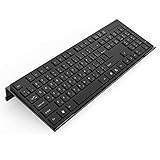
- Low Front Lip on the End - keyboard riser for desktop holds slimline keyboard, prevents it from falling off the PC keyboard stand when typing.
- Dimensions - 17"L x 5.5"W x 1.5"H, the keyboard holder fits most standard full size keyboard and desk keyboard drawer, an acrylic tray designed in all its simplicity.
- Ergonomic Design - tilted keyboard stand raises flat keyboard at the right angle and height, a slant improves neck shoulder wrist issues and body posture by taking away the stress, makes typing more easier and comfortable.
- Non-Slip Silicone Strip - Environmental friendly non-toxic and odorless anti-slip silicone material instead of using cheap rubber strip that fully wraps the keyboard tray from back side by protecting your home office table, sturdy and no slide.
- Premium Material & Well Crafted - Smooth rounded edegs and corners with polished finishing, simple and elegant office essential, the acrylic keyboard tray can be used as a desktop whiteboard, a little acrylic memo board to remind you of daily tasks or project deadlines.
Different MEU versions produce different results
MEU test catalogs and capabilities can change between releases. Record the MEU version alongside the macOS version, Mac model, architecture, test date, network location, MDM state, VPN or proxy state, and enrollment state. Apple’s explicit documentation of the background-item capability for version 4.3.0 or later demonstrates why version information matters.
A skipped test is treated as a pass
A skipped test means that MEU did not run the check. Determine whether a prerequisite was missing, the test was not applicable, the network was unavailable, or the release did not include the test. Do not use a skipped result as evidence that the condition is healthy.
What is the difference between MEU and other Mac tools?
MEU provides a broad organizational deployment assessment, while the other tools below answer narrower questions. None of the alternatives replaces every function of MEU.
| Tool or approach | Best for | Does it replace MEU? |
|---|---|---|
| Mac Evaluation Utility | Broad enterprise deployment, configuration, network, identity, security, application, and management assessment. | It is the assessment tool in this comparison. |
| MDM platform | Device enrollment, configuration profiles, policy enforcement, app installation, inventory, remote commands, and compliance workflows. | No. MDM manages Macs; MEU evaluates deployment readiness. |
sfltool dumpbtm |
Inspecting the current state of login and background items. | No. It is a narrower diagnostic. |
Console or log stream |
Investigating specific runtime events and background-task activity. | No. Logs require more technical interpretation and do not provide the same broad assessment. |
| Apple Diagnostics | Testing certain hardware conditions. | No. MEU focuses on organizational deployment, not general hardware diagnosis. |
| Manual application testing | Confirming that business-critical apps, plug-ins, peripherals, scripts, and workflows work on a target macOS version. | No. Manual testing remains necessary for real workflow compatibility. |
| Consulting or reseller assessment | Interpreting MEU findings and planning network, MDM, identity, security, or migration work. | No. It complements the utility with expertise and remediation planning. |
Useful built-in commands for background-item investigations
Apple documents the following command for displaying the current state of login and background items:
sfltool dumpbtmApple also documents this command for resetting login and background-item data:
sfltool resetbtmA restart is recommended when using the reset command between tests. Resetting background-item data can affect the system’s stored state, so administrators should use it deliberately and follow Apple’s documentation rather than treating it as a routine cleanup command.
For live monitoring of Login and Background Item Management activity, Apple documents this command:
log stream --debug --info --predicate "subsystem = 'com.apple.backgroundtaskmanagement' and category = 'mcx'"The commands and their context are described in Apple’s deployment guide. These commands are useful for a specific background-task investigation, whereas MEU combines that type of evidence with wider deployment checks.
How should an organization use MEU during a Mac rollout?
Use MEU as one input into a deployment-readiness process, not as the sole approval gate. A practical rollout should combine MEU results with network validation, MDM testing, identity testing, security review, and direct application testing.
For a macOS upgrade, test business-critical applications, browser extensions, VPN clients, security agents, printers, peripherals, file shares, collaboration tools, scripts, automation, accessibility tools, external displays, and docks. MEU can highlight configuration and compatibility-related risks, but only a real business workflow test can establish whether a user’s work can continue.
Do these 3 things before closing this tab:
1Repair Windows errors before they cause bigger problems2Fix the driver behind crashes, sound loss and screen glitches3Clear out junk files and repair common Windows errorsWhen comparing multiple Macs, use a representative cohort. Results can vary by macOS version, Mac model, Apple silicon or Intel architecture, user account, MDM enrollment state, network segment, VPN profile, installed agents, organizational unit, security software, and geographic location.
Best Value

- 【Adjustable & Ergonomic Design】: This laptop stand can be adjusted to a comfortable height and angle according to your actual needs, allowing you to maintain a comfortable posture, reduce neck fatigue/back pain and eye fatigue, and is very suitable for working at home, in the office and outdoors
- 【Sturdy & Protective】: The laptop stand is made of sturdy metal, and the top can withstand up to 15.4 pounds (7 kg) without shaking. The panel and its two hooks are designed with non-slip pads, and there are silicone pads on the top and bottom to fix the laptop and protect the device from scratches and sliding to the greatest extent. Only supports laptops up to15.6 inches. Moreover, smooth edges will never hurt your hands
- 【Ultra heat dissipation】: The top of this laptop stand has an unparalleled heat dissipation and ventilation effect. Compared with putting it directly on the desktop, it is more conducive to air circulation and effective heat dissipation, and continuously maintains the best performance and fast operation of the device
- 【Portable & Foldable】: The foldable design makes it easy for you to put it in your backpack. It is very suitable for people who travel frequently
- 【Wide Compatibility】: Our Projector Mount is suitable for all laptops from 10-15.6 inches, and compatible with Macbook/Macbook air/Macbook Pro, Google pixelbook, Dell XPS, HP, ASUS, Lenovo ThinkPad, Acer, Chromebook and Microsoft Surface, Projector Mount, etc. Become your ideal companion at home, office and outdoors
Can businesses get help interpreting MEU results?
Yes. Organizations can involve an Apple account team, an Apple partner, or a specialist consultancy when the report identifies issues that cross network, MDM, identity, application, and security boundaries. Apple’s enterprise resources provide context for AppleSeed for IT, professional support, and the Apple partner ecosystem.
SHI describes a service that combines MEU software, consultation with an accredited Mac expert, and custom analysis. Compugen describes a workshop focused on running MEU, understanding the output, and developing an implementation plan. These are quote-based professional services rather than evidence that MEU itself is a consumer paid product.
When evaluating outside help, ask whether the engagement includes MEU access, report interpretation, Apple Business Manager or Apple School Manager experience, MDM implementation, firewall and proxy troubleshooting, identity or SSO integration, application testing, report privacy controls, remediation, and retesting. Also clarify whether the scope covers one Mac, a pilot group, or the full fleet.
The Tool Desk
Outbyte Driver Updater FREEScan for outdated or missing drivers - takes under a minuteDriver Scan →Outbyte PC Repair FREEClear out junk files and repair common Windows errorsFree Scan →Do home Mac users need Mac Evaluation Utility?
Most home Mac users do not need Mac Evaluation Utility. MEU is designed to assess a Mac’s readiness for a managed business or education environment, so it has little value for routine home maintenance, speed optimization, battery checks, malware removal, or diagnosing one application crash.
For a personal Mac, use a tool that matches the question: Apple Diagnostics for supported hardware checks, macOS storage and system settings for routine maintenance, the application developer’s support process for app-specific crashes, and appropriate security software or professional help for suspected malware. MEU becomes relevant when a personal Mac is being evaluated for enrollment into an organization’s managed environment.
Frequently Asked Questions
Is Mac Evaluation Utility free?
Mac Evaluation Utility is primarily an Apple enterprise resource accessed through AppleSeed for IT rather than a conventional consumer product sold through a public checkout page. Access depends on AppleSeed participation, an eligible Managed Apple Account, organizational permissions, and the MEU release available to the organization, so unrestricted public availability should not be assumed.
Can Mac Evaluation Utility fix problems it finds?
Mac Evaluation Utility reports deployment and configuration conditions but does not serve as the organization’s remediation system. Administrators normally fix findings through MDM changes, firewall or proxy changes, identity configuration, security-policy updates, application updates, or other separate actions, then run the assessment again.
Is Mac Evaluation Utility a safe app to run?
Mac Evaluation Utility is intended as an observational assessment application, and partner material describes a code-signed app that produces a private report. Administrators should still verify the current installer and distribution channel, obtain organizational approval, and decide how reports containing device, application, network, or configuration information will be stored and shared.
Does Mac Evaluation Utility test whether every Mac app will work after a macOS upgrade?
No. Mac Evaluation Utility can surface compatibility-related conditions and deprecated technologies, but it is not a complete business-workflow compatibility test. Organizations must directly test mission-critical applications, plug-ins, drivers, peripherals, VPN clients, scripts, extensions, and user workflows on the target macOS version.
What does a skipped MEU test mean?
A skipped MEU test did not run and therefore does not indicate either success or failure. Administrators should determine why the test was skipped before using the report as evidence of deployment readiness.
The Bottom Line
Mac Evaluation Utility is best understood as Apple’s evidence-gathering tool for organizational Mac deployment readiness. It helps IT teams expose network, enrollment, management, identity, security, application, and background-software conditions before those conditions become rollout problems. It does not clean, repair, benchmark, manage, or fully secure a Mac by itself.
What’s actually slowing this PC down?
Pick the symptom - the matching free tool is one click away.
Quick Recap
Product prices and availability are accurate as of the date/time indicated and are subject to change. Any price and availability information displayed on Amazon at the time of purchase will apply.

