
Do these 3 things before closing this tab:
1Fix the driver behind crashes, sound loss and screen glitches2Repair Windows errors before they cause bigger problems3Scan for outdated or missing drivers - takes under a minuteiTechGuides is reader-supported. When you buy through links on our site, we may earn an affiliate commission. As an Amazon Associate I earn from qualifying purchases. Learn more
A neural processing unit (NPU) is a processor built specifically for the repeated mathematical operations used by neural networks. In a laptop or phone, it works alongside the CPU and GPU: the CPU coordinates the system, the GPU handles graphics and broad parallel workloads, and the NPU runs supported AI inference with a design optimized for sustained performance per watt.
That specialization lets compatible features run on the device instead of sending every request to a remote server. The result can be lower latency, less network dependence and, in some applications, better control over where input data is processed. An NPU is not automatically faster or more private for every AI task, however. The operating system, drivers, framework, model, numerical precision and thermal limits determine whether it is used and how much it helps.
What an NPU is
Neural networks perform enormous numbers of operations such as matrix multiplication, convolution and vector accumulation. An NPU, sometimes called an AI accelerator, implements those recurring operations in dedicated hardware rather than treating them as ordinary general-purpose instructions.
The design usually emphasizes parallel multiply-accumulate units, efficient movement of tensor data and support for the reduced-precision formats commonly used by inference models. It may include local memory or caches arranged to keep weights and activations close to the compute units. These choices reduce the energy spent moving data and avoid using a more flexible processor for work it was not designed to repeat continuously.
#1 Best Overall

- It's possible on your Intel AI PC - Equipped with an Intel Core Ultra 7 processor (Series 2), the Aspire 14 Al brings new AI experiences in productivity, creativity and security through a combination of CPU, GPU and NPU. This combo delivers the speed and responsiveness to handle any task with ease -along with all-day battery life of up to 22 hours and smooth multitasking performance. (Battery life was measured under specific test settings pursuant to video playback scenarios)
- New AI Superpowers - Discover the power of Recall (preview), improved Windows search, and Click to Do (preview) on Copilot plus PCs. Effortlessly locate past content, perform natural searches, and interact with text and images – all while ensuring your data remains private and you stay productive. ( Copilot plus PC experiences vary by device and market and may require updates continuing to roll out through 2025; Recall and Click to Do will be coming to European Economic Area later in 2025; timing varies. See aka.ms/copilotpluspcs)
- Indulge Your Eyes - Immerse yourself in a world of vibrant detail with a breathtaking 14" WUXGA 1920 x 1200 ultra high-resolution display. This expansive, panoramic screen is your canvas for entertainment, artistic creativity, and captivating AI experiences that will leave you in awe.
- Smart and Effortless AI - Intelligent AI solutions are at your fingertips with AcerSense. Streamline settings, optimize your video presence, and elevate communication - all with intuitive AI that’s easy to use and enhances productivity seamlessly. Just press the AcerSense key on the backlit keyboard for instant access and experience the magic of AI
- Style and Substance - The Aspire 14 Al boasts a sleek, durable, and lightweight aluminum chassis, with an ultra-modern design and a 180° lie-flat hinge for versatile and convenient use on the go. Ideal for work, study, or creative pursuits wherever you are.
An NPU normally executes inference: applying a trained model to new input. Training a large model remains a different, much more demanding workload and is generally performed on specialized data-center hardware. On a consumer device, an NPU might process a camera frame, audio segment or text prompt after an application has selected and loaded a compatible model.
What “on-device” means
On-device AI means the supported portion of a model runs on the computer itself. A translation or image-generation feature can accept input, perform inference locally and return a result without a cloud round trip. Local execution can improve responsiveness when the network is slow or unavailable, and it can keep that input on the device during the local portion of processing.
Local hardware does not guarantee that an application sends nothing elsewhere. An app can still upload telemetry, synchronize files, call a cloud service for unsupported operators or use a hybrid pipeline. Check the product’s data-handling settings and documentation rather than inferring privacy from the presence of an NPU.
The Tool Desk
Outbyte Driver Updater FREEFix the driver behind crashes, sound loss and screen glitchesFind Drivers →Outbyte PC Repair FREERepair Windows errors before they cause bigger problemsFix Now →How the CPU, GPU and NPU divide the work
These processors are complementary, not interchangeable. A typical AI feature may use all three during one operation.
| Processor | Primary strength | Typical role in an AI feature | Main trade-off |
|---|---|---|---|
| CPU | Flexible, low-latency general-purpose execution | Runs the operating system, application logic, scheduling, preprocessing and unsupported model operations | Less efficient for sustained, highly parallel neural-network arithmetic |
| GPU | Very wide parallel computation and graphics throughput | Graphics, large parallel workloads and AI models or layers that are mapped to GPU APIs | Can draw more power and compete with graphics workloads for memory and thermal headroom |
| NPU | Efficient, sustained neural-network inference | Supported tensor operators in local AI features, especially on power-sensitive devices | Works only with supported models, operators, precisions, drivers and frameworks |
The application or runtime chooses a placement strategy. A model can be partitioned so the NPU handles common layers while the CPU or GPU handles preprocessing and operations the accelerator does not understand. That division is why an NPU is best viewed as an additional execution target, not a replacement for either existing processor.
How an NPU accelerates on-device AI
1. The application prepares the input
Software captures or receives an input, such as an image, audio stream or text sequence. CPU code commonly handles decoding, resizing, tokenization and other control-heavy preparation. The resulting tensors must use a data type and layout accepted by the selected NPU runtime.
Rank #2

- Step Up to Next-Level Performance - Redefine your laptop experience with the Acer Aspire 16 AI. Powered by the Snapdragon X X1-26-100, a premium integrated GPU with up to 1.7 TFLOPs and NPU with 45 TOPs for optimized processing across CPU, GPU, and NPU workloads and delivering best-in-class performance and power efficiency.
- New AI Superpowers - Discover the power of Recall (preview), improved Windows search, and Click to Do (preview) on Copilot+ PCs. Effortlessly locate past content, perform natural searches, and interact with text and images – all while ensuring your data remains private and you stay productive*.
- Built on Brilliant AI Foundations - The Acer Aspire 16 AI harnesses the industry-leading Qualcomm AI Engine with an integrated Qualcomm Hexagon NPU, delivering transformative experiences for creativity, video conferencing, security, and productivity assistants. The Qualcomm AI Engine supports Windows Studio Effects and many other AI-accelerated applications and experiences, to make possibilities endless.
- Screens that Speak to Your Senses - Immerse yourself in a world of vibrant visuals. Enjoy stunning clarity, rich 100% sRGB colors, and sharp detail on the 16" 120Hz WUXGA ultra-high-resolution touchscreen display – acting as a panoramic playground for entertainment, artistic expression, and engaging AI experiences that dazzle the eye.
- Streamline Your Settings with AcerSense - Intelligent Acer AI solutions are at your fingertips. Effortlessly get answers, streamline settings, optimize your video presence, and elevate communication. Experience intuitive AI that’s easy to use and seamlessly enhances your productivity.
2. A supported model is compiled or selected
The framework examines the model graph and maps supported operators to the NPU. It may convert weights to a lower-precision format, fuse adjacent operations or arrange memory buffers to reduce transfers. Compilation can happen ahead of time, when an app is installed, or at first use.
3. Tensors are transferred and executed
Input tensors and model data are placed where the NPU can access them. Dedicated compute units then perform many operations in parallel. Because the hardware is tailored to these patterns, it can complete sustained inference with less general-purpose scheduling overhead than a CPU.
4. Results return to the application
The output tensor is copied or shared back with the application. CPU code may decode tokens, composite an image or update the user interface. If the model contains an unsupported operation, the runtime can assign that portion to another processor or, where the product allows it, a remote service.
Why efficiency varies
NPU gains depend on more than the arithmetic units. The model must spend enough time in operators the NPU supports; frequent transfers between processors can erase the benefit. Precision, memory bandwidth, batch size, driver quality, framework overhead and the device’s thermal limits all affect throughput and energy use. A small model that repeatedly wakes the system may behave differently from a long-running stream, even on the same laptop.
What an NPU can run locally
Capabilities are software-defined. Microsoft identifies real-time translation and image generation as examples of Copilot+ workloads designed for an NPU, and its developer documentation describes running supported models locally and programming for the NPU.
Quick wins for a faster PC:
Fix the driver behind crashes, sound loss and screen glitchesFind Drivers →Clear out junk files and repair common Windows errorsFree Scan →Scan for outdated or missing drivers - takes under a minuteDriver Scan →Other applications may use the accelerator for their own speech, vision or language models, but support is not universal. The model publisher must provide a graph and numerical formats that the device’s runtime can compile. An application can advertise “AI” while using only the CPU, GPU or a cloud API.
Rank #3

- 【AMD Ryzen 7: Fast & Efficient Multitasking】 Powered by the AMD Ryzen 7 7730U processor, this HP 15.6 laptop features 8 cores and 16 threads with a max boost clock of 4.5 GHz. Integrated AMD Radeon Graphics delivers smooth performance for media streaming and content creation, effortlessly handling demanding multitasking. With the HP laptop touchscreen, switch between Excel spreadsheets, video meetings, research tabs, cloud-based applications, and everyday browsing—without the slowdowns typical of entry-level laptops.
- 【15.6" Full HD IPS Touchscreen】 The Full HD (1920×1080) IPS touchscreen on this HP 15 laptop delivers clear visuals and responsive touch control, whether you're reviewing presentations, attending online classes, streaming content, or managing daily tasks. Wide viewing angles and sharp detail help make long work sessions more comfortable, while the laptop touchscreen design keeps everyday navigation intuitive.
- 【Pro-Performance 32GB RAM & Enhanced 1TB PCIe SSD】 With 32GB RAM and a high-speed 1TB SSD, this HP touchscreen laptop lets you keep multiple applications open, switch between projects quickly, and store important documents, photos, and files without sacrificing responsiveness. Ideal for students, professionals, and remote workers who rely on a touch screen laptop throughout the day, it is also a dependable choice among business laptops.
- 【Windows 11 Pro & Hardware Support】 This HP laptop 15 runs on Windows 11 Pro, delivering enterprise-level security. As a Windows 11 Pro laptop, it brings business-ready protection, while the anti-glare coating reduces eye strain during long working hours. The 720p HD camera with dual-array microphones provides clear video conferencing. Stay connected with ultra-fast Wi-Fi 6 and Bluetooth 5.3, and a full-size keyboard with a numeric keypad lets you work comfortably throughout the day.
- 【Versatile Connectivity】 1x USB-C, 2x USB-A, and HDMI 1.4b ports to support various peripherals. Supports fast charging, reaching 50% power in approximately 45 minutes for on-the-go use. The HP Windows laptop 3.52-lb design and up to 10-hour battery life make it easy to stay productive whether you're working from home, commuting, or moving between classes. HP laptops touchscreen functionality adds convenient touch interaction for everyday tasks.
- Real-time translation: Audio or text can be processed continuously on the device when the translation model and language pair are supported.
- Image generation: A local diffusion or other generative model can use the NPU for compatible tensor operations; memory capacity and model size still constrain practical use.
- Application-specific inference: Developers can target the NPU for supported vision, audio or language operators, provided their framework and drivers expose that hardware.
What TOPS tells you—and what it does not
TOPS means trillion operations per second. It is a theoretical or vendor-defined throughput indicator for a processor’s AI arithmetic under stated conditions. Microsoft’s current Copilot+ developer documentation defines the hardware class as a Windows 11 PC with an NPU capable of more than 40 TOPS.
TOPS is not a complete speed, quality or battery-life benchmark. Vendors can count different operations, use different precisions and test different clock or thermal conditions. Two NPUs with similar TOPS can deliver different application performance because their supported operators, memory systems and software stacks differ.
| Specification or test | Why it matters | Question to ask |
|---|---|---|
| NPU TOPS | Indicates peak arithmetic throughput | At what precision and under which counting method? |
| Supported operators and precision | Determines whether your model can run efficiently | Are the model’s layers supported without frequent fallbacks? |
| Memory bandwidth and capacity | Controls how quickly weights and activations move | Can the intended model fit and stream data fast enough? |
| Framework and driver support | Connects an application to the hardware | Does the exact operating-system build expose the NPU? |
| Measured workload battery life | Shows energy use in a realistic scenario | Was the same model, resolution and thermal condition used? |
Is an NPU better than a GPU for AI?
Neither is universally better. An NPU is usually the better fit for a supported inference model that must run continuously within a laptop’s power budget. A GPU can be preferable for large, highly parallel workloads, models with operators unavailable on the NPU, graphics-integrated pipelines or software that already targets a mature GPU API.
Windows Errors? Fix Them Before They Spread
Repair common Windows errors and clear accumulated junk for a smoother, more stable PC - no reinstall needed.Free scan · no reinstallCrashes, No Sound, or Screen Glitches?
Random freezes, missing sound and display glitches usually trace back to one bad driver. Find and replace yours safely.Free scan · under a minuteGPU memory capacity and software support can also matter more than peak NPU throughput for a large model. Conversely, moving a modest recurring task from the GPU to an NPU can leave the GPU available for rendering and reduce competition for thermal headroom. The correct choice is therefore workload-specific: compare end-to-end latency and energy for the exact model, not a processor label.
Does an NPU save battery?
It can, but no NPU guarantees longer battery life. The potential saving comes from performing supported neural-network work with fewer joules per inference than a CPU or GPU. That advantage is largest when the task runs often or continuously and when data stays within the accelerator’s efficient execution path.
Battery impact can be neutral or negative if the model constantly moves data between processors, falls back to unsupported layers, keeps the display or camera active, or causes the system to raise clocks and heat. Background services, application design and device cooling also matter. Look for measured battery results using the workload you care about; a TOPS number alone cannot predict runtime.
Rank #4
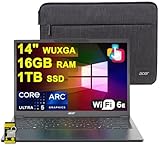
- 16GB RAM | 1TB SSD
- Equipped With The Most Powerful and Fast Intel Octa-core Ultra 5 226V Processor
- 14" WUXGA (1920 x 1200) IPS ComfyView Matte Touchscreen, Integrated Intel Arc 130V GPU
- 2 x USB-A 3.2, 1 x USB-C 4, 1 x HDMI
- Microsoft Windows 11 Home, Backlit Keyboard, Wi-Fi 6E, Bluetooth 5.3, FHD Webcam, Auth USB-C Hub
Do you need an NPU for Copilot+ features?
For a PC to meet Microsoft’s Copilot+ hardware definition, Microsoft specifies a high-performance NPU capable of more than 40 TOPS, together with the required Windows 11 software and device support. An older computer without that NPU may still run ordinary Windows AI features through its CPU, GPU or cloud services, but it does not satisfy the Copilot+ class requirement for NPU-dependent experiences.
Hardware qualification is only one part of availability. A feature also needs the appropriate Windows release, drivers, language or regional support and an application implementation that targets the NPU. Microsoft can change feature requirements and rollout timing, so verify the requirement for the specific feature and region rather than assuming every Copilot+ label enables every capability immediately.
How to tell whether a local AI task is using the NPU
- Identify the model and application. Read the application’s documentation to see whether it names NPU, neural-engine or on-device execution support.
- Check the operating system and drivers. Install the device manufacturer’s current chipset and graphics packages and the supported Windows build. An unrecognized accelerator cannot be selected by the runtime.
- Confirm the framework path. The application must use an inference framework and execution provider that expose the NPU; a generic CPU path will not switch automatically in every program.
- Inspect runtime telemetry. Use the operating system’s performance or developer diagnostics to look for NPU utilization while the task runs. Compare with CPU and GPU activity rather than relying on a single instantaneous reading.
- Test the complete workflow. Measure response time, sustained throughput and battery drain with the same input, model version and thermal state. A short benchmark can miss throttling or data-transfer overhead.
What to check when choosing an NPU laptop
Start with the software you intend to run, then evaluate the hardware against that workload. Use this checklist before treating a high TOPS figure as a buying decision.
- Confirm that the exact application supports the operating system and NPU runtime.
- Check supported model formats, operators and precisions, not just the advertised TOPS.
- Verify memory capacity and bandwidth for the model’s weights, activations and context.
- Look for independent battery measurements made during the intended AI task.
- Consider sustained thermals: a thin system may reduce clocks after prolonged inference.
- Determine whether the feature operates fully locally or can send unsupported work to the cloud.
- Check regional, language and edition requirements for operating-system AI features.
Common limitations and fixes
| Symptom | Likely cause | Practical response |
|---|---|---|
| NPU utilization stays at zero | The app uses a CPU or GPU provider, or the driver is missing | Update drivers, select the NPU execution provider if offered and confirm that the model is supported |
| Only part of the model runs on the NPU | One or more operators or precisions are unsupported | Use a compatible model variant, convert the unsupported layers or accept a mixed CPU/GPU/NPU pipeline |
| Latency is worse than expected | Tensor copies, compilation overhead or thermal throttling dominate | Profile transfers and first-run compilation, reuse loaded models and test sustained rather than one-shot performance |
| Results differ after conversion | Quantization or reduced precision changes numerical behavior | Validate accuracy on representative inputs and choose a supported precision that meets the application’s tolerance |
| A feature is unavailable | Windows build, region, language, account or hardware requirement is not met | Check the feature’s current requirements and install the matching updates |
What developers should plan for
Targeting an NPU is an integration project, not a compiler switch. Begin with a model whose operators and precision are supported by the intended runtime. Convert or quantize it using that runtime’s tools, then validate numerical accuracy and memory use on representative inputs.
Keep a deliberate fallback path. Unsupported operators may execute on the CPU or GPU, and a cloud path may be part of the product design. Document which data can leave the device, expose a setting when appropriate and make the application’s behavior clear when local execution is unavailable.
Free tools Windows power users keep installed
One-click scans. No signup required.
Profile the whole pipeline: preprocessing, model loading, tensor transfers, inference, postprocessing and thermal behavior over time. A faster NPU kernel does not improve user experience if conversion, copying or UI work dominates. Test after driver and operating-system updates because execution providers and operator coverage can change.
Quick Recap
Product prices and availability are accurate as of the date/time indicated and are subject to change. Any price and availability information displayed on Amazon at the time of purchase will apply.

