
iTechGuides is reader-supported. When you buy through links on our site, we may earn an affiliate commission. As an Amazon Associate I earn from qualifying purchases. Learn more
An MP4 file is a multimedia container that commonly stores video and audio together. The .mp4 extension is widely supported, but it does not guarantee that every media player can play every MP4 file.
What matters is the combination of streams inside the container. An MP4 containing H.264 video and AAC audio will play on most computers, phones, browsers, and smart TVs. An MP4 containing HEVC, AV1, an unusual H.264 profile, unsupported audio, DRM, or damaged data may fail even though its filename ends in .mp4.
What is an MP4 file?
MP4 is a multimedia container format standardized as ISO/IEC 14496-14. It is derived from the ISO Base Media File Format and the QuickTime file format. A container packages one or more media streams and related information into a single file.
An MP4 can contain:
- Video
- Audio
- Subtitles and timed text
- Chapters
- Metadata
- Cover art and other application-specific data
MP4 is therefore not a video codec. A codec is the technology used to encode and decode a particular stream, while the container is the file structure holding that stream. The Library of Congress describes MP4 as a format that can contain different types of encoded media.
#1 Best Overall

- Large Capacity: This mp3 player is designed specifically for music enthusiasts. It has 64GB storage space, which can easily hold thousands of songs, and supports TF card expansion up to 128GB, so you don't need to change songs frequently or worry about insufficient storage space. (TF card is sold separately)
- The latest version of bluetooth : mp3 player Equipped with the latest version of Bluetooth 5.3 MP3 player, which has better compatibility, signal stability, lower power consumption, longer connection distance, and stronger anti-interference ability. (Note: Bluetooth function only supports Bluetooth headset and Bluetooth speaker connection)
- Easy to operate buttons: This reproductor mp3 has several intuitive buttons. Short press “One-Key Sound” can open the music mode, support breakpoint replay function, continue to play from the last exit position; independent volume key can be up and down toggle the precise adjustment of the volume; Short press “Lock Key” can lock the screen, simple and convenient.
- High quality speakers:MP3 player Equipped with high-quality speakers that deliver clear, undistorted sound. No need to wear headphones, you can enjoy music, listen to books or play recording files directly through the speakers. Whether you're relaxing at home, traveling outdoors or sharing music with friends, the speakers will meet your listening needs.
- Upgraded design: MP3 player Length 4.25 inches (10.85 cm), width 1.95 inches (4.96 cm), thickness 0.37 inches (0.95 cm), weight 80.7 grams, equipped with a 2.4-inch color screen to enhance the visual experience and ease of operation; metal alloy shell both durability and comfortable feel, fashionable appearance to adapt to the sports, commuting, travel and other scenarios, carry no burden.
Common codecs found in MP4 files
| Video or audio combination | Where you may encounter it | Compatibility |
|---|---|---|
| H.264/AVC video + AAC audio | Web video, phones, cameras, screen recordings | Broadest general compatibility |
| HEVC/H.265 video + AAC audio | Newer phones, cameras, and high-resolution recordings | Good on newer devices, but not universal |
| AV1 or VP9 video | Modern web and video applications | Support varies by player, operating system, and hardware |
| MPEG-4 Part 2 video | Older applications and devices | Less common on current systems |
| MP3, Opus, or other audio | Specialized applications | Depends on the player and container support |
For this reason, “the file is an MP4” does not tell you exactly which decoder is required. MDN’s container-format documentation distinguishes the container from the codecs stored inside it.
MP4 is not the same as MPEG-4 video
MPEG-4 is a family of standards covering systems, codecs, and file formats. MP4 usually refers to the file container. MPEG-4 Part 2 Visual is one possible video codec, but many modern MP4 files instead use H.264/AVC.
In other words, an MP4 file does not necessarily contain “MPEG-4 video” in the narrower codec sense.
Related file extensions
.mp4usually identifies a video file, although it can also contain audio-only MPEG-4 content..m4ais commonly used for MPEG-4 audio-only files..m4vis commonly associated with MPEG-4 video, including files made by Apple software.
These extensions are naming conventions. They do not prove what streams or codecs are inside a file.
How to open an MP4 file
Windows 10 and Windows 11
- Open File Explorer. You can click its taskbar icon or press Windows + E.
- Browse to the MP4 file.
- Right-click the file.
- Select Open with.
- Choose your preferred media player.
Current Windows versions support common MP4 combinations, including H.264 video and common audio formats such as AAC. If the file does not play, the issue is usually the codec, the file itself, DRM, or a Windows edition missing media components—not MP4 as a format.
When Windows asks for a codec or extension
An MP4 recorded with HEVC/H.265 may require the HEVC Video Extensions component from the Microsoft Store. Depending on the file, Windows may also need one of these components:
- HEVC Video Extensions
- VP9 Video Extensions
- AV1 Video Extension
- MPEG-2 Video Extension
Windows N editions may additionally require the Media Feature Pack. Install the component through Windows or the Microsoft Store only when Windows identifies that a required codec is missing.
What’s actually slowing this PC down?
Pick the symptom - the matching free tool is one click away.
macOS
The quickest method is to open Finder and double-click the MP4 file. You can also open it from QuickTime Player:
Rank #2

- Versatile 7-Inch LCD Screen, No TV: Experience high-definition video playback with our portable video radio combo featuring a large 7-inch LCD screen, supporting both 720p or 1080p resolutions through USB or Micro SD Card for an enhanced viewing experience. And also, our video radio features a handy leather carry handle and a 90° movable support frame for optimal viewing angles. Note: No TV function.
- Robust AM FM Reception: The radio screen measures 1.46*0.78 inches, providing a clear display for quick access to radio numbers. It supports auto search and storage of stations, or you can easily input frequencies using the number key function. A long telescopic metal antenna for strong reception, FM 87.5-108MHz , AM 520-1730kHz, SW 4.75-21.95 MHz.
- Bluetooth with Superior Sound Quality: Connect any Bluetooth device to this portable video radio combo and enjoy your favorite music wirelessly. Equipped with a 5W high-performance speaker, this portable digital radio ensures loud and clear sound quality, complemented by a 3.5mm earphone jack for private listening, making it perfect for music, stories, or movies on the go. Note: No transmitter function.
- Support USB/Micro SD Card: This AM FM radio portable supports USB/Micro SD card music playback up to 128GB. Beyond radio and video, this portable digital radio supports MP3 music playback, e-book reading, and photo browsing with USB/Micro SD cards, making it an essential gadget for multifunctional entertainment.
- User-Friendly Design: Made from premium ABS plastic, this rechargeable portable radio is built to withstand daily use while maintaining a stylish aesthetic, ensuring longevity and reliability in various environments. Lightweight at just 1.26 lbs, with dimensions of 8.8 x 4.6x 1.3 inches, our AM/FM shortwave radio ensures easy operation for users of all ages, making it an ideal choice for families and individuals alike.
- Launch QuickTime Player.
- Choose File > Open File.
- Select the MP4 file.
- Click Open.
If the file opens and you want to inspect it, choose Window > Show Movie Inspector, or press Command + I. QuickTime’s Movie Inspector can show information such as the compression format, resolution, frame rate, aspect ratio, bit depth, HDR format, and data size.
QuickTime Player can open many MP4 files, but it cannot decode every codec combination. If it refuses to play the file, try VLC or inspect the file’s streams with MediaInfo or ffprobe.
iPhone and iPad
For a downloaded MP4:
- Open the Files app.
- Tap Browse.
- Open Downloads, iCloud Drive, or the folder containing the file.
- Tap the MP4 file.
If the default player cannot play it, touch and hold the file, tap Open With, and choose another installed media app.
To choose a default app for that file type, touch and hold the file, select Get Info, tap the menu under Always Open With, and choose an app.
If the file is stored online, download a complete local copy first. A cloud item that has not finished downloading is not a reliable test of whether the MP4 is compatible.
Android
Open the app where the video is stored:
- In Google Photos, open the video and tap it to play.
- In Files by Google, browse to the file location and tap the MP4.
- If the built-in player fails, try a player such as VLC that supports a wider range of codecs.
Google Photos accepts MP4 files for backup, but accepting the .mp4 extension does not mean that every codec inside the container will play in every Android app.
VLC Media Player
VLC is a useful fallback when the default application does not support the file’s codec combination.
Free tools Windows power users keep installed
One-click scans. No signup required.
- Open VLC.
- Choose Media > Open File.
- Select the MP4 file.
- Click Open.
You can also drag the file from File Explorer or Finder into VLC’s main window or playlist window. If VLC plays the file but the original player does not, the MP4 is probably usable and the problem is the original player’s codec support or hardware-decoding path.
Rank #3

- 【64GB BUILT-IN LARGE STORAGE CAPACITY】Different from other large memory MP3 players on the market, the AGPTEK M3 boasts an impressive 64GB of internal storage, can expandable 128GB memory card (total up to 192G). [Other brands have no built-in memory and can only be used with TF card.]【Tip: The file size of a single transfer should not exceed 3GB to ensure the transfer speed and stability.】
- 【Bluetooth 5.3 & Automatic Reconnection】AGPTEK M3 MP3 music player adopts Bluetooth 5.3 technology, more stable connection, better compatibility, and lower consumption. You can pair the Bluetooth MP3 Player with wireless headphones or a Bluetooth speaker, automatically connects to the last Bluetooth device it was connected to, as soon as it is activated.
- 【HiFi Lossless Sound & Sports Partner】 With a professional audio decoding chip and smart noise reduction chip, AGPTEK MP3 player brings you original lossless music. With breakpoint resume function, perfect for doing sports, Yoga, exercise, running, travel, etc. Supports music formats like MP3/APE/FLAC/WMA/WAV/AAC [Note It does not directly support Audible, Apple music and iTunes.]
- 【Multi-function & Long battery life】 M3 MP3 player with Music Play, Video, Recording, Radio, Pictures, e-Books, Pedometer, A-B repeat, etc. Built-in 500mAh battery, it only takes 2.5 hours to fully charge and enjoy long hours of music. Perfect solution to replace mobile phone music, save mobile phone power. (To save power, the player will automatically power off after 5 minute of inactivity. You can turn it off in the settings.)
- 【 2.4'' SCREEN & LINE-IN FUNCTION】Features a 2.4-inch TFT color screen, bringing a clear and beautiful display. Metal middle frame with ABS plastic back shell,the size is approximately 4.4 inches × 2.06 inches × 0.39 inches, Weight: approximately 3.6 oz. And it supports Line-in recording and playback capabilities. Use a LINE IN cable to record from two MP3 players or connect with other devices for recording or play music.
Can you open an MP4 in a web browser?
Modern browsers generally play MP4 files containing:
MP4 container
H.264/AVC video
AAC audio
This combination has broad support across current Chrome, Edge, Firefox, and Safari implementations. Firefox’s H.264 support can also depend partly on the operating system’s media infrastructure.
A browser may still reject an MP4 if it contains HEVC, AV1, VP9, an unsupported H.264 profile or level, or an audio codec the browser cannot decode. Browser support is determined by the streams inside the file, not just by the extension.
Quick wins for a faster PC:
Clear out junk files and repair common Windows errorsFree Scan →Fix the driver behind crashes, sound loss and screen glitchesFind Drivers →Repair Windows errors before they cause bigger problemsFix Now →For a video intended for general web publishing, H.264 video with AAC audio in an MP4 container remains a conventional compatibility target.
Why will an MP4 file not open?
1. The player does not support the codec
This is the most common cause. For example, a Windows player may recognize the MP4 container but lack the HEVC extension needed to decode its video stream. The same problem can occur with AV1, VP9, unusual H.264 profiles, or unsupported audio.
2. The video is black but audio plays
The player may be able to decode the audio but not the video. Hardware-accelerated decoding can also fail on a particular graphics driver or device. Test the file in VLC. If VLC displays the video correctly, the original player is the more likely limitation.
3. Video plays but there is no sound
MP4 commonly stores video and audio as separate streams. A player can decode one while failing to decode the other. Inspect the audio codec with MediaInfo or ffprobe.
The Tool Desk
Outbyte PC Repair FREERepair Windows errors before they cause bigger problemsFix Now →Outbyte Driver Updater FREEFix the driver behind crashes, sound loss and screen glitchesFind Drivers →4. The file is incomplete or corrupted
A download or transfer interrupted before completion can leave an MP4 with a valid-looking name but missing media data or metadata. Download it again or copy it again from the original device. If the file plays only partially, corruption is more likely than a simple codec mismatch.
Rank #4

- ★【64GB Large Storage & HIFI Lossless Sound】 Each MP3 Player is equipped with a 64GB large-capacity TF card, which allows you to download thousands of your favorite music. And through the powerful DSP audio decoder chip, the most original sound is presented to you. It can ensure the high sound quality of HIFI.(Supports TF cards up to 256GB.)
- ★【Upgraded Bluetooth 5.2 & Support Multiple Formats】 Latest Version Bluetooth 5.2 means that faster transmission speed, longer connection distance and stronger anti-interference ability.Reduced power consumption for more power savings. And support APE / FLAC / WMA / MP3 / ACELP and other lossless formats.
- ★【Built-in HD Speaker & Easy to Carry】 The MP3 player has built-in HD speakers, which can play music without earphones, and no longer need to feel the pain of wearing earphones. MP3 player length is 3.6", width is 1.7" and thickness is 0.35". The body is made of hard and light zinc alloy and weighs only 70 grams. Lightweight and easy to carry.
- ★【Multifunctional MP3 Player for Many Occasions】 Multiple functions in one, music play, FM radio (need to insert a wired headphones), voice recorder, e-book, Alarm clock. Touch buttons with backlight to solve the problem of button noise. Perfect for Sport, Sleeping, Reading, Leaning, Meeting etc.
- ★【Great Gift】Each package contains an MP3 player, wired earphones, a 64GB TF card, a card reader, and a Type-C data cable. It makes an ideal gift for your children, partner, parents, or family on birthdays, Christmas, Thanksgiving, and other special occasions. If you have any questions, feel free to contact us anytime.
Google Photos also notes that a video may be unsupported or corrupted if it will not play after being downloaded. Its processing requirements include a video duration of at least one second.
5. The file is protected by DRM
Digital rights management can prevent playback even when the container and codecs are supported. For example, Microsoft identifies DRM-protected content as one possible cause of Windows Media Player error 0xC00D1163. Use the application and account that supplied the protected file rather than trying to bypass its protection.
6. The file is still in cloud storage
A file displayed in iCloud Drive, Google Photos, OneDrive, or another cloud location may not be fully present on the device. Download a complete local copy, then try opening that copy. This separates a download problem from a codec problem.
PC Slower Than It Used to Be?
A free scan shows the junk files, broken settings and background clutter dragging Windows down - then fixes them in one click.Free scan · Windows 10 & 11Crashes, No Sound, or Screen Glitches?
Random freezes, missing sound and display glitches usually trace back to one bad driver. Find and replace yours safely.Free scan · under a minuteHow to check the codecs inside an MP4
Using QuickTime Player on macOS
- Open the file in QuickTime Player.
- Choose Window > Show Movie Inspector.
- Read the listed video and audio formats.
Using MediaInfo
MediaInfo provides a graphical interface, command-line tools, and libraries for examining media files. It can report the container, video and audio codecs, codec IDs, resolution, frame rate, bit rate, subtitles, chapters, and metadata.
Using ffprobe
If FFmpeg is installed, run these commands in Terminal, Command Prompt, or PowerShell:
ffprobe input.mp4For detailed stream information:
ffprobe -show_streams input.mp4For machine-readable JSON output:
ffprobe -v quiet -print_format json -show_format -show_streams input.mp4Look for fields such as codec_name, codec_long_name, width, height, r_frame_rate, and the audio stream’s codec. If ffprobe cannot open or recognize the file, the file may be incomplete, corrupted, mislabeled, or not actually a multimedia file.
How to convert an MP4 for compatibility
Do not simply rename the extension. Renaming .mov, .mkv, or another file to .mp4 does not change its container, codecs, or metadata.
Recommended Free Tools
There are two real options:
- Remux: Put existing streams into a different container without re-encoding. This is fast and preserves quality, but works only when the streams and metadata are compatible with the destination container.
- Transcode: Decode and re-encode the streams using codecs supported by the target device. This is slower and may reduce quality.
For example, FFmpeg can copy compatible streams without re-encoding:
Best Value
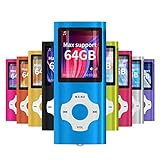
- √HOW TO USE: just copy music from smartphone or PC with your sd card to player you can enjoy the music you want also it can be used as a card reader
- √Expandable to 64GB: Card slot provided for more music and audiobooks etc,max support 64GB TF card.(Note: the card is not include)
- √Multi-functional: music player,photo viewer, E-book reader, voice recorder, FM radio and video movie, multi-language system provide better experience,perfect for go out, travel and entertainment
- √Built in rechargeable battery: can use about 40 hours after fully charged and only need charge 3 hours, easy to handle and a usb cable and earphone packed in
- √Best gift choose: best gift for children and quality service for the MP3 Player, We pride ourselves on our friendly and prompt customer service
ffmpeg -i input.mkv -map 0:1 -c copy output.mp4The -c copy option performs stream copying. It does not decode or re-encode the media, so the command is fast and does not introduce generation loss. It may fail if the source streams are not suitable for MP4.
For broad playback compatibility, transcode to H.264 video and AAC audio:
ffmpeg -i input.mp4 -c:v libx264 -c:a aac output.mp4This command re-encodes both streams. Keep the original file until you have checked the converted copy, because transcoding can change quality, file size, HDR behavior, subtitles, and metadata.
Common MP4 misconceptions
| Claim | What is actually true |
|---|---|
| “Every MP4 uses H.264.” | MP4 is a container and can hold different video and audio codecs. |
| “MPEG-4 and MP4 are the same.” | MPEG-4 is a family of standards; MP4 commonly identifies a container. |
| “Windows cannot play MP4 files.” | Current Windows versions play common H.264/AAC MP4 files. Failures usually involve codec support, damage, DRM, or missing media components. |
| “QuickTime Player cannot open MP4.” | QuickTime Player can open many MP4 files, although codec compatibility still matters. |
| “Changing the extension converts the file.” | Renaming changes only the filename label. Use remuxing or transcoding to change the media format. |
| “An MP4 extension proves the file is valid.” | The file may be incomplete, corrupted, mislabeled, DRM-protected, or encoded with unsupported streams. |
| “QuickTime Player exports MP4 video.” | Apple’s current guide documents QuickTime Player’s movie export as QuickTime .mov using H.264 or HEVC, not MP4 video export. |
FAQ
What is an MP4 file used for?
MP4 is used to package video, audio, subtitles, timed text, metadata, and related media data in one file. It is common for downloads, camera recordings, screen recordings, websites, and video sharing.
Is MP4 a video codec?
No. MP4 is a container format. The video inside it may use H.264, HEVC, AV1, VP9, MPEG-4 Part 2, or another supported codec.
What is the most compatible MP4 format?
An MP4 containing H.264/AVC video and AAC audio is generally the safest choice for broad compatibility across computers, phones, browsers, and televisions.
Why does my MP4 have sound but no picture?
The player can decode the audio stream but not the video stream, or hardware video decoding may be failing. Try VLC and inspect the video codec with MediaInfo or ffprobe.
Do these 3 things before closing this tab:
1Fix the driver behind crashes, sound loss and screen glitches2Repair Windows errors before they cause bigger problems3Scan for outdated or missing drivers - takes under a minuteCan I play an MP4 without installing software?
Usually, yes. Windows, macOS, iOS, Android, and modern browsers include support for many MP4 files. You may need another player or a codec extension when the file uses an unsupported codec.
Does renaming a file to .mp4 convert it?
No. Renaming changes only the extension. To create a genuine MP4, remux the existing streams or transcode them into codecs supported by the target device.
The Bottom Line
MP4 is a container, not a guarantee of compatibility. Start by opening the file with your operating system’s built-in player; use VLC if that fails. If playback is still unsuccessful, download a complete local copy, identify the internal video and audio codecs with MediaInfo or ffprobe, and transcode to H.264 video plus AAC audio when broad compatibility is the goal.
Quick Recap
Product prices and availability are accurate as of the date/time indicated and are subject to change. Any price and availability information displayed on Amazon at the time of purchase will apply.

