
iTechGuides is reader-supported. When you buy through links on our site, we may earn an affiliate commission. As an Amazon Associate I earn from qualifying purchases. Learn more
A magnet link is a URI that tells a BitTorrent client what content to find. It is not a .torrent file. The link normally contains the torrent’s info hash and may also include a display name, tracker URLs, or peer information.
When you click one, your browser usually passes the magnet: URI to the application registered with your operating system. A compatible torrent client then contacts peers, retrieves the torrent metadata, and lets you choose where to save the files.
What a magnet link looks like
A typical BitTorrent magnet link looks similar to this:
What’s actually slowing this PC down?
Pick the symptom - the matching free tool is one click away.
magnet:?xt=urn:btih:0123456789abcdef0123456789abcdef01234567&dn=Example&tr=https%3A%2F%2Ftracker.example%2FannounceThe parts have different jobs:
| Part | Purpose | Required? |
|---|---|---|
magnet: |
Identifies the URI as a magnet link. | Yes |
xt=urn:btih: |
Contains the BitTorrent info hash. It may use 40 hexadecimal characters or the older 32-character Base32 form. | Yes for the usual BitTorrent v1 format |
xt=urn:btmh: |
Contains a multihash-formatted value used by BitTorrent v2. | Used for v2 links |
dn= |
A suggested display name for the download. | No |
tr= |
A tracker URL that can help the client discover peers. | No |
x.pe= |
An optional peer address supplied directly in the link. | No |
The xt value identifies the torrent. Unlike a torrent file, a magnet link does not initially contain the complete file list, piece hashes, and other metadata. The client obtains that metadata from peers using the BitTorrent metadata extension described in BEP 9.
#1 Best Overall
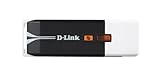
- The RangeBooster N USB Adapter is powered by RangeBooster N technology
- Quick Adapter Setup Wizard guides you step-by-step through the installation process
- Delivers up to 12x faster speeds* and 4x farther range* than 80211g
Magnet link versus torrent file
| Magnet link | .torrent file |
|
|---|---|---|
| 形式 | Text URI beginning with magnet: |
Downloaded metadata file |
| What it initially contains | Usually an info hash plus optional discovery details | Torrent metadata, including the file list and piece information |
| Extra download needed | The client retrieves metadata from peers | No metadata retrieval is needed before adding it |
| What opens it | An application registered for the magnet: protocol |
An application associated with .torrent files |
A magnet link can therefore work without first downloading a .torrent file. That does not mean it is independent of the BitTorrent network: the client still needs to find a suitable peer or other source for the metadata.
How to open a magnet link in a desktop browser
- Install a BitTorrent client. qBittorrent is one option and officially lists magnet-link support. Its official download page currently lists version 5.2.3. Download it from qbittorrent.org, or use the package method appropriate for your operating system.
- Open the page containing the magnet link in Chrome, Edge, Firefox, Safari, or another desktop browser.
- Click the magnet link. The browser should pass it to the operating system’s registered
magnet:handler. You may see a prompt asking whether you want to open an external application. - Approve the handoff if the browser asks. If more than one torrent client is installed, the operating system may open the one currently associated with the protocol.
- Choose the save location and content. In qBittorrent and similar clients, the add-download dialog normally lets you select a destination and, after metadata is available, individual files.
- Confirm the add or download action. The client may first display a status such as retrieving metadata. The file list may be empty until that step finishes.
There is no single browser setting that controls magnet links in every browser. The important association is normally at the operating-system level: a torrent application must be registered as a handler for the magnet: URI scheme.
Opening magnet links with qBittorrent
After qBittorrent is installed, check its preferences for the option that registers it as the default handler for magnet links. The wording and location can vary by release and operating system. If another torrent application is already the default, clicking a magnet link may continue to open that application instead.
qBittorrent supports Windows and Unix-like systems, including GNU/Linux, BSD, and macOS. Its official download page describes the macOS version as barely supported, so Mac users should check the current compatibility notes before relying on it.
On Linux, use the package command for your distribution rather than copying a command at random. qBittorrent’s official page lists examples including:
sudo pacman -S qbittorrentfor Arch Linux, and:
sudo apt-get update && sudo apt-get install qbittorrentfor the Alt Linux instructions shown on its download page. For FreeBSD, it lists:
Rank #2

- Product Description: 5V to 12V cigarette lighter female port is used to convert the power of the USB port to a 12V car cigarette lighter socket
- Product Parameters: USB input 5V 2A, cigarette lighter socket output 12v 10W maximum. With LED light, support voltage display
- High-quality Materials: The inner core is made of high-quality copper wire, and the outer skin is made of PVC flame-retardant insulation material, which can extend its service life
- Application Scenarios: Suitable for automotive electronic devices such as driving recorders, electronic dogs, and car chargers. After the vehicle is powered off, you can connect a power bank to continue to power the automotive electronic devices
- Note: Please confirm whether your input port is USB-A or TYPE-C before purchasing. The power of the product is determined by the power of the input port, and the product supports a maximum output of 10W
pkg install qbittorrentThese are distribution-specific commands, not universal Linux installation commands.
Windows: make qBittorrent the magnet-link handler
On Windows, the reliable mechanism is the registered application association for the magnet: protocol. The exact Settings screens differ between Windows releases, so avoid assuming that the menu used for .torrent files will show an identical entry for magnet links.
- Install or repair qBittorrent from its official download source.
- Open qBittorrent and look for its default-application or protocol-association option.
- Enable the option to associate qBittorrent with magnet links, if available.
- Click a known-good magnet link and accept the Windows or browser confirmation prompt.
- If another torrent client opens, remove or change that application’s ownership of the
magnet:protocol using the default-app controls available in your Windows release, then repeat the qBittorrent association step.
A browser preference by itself cannot fix a missing Windows protocol registration. Likewise, associating qBittorrent with .torrent files does not necessarily make it the handler for magnet: links.
macOS: why the usual “Open with” advice is incomplete
macOS’s Finder association procedure is:
Finder > select a file > File > Get Info > Open with > choose an app > Change All
That procedure applies to file types. A magnet link is a URI scheme, not a file selected in Finder, so associating a .torrent file does not by itself prove that the magnet: protocol is registered.
Recommended Free Tools
On Mac, the torrent application must register the protocol handler, or you must use a separate handler utility. Install the client, enable any magnet-link association option it provides, and test by clicking a link in the browser. If the client opens only when you double-click a .torrent file, its magnet registration may still be missing or may belong to another application.
Rank #3
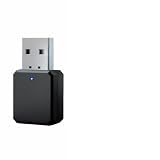
- Hands-Free Calling: HD microphone is integrated on this USB bluetooth adapter for car for crystal-clear hands-free answering during incoming calls, no need to pick up phone while driving. Bluetooth 5.1 core reduces audio delay and signal dropout for smooth music playback
- Auto Reconnect: This car bluetooth USB adapter automatically matches the last paired mobile device once receiving USB power after vehicle startup. Drivers skip repeated manual pairing steps and rapidly resume audio playback, improving driving safety and use convenience effectively
- USB + AUX: Independent USB power input and 3.5mm AUX audio output builds up this multi-use bluetooth adapter for car. USB interface draws steady power from car original charging port while AUX cord transmits stereo sound to car speaker, solving wireless upgrade trouble of older cars lacking native bluetooth function
- Plug & Play: Portable bluetooth USB adapter for car lets users finish whole setup just by plugging USB into vehicle power socket or device. You can now start pairing with your device and use. No professional experience or complicated steps required for beginners to complete audio modification quickly
- Wide Application: Multi-scene applicable USB bluetooth adapter for car stereo not only fits various vehicle original stereo systems, but also compatible with car audio systems, amplifiers, cell phones, CD players, and other devices. Please note that this product is not compatible with TVs, computers or headphones
Android: open a magnet link in a mobile app
Android requires a torrent application that supports magnet links. The exact screens vary by app, but the general process is:
- Install a reputable BitTorrent application from a trusted source.
- Open the web page containing the magnet link in your browser.
- Tap the magnet link.
- Choose the torrent app if Android asks which application should handle it.
- In the app, choose the files and download location, then tap Add or the equivalent confirmation button.
BitTorrent’s Android support documentation describes this flow: search or browse in the app or browser, tap a .torrent file or magnet link, select the files and location, and tap Add.
Using qBittorrent Web UI from a browser
If qBittorrent runs on another computer, NAS, or server, a browser can send magnet links to its Web UI through an integration. qBittorrent’s FAQ lists a Firefox add-on called Link to qBittorrent WebUI and a Chrome/Chromium extension called Remote Torrent Adder.
Do these 3 things before closing this tab:
1Scan for outdated or missing drivers - takes under a minute2Repair Windows errors before they cause bigger problems3Fix the driver behind crashes, sound loss and screen glitchesThese are extensions, not built-in browser features. They require the qBittorrent Web UI to be enabled and correctly configured, including its address and authentication. This setup is different from opening a magnet link with a locally installed desktop client.
Chrome protocol-handler limitations
Chrome supports web applications that register protocol handlers through browser APIs such as navigator.registerProtocolHandler(). A web handler can receive a URI and process it online, subject to browser permission and security rules.
Chrome’s documented enterprise Custom protocol handlers policy is not a general way to point a magnet: link directly at a local executable such as qbittorrent.exe. The configured handler must use an https:// URL containing a %s placeholder, and Chrome documents the custom protocol field for the web+ protocol selection. For a native torrent client, use the operating system’s registered association or a supported Web UI extension instead.
Rank #4

- Stable Transmission: Equipped with a Bluetooth 5.3 chip, this car Bluetooth receiver ensures more stable multi-data transmission and broader wireless coverage. It rapidly converts in-car audio to Bluetooth audio, maintaining a stable connection with devices while delivering noise reduction and low latency for exceptional stereo quality.
- Product Details: This Bluetooth receiver features FM transmission and AUX connectivity for stable signal transfer. Frequency and status are clearly displayed in high definition, with TF card support for plug-and-play playback. Simply plug it into traditional speakers to transform them into Bluetooth speakers, enabling a wireless connection experience ranging from 33 to 49 feet.
- Quick Setup: Connect the 3.5mm audio cable to the adapter and plug it into your device's auxiliary port for immediate use. Automatically reconnects when starting your vehicle, supporting mobile music, audiobooks, and HD voice navigation to enhance driving safety.
- Driving Safety: The Bluetooth transceiver's built-in microphone enables hands-free calling with clear amplification, allowing you to keep both hands on the wheel for worry-free driving. It supports USB power and features a compact, space-saving design for easy portability.
- Versatility: This dual-function device combines Bluetooth receiver and transmitter capabilities, delivering high-definition wireless stereo sound and hands-free calling for a smarter daily experience. It seamlessly integrates with home/car audio systems, wired headphones, TVs, computers, and more.
Why a magnet link is stuck on “retrieving metadata”
This status means that protocol dispatch worked, but the client has not yet obtained the torrent metadata. It is not proof that the download itself is ready to start.
Quick wins for a faster PC:
Fix the driver behind crashes, sound loss and screen glitchesFind Drivers →Repair Windows errors before they cause bigger problemsFix Now →Possible causes include:
- The torrent’s swarm is offline or currently has no reachable peers.
- The link has no usable tracker information and DHT has not found peers.
- The tracker is unavailable or blocked.
- Peers were found, but none can provide the metadata.
- The link was copied incorrectly and its hash or query string was truncated.
When a magnet link contains no tracker, the BitTorrent specification says the client should use DHT to acquire peers. That is a fallback, not a guarantee that peers will be found. Peers without the complete metadata must reject metadata requests, so the client needs at least one suitable peer before the file list can appear.
Magnet-link problems and fixes
| Symptom | Likely reason | What to check |
|---|---|---|
| Nothing happens after clicking | No magnet: handler is registered, or the browser/OS blocked the external-app launch. |
Install a compatible client, enable its magnet association, and try another browser confirmation prompt. |
| The wrong torrent client opens | Another application owns the protocol association. | Change the operating system’s default handler or disable the other client’s magnet registration. |
| The client opens but there is no file list | Metadata has not arrived yet. | Wait briefly and check whether peers, DHT, or trackers are working. |
| Metadata retrieval never completes | No usable metadata provider was found. | Try a legitimate, active source; check the full link, tracker status, DHT setting, and network connectivity. |
| Pasting the link fails | The URI was wrapped, HTML-escaped, truncated, or copied without its full query string. | Confirm that it begins with magnet:? and that the required xt parameter is intact. |
| A web page opens instead | A web protocol handler, Web UI integration, or browser-based torrent service intercepted the link. | Check browser extensions and the operating system’s native protocol association. |
Are magnet links safe and legal?
A magnet link is only a way to identify and locate BitTorrent content. It does not tell you whether the content is lawful, trustworthy, or safe. Use magnet links for material you have permission to download, such as Linux distributions, open-source projects, and files shared by their owners.
BitTorrent downloads can also expose your IP address to other participants in the swarm. Download only from sources you trust, keep your operating system and torrent client updated, and scan downloaded files where appropriate. Do not assume that a familiar filename or a large number of peers makes a download safe.
What happens technically after the click?
- The browser recognizes a URI beginning with
magnet:. - The operating system selects the registered native application or a configured web handler.
- The torrent client reads the info hash and optional tracker or peer parameters.
- The client searches for peers through trackers, DHT, peer exchange, or supplied peer information.
- A peer supporting the metadata extension supplies the torrent metadata.
- The client displays the file list and begins downloading selected pieces after you confirm the destination and content.
This explains two common misconceptions: the browser is not downloading the torrent by itself, and opening the torrent client is only the first part of the process. The client must still retrieve metadata and find an active swarm.
Free tools Windows power users keep installed
One-click scans. No signup required.
FAQ
Can I open a magnet link without a torrent client?
Not with an ordinary browser alone. You need a native BitTorrent application, a qBittorrent Web UI integration, or a web-based protocol handler that can process magnet URIs.
Best Value

- 【Material】: This OBD2 adapter is made of high-toughness PVC material, which is wear-resistant and can easily adapt to complex in-vehicle environments. It is not easy to crack or deform after long-term use, providing reliable support for vehicle diagnosis.
- 【Function】: This diagnostic scanner can efficiently read and clear engine fault codes, and enable advanced functions such as global window open/close control, Bambi mode activation, safe idle, and trailer brake controller coding. When used with compatible OBD diagnostic software, it allows personalized configuration of the vehicle.
- 【Wide Application】: This OBD2 adapter is suitable for various vehicles such as trucks, SUVs, and sedans produced in 1996 and later, which meet the OBD2 standard and are equipped with a 16-pin DLC (Data Link Connector) under the dashboard. Note: It is not compatible with models that require chip matching.
- 【Easy to Use】: This diagnostic scanner requires installing the USB driver and diagnostic scanner software. Connect the diagnostic tool to the vehicle's OBD port and start the vehicle to perform a diagnosis, which can be quickly completed even by beginners.
- 【Package and Size】: The package contains 1 OBD2 adapter with a size of about 3.46×1.9 inches. It comes with a sufficiently long cable for flexible operation, making it an ideal tool for vehicle inspection and maintenance.
Why does my magnet link open qBittorrent but show no files?
A magnet link usually provides an info hash rather than the complete torrent metadata. qBittorrent must retrieve that metadata from a suitable peer first, so an empty file list or “retrieving metadata” status can be normal.
Do magnet links always need trackers?
No. The tracker parameter, tr, is optional. If it is absent, the client should use DHT to discover peers, although DHT may still fail to find an active or usable peer.
Is a magnet link the same as a .torrent file?
No. A magnet link is a URI containing an identifier and optional discovery information. A .torrent file contains the torrent metadata itself.
Why does a different torrent program open instead of qBittorrent?
Multiple torrent clients may register the magnet: protocol. Your operating system is using the other client’s association. Change the default protocol handler in the operating system or update the association from qBittorrent’s settings.
Can Chrome’s custom protocol-handler policy launch qBittorrent.exe?
No. Chrome’s documented custom-handler policy is intended for HTTPS web handlers and does not provide a general direct mapping from magnet: to a local executable. Use the operating system association or a supported Web UI extension.
What should I do if clicking a magnet link does nothing?
Install a magnet-compatible torrent client, enable its magnet association, and retry. If the client is installed, check whether another application owns the magnet: protocol and whether the browser blocked the external-application prompt.
The Bottom Line
To open a magnet link, install a BitTorrent client, register it as the handler for the magnet: protocol, and click the link in your browser. The client—not the browser—retrieves the torrent metadata from peers. If the client opens but remains on “retrieving metadata,” the association is working; the remaining problem is usually peer discovery, an inactive swarm, or a damaged link.
The Tool Desk
Outbyte PC Repair FREEClear out junk files and repair common Windows errorsFree Scan →Outbyte Driver Updater FREEFix the driver behind crashes, sound loss and screen glitchesFind Drivers →Quick Recap
Product prices and availability are accurate as of the date/time indicated and are subject to change. Any price and availability information displayed on Amazon at the time of purchase will apply.

