
iTechGuides is reader-supported. When you buy through links on our site, we may earn an affiliate commission. As an Amazon Associate I earn from qualifying purchases. Learn more
“Immersion surfaces” is not an Apple name for a Mac gaming feature. In the Mac context, the closest documented technology is the Force Touch trackpad: pressure sensors beneath the surface detect how firmly you press, while a haptic mechanism produces a tactile click or other response. Apple documents this behavior for macOS interactions, but does not claim that Mac games generally use trackpad pressure or game-specific haptics.
The phrase is also easy to misread because a 2026 article about the game Escape: Immersion uses “Immersion” and “surfaces” in its headline to describe the game’s Mac release. That wording does not establish a technical category called an immersion surface.
Is “immersion surface” an official Mac feature?
No. Apple’s current support documentation describes Force Touch trackpads, Force Click, haptic feedback and Multi-Touch gestures. It does not use “immersion surface” as the name of a Mac input technology, API or gaming standard.
The most defensible interpretation is that someone is using the phrase informally for a physical input surface that can make an interaction feel more tactile. On a Mac, that usually points to a Force Touch trackpad rather than to a separate gaming product category. The terminology matters because it sets the right expectation: a Force Touch trackpad can sense pressure and provide feedback, but an individual game must be written to use those capabilities.
#1 Best Overall

- Magic Trackpad is wireless and rechargeable, and it includes the full range of Multi-Touch gestures and Force Touch technology.
- Sensors underneath the trackpad surface detect subtle differences in the amount of pressure you apply, bringing more functionality to your fingertips and enabling a deeper connection to your content.
- It features a large edge-to-edge glass surface area, making scrolling and swiping through your favourite content more productive and comfortable than ever.
- Magic Trackpad pairs automatically with your Mac, so you can get to work straightaway.
- The rechargeable battery will power it for about a month or more between charges.
Two meanings that should not be conflated
| Term or reference | What it actually describes | What it does not establish |
|---|---|---|
| Force Touch trackpad | A Mac trackpad with pressure sensors and haptic feedback, as documented by Apple. | That every Mac game reads pressure or sends game-specific haptic effects. |
| “Immersion surfaces” in the phrase about Escape: Immersion | Wording in a headline about a game arriving on macOS through Steam. | A technical surface, Apple feature or haptic implementation in that game. |
| Spatial input on visionOS | Tracked controllers and other accessories used by spatial-computing apps. | Compatibility with Mac games or Mac Force Touch trackpads. |
Keeping these meanings separate prevents a search headline or a visionOS presentation from being mistaken for evidence of a Mac gaming feature.
How a Force Touch trackpad senses pressure
Apple explains that “Trackpads that include Force Touch technology have sensors beneath the surface to detect differences in the amount of pressure you apply.” Those sensors do more than detect the position of a finger. They distinguish a normal click or tap from a firmer press and pass that difference to macOS and supported software.
A Force Touch trackpad also uses haptic feedback rather than relying only on a moving mechanical switch. Apple defines haptic feedback as “the tactile response you feel from a Force Touch trackpad when you click, or when in supported apps you perform actions such as moving shapes, text, or other objects into alignment.” In practical terms, the trackpad can make a press feel as though a second, deeper click occurred even though the surface itself has not traveled like a conventional button.
What’s actually slowing this PC down?
Pick the symptom - the matching free tool is one click away.
The response is contextual. A firm press can trigger Force Click, but what Force Click does depends on the app and the object under the pointer. Apple’s examples include actions in which shapes, text or other objects snap into alignment in supported applications. These examples describe macOS software behavior generally; they are not a promise that a game will implement an equivalent action.
Force Click and ordinary clicking are different inputs
A normal click completes the basic pointer action. Force Click adds a second stage: press more firmly after the initial click and the trackpad produces a deeper-feeling click and, where the software supports it, a different command. A game could theoretically assign meaning to pressure levels, but the existence of the sensor does not make that assignment automatic.
Rank #2

- Magic Trackpad is wireless and rechargeable, and it includes the full range of Multi-Touch gestures and Force Touch technology.
- Sensors underneath the trackpad surface detect subtle differences in the amount of pressure you apply, bringing more functionality to your fingertips and enabling a deeper connection to your content.
- It features a large edge-to-edge glass surface area, making scrolling and swiping through your favourite content more productive and comfortable than ever.
- Magic Trackpad pairs automatically with your Mac, so you can get to work straightaway.
- The rechargeable battery will power it for about a month or more between charges.
Haptics are feedback, not extra game data
The trackpad’s vibration is an output to your finger. Pressure sensing is an input from your finger. A game would need to support the relevant input event and separately request any supported feedback behavior for the tactile response to become part of its design. Without that software support, the trackpad remains a standard pointing and clicking device even though the hardware is capable of more.
Force Touch versus Multi-Touch
Force Touch and Multi-Touch are related but not interchangeable terms.
Do these 3 things before closing this tab:
1Clear out junk files and repair common Windows errors2Fix the driver behind crashes, sound loss and screen glitches3Repair Windows errors before they cause bigger problems- Force Touch concerns pressure: how firmly you press and the haptic response associated with supported actions.
- Multi-Touch concerns gestures made with one or more fingers, such as scrolling or other macOS trackpad gestures.
- A trackpad can support both technologies, but a two-finger gesture does not prove that a game is receiving pressure data, and a haptic click does not describe a multi-finger gesture.
When a game lists “trackpad support,” that label may mean only pointer movement, clicking or conventional gestures. It should not be read as confirmation of Force Click or game-specific haptics.
What this means for Mac games
There is no general Apple statement that Mac games use Force Touch haptics, and the Apple support page does not name games that do. Therefore, it is not accurate to promise that pressing harder will create a stronger attack, a weapon recoil effect, a terrain sensation or any other gaming response on a Mac.
Support must be established game by game
A developer would need to expose pressure-sensitive controls in the game’s input layer and decide what each pressure or click event means. The developer would also need to determine whether the game can trigger a tactile response through the trackpad. A game may support a trackpad for menus while requiring a controller for play; another may accept pointer clicks but ignore pressure entirely.
Rank #3
![Apple Magic Trackpad 2 (MJ2R2LL/A) [Lightning Port] - (Renewed)](https://m.media-amazon.com/images/I/21QGdq6nZLL._SL160_.jpg)
- Completely redesigned, the new Magic Trackpad 2 features a built-in battery, Force Touch, a much larger surface, and pairs automatically with your Mac.Built-In Rechargeable Battery
- Lots of workspace -- the edge-to-edge glass surface area of the Magic Trackpad 2 is nearly 30 percent larger than the previous Magic Trackpad.Connector: Lightning
- Long-lasting power: your Magic Trackpad 2 stays powered up for about 1 month after every charge and system requirement is bluetooth 4.0-enabled Mac computer with OS X v10.11 or later
Look for explicit wording in the game’s control documentation or settings, such as Force Click, pressure-sensitive input or haptic trackpad feedback. If the documentation only says “mouse and keyboard” or “trackpad,” treat that as basic pointer compatibility unless the developer specifies more.
Quick wins for a faster PC:
Scan for outdated or missing drivers - takes under a minuteDriver Scan →Repair Windows errors before they cause bigger problemsFix Now →Visual and audio immersion are separate from tactile feedback
A game can be immersive because of its lighting, sound, camera, story or environmental design without using a haptic surface. Conversely, a tactile click can confirm an interface action without making the entire game an “immersive” experience. Describing Force Touch as one possible input channel is more precise than treating it as a complete immersion system.
How to check what your Mac and a game actually support
Use this verification sequence before relying on a pressure-sensitive control.
- Confirm the hardware. Check the technical documentation for your Mac or connected trackpad and verify that it is a Force Touch model. Apple’s wording is conditional—“trackpads that include Force Touch”—so not every trackpad should be assumed to have pressure sensing.
- Test the basic response in macOS. Click normally, then press more firmly to see whether the trackpad produces the distinct deeper-feeling response associated with Force Click. This confirms that the hardware and operating system are responding; it does not confirm game support.
- Read the game’s controls and accessibility information. Search for an explicit reference to pressure, Force Click or trackpad haptics. Do not infer support from the game running successfully with a pointer.
- Check the in-game control screen. If the game exposes a binding or sensitivity option for pressure, test it in a safe area rather than during a difficult encounter. If no such option exists, assume ordinary clicking unless the developer says otherwise.
- Test feedback independently from gameplay. A click that feels tactile in a menu may be macOS’s normal trackpad response. It is evidence of the trackpad’s haptic mechanism, not evidence that the game sent a custom effect.
- Use another input method when required. If the game lists a keyboard, mouse or controller as its supported play device, use that device for controls the trackpad does not expose reliably.
Why Apple’s spatial-computing material does not prove Mac support
Apple’s session “Build great games for spatial computing” discusses games, Bluetooth controllers, audio and variable levels of immersion for visionOS. It is about spatial-computing software, not a guide to Force Touch trackpads on macOS. Its discussion cannot be used as proof that a Mac game accepts trackpad pressure.
Likewise, Apple’s WWDC25 session “Explore spatial accessory input on visionOS” covers devices such as PS VR2 Sense controllers and Logitech Muse, including tracked movement and haptics for visionOS apps. Those accessories and APIs belong to a different platform context. The session does not establish that the devices work with Mac games or that their haptics are available through a Mac trackpad.
The Tool Desk
Outbyte Driver Updater FREEFix the driver behind crashes, sound loss and screen glitchesFind Drivers →Outbyte PC Repair FREEClear out junk files and repair common Windows errorsFree Scan →Rank #4
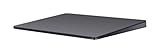
- Redesigned and rechargeable, Magic Trackpad 2 includes a built-in battery and brings Force Touch to the desktop for the first time.
- Four force sensors underneath the trackpad surface allow you to click anywhere, and detect subtle differences in the amount of pressure you apply, bringing increased functionality to your fingertips and enabling a deeper connection to your content.
- Magic Trackpad 2 also features an edge-to-edge glass surface area that is nearly 30 per cent larger than the previous trackpad. This design, along with a lower profile, makes scrolling and swiping through your favorite content more productive and comfortable than ever.
- Magic Trackpad 2 pairs automatically with your Mac, so you can get to work right away.
Spatial immersion can involve head tracking, hand or controller movement, room-scale positioning and multiple kinds of feedback. A Force Touch trackpad is a small, stationary pressure-sensitive surface. The shared word “haptic” does not make the technologies interchangeable.
What is known about Escape: Immersion on Mac
A report published by The Mac Observer on October 10, 2026 says that Escape: Immersion launched on Steam for macOS. The report describes it as a 2.5D underwater horror game with environmental puzzles, traps, a VHS-style visual filter and a free demo. Those details explain the game referenced by the headline, but they do not describe a Force Touch implementation.
The article does not say that Escape: Immersion reads trackpad pressure or produces custom trackpad haptics. Its headline’s use of “Immersion” and “surfaces” is therefore best treated as a naming collision, not as evidence of a Mac feature. The report is available at The Mac Observer’s coverage.
Independent reader supportYour contribution helps us test, update, and keep practical guides available for everyone.Should you buy a separate trackpad for gaming?
Apple’s Magic Trackpad is a plausible physical surface to consider because Apple documents Force Touch and haptic feedback on Force Touch trackpads. However, buying one does not guarantee more immersion in any particular game. Before purchasing, verify three separate things:
- the exact trackpad model has Force Touch rather than only basic Multi-Touch functionality;
- the device is compatible with your Mac and operating-system version;
- the games you play explicitly support the trackpad inputs or feedback you want.
A trackpad can be convenient for cursor-based adventures, strategy interfaces, menus and games designed around pointer interaction. It is not automatically a substitute for a controller’s analog sticks, triggers, directional pad or game-specific vibration. If a title is built around those controls, a conventional controller may remain the more appropriate input device even when the trackpad works for navigation.
Best Value

- Familiar Mac Gesture Control: Navigate naturally with our mac trackpad using intuitive multi gesture controls to scroll, swipe, zoom, switch between apps, and open Mission Control.
- Large Glass Surface: The spacious edge to edge glass of our wireless touchpad mouse gives you more room for smooth, comfortable navigation through webpages, documents, and apps.
- Wireless or Wired Connection: Use the included USB C 2.4 GHz receiver for wireless freedom or connect directly our wireless touchpad for mac with the braided USB C cable for wired use.
- Ready to Use in Seconds: Plug the receiver or usb c cable into your Mac, turn on the imac trackpad and start navigating without Bluetooth pairing or complicated setup.
- Recharge Less, Work Longer: The rechargeable 1000 mAh battery in our mac touchpad provides up to 20 days of use, while the sleek minimalistic design complements your Mac setup.
Common misconceptions and how to resolve them
“My Mac has a haptic click, so every game supports it.”
The hardware capability and the game’s input code are separate. Confirm support in the game’s own documentation or controls.
“A Multi-Touch gesture is the same as pressure input.”
Multi-Touch identifies finger count and movement; Force Touch identifies pressure and a related haptic response. They can coexist without being used by the same software feature.
“A visionOS controller demo shows what Mac games can do.”
VisionOS accessories, tracking and haptics are documented for spatial apps. They do not establish Mac compatibility.
Outdated Drivers Are Slowing You Down
One free scan finds every outdated or missing driver and matches the right update for your exact hardware.Free scan · exact hardware matchPC Slower Than It Used to Be?
A free scan shows the junk files, broken settings and background clutter dragging Windows down - then fixes them in one click.Free scan · Windows 10 & 11“The word immersion in a game title means the game uses haptics.”
A title or headline is not a technical specification. For Escape: Immersion, the available Mac-release report contains no claim about Force Touch effects.
The practical conclusion
On a Mac, the technology that most closely matches an “immersion surface” is a Force Touch trackpad: pressure sensors detect how firmly you press, and haptic feedback can make supported clicks or application actions feel tactile. Apple documents the mechanism and gives examples in macOS, but it does not identify a general Mac-gaming standard or a list of games that use it.
Use “immersion surface” cautiously, verify Force Touch on the exact hardware, and check each game’s controls before expecting pressure-sensitive play or custom haptics. Keep visionOS spatial accessories and the similarly worded Escape: Immersion game release in their proper contexts.
Quick Recap
Product prices and availability are accurate as of the date/time indicated and are subject to change. Any price and availability information displayed on Amazon at the time of purchase will apply.
Free tools Windows power users keep installed
One-click scans. No signup required.

